
Discovery Kids DAISY BLOOM Manuale utente
instruction
manual
AGES
3+
PROJECTION
ALARM CLOCK
DAISY BLOOM
Not for children under 3 years.
v
Not for children under 3 years.

Getting Started..........................................................................................................
Using Your Projection Alarm Clock.............................................................................
Using Your Projection Alarm Clock/Caring For Your Projection Alarm Clock..................
• Keep this instruction manual as it contains important information for future reference.
• Cordless operation requires 3 “AAA” batteries (not included). Alkaline batteries are recommended.
• Adult assembly and a Phillips screwdriver (not included) will be required for battery installation.
Table of Contents
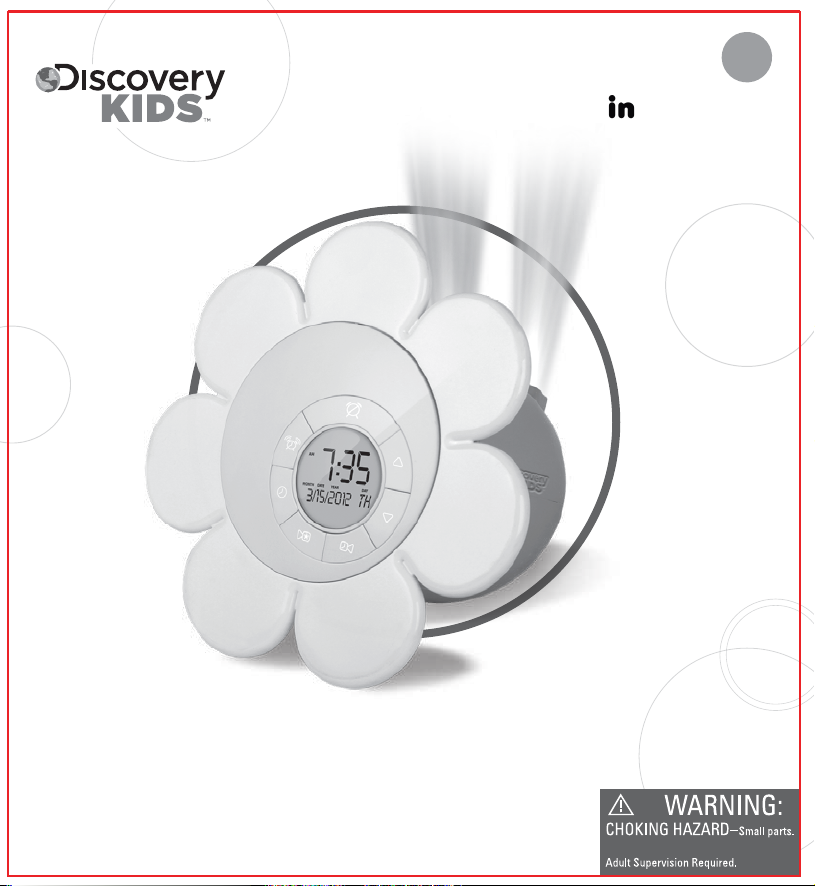
Congratulations on your purchase of the Discovery Kids™ Daisy Bloom Projection Alarm Clock. It’s
time for some fun to bloom. This daisy-shaped time piece projects a digital clock display against
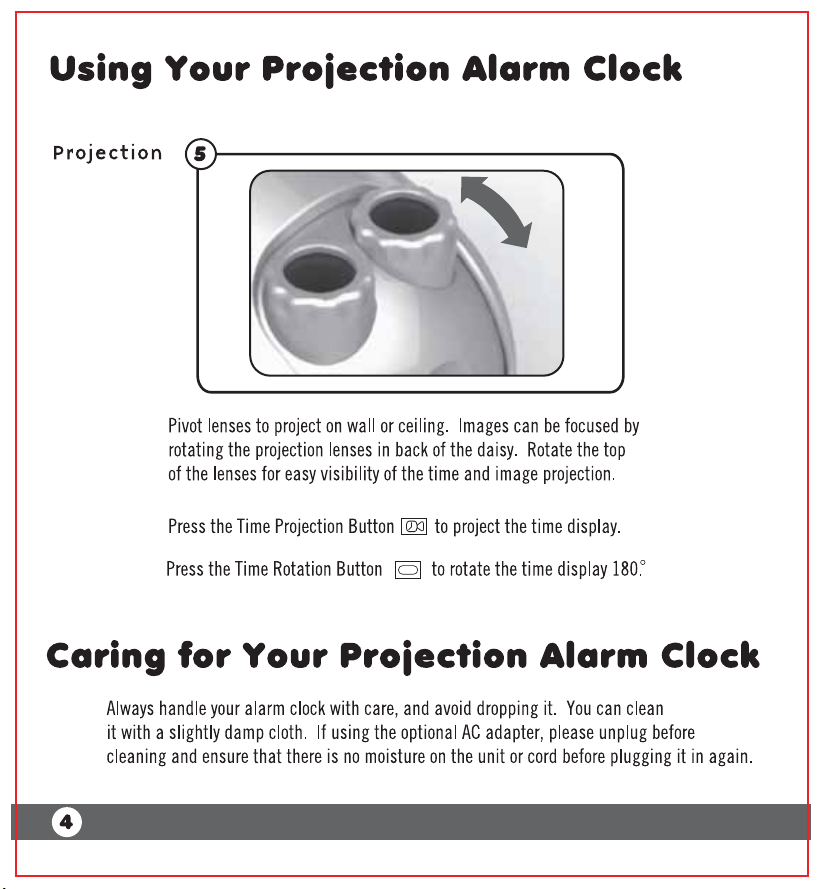
colorful nature images on any ceiling or wall. Twin pivoting lenses project up to ten feet away to
create images up to 4 feet wide! 12/24 Hour clock displays the month, date, year and day of the
week, and also features a built-in audible alarm. This clock requires 3 "AAA" batteries (not included).
An optional AC power adapter (not included) may also be used. Alkaline batteries are
recommended. Includes 4 colorful scenes.
Please read all instructions and warnings in this manual prior to using your new clock.
1
2
4
INTRODUCTION
Introduction

Warning: Changes or modifications to this unit not expressly approved by the party responsible for compliance
could void the user's authority to operate the equipment.
NOTE: This equipment has been tested and found to comply with the limits for a Class B digital device, pursuant
to Part 15 of the FCC Rules. These limits are designed to provide reasonable protection against harmful
interference in a residential installation. This equipment generates, uses, and can radiate radio frequency
energy and, if not installed and used in accordance with the instructions, may cause harmful interference to
radio communications. However, there is no guarantee that interference will not occur in a particular
installation. If this equipment does cause harmful interference to radio or television reception, which can be
determined by turning the equipment off and on, the user is encouraged to try to correct the interference by one
or more of the following measures:
• Reorient or relocate the receiving antenna.
• Increase the separation between the equipment and receiver.
• Connect the equipment into an outlet on a circuit different from that to which the receiver is connected.
• Consult the dealer or an experienced radio TV technician for help.
Using Your Projection Alarm Clock
Install
Batteries
Set the Date
and Time
AAA
AAA
AAA
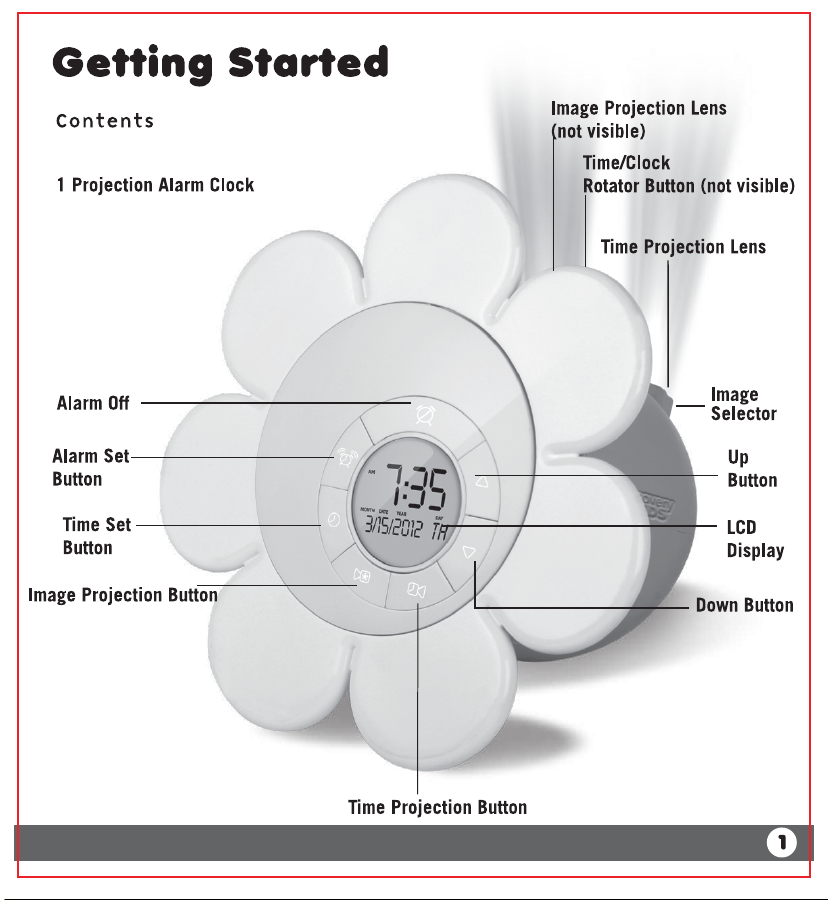
Adult supervision required to change/install batteries. Using a Phillips
screwdriver, remove the battery cover. Insert 3 AAA batteries with the polarity
as shown in the diagram. Replace the battery cover and tighten the screw. The
setting (current time, alarm) will remain in the memory for up to 1 min., which
allows users to change batteries without losing the current settings. An optional
AC Adapter (not included) may also be used to power your Projection Alarm Clock. The
manufacturer recommends using only a UL-certified OUTPUT DC 5V, 500mA AC Adapter.
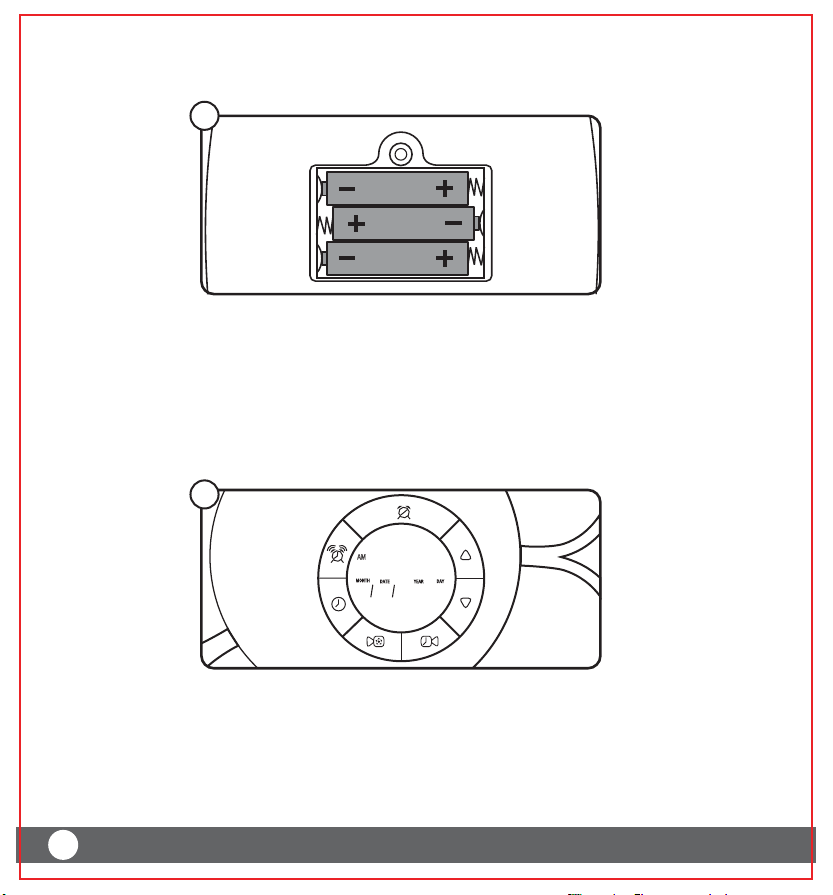
Press TIME SET for 2 seconds to enter Date/Time setting mode.
The “Month” will blink. Use the UP and DOWN button to make adjustments.
Press TIME SET to confirm the changes.
Repeat step 2 to make adjustment, to Date, Year, Hour, and Minute.
Press TIME SET after adjusting the Minute to exit Date/Time setting mode.
To switch from the 12 hour clock to 24 hour military time, press the UP button.
A
B
C
D
E
2
1
2
6”
(15.2 cm)
5.5”
(13.97 cm)
YEAR
MONTH DATE DAY
AM
:
7
2012
3
15 th
35
PATENT PENDING
©2012 Discovery Communications, LLC. Discovery Kids and the Discovery Kids logo are trademarks of Discovery Communications, LLC, used under license.
All rights reserved. discoverykids.com
©2012 MerchSource, LLC. All rights reserved.
Distributed by MerchSource, LLC, Foothill Ranch, CA 92610.
For customer support, please visit www.mscustomercare.com or call 1-800-374-2744.
BATTERY WARNING:
• Do not mix old and new batteries.
• Do not mix alkaline, standard (carbon-zinc) and rechargeable (nickel-cadmium) batteries.
• Insert batteries using the correct polarity. Do not short-circuit the supply terminal.
• Remove batteries when not in use. Recycle or dispose of exhausted batteries according to
federal, state, and local laws. Do not dispose of batteries in a fire - they may leak or explode.
• Only use manufacture specified battery(ies), charger(s) and/or adapter, if applicable, specified
by the manufacturer.
• Always use, replace, and recharge (if applicable) batteries under adult supervision.
KEEP THIS PACKAGE FOR REFERENCE AS IT CONTAINS IMPORTANT INFORMATION.
Printed in China
Indice
Altri manuali Discovery Kids Sveglia


