
Dish Network HDTV Manuale utente
Page iii
Safety Instructions
1. Read these instructions.
2. Keep these instructions.
3. Heed all warnings.
4. Follow all instructions.
5. Do not use this apparatus near water.
6. Clean only with a dry cloth.
7. Do not block any ventilation openings. Install in accordance with the
manufacturer’s instructions.
8. Do not install near any heat sources such as radiators, heat registers, stoves, or
other apparatus (including amplifiers) that produce heat.
9. Do not defeat the safety purpose of the polarized or grounding-type plug. A
polarized plug has two blades with one wider than the other. A grounding-type
plug has two blades and a third grounding prong. The wide blade or the third
prong are provided for your safety. If the provided plug does not fit into your
outlet, consult an electrician for replacement of the obsolete outlet.
10. Protect the power cord from being walked on or pinched, particularly at plugs,
convenience receptacles, and the point where they exit from the apparatus.
11. Use only attachments/accessories specified by the manufacturer.
12. Unplug this apparatus during lightning storms or when unused for long periods
of time.
13. Refer all servicing to qualified service personnel. Servicing is required when the
apparatus has been damaged in any way, such as the power supply cord or plug
is damaged, liquid has been spilled or objects have fallen into the apparatus, the
apparatus has been exposed to rain or moisture, does not operate normally, or
has been dropped.
Apparatus shall not be exposed to dripping or splashing and no
objects filled with liquids, such as vases, shall be placed on the
apparatus.
Safety
Page iv
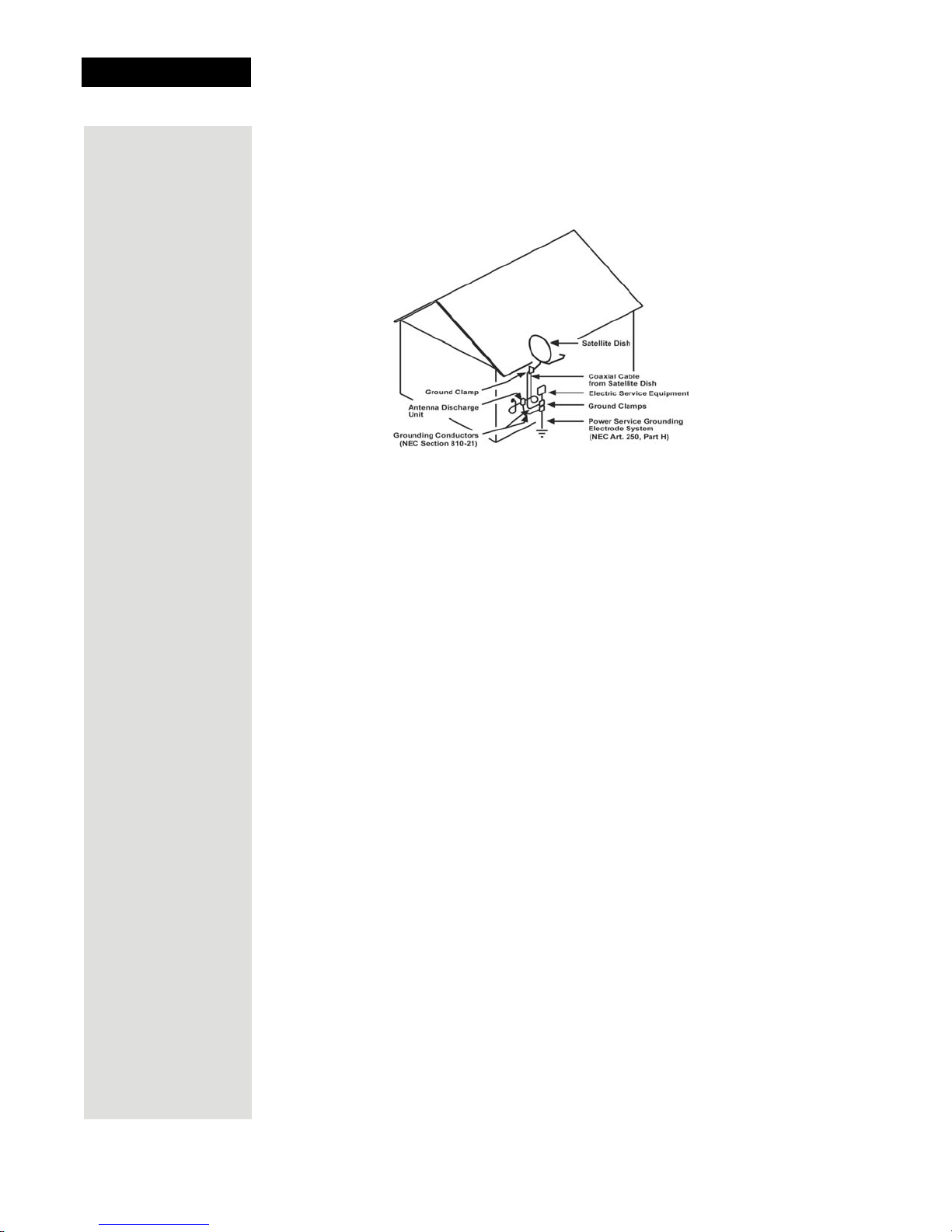
Note to Satellite TV System Installer: This reminder is provided to call the
satellite TV system installer’s attention to Article 820-40 of the National
Electrical Code (NEC) that provides guidelines for proper grounding and, in
particular, specifies that the cable ground shall be connected to the grounding
system of the building as close to the point of cable entry as practical.
Safety Tips
• Unplug the receiver from the AC power outlet before cleaning.
• The use of accessories or attachments not recommended by the receiver
manufacturer will void the Limited Warranty.
•Donot place the receiver in an enclosure such as a cabinet without proper
ventilation.
• Do not install the receiver in any area where the temperature can be less than
40°F or more than 113°F.
•Donot stack the receiver on top of or below other electronic devices.
• Operate the receiver using only the type of power source indicated on the
marking label. Unplug the receiver power cord by gripping the power plug, not
the cord.
•Donot overload wall outlets or extension cords, as this can result in a risk of
fire or electrical shock.
•Never insert objects of any kind into the receiver through openings, as the
objects may touch dangerous voltage points or short out parts. This could cause
fire or electrical shock.
•Make sure that the outdoor parts of the antenna system are grounded in
accordance with local, state, federal, and National Electrical Code (NEC)
requirements.
•Donot locate the antenna near overhead light or power circuits, or where it can
fall into such power lines or circuits. When installing the antenna, take extreme
care to avoid touching such power lines or circuits, as contact with them can be
fatal.
•Donot attempt to service the receiver yourself, as opening or removing covers
may expose you to dangerous voltage, and will void the Limited Warranty.
Refer all servicing to authorized service personnel.
• Use an outlet that contains surge suppression or ground fault protection. For
added protection during a lightning storm, or when the receiver is left
unattended and unused for long periods of time, unplug the power cord from the
wall outlet, disconnect the lines between the receiver and the antenna, and
disconnect the telephone line. This will provide some protection against
damage caused by lightning or power line surges.

Page i
Contents
Safety Instructions................................................................................iii
Chapter 1 - Introduction.........................................................................1
Welcome to DISH Network™ ...............................................................1
Overview ...............................................................................................1
Getting the Most of Your HD Satellite Receiver ....................................2
If You Need More Assistance ...............................................................2
Quick Start Guide .................................................................................3
Quick Tour of the Menus ......................................................................5
About Satellite Television .....................................................................9
Satellite Signal Quality ..........................................................................9
Chapter 2 - Receiver Description and Installation ............................11
Receiver Front Panel ..........................................................................11
Receiver Back Panel Connections .....................................................13
The Remote Control ...........................................................................15
Remote Control Settings .....................................................................17
UHF Remote Control Antenna ............................................................18
Installing the Receiver ........................................................................20
Connecting Your Receiver to a Phone Line ........................................24
Initial Set Up for Off-Air Broadcasts or Cable .....................................25
Chapter 3 - Using the System ............................................................ 31
Using the Remote Control ..................................................................31
Changing Channels ............................................................................35
Using the Menus .................................................................................35
Using Text Fields ................................................................................37
Using the Program Guide ...................................................................38
Using the Program Banner .................................................................40
Using the Browse Banner ...................................................................40
Ordering Pay-Per-View Programs ......................................................42
Using Themes and Search .................................................................42
Using dish home Interactive TV Applications .....................................44
Using Favorites Lists ..........................................................................44
Using Timers .......................................................................................46
Setting Up the Receiver to Control a VCR ..........................................52

Contents
Page ii
Using Locks ........................................................................................54
Using Caller ID ....................................................................................59
Advanced Features .............................................................................61
Display Options for Local Channels ....................................................63
Changing Program Languages ...........................................................63
Control Other Devices with the Remote ..............................................64
Teaching Another Remote ..................................................................72
Resetting the Receiver to Factory Defaults ........................................73
Troubleshooting Tools ........................................................................74
QAM Installations ................................................................................76
Chapter 4 - Reference..........................................................................77
Troubleshooting Tables ......................................................................77
Device Codes ......................................................................................86
Appendix .............................................................................................91
Limited Warranty .................................................................................91
Residential Customer Agreement .......................................................93
Staying Legal ......................................................................................97
FCC Compliance .................................................................................97
Index .....................................................................................................99
Page 1
Chapter 1
Introduction
Welcome to DISH NetworkTM
Congratulations and welcome to the home theater experience of High Definition
Television (HDTV). This high definition (HD) digital satellite receiver provides
motion picture sharpness and wide screen format together with high quality
digital sound. You will also experience the convenience of Direct Broadcast
Satellite (DBS) service bringing high definition programming straight to your
home.
DISH Network consistently provides innovative products and services - with
high performance, ease of operation, and a wide variety of entertainment
options.
Overview
Before you use your satellite receiver, you can install the system yourself
or it can be installed by a professional technician. For a professional installation,
please call the Customer Service Center at 1-800-333-DISH (3474). If you
install the system yourself, use the instructions in Chapter 2.
For information on the receiver and its installation, read Chapter 2, Receiver
Description and Installation.
For information on any specific feature or function, including how to use the
remote control, read Chapter 3, Using The System.
If you have a problem operating the system, or receive an error message, use the
Troubleshooting Tables in Chapter 4, Reference.
Tips
In the margins of pages throughout this guide are tips and other information to
make using your satellite receiver easier.
A vital part of the installation is to set up the receiver to
get the latest software from the satellite. If you are having a
new system installed, your receiver will automatically get
this software.
Page 2
Chapter 1
Introduction
Conventions Used in This Guide
To make it easy for you to use this guide, we use the following conventions:
• The names of remote control buttons and modes are all uppercase.
Example: Press the SAT button.
• Menus and options that appear on the TV screen are in bold type.
Example: Open the Program Guide.
•Select means to move the highlight to an on-screen option or choice in a list
and press the SELECT/OK button on the remote control.
Example: Select the Locks option.
• Connections on the back of the receiver are in small capital letters.
Example: SATELLITE IN
Getting the Most of Your HD Satellite Receiver
To enjoy viewing high definition programming at its highest resolution and
quality, your DISH Network HD satellite receiver must be connected to an
HDTV set or monitor and displayed in a high definition format (1080i or 720p).
Your receiver must also be activated with qualifying programming to display in
high definition format.
If You Need More Assistance
If you need help after you read this guide, call Customer Service at
1-800-333-DISH (3474). You can also call the Customer Service number
for information on professional installation.
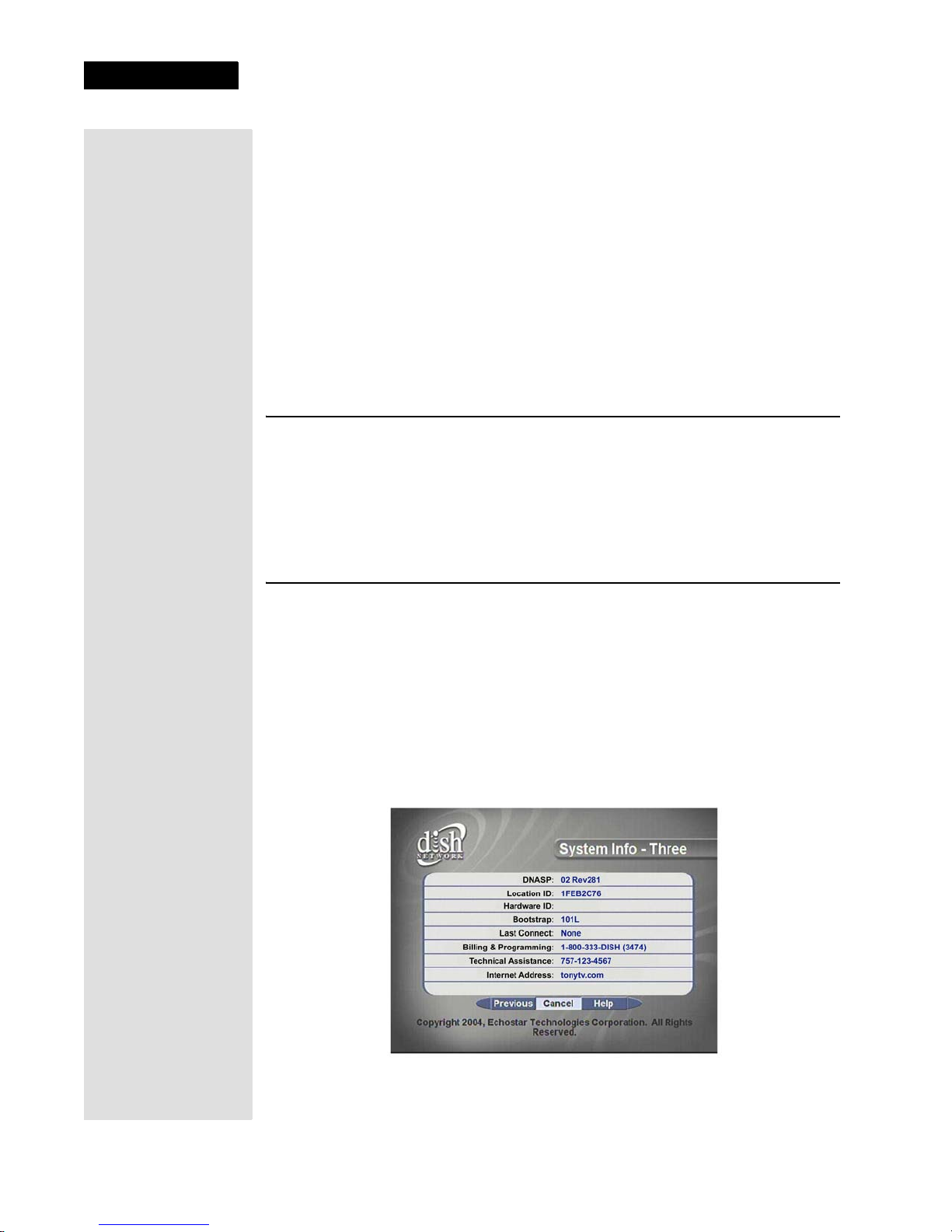
For those who purchased the receiver from an authorized DISH Network
retailer, contact the dealer listed on your System Info screen.
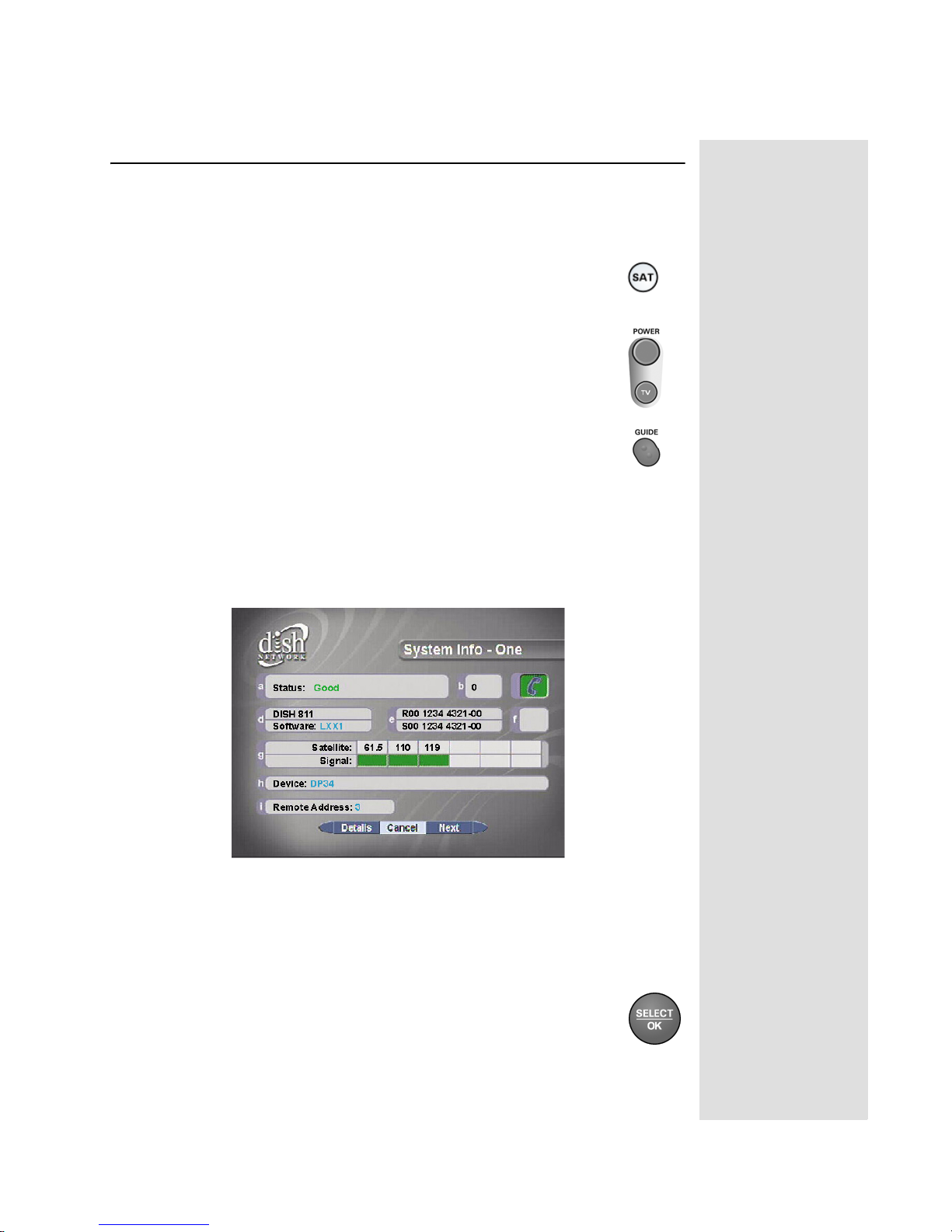
1. Press the SYSTEM INFO button on the receiver’s front panel to display the
System Info screen.
2. Select Next until you open System Info - Three.
Page 3
Page 3
Quick Start Guide
Quick Start Guide
After your system has been installed, order and watch your programming using
the following steps:
Step 1: Ordering Your Programming
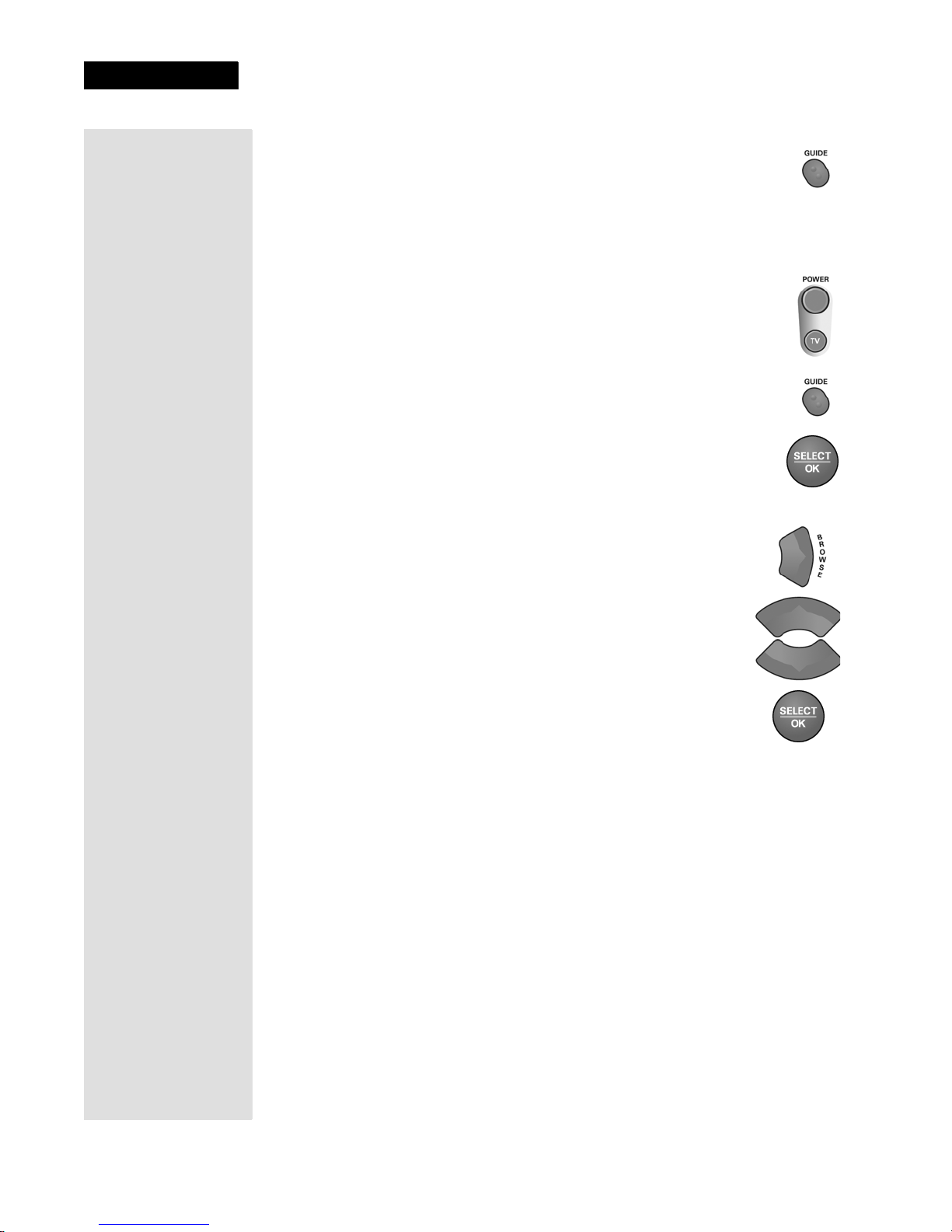
1. Using your remote control, press SAT, and then press the blank
POWER button. Make sure the TV is also on.
2. Press GUIDE. You will see that some channels in the
Program Guide appear in white. These channels can be
viewed immediately. However, many channels will be in red.
You cannot view these channels until you order programming.
3. Press the SYSTEM INFO button on the receiver's front panel to display the
System Info screen.
Note: The screen shown here is just an example. You will see numbers and
information for your receiver.
4. Call the Customer Service Center at 1-800-333-DISH (3474). A customer
service representative will discuss the various programming packages
available.
5. Choose a package and the representative will authorize your programming.
6. Select Cancel to close the System Info screen.
Tip: Channels that
appear in red can’t
be viewed because
they are not part of
your subscription.
You can add
channels to your
subscription
simply by calling
DISH Network at
1-800-333-DISH.
Page 4
Chapter 1
Introduction
7. Press GUIDE.Wait a few minutes and the channels you pur-
chased will turn from red to white, and can now be viewed. If
your programming package qualifies, your should now be watch-
ing TV in high definition format.
Step 2: Finding Programs To Watch
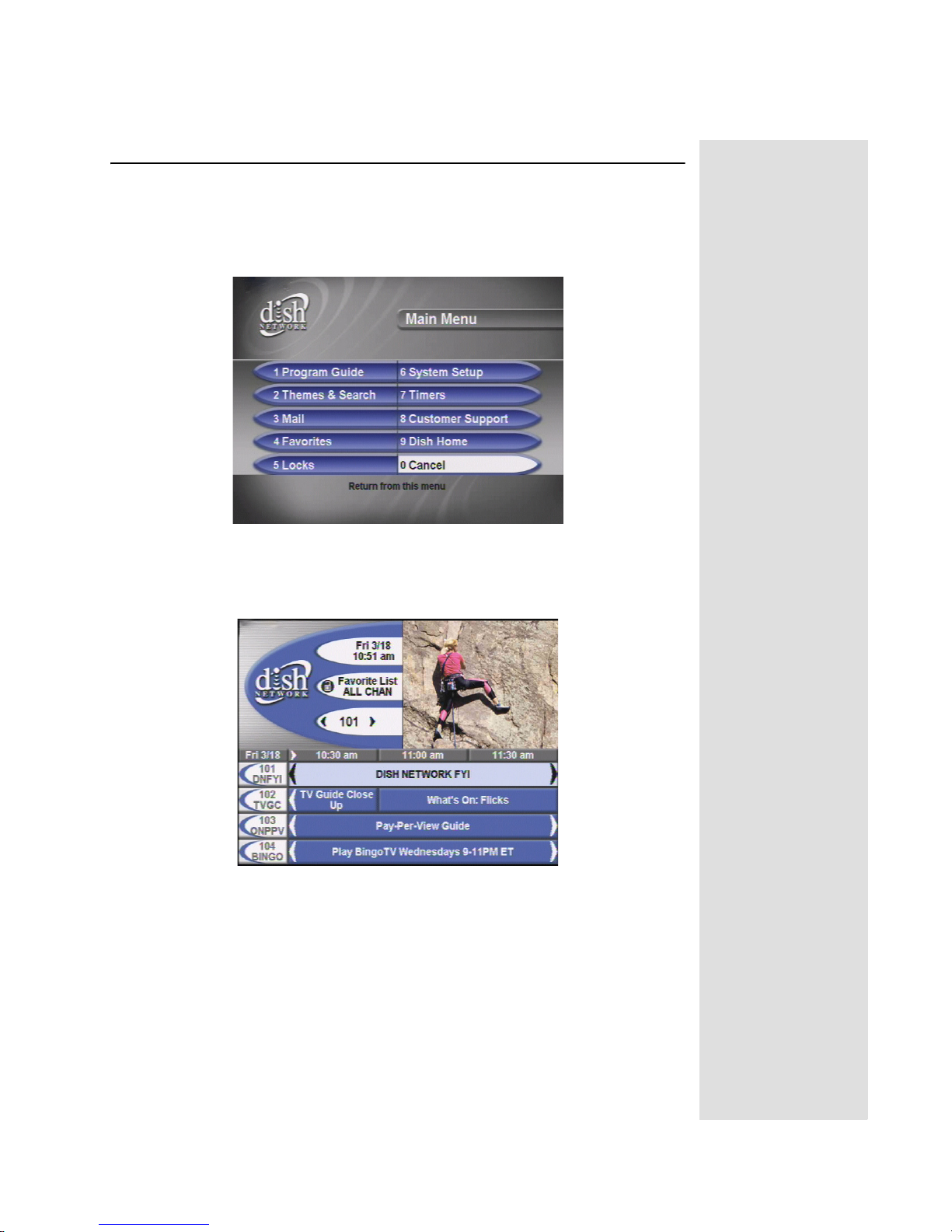
First, make sure the receiver is turned on. Press the POWER button
on the remote or press the POWER button on the receiver. There
are two ways to find information on programs.
•Press GUIDE. When the Program Guide opens, use the UP or
DOWN ARROW to view information on other channels. High-
light a program in the Program Guide, and then press
SELECT/OK to watch it.
•While viewing a program, press the BROWSE (RIGHT
ARROW) button. Then press either the UP or DOWN
ARROW.The information on other channels will appear
in the Browse Banner at the bottom of the screen. Press
SELECT/OK to watch the program.
Tip: The system
automatically
displays
programs based
on the current day
and time. You can
advance the Guide
to view informa-
tion on future
programs, but not
programs that
have already
ended.
Page 5
Page 5
Quick Tour of the Menus
Quick Tour of the Menus
This tour guides you quickly through the basic features available through the
Main Menu. See Chapter 3, Using the System for more information about these
and other features.
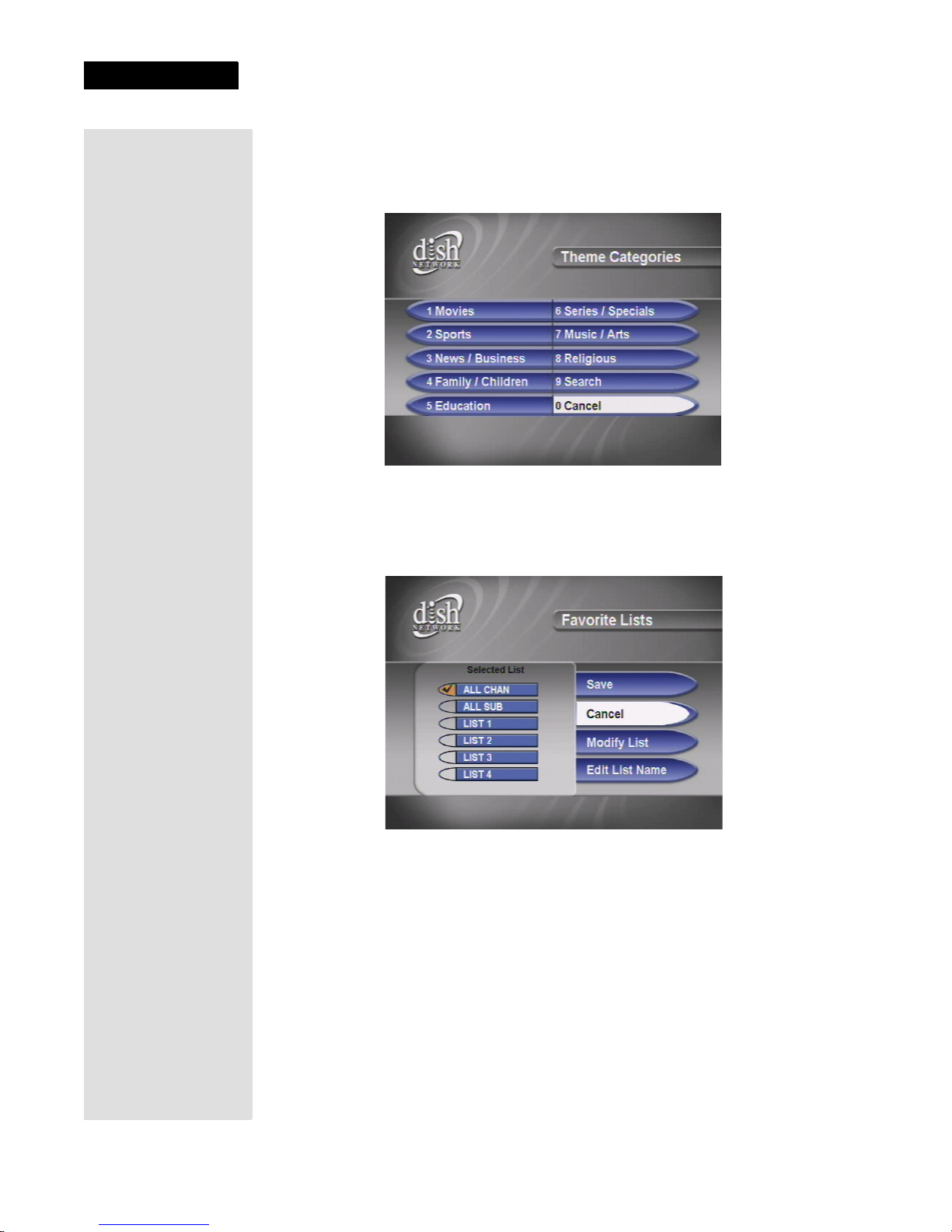
1. Press the remote control MENU button to open the Main Menu.
2. Press the 1 button to select the Program Guide option on the Main Menu.
This opens the Program Guide on the TV screen. You can use the Program
Guide to find and select a program to watch. For now though, go on with
this tour.
3. Press the MENU button to go back to the Main Menu.
Page 6
Chapter 1
Introduction
4. Press the 2button to select the Themes and Search option on the Main
Menu. Use this menu to search for programming by Theme Categories.
You can also select the Search function to find programs by name or by key
words within the text of the event information in the program guide.
5. Press the MENU button to go back to the Main Menu.
6. Press the 4 button to open the Favorites menu. This menu allows you to set
up lists of your favorite channels to make finding what you want to watch
more convenient.
7. Press MENU to go back to the Main Menu.
Indice
Altri manuali Dish Network Sistema TV satellitare

Dish Network
Dish Network Satellite Television Manuale utente

Dish Network
Dish Network Dish 322 Manuale utente

Dish Network
Dish Network TV2 Manuale utente

Dish Network
Dish Network 112182 Manuale utente

Dish Network
Dish Network TV1 Manuale utente

Dish Network
Dish Network DuoDVR ViP 722k Manuale utente

Dish Network
Dish Network Solo 301 Manuale utente

Dish Network
Dish Network MP1 Manuale

Dish Network
Dish Network Solo 111 Manuale utente

Dish Network
Dish Network Tailgater Manuale utente


