
DIT is TV ALIVE Basic Manuale utente

Inhoudsopgave - Contents
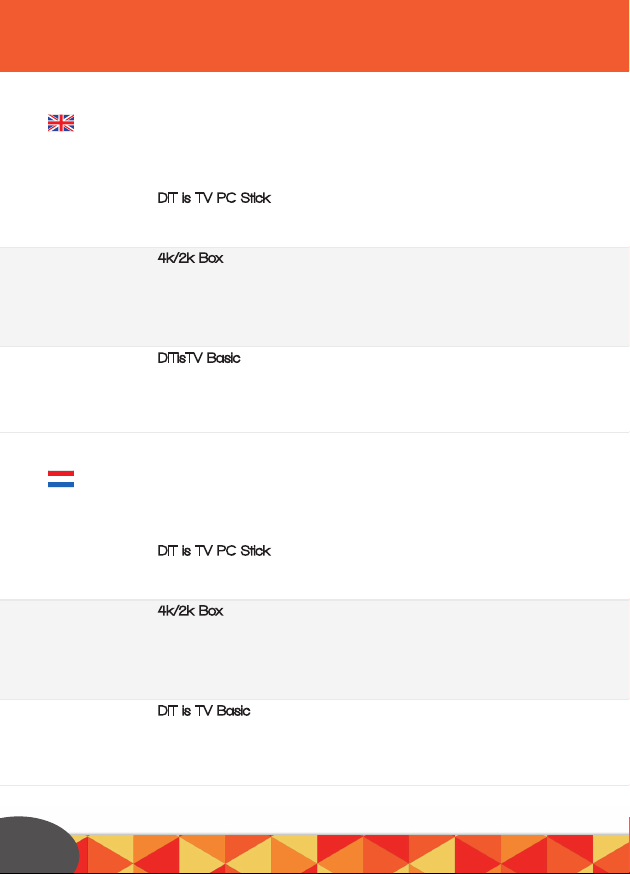
DIT is TV PC Stick - 4K/2K Box - DITisTV Basic
DIT is TV PC Stick - 4K/2K Box - DITisTV Basic
2
DIT is TV PC Stick - Connect - Set Up
Install DIT is TV - Install your own language - Activating Windows
Problem-solver - DIT is TV media app (XBMC)
4k/2k Box - Installing the Box
Installing the DIT is TV media app
Operating the device
Operating Apple, Android or a Windows Phone APP
Problem-solver
DITisTV Basic - Step 1: Connect
Step 2: Wireless internet
Step 3: Just a moment - Operation
Problems
DIT is TV PC Stick - Aansluiten - Set Up
DIT is TV installeren - Uw eigen taal installeren - Windows Activeren
Probleemoplosser - DIT is TV media app (XBMC)
4k/2k Box - De Box installeren
De DIT is TV Media app installeren
Bediening
Bediening Apple, Android of Windows Phone APP
Probleemoplosser
DIT is TV Basic - Stap 1: Aansluiten
Stap 2: Draadloos internet - Stap 3: Even geduld
Bediening
Probleemoplosser
6
7
8
9
10
11
12
13/14
15
16
17
18
Page
Pagina 19
20
21
22
23
24
25
26/27
28
29
30
31/32

Inhoudsopgave - Contents
Ordenador de ESTO es TELE - 4K/2K Box - DITisTV Basic
DIT is TV PC Stick - 4K/2K Box - DITisTV Basic
Contenidos - Inhaltsverzeichnis
3
ordenador de ESTO es TELE - Conexión - Set Up
lInstalar ESTO es TELE - Instalar su propio idioma - Activar Windows
Solucionar problemas - Aplicación de medios ESTO es TELE (XBMC)
4k/2k Box - Instalar el dispositivo
Instalar la aplicación de medios de ESTO es TELE
Manejar el dispositivo
Manejar Apple, Android o la aplicación de teléfono Windows Phone
Solucionar problemas
ESTO es TELE Basic - Paso 1: Conectar
Paso 2: Internet sin cable
Paso 3: Solo un momento: Manejo
Problemas
DIT is TV PC Stick - Verbinden - Einstellungen
DIT is TV installieren - Deine Sprache installieren - Windows aktivieren
Problemlöser - DIT is TV Medienapp (XBMC)
4k/2k Box - Verbinde die DIT is TV Deluxe 2K/4K
Die DIT is TV Medienapp installieren
Das Gerät bedienen
Bedienen der Apple, Android oder Windows Phone App
Problemlöser
DITisTV Basic - Schritt 1: Verbinden
Schritt 2: Kabelloses Internet
Schritt 3: Einen moment noch - Bedienung
Problems
33
34
35
36
37
38
39
40/41
42
43
43/45
46
47
48
49
50
51
52
53
54/55
56
57
57/58
59
página
Seite

Product overview - Product overzicht - Visión
general del producto -Produktübersicht
4
Basic
2K Box
4K Box
All in one PC

Welcome
Welkom
Wilkomen
Bienvenido
Product overview - Product overzicht - Visión
general del producto -Produktübersicht
DITisTV - THISisTV
First of all we would like to wish you a great viewing experience with your new
THIS is TV product. In this guide we will guide you through, step by step, how
to install it. Have a great watching , listening & gaming experience! The DIT is TV
team.
Allereerst wensen wij u heel veel plezier met uw nieuwe DIT is TV product.
In deze welkomstbrochure leggen wij u stap voor stap uit hoe u alles aansluit.
Veel kijk - luister- en surf plezier gewenst! Het DIT is TV team.
Zunächst möchten wir dir mit deinem neuem DIT is TV produkt ein
tolles Seherlebnis wünschen. In dieser Willkommensbroschüre werden wir dir
Schritt für Schritt erklären, wie du alles anschließen kannst. Habe ein tolles
Seh- und Hörerlebnis! Das DITisTV Team.
Antes de nada nos gustaría desearle que tenga una estupenda experiencia con el
Nuevo ordenador Todo en Uno de ESTO es TELE ™. En este folleto de bienvenida
le guiaremos como conectarlo a su ordenador paso a paso. ¡Les deseamos una
maravillosa experiencia visual y auditiva! El equipo ESTO es TELE.
5

CONNECT - Connect the DIT is TV PC Stick
SET UP
Install DIT is TV
Put the USB receiver of the keyboard in the USB port
Put the HDMI ending in a HDMI port
(preferably the one which says DVI)
Put the 230V adaptor in the wall socket and the other end in the micro
USB port with the (=) sign
Press the power button for 3 seconds
Make sure that your TV is tuned to the right HDMI input.
Choose the correct HDMI (1/2/3/4) input on which your PC is connected
Set up the language to ENGLISH (in first instance). Subsequently select your own
region and language (app language) to your preference. You can also set up the
correct time zone here. N.b.: Eventually you can fully set up your own language.
Press NEXT
Press I ACCEPT
Give your new DIT is TV PC stick a name and select your favourite representation
colour
Select your WiFi network in the given list & fill in your password
Press *Use express settings*
Log in with your Microsoft account or make a new one
Your PC will now be set up for you. This will take +/- 10 min.
Subsequently it will restart automatically. DON’T turn off the electricity during this
process.
As soon as this is done you’ll see the ‘’colourful’’ windows home screen.
Tip: go to the website www.ninite.com and simply install all needed programs
for a new computer, like a virusscanner (we suggest Avast), iTunes, Flash etc!
1
2
3
4
5
1
2
3
4
5
6
7
8
9
6

CONNECT - Connect the DIT is TV PC Stick
SET UP
Install DIT is TV
Install DIT is TV
Install your own language
Activating Windows
Put the included MicroSD card in the DIT is TV PC!! BE AWARE: put the card in
the SDcard-slot with the WRITINGS ON TOP, seen from the Intel logo. Pay atten-
tion that you won’t put the card ABOVE the SD-card slot but exactly IN it!!
Open the DITisTV SD card
Press DITisTV
Press accept and then install
Press YES
Press *I accept the agreement*, then press ‘’Next’’
twice and after the installation press Finish
Now you’ll see the DIT is TV app on your deskptop.
Go to the start menu and press settings (picture of the gearwheel)
Click Time and language
Click Region and language
Click on the language you wish for (under languages) and subsequently press
*options* and then *download*
Now your language-pack will be downloaded
Tip: Are you having problems when installing your internet connection?
Check www.ditistv.com/help
The DIT is TV PC stick comes with a Windows ‘trial version’. It works just like
a complete Windows version but you will have to buy the product key via the
Microsoft Store yourself.
From the start menu, press ‘Settings’ (picture of the gearwheel!)
Click *Activate windows*
In case you have a key at your disposal you click the
*Enter Key*, if not then you click *Buy Key’* to buy yourself a key.
Tip: Via ALT + TAB you change the windows app
as soon as you use the DIT is TV (XBMC) app.
1
2
3
4
5
6
7
1
2
3
4
5
1
2
3
4
7

Problem-solver
In the corners the image disappears or is not fully visible on the screen.
Try another HDMI input on your TV, preferably the one which
has *DVI IN* next to it.
There’s no sound
Try another HDMI input on your TV, preferably the one which
states *DVI IN*.
The screen turns off after about 5 minutes.
This is the automatic screensaver. Press any button and the screen will reappear!
Your chosen language is not being shown after selection
Go to Windows update and make sure that the Microsoft.NET framework
Language Pack is being installed. - In case you can’t see it, it has already been
installed. Restart your PC and check the language settings.
Problems witch connecting to WiFi
Is your WiFi network slow or won’t it make a connection? Check our help page
under the heading *WiFi won’t connect or is very slow.*
Tip:
For more extensive help-items also check www.DITisTV.com/help
Moving images or videos which won’t play?
Manually select another stream by clicking on a movie/TV show, then
click *More…* and subsequently on *Play with* or *Choose source*
An app reports ‘’mistake in script’’. *cannot connect to server*
or *stopped playlist*
Select another stream from the streams’ list by clicking on a movie/series and
subsequently by clicking ‘’more’’ and then ‘’play with’’.
The XXX password is:
nsfw
1
1
2
2
3
3
4
5
DIT is TV media app (XBMC)
8

Problem-solver
DIT is TV media app (XBMC)
4K/2K - Installing the Box
Connect the DIT is TV 2K/4K
HDMI cable/connection
Internet cable/connection. No internet cable? Then set up your WiFi
(see bottom of the page)
Power/connection
Connect the 230V adaptor
to the Deluxe and put it
in the wall socket!
Put the batteries in the remote control
After you have connected the Box you can set it up in via a few simple steps:
** In case being asked if you want to have Google checks on you apps
- press DECLINE **
Press Next
Choose English
Set up *overscan*: does the whole screen fit your
TV well? Continue. If not, use the upward and
downward arrowsto adjust the screen and press
Next.
2
A
B
C
D
A
B
C
D
Choose English
1
3
9

Connect the DIT is TV 2K/4K
Are you using wired internet?
Press Ethernet and then Finish.
Are you using WiFi? Press
WiFi and fill in your WiFi password.
Installing the DIT is TV media app
Put the SD card in the SD cardlock of the Box
Press the ‘’little robot’’
Press Appinstaller
Select *External Storage Card*
Press *downward arrow* and select the DIT is TV app; press OK
Press Settings
Select *Unknown Sources*- Press OK so it will
be ticked. Press OK if a notification appears
on your screen.
De-select *Verify apps*- make sure this is NOT ticked
Select *Unknown sources.* Press OK so it will be ticked.
Press OK if a notification appears
on your screen.
Now press the DIT is TV app again
Sequel installing the DIT is TV media app
Press install
Press Open
As soon as a pop-up appears, press install DIT is TV by using the downward
arrow of the remote control.
Press Install
Press Done
Press OK
Click the backward arrow to return to the main screen.
Scroll down, to the SPMC app - DIT is the DIT is TV media app!
Note: if *swipe down* appears on top of the screen,
4
Installing the DIT is TV media app
1
2
3
4
5
6
7
8
9
10
11
12
13
14
15
16
17
18
10
TIP:
is your remote
control not always
functioning very well?
Aim it directly to the Box,
without any obstacles.
Questo manuale è adatto per i seguenti modelli
3
Indice


