
DIVERSITECH 675-TS32 Manuale utente
www.diversitech.com
Technical Support 1-800-995-2222
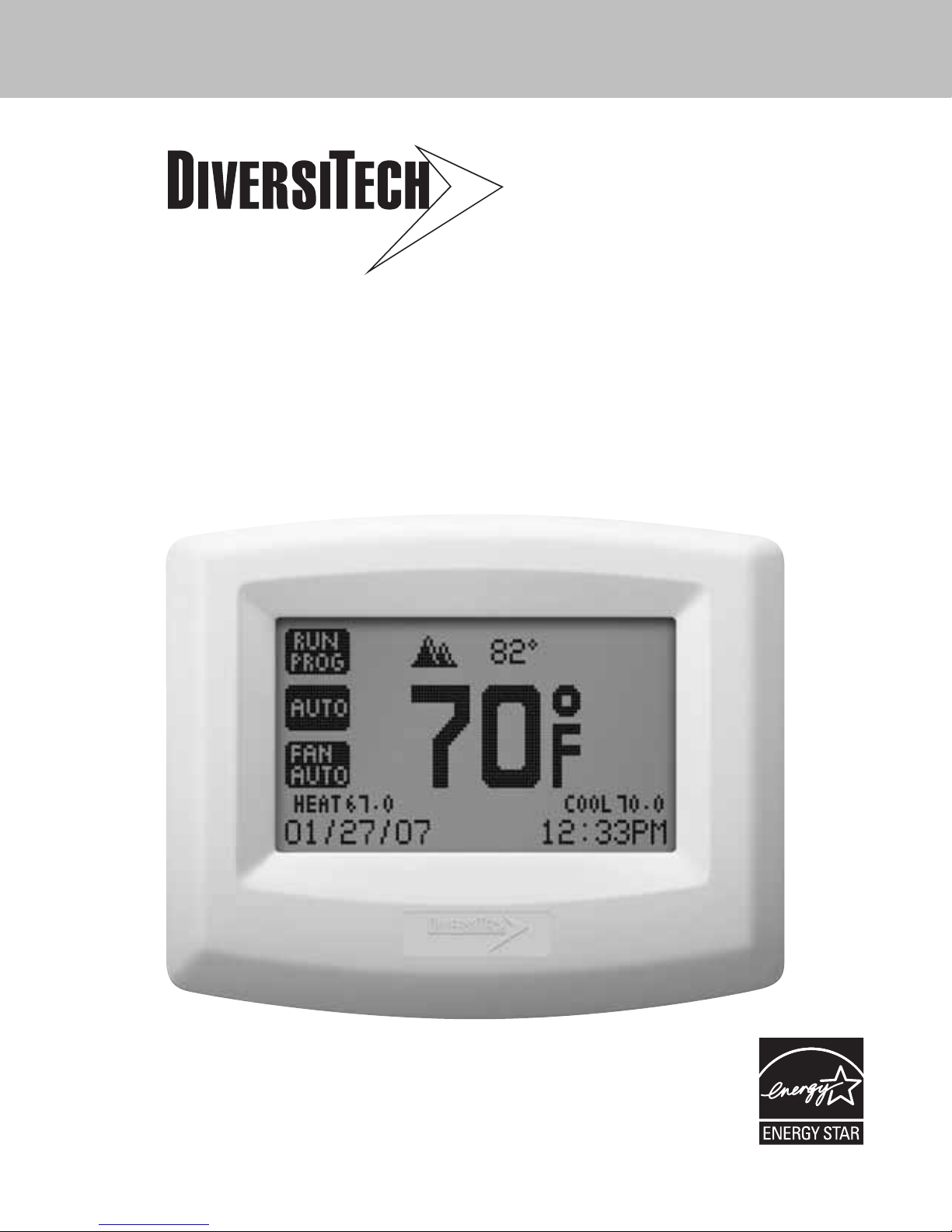
TOUCH SCREEN THERMOSTAT
INSTRUCTION MANUAL
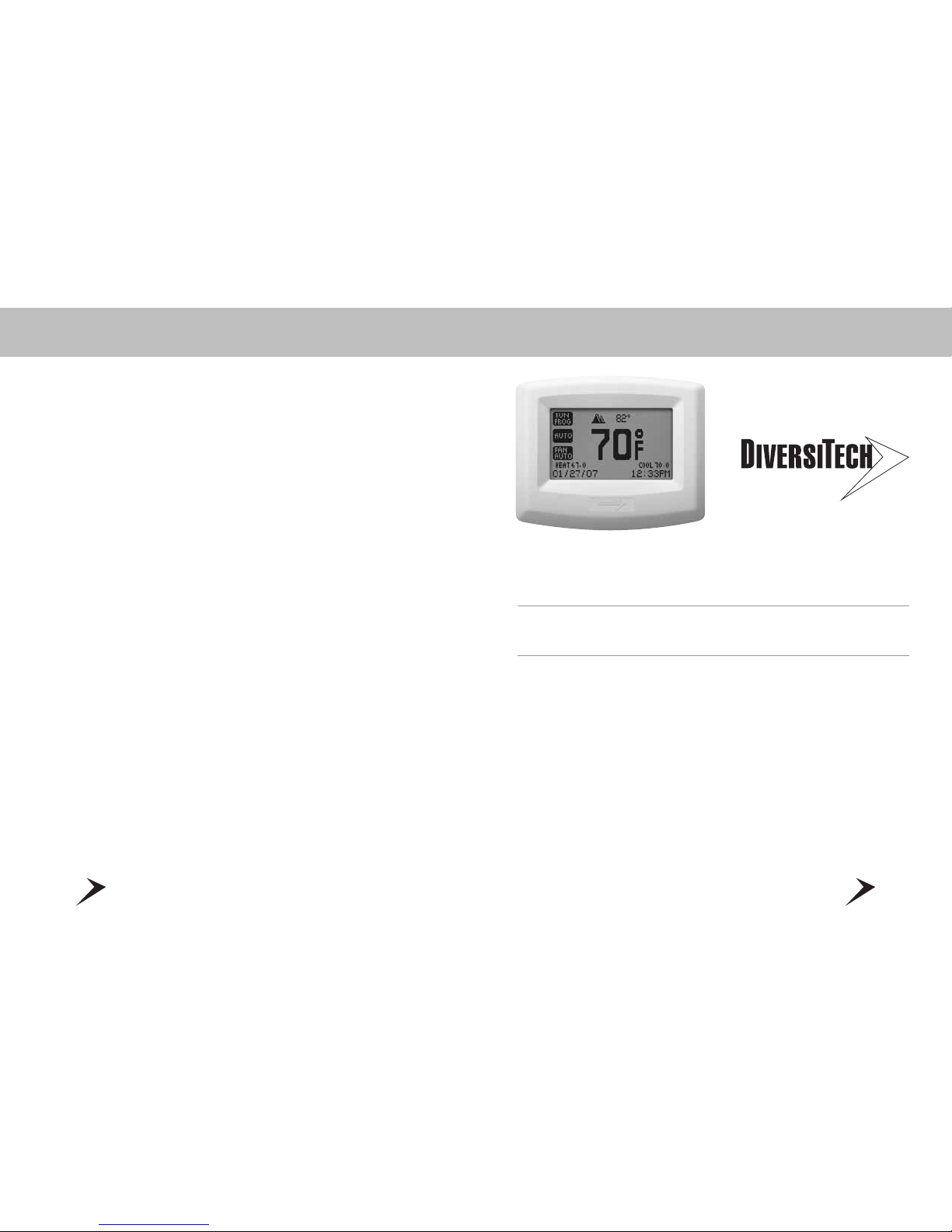
675-TS32 3 Heating and 2 Cooling
3
•7 Day programmable with 4 events
per day – including fan
•Large, easy to read dot matrix display
•True touch screen technology
•Automatic selection of cool
or heat mode
•Programmable fan mode
•Programmable filter monitor
•Programmable installer message
•Configurable humidification relay
•Customizable full and partial
lock security
•Adjustable differential settings
for multistage installations
•Energy watch calculates kWh
and HVAC costs
•Simple mode for
non-programmable usage
•Programmable Vacation Mode
675-TS32
3 Heating and 2 Cooling with Extra Programmable Output
Standard in all DiversiTech Touch Screen Thermostats: Complete and quick set-up with
gas, oil, electric, heat pump, air conditioning and multi-stage HVAC systems.
2
5
TABLE OF CONTENTS
TABLE OF CONTENTS.........................................................................................................5
GLOSSARY OF TERMS........................................................................................................6
DIVERSITECH TOUCH SCREEN THERMOSTAT INSTALLATION
SELECT A LOCATION..........................................................................................................7
MOUNTING THE THERMOSTAT TO THE WALL .....................................................................8
WIRING LEGEND ................................................................................................................9
WIRING DIAGRAMS..........................................................................................................10
DIVERSITECH TOUCH SCREEN THERMOSTAT OPERATION
HOME PAGE.....................................................................................................................16
CONTROL PAGE ...............................................................................................................17
THERMOSTAT OPERATION MODES....................................................................................18
TEMPERATURE SETPOINTS ..............................................................................................19
FAN OPERATION MODES ..................................................................................................20
MENU PAGE.....................................................................................................................21
MENU PAGE - DATE AND TIME SETTINGS .........................................................................22
MENU PAGE - PROGRAM SETTINGS..................................................................................23
MENU PAGE - ENERGY WATCH.........................................................................................24
MENU PAGE - SCREEN OPTIONS.......................................................................................25
MENU PAGE - VACATION MODE........................................................................................26
MENU PAGE - ADVANCED SETTINGS.................................................................................27
DIVERSITECH TOUCH SCREEN THERMOSTAT CONFIGURATION
ADVANCED SETTINGS – WELCOME...................................................................................28
ADVANCED SETTINGS – CONFIGURING YOUR EQUIPMENT .................................................30
ADVANCED SETTINGS – SETTING THE DIFFERENTIAL .......................................................31
ADVANCED SETTINGS – TIMER FEATURE..........................................................................32
ADVANCED SETTINGS – HEAT PUMP ...............................................................................33
ADVANCED SETTINGS – CALIBRATION..............................................................................35
SIMPLE THERMOSTAT MODE ...........................................................................................36
TROUBLESHOOTING .........................................................................................................37
IMPORTANT NOTICE .......................................................................................................38
WARRANTY .....................................................................................................................39
4
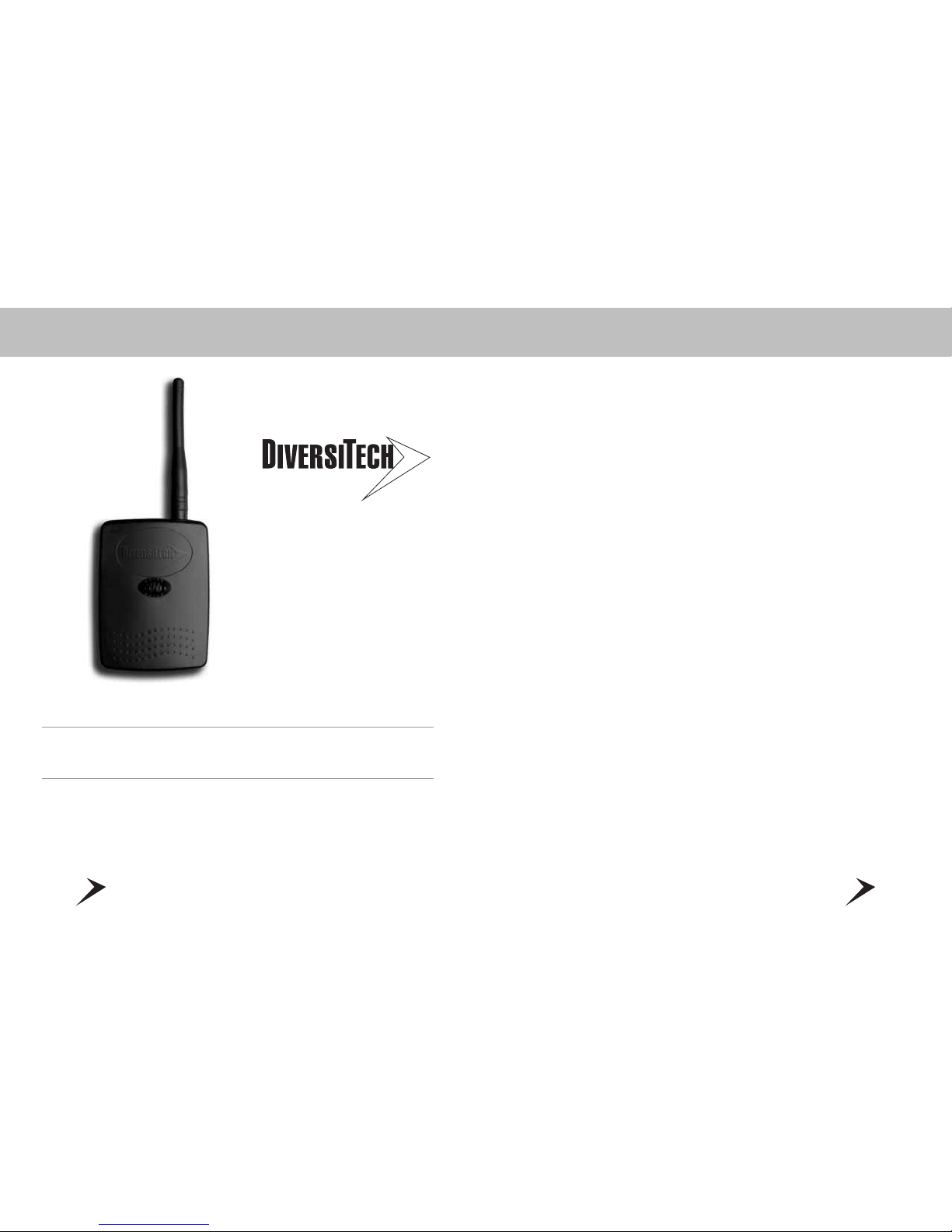
Your Kit Includes: Outdoor Wireless Temperature Transmitter
+ Antenna + Receiver Module + 2 Batteries
This convenient feature provides you the outdoor temperature right
on your DiversiTech thermostat.
Outdoor Wireless Temperature Transmitter and Receiver Kit
7
DIVERSITECH TOUCH SCREEN THERMOSTAT INSTALLATION
SELECTING A LOCATION
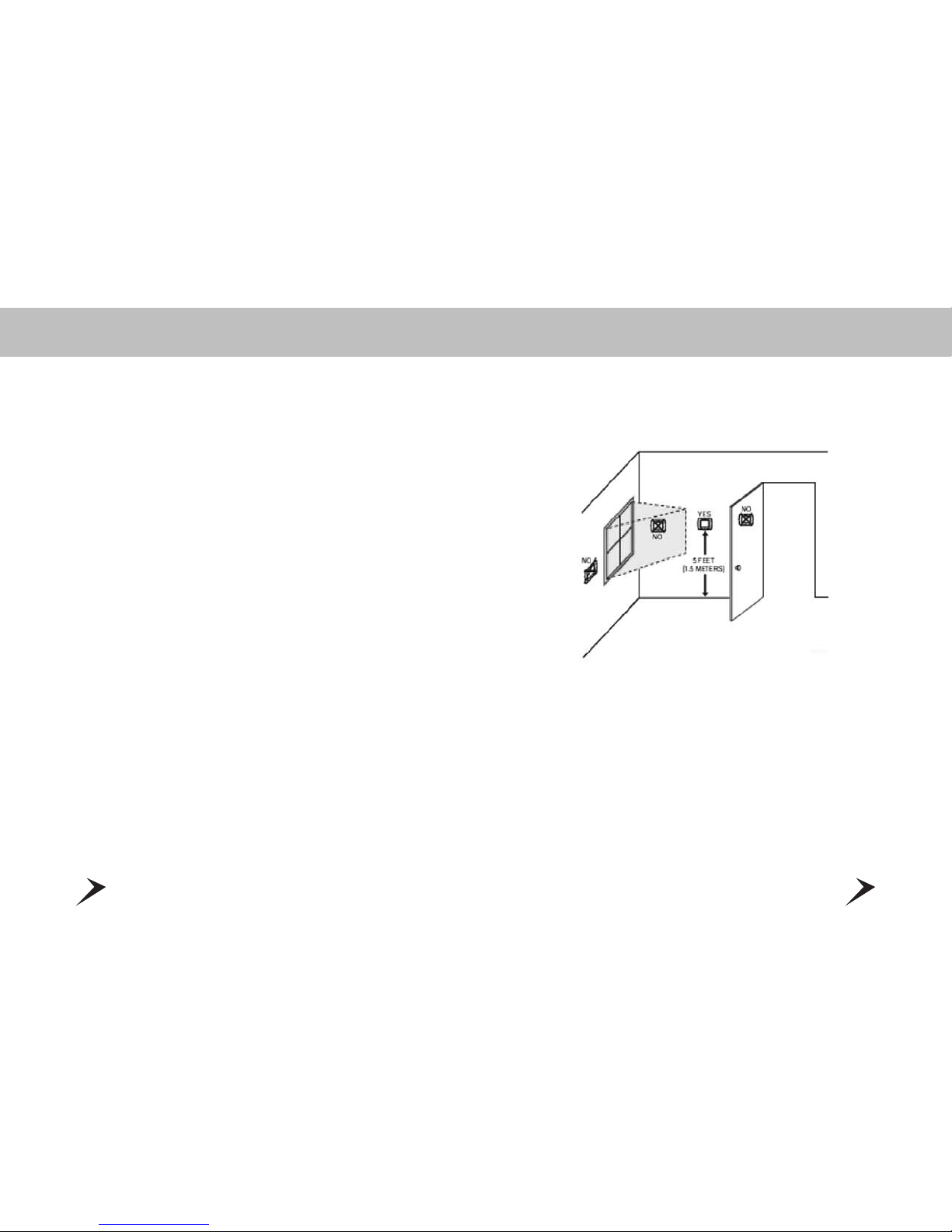
Install your DiversiTech thermostat approximately 5 feet (1.5 meters) above the floor in an
area with good air circulation.
Avoid the following locations:
• Hot or cold air from ducts
• Radiant heat for appliances or sun such as a skylight
• Unheated areas or uncooled areas:
for example an outside wall behind the thermostat.
6
Anticipator control – Anticipator control
is used to turn off the heating equipment
before the room temperature actually
reaches the cut-out point.
Cut-in Point – The air temperature at the
thermostat at which it initiates action of
heating/cooling equipment.
Cut-out Point – The air temperature at the
thermostat at which it terminates action of
heating/cooling equipment.
Cycle rate – Cycle rate is the frequency that
heating or cooling equipment is turned on
during a certain period of time. Cycle rate
is often given in units of cycles per hour
(CPH).
Differential – Differential is defined as
the difference between the cut-in and
cut-out points as measured at the
thermostat under specified operating
conditions. For example, if the thermostat
turns the heating equipment on at 70
degrees F and turns the heating equipment
off at 74 degrees F, then the differential is
4 degrees F.
Programmable thermostat – A thermo-
stat with the capability of automatically
adjusting temperature set point to pre-
selected settings at pre-selected times.
Setback – The automatic alteration of the
thermostat control point(s) by means other
than manually changing the temperature set
point.
Set point – The desired temperature
setting on an electromechanical or
electronic thermostat.
GLOSSARY OF TERMS
9
DIVERSITECH TOUCH SCREEN THERMOSTAT INSTALLATION
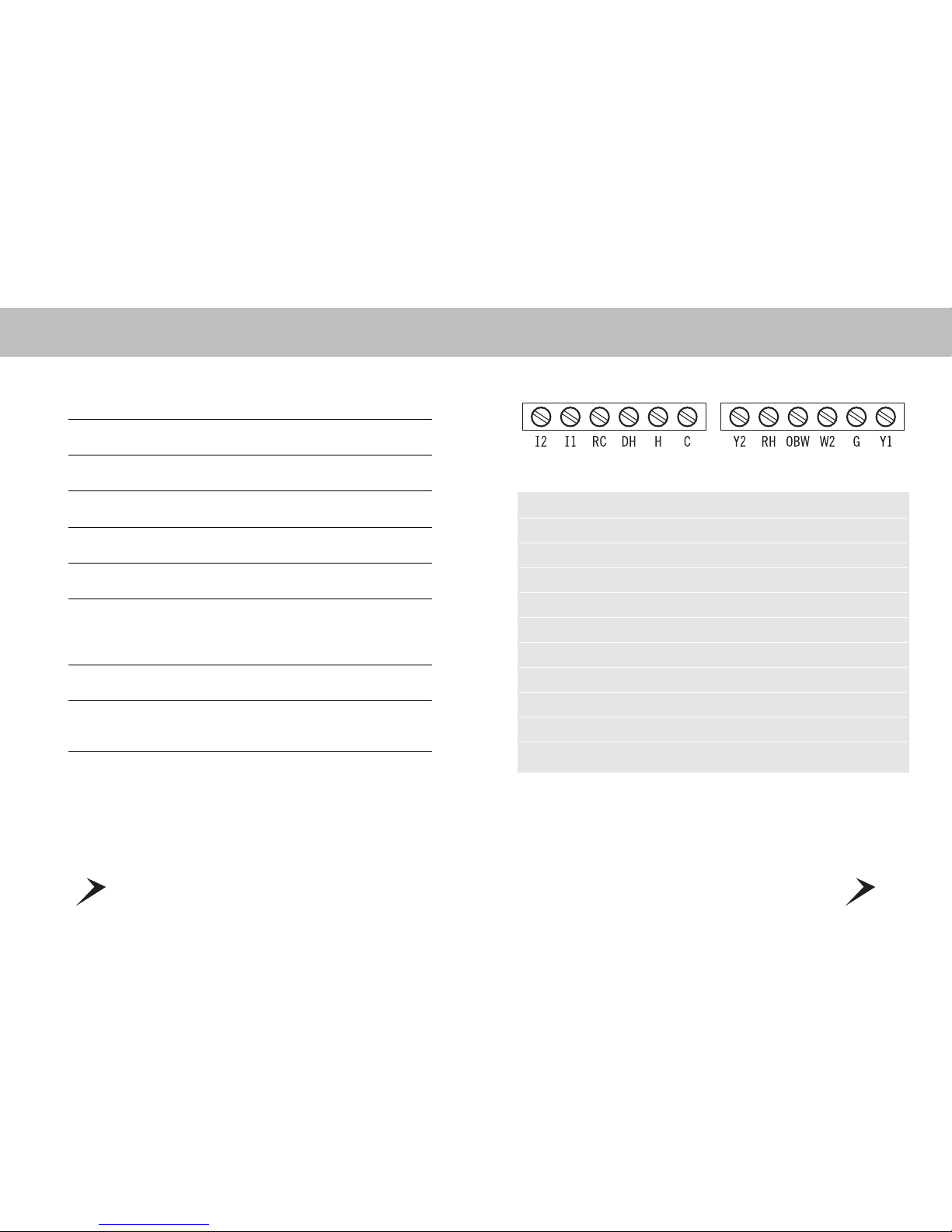
WIRING LEGEND
TERMINAL EQUIPMENT STANDARD COLOR
Y1 First Heat Pump & AC Yellow
G Fan Green
W2 First Stage Furnace White
OBW Reverse Valve - Second Stage Furnace Orange
RH 24V AC Heat Red
Y2 Second Heat Pump & AC Unknown
C Common Blue
H No Connectionl Unknown
DH Np Connection Unknown
RC 24V AC Cool Unknown
11 & 12 Not Used
NOTE: The above colors are standard in HVAC industry. The wiring should be
confirmed before installation
8
DIVERSITECH TOUCH SCREEN THERMOSTAT INSTALLATION
MOUNTING THE THERMOSTAT TO THE WALL
1. Make sure to turn off the power supply located at the electrical service panel.
All heating and cooling units should be OFF.
2. Remove the cover plate by pulling up the cover from the left or right side only.
3. Align the thermostat unit to the wall.
4. Mark the two locations for drilling the 3/16” holes required for the plastic screw anchors.
5. Remove the thermostat and drill the two 3/16” holes in these locations.
6. Insert the plastic gyproc screw anchors and tighten them securely.
7. Make the appropriate wire connections based on the specifications of the
household HVAC unit(s). Please refer to Wiring Table to determine the appropriate
wire connections.
8. Securely mount the thermostat unit to the wall with the two supplied screws.
9. Fit the cover plate back by clipping one side first (left or right) and than push down
on the opposite side.
10. Turn on the electricity at the electrical service panel.
11
DIVERSITECH TOUCH SCREEN THERMOSTAT INSTALLATION
WIRING DIAGRAMS
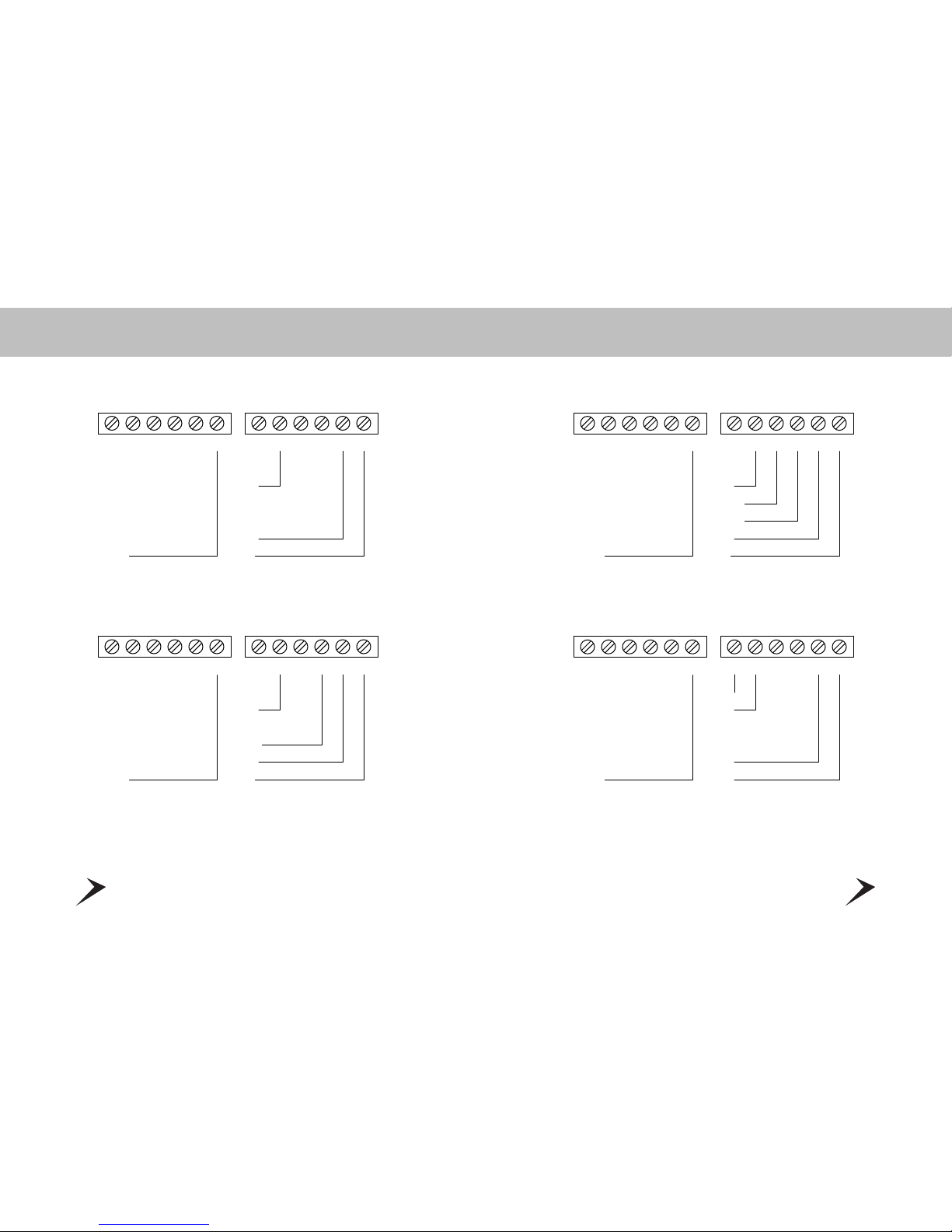
AC2
I2
2 AIR CONDITIONERS
24V
FAN
AC1
I1 RC DH H C Y2 RH OBW W2 G Y1
COMMON
HEAT 2
HEAT 1
I2
1 AIR CONDITIONER AND 2 HEAT
24V
FAN
AC
I1 RC DH H C Y2 RH OBW W2 G Y1
COMMON
10
DIVERSITECH TOUCH SCREEN THERMOSTAT INSTALLATION
WIRING DIAGRAMS
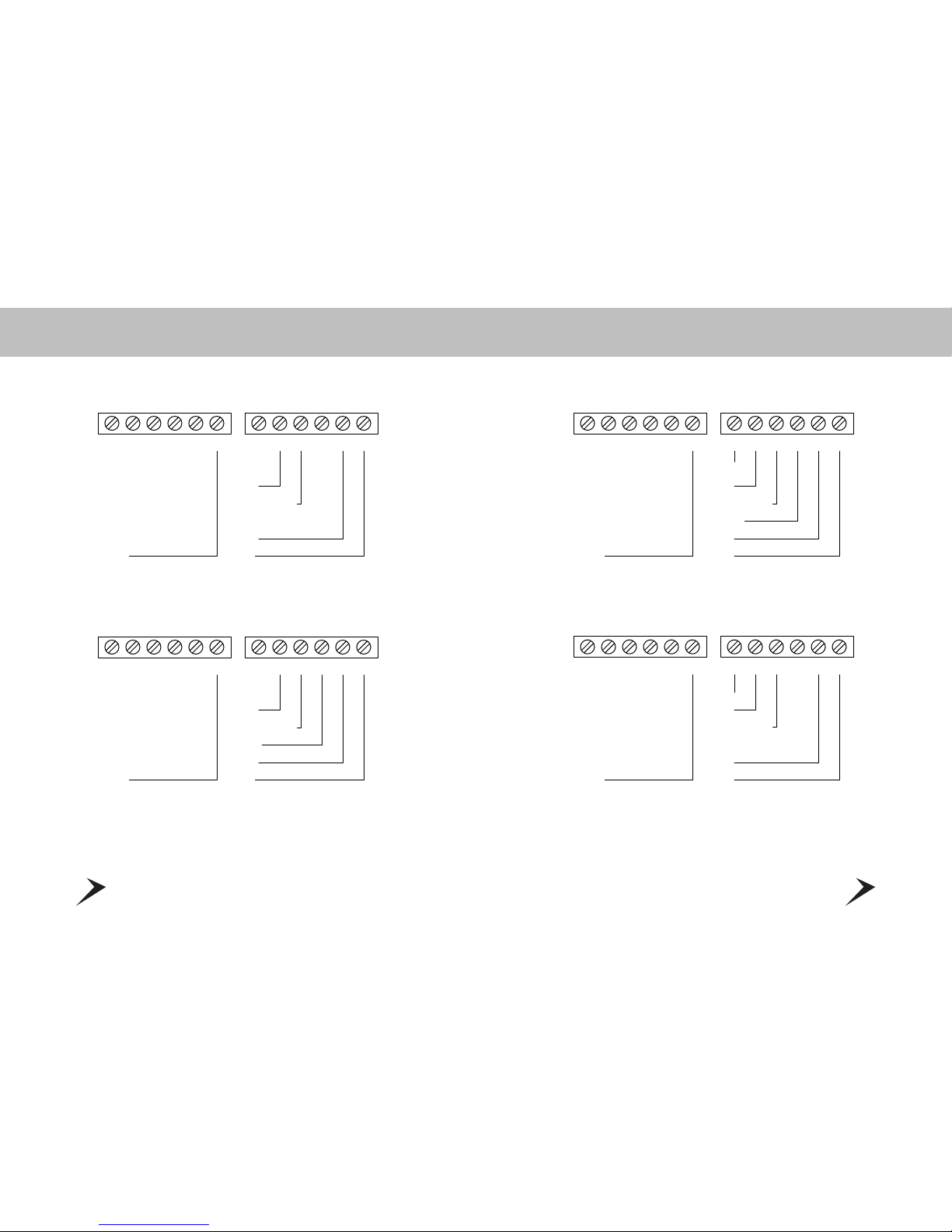
I2
1 AIR CONDITIONER
24V
FAN
AC
I1 RC DH H C Y2 RH OBW W2 G Y1
COMMON
HEAT
I2
1 AIR CONDITIONER AND 1 HEAT
24V
FAN
AC
I1 RC DH H C Y2 RH OBW W2 G Y1
COMMON
13
DIVERSITECH TOUCH SCREEN THERMOSTAT INSTALLATION
WIRING DIAGRAMS
I2
COMMON
2 HEAT PUMPS
HP2
24V
REVERSE VALVES
FAN
HP1
I1 RC DH H C Y2 RH OBW W2 G Y1
I2
COMMON
1 HEAT PUMP AND 2 HEAT
HEAT 2
24V
REVERSE VALVES
HEAT 1
FAN
HP
I1 RC DH H C Y2 RH OBW W2 G Y1
12
DIVERSITECH TOUCH SCREEN THERMOSTAT INSTALLATION
WIRING DIAGRAMS
HEAT
REVERSE VALVES
I2
1 HEAT PUMP AND 1 HEAT
24V
FAN
HP
I1 RC DH H C Y2 RH OBW W2 G Y1
COMMON
REVERSE VALVES
I2
1 HEAT PUMP
24V
FAN
HP
I1 RC DH H C Y2 RH OBW W2 G Y1
COMMON
15
DIVERSITECH TOUCH SCREEN THERMOSTAT INSTALLATION
WIRING DIAGRAMS
14
DIVERSITECH TOUCH SCREEN THERMOSTAT INSTALLATION
WIRING DIAGRAMS
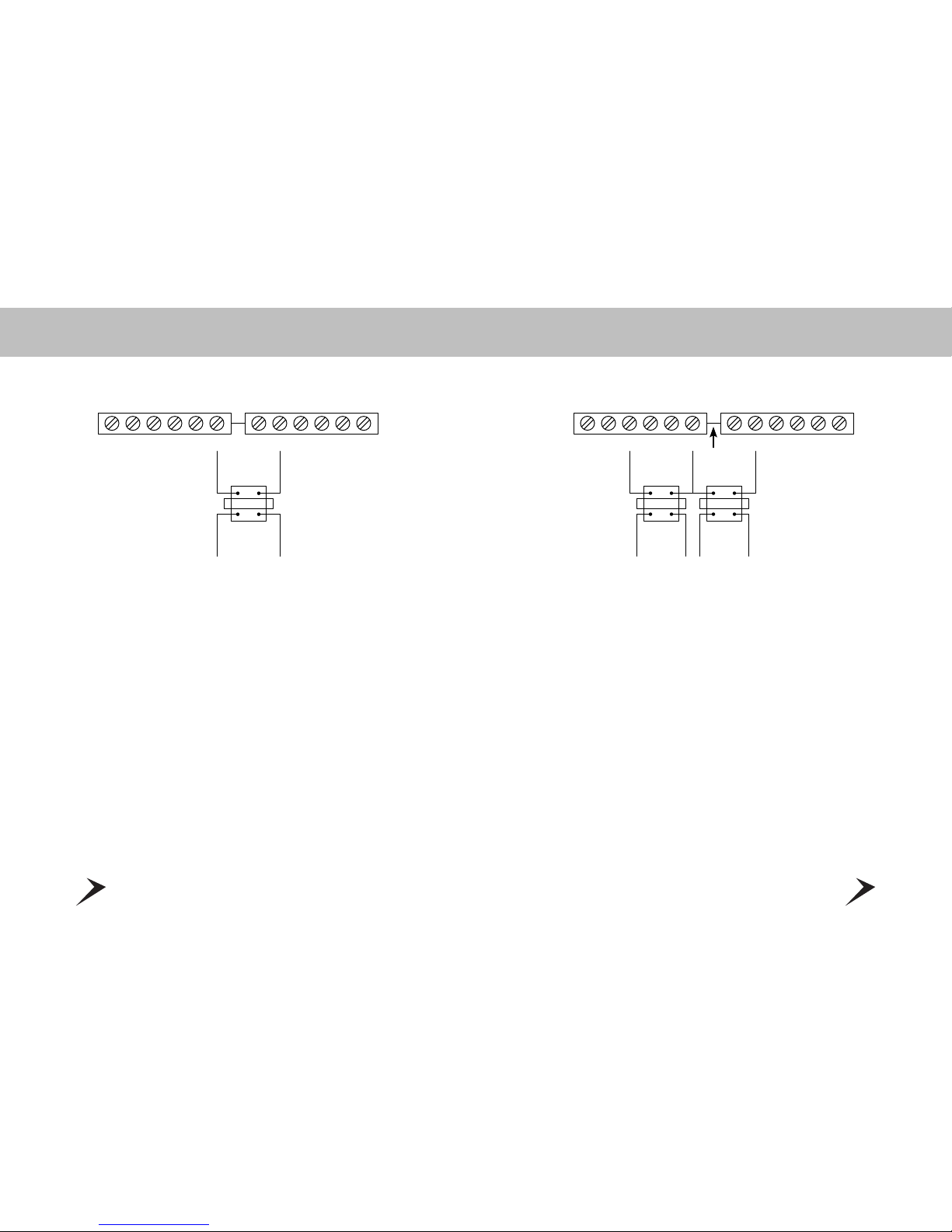
HEAT
TRANSFORMER
COOL
TRANSFORMER
I2
2 TRANSFORMERS
I1 RC DH H C Y2
CUT
RH OBW W2 G Y1
I2
1 TRANSFORMER
I1 RC DH H C Y2 RH OBW W2 G Y1
HEAT
TRANSFORMER
17
DIVERSITECH TOUCH SCREEN THERMOSTAT OPERATION
CONTROL PAGE
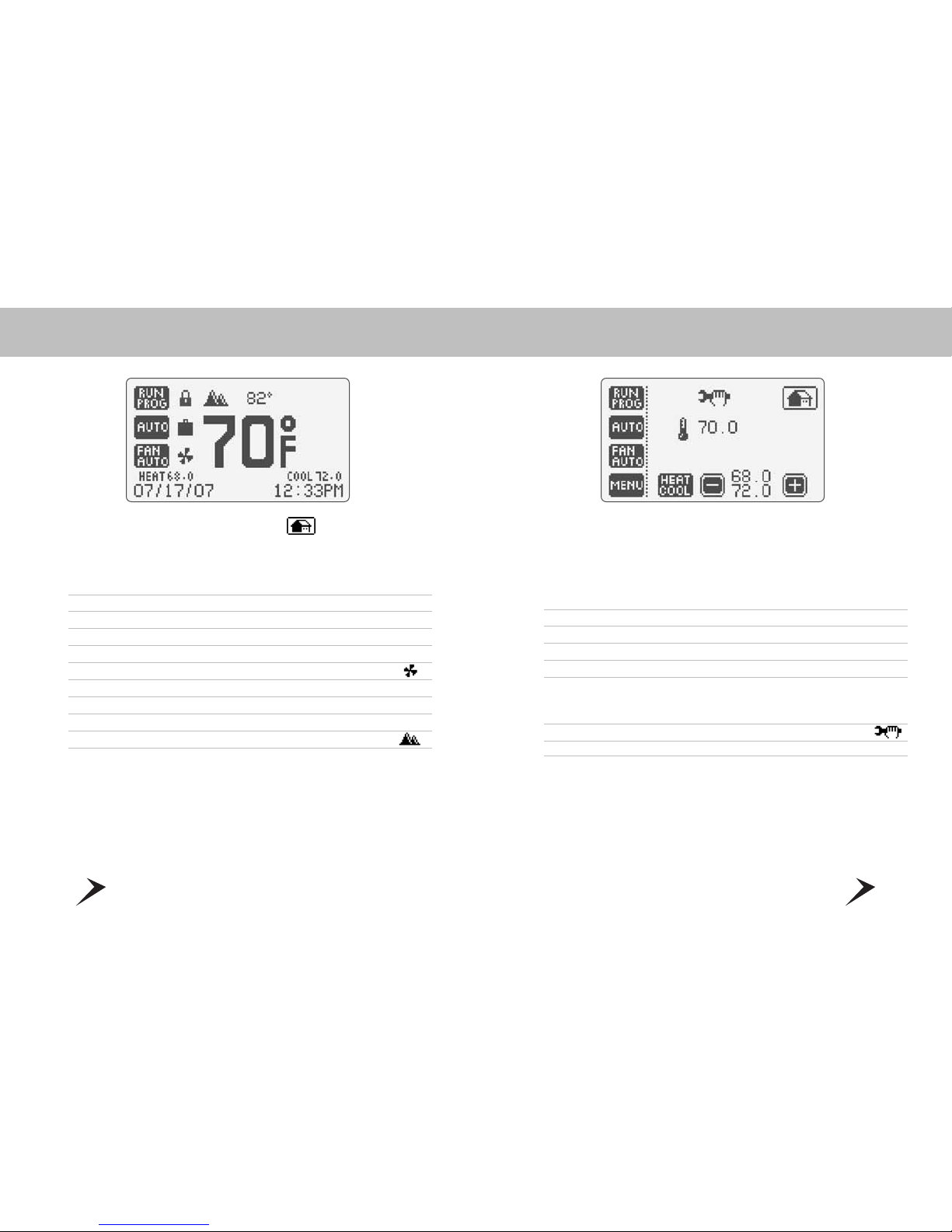
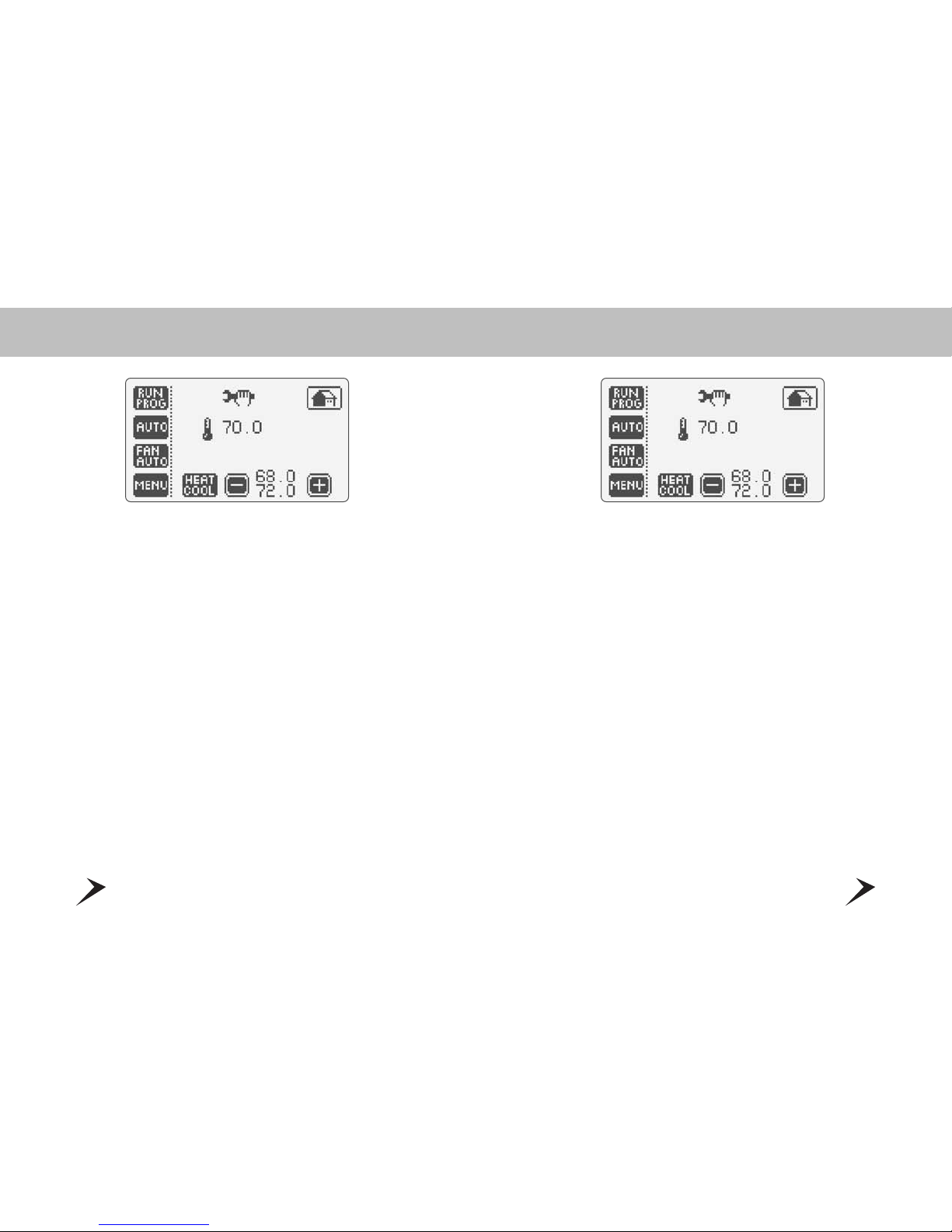
®The DiversiTech thermostat Control Page provides you with an easy and
intuitive screen to set your thermostat – all functions are available at the
touch of a finger! To access the Control Page, simply touch the Home
Page Screen… anywhere!
1 Current Room Temperature
2 Thermostat Control Mode: Run Program or Hold Temperature
3 Temperature Control Mode: Auto, Heat, Cool and Off
4 Fan Operation Mode; Fan Automatic, Fan Intermittent, Fan Off
5 Menu Page – Access all program features with this button
6 Temperature Control Mode: Heat and Cool temperature set points allows you to
change, raise or lower set point as desired. In “Auto” mode touch the Heat/Cool
button (Heat or Cool will flash once selected), then raise or lower set points as desired.
7 Displays Installer Message: review important information
8 Returns to the Home Page
16
DIVERSITECH TOUCH SCREEN THERMOSTAT OPERATION
HOME PAGE
®To return to the Home Page, simply touch icon at any time!
Home Page displays the following information:
1 Current Room Temperature
2 ºF/ºC Indicator
3 Thermostat Control Mode: Run Program or Hold Temperature
4 Temperature Control Mode: Auto, Heat and Cool
5 Fan Operation Mode: Fan Automatic, Fan Intermittent, Fan Off
6 Fan Operation Indicator
7 Heat Setpoint and Cool Setpoint
8 Date Stamp (Month/Day/Year)
9 Time: Choose between 12 hour or 24 hour clock
10 Outdoor Temperature
®Now that you know the basics let’s review the Control Page - and begin
to learn about all the unique features!
19
DIVERSITECH TOUCH SCREEN THERMOSTAT OPERATION
TEMPERATURE SETPOINTS
•AUTO, HEAT, COOL AND OFF
Based on your HVAC equipment you can quickly and easily select the mode
of operation - Automatic • Heat • Cool • Off
• AUTO – choose your heat and cool temperature setpoints – the temperature
will automatically adjust according to the requirement
• HEAT – choose your Heat setpoint
• COOL – choose your Cool setpoint
• OFF – no heating or cooling
•PROGRAM TEMPERATURE SETPOINTS:
• Choose HEAT: Heat will appear with a temperature range, select your temperature
• Choose COOL: Cool will appear with a temperature range, select your temperature
• Choose AUTO: A combined heat/cool button will appear – when heat flashes
– choose your temperature setpoint, touch the button to toggle to cool, then
set your temperature setpoint.
18
DIVERSITECH TOUCH SCREEN THERMOSTAT OPERATION
THERMOSTAT OPERATION MODES
• Your DiversiTech thermostat can run in Program Mode or can hold a fixed
temperature.
•RUN PROGRAM: Your custom program settings will be initiated - 4 events
per day including the fan mode
•HOLD TEMPERATURE: Allows you to raise or lower the temperature setpoint
by touching the heat/cool - to lower + to raise
Indice
Altri manuali DIVERSITECH Termostato


