
DMC Calc-U-Dri PRINTER Manuale utente

OWNER’S MANUAL
Calc-U-Dri
PRINTER
PNEG-1141
PNEG-1141
Date: 9-21-06

ii
Calc-U-Dri Printer
TABLE OF CONTENTS
Limited Warranty ......................................................................................ii
Safety Information - Please Read...........................................................iii
CAUTION! Be a Safe Operator...............................................................iv
Decal Location........................................................................................iv
Printer Installation ..............................................................................1 - 2
Service.................................................................................................... 3
Printer Definitions...............................................................................3 - 5
Parts List ............................................................................................6 - 7
Printer Assembly Diagrams.................................................................... 8
Dip Switch Setting Guide........................................................................ 8
Wiring Diagram ....................................................................................... 9
Trouble Shooting Guide........................................................................ 10

iii
Calc-U-Dri Printer Safety

iv
Calc-U-Dri Printer
Safety
BE A SAFE OPERATOR
1. Read and understand the Owner’s Manual.
2. Disconnect all electrical power before servicing or opening control box,
adjusting, or lubricating the equipment.
3. All electrical hook-ups should be in accordance to the National Electrical
Code.
4. Ground all electrical equipment as well as bin itself.
5. Only knowledgeable and trained personnel should operate this equipment
6. NEVER WORK IN THE DRYER WITH POWER “ON” AND CONTROLS IN
“AUTO”... automatic controls start without warning! Stay clear of motors,
belts and augers.
FAILURE TO FOLLOW THESE INSTRUCTIONS MAY RESULT IN PERSONAL
INJURY OR PROPERTY DAMAGE.
THE DECALS SHOWN ON THIS PAGE MUST BE
DISPLAYED AS SHOWN
REPLACEMENTS ARE AVAILABLE UPON REQUEST
Write to: DMC
1004 E. Illinois St.
Assumption, IL 62510
Phone: 217-226-5100
Please note:
1. The decal on this page is NOT actual size.
2. Keep all decals wiped clean at all times.
3. All decals must be replaced if they are destroyed, missing, painted over, or can
no longer be read.

1
InstallationCalc-U-Dri Printer
CALC-U-DRI PRINTER INSTALLATION
1. Disconnect all power to the control box to which you are adding the printer option.
2. Mount the printer box within two feet of the control box to use thestandard length of wire
provided. The unit can be located in a remote location if special wire length is ordered.
3. Four (4) additional holes (three 7/8” diameter and one 1-3/32” diameter)are required for
the printer installation. Check the bottom of the control box and add these holes if they
are not already provided.
4. Use approximately four (4) feet of liquid tight conduit and connectors between the printer
and control box. Feed the printer control cable (five conductor) from the printer box to
the control box (the 25 pin connector will be in the printer control box). This does not
apply if the printer is installed within a large control box.
5. Pull out the circuit board carefully. When adding this printer option to the Calc-U-Dri
control box, the control board requires that the dip switches be set. Please follow the
guide on page 9.
6. Install the two (2) card guides in the double card holder beside the guides that are
already installed.
7. Connect the black 36-pin connector as shown in Drawing 1 on page 8. The eleven
wires shown on the letter side are already attached to thegreen connector (approxi-
mately 5 inches long with black heat shrink on the ends). Untie these wires from the
harness, remove heat shrink and strip 5/8”. Connect orange wire to terminal V, violet
wire to terminal U, etc. Be sure the larger green wire is installed in “H”.
8. Secure the black connector to the card holder with (2) #4-40x1-1/4 screws, lock washers
and nuts. DO NOT OVER TIGHTEN. See Photo 1.
9. Attach the five wires from the printer control cable to the black 36-pin connector pins 13,
16, 17 and 18. See Drawing 1.
Photo 1

2
Installation Calc-U-Dri Printer
PRINTER INSTALLATION (continued)
10. To mount the plenum temperature sensor, cut a 1-1/4 inch diameter hole in the dryer
plenum. Secure the liquid tight and sensor using conduit straps. See Photo on page 7.
Wire the temperature sensor into the black connector. Pin #5 to white and #6 to red.
See Drawing 1 on page 8.
11. To mount the weather sensor, feed the cable through the 1-3/32 inch diameter hole in
the bottom of the control box and secure with the electrical screw bushing. Have the
sensor on the outside of the control box. Wire the cable to the black 36 pin connector
pins 7 to 11. See Drawing 1.
NOTE:
If the control box is mounted indoors, mount the weather sensor outdoors. The weather sensor
obtains ambient temperature and relative humidity data.
12. Plug in the 25-pin connector to the printer assembly. See Photo 2. Provide 115 Volts
AC to the printer control box terminals marked L1 (Line), N (Neutral), and GND Ground).
The power source can come from an external source or from the control box. Wire and
conduit are provided for the AC power. Do not run the 25 pin control cable in the same
conduit as the 115 Volts AC.
13. Put cable ties approximately every four inches to hold all the loose wires and cables in
place. Do not tie any of these wires to the AC leads.
14. Remove the shipping tape and foam from the printer paper and spool.
15. Install the control boards. The control board with the batteries will be installed in the
black edge card connector. Be sure that both cards are firmly seated. See Photo 1.
Photo 2

3
DefinitionsCalc-U-Dri Printer
SERVICE
The printer control board contains two alkaline AA batteries. It is recommended to replace the
batteries every year to eliminate possible corrosive leakage.
If the printer requires service, unplug the 25 pin connector and remove all the wires from the
orange terminal. Remove the six bolts that secure the printer. This will be serviced as a com-
plete module. Re-install the new / repaired unit and wire the orange terminal as per the decal.
Plug in the 25-pin connector.
1
4
2
5
3
CALC-U-DRI PRINTER DEFINITIONS
1. Two Amp Fuse: DO NOT OVERSIZE! Use only AGC2 fuses.
2. Power On Indicator Lamp: Indicates the power switch is “on” and 115 Volts A.C. is
present.
3. Power Switch: When “on”, this puts 115 Volts A.C. to the printer power supply. The
printer requires 5.0 Volts D.C.
4. Thermal Printer Paper: Provides a written record of the moisture of the grain (tempera-
ture corrected), grain temperature, bin number, plenum temperature, humidity, ambient
temperature, date and time of day, grain type, and average grain moisture.
5. Printer Keyboard: Used for programming the printer to determine the print interval and
bin number to correct date and time to change to a different grain type, and to restart the
averaging.
6. For Printout definitions see the next two pages for complete description.

4
Definitions Calc-U-Dri Printer
CALC-U-DRI PRINTER DEFINITIONS (continued)
Printer Module and Printout (continued)

5
DefinitionsCalc-U-Dri Printer
CALC-U-DRI PRINTER DEFINITIONS (continued)
NOTE:
The batteries need replacing every year, use two “AA” alkaline batteries.
Turn off power to the unit, replace the batteries, then turn on power and reprogram if “Cold
Start” notation is printed.
Sample Printer Readout
Grain Temperature:
Actual grain temperature
at the sensor.
Average Moisture:
Gives a running
average of all
readings since
start of averaging
time. Starts when
unit is started after
“cold start” or
when reset from
menu. NOTE: To
find when last
average began,
push any key and
read from line 3 of
menu. To restart
printing, push “1”.
Plenum:
Temperature at
plenum sensor -
reads low when
not hooked up.
Ambient
Temperature:
From weather
station input at
time of reading.
Calibration:
The number used to correct the
grain moisture value.
Set Point value at
time of printing
Time:
Set at cold start. Reset by
menu input.
MODE:
MAN = Manual or
Monitor
Switch SAMP= Sampling
in Auto DRY = Discharging
Position: dry grain
WET = Grain above
moisture
limit - unit
will pause
time set on
the drying
time ad-
justment
Space:
After a wet grain
reading the printer
automatically skips a space
to make it easy for you to
locate each pause. The time
the Calc-U-Dri waits before
sampling is set by the
“drying time adjustment”.
Grain Moisture:
Actual grain moisture at
the sensor - temperature
compensated.

6
Parts List Calc-U-Dri Printer
CALC-U-DRI PRINTER PARTS LIST
10
11
15
18
6
8
7
9
14
12
13
3
2
1
Indice
Altri manuali DMC Controllori

DMC
DMC TSC-55/U-L Manuale utente

DMC
DMC TSC-54/RU-F Manuale utente
DMC
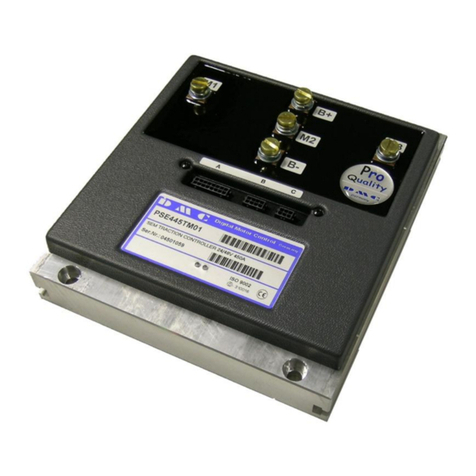
DMC PSE445TM01 Manuale utente

DMC
DMC TSC-54/RU Manuale utente

DMC
DMC TSC-40/IC Istruzioni per l'installazione

DMC
DMC TSC-25/RSA Series Manuale utente

DMC
DMC TSC-35/RU Manuale utente

DMC
DMC TSC-55/RU Manuale utente

DMC
DMC TSC-34/RU Manuale utente

DMC
DMC TSC-10/IC Manuale utente


