TABLE OF CONTENTS
X1 Door Controller Overview�������������������������������� 1
Door Controller Power��������������������������������������������������������� 1
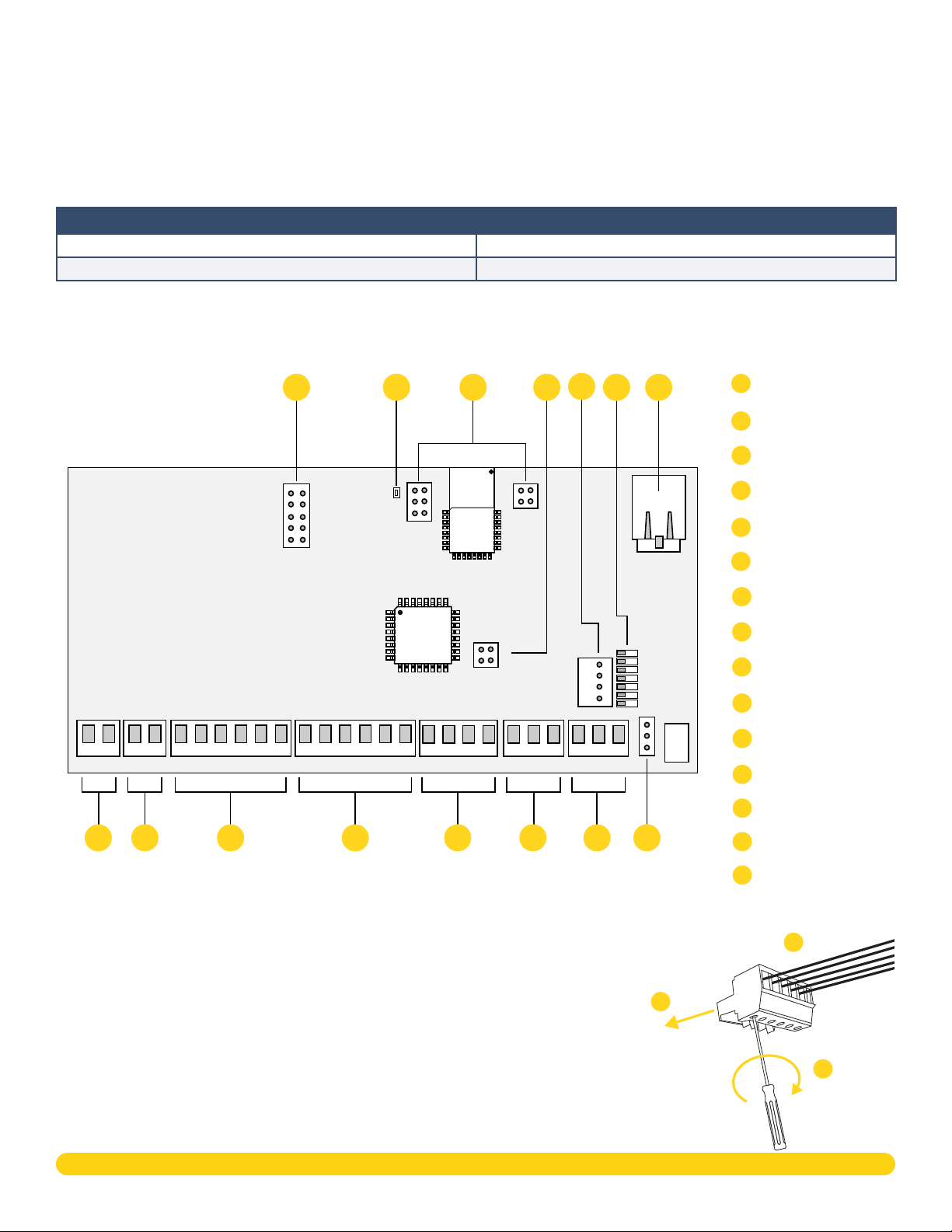
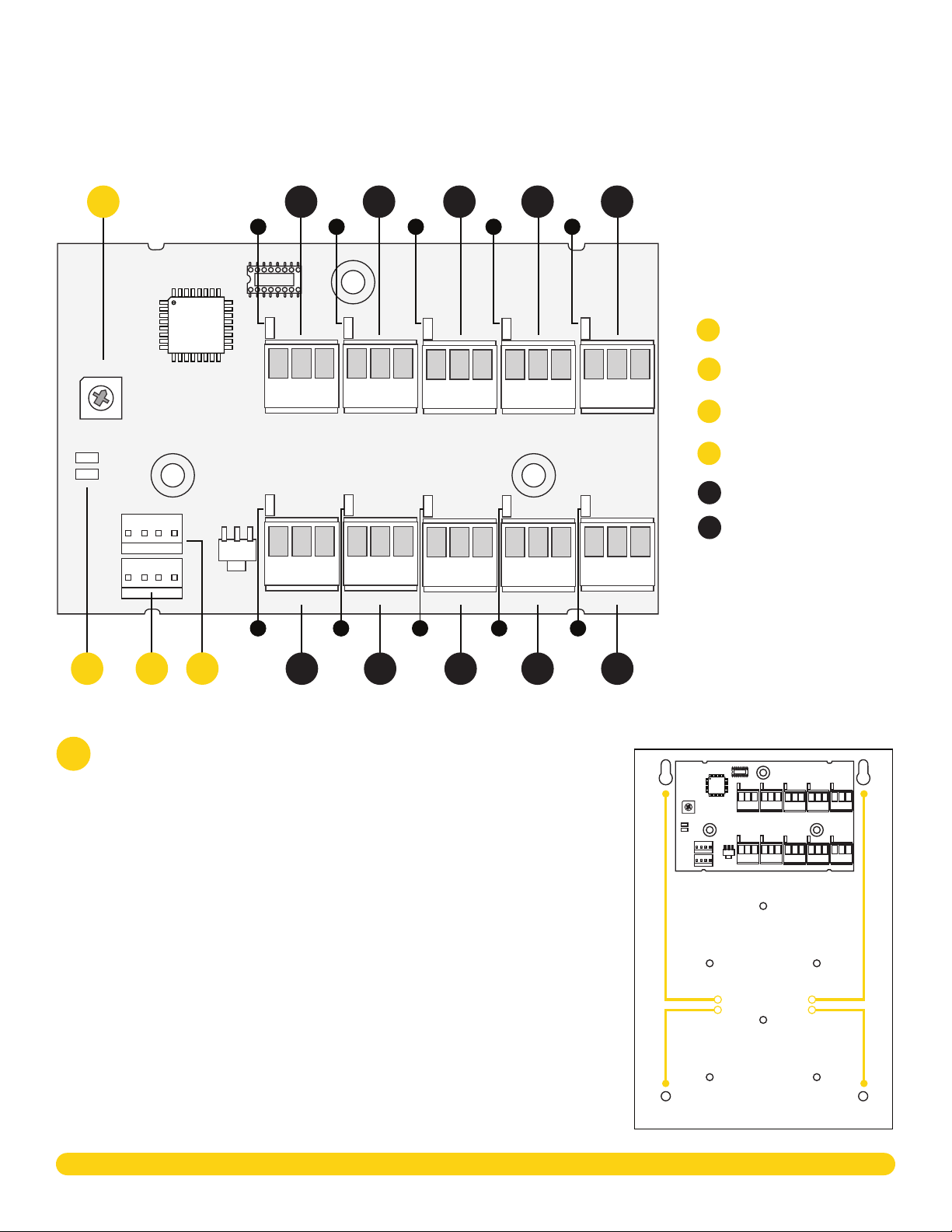
Door Controller PCB Components���������������������������������� 1
Door Controller Plug-In Terminals����������������������������������� 1
Pre-Installation �������������������������������������������������������2
Step 1: Mount the Door Controller����������������������2
Step 2: Connect a Card Reader���������������������������2
Connect a Wiegand Card Reader����������������������������������� 2
Connect an OSDP Card Reader �������������������������������������� 2
Optional Second Card Reader����������������������������������������� 2
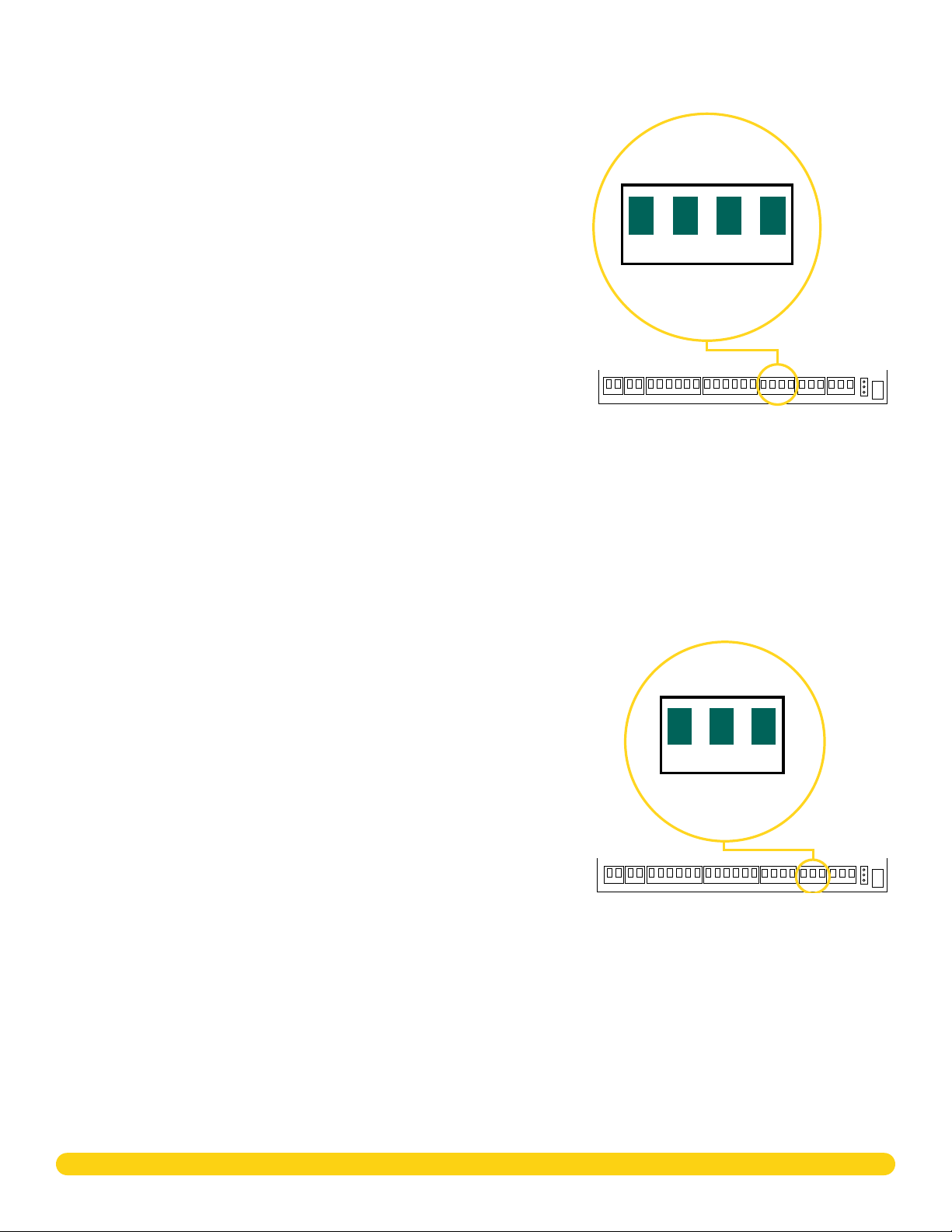
Step 3: Wire the Inputs ����������������������������������������3
Door Switch (DS)������������������������������������������������������������������ 3
Request to Exit (RX)������������������������������������������������������������ 3
Custom Input (CI) ����������������������������������������������������������������� 3
Ground (G)������������������������������������������������������������������������������� 3
Step 4: Wire the Onboard Outputs ��������������������3
Aux Output 1 & 2 (O1 & O2) ���������������������������������������������� 3
12V+ (12V) �������������������������������������������������������������������������������� 3
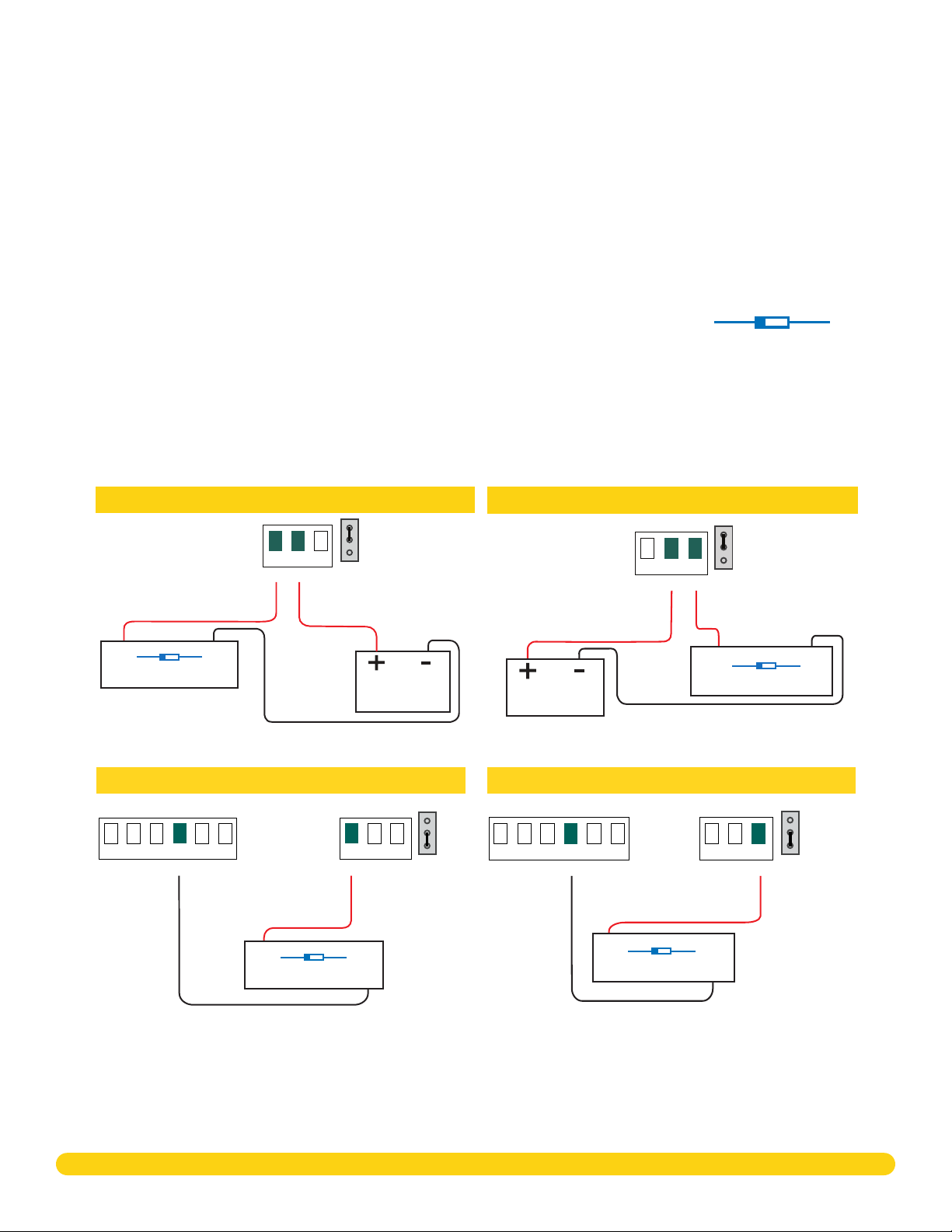
Step 5: Wire the Electronic Lock ����������������������� 4
Form C Relay ��������������������������������������������������������������������������4
Diode������������������������������������������������������������������������������������������4
Wet/Dry Jumper �������������������������������������������������������������������4
Step 6: Determine Communication ������������������� 5
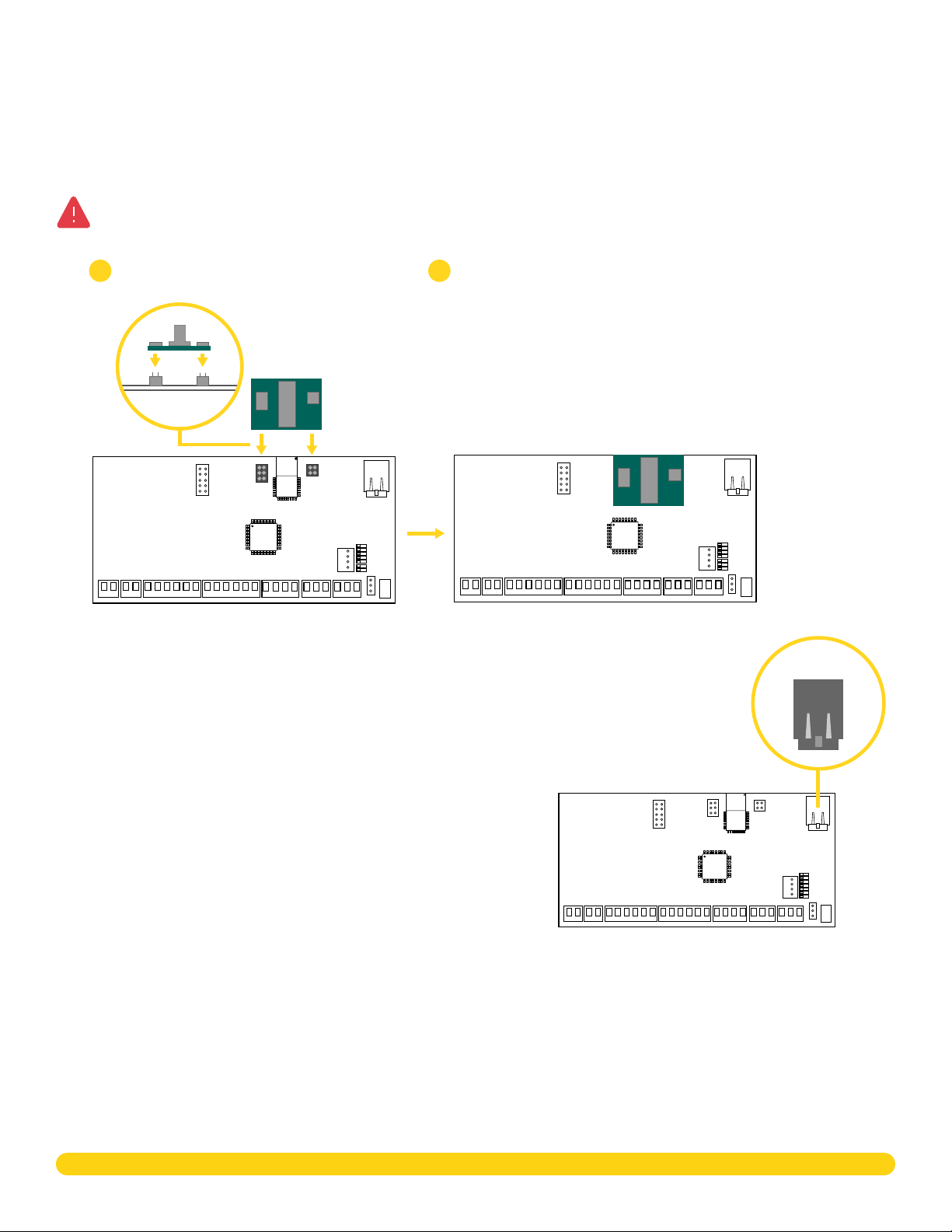
X-PoE Connection (Optional) ������������������������������������������ 5
Ethernet Connection ����������������������������������������������������������� 5
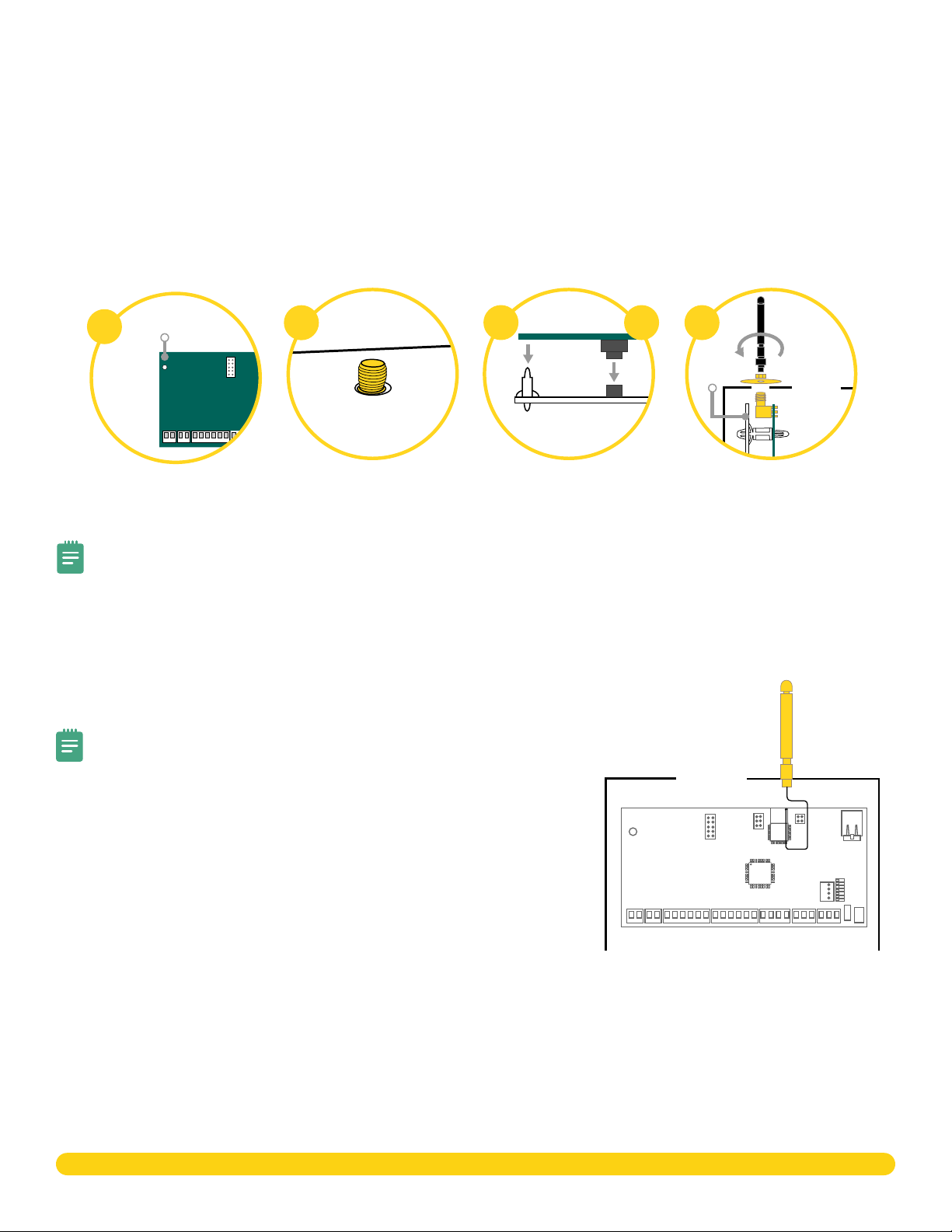
Cellular Connection (Optional)���������������������������������������� 6
Wi-Fi Connection������������������������������������������������������������������ 6
Step 7: Install Optional Output Module�������������7
X1 Output Module PCB Components���������������������������� 7
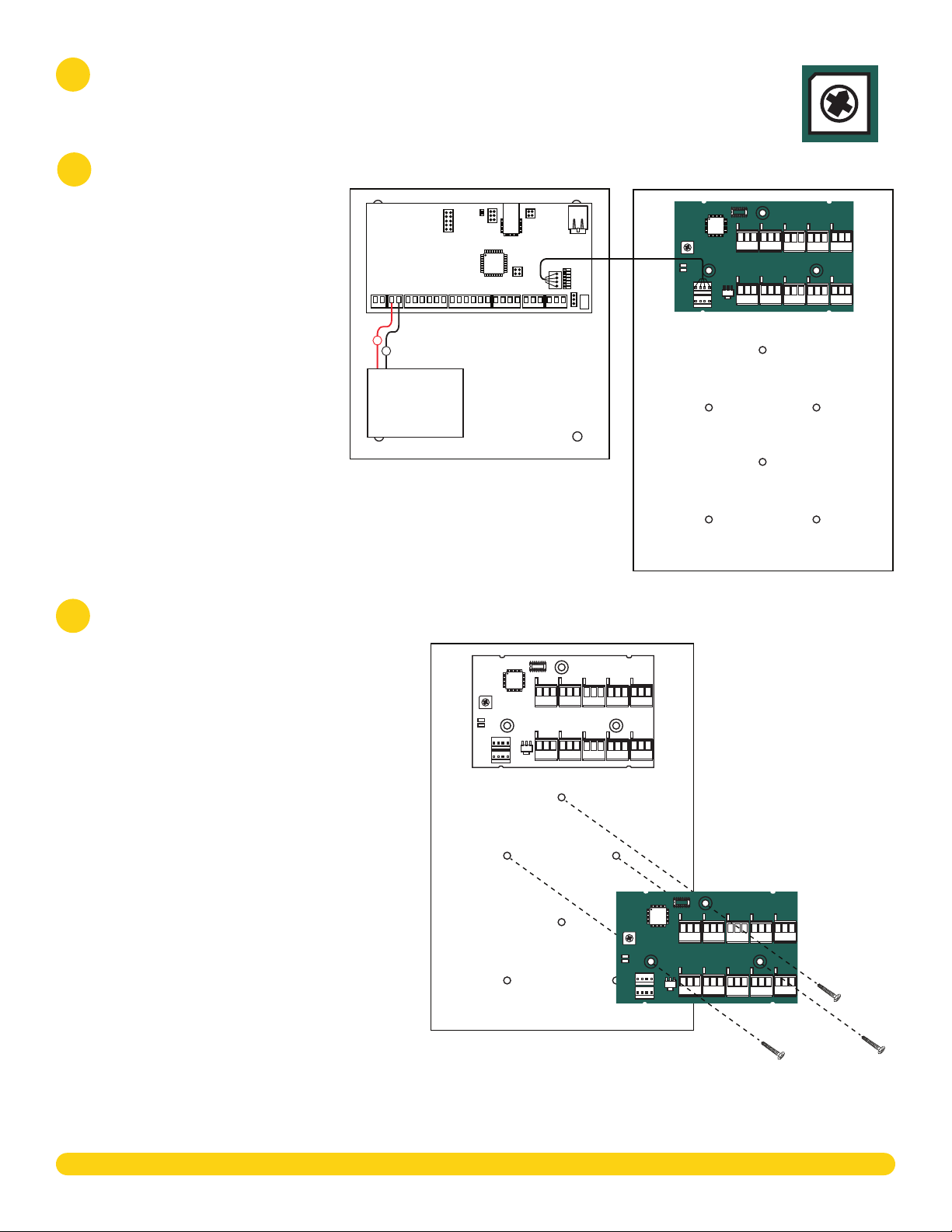
Mount the X1 Output Module ������������������������������������������� 7
Address the X1 Output Module���������������������������������������� 8
Wire the X1 Output Module����������������������������������������������� 8
Optional Additional Output Modules���������������������������� 8
Wire the Optional Additional Modules�������������������������9
Wire the Outputs ������������������������������������������������������������������9
Step 8: Apply Power �������������������������������������������10
Wire the Input Power �������������������������������������������������������� 10
Wire the Battery������������������������������������������������������������������ 10
Wiring Example ������������������������������������������������������������������� 10
Step 9: Manage Connection Settings ���������������11
Configure Wi-Fi Settings ���������������������������������������������������11
Configure Network Settings���������������������������������������������11
Configure Cell Settings�������������������������������������������������������11
Troubleshoot SSID Broadcast ������������������������������������������11
Step 10: Program in Dealer Admin ������������������� 12
Sign In to Dealer Admin ����������������������������������������������������12
Add a Customer �������������������������������������������������������������������12
Add the X1 Door Controller to a Customer����������������12
Program the X1 Door Controller�������������������������������������13
Connect the X1 Door Controller to an XR Series
Panel (Optional) ������������������������������������������������������������������ 14
Add Card Formats���������������������������������������������������������������15
Add an X1 Output Module (Optional) ��������������������������15
Enable Video Services �������������������������������������������������������16
Add an App User������������������������������������������������������������������16
Log In as a Customer����������������������������������������������������������16
Step 11: Test the Door Controller ���������������������� 17
Additional Information���������������������������������������� 17
LEDs ������������������������������������������������������������������������������������������17
Cell Module Removal ����������������������������������������������������������17
Door Controller Initialization ������������������������������������������17