Doremi H2S-30 Manuale utente

H 2 S - 3 0
User Manual
Version 1.3
Compliant with H2S-30 Firmware version 1.6.0
and H2S-30 oremi Universal Interface Software 4.2.3
H2S.OM.001539. RM Page 1 Version 1.3
oremi Labs

Table Of Contents
1 Introduction............................................................................................................................ 8
1.1 Purpose............................................................................................................................. 8
1.2 Software Version...............................................................................................................8
1.3 Contact Information...........................................................................................................8
2 H2S-30 Overview....................................................................................................................9
2.1 H2S-30 escription...........................................................................................................9
2.1.1 H2S-30 Top View....................................................................................................... 9
2.1.2 H2S-30 Front Panel....................................................................................................9
2.1.3 H2S-30 Rear Panel..................................................................................................10
2.2 Supported Formats.......................................................................................................... 11
3 H2S OS Menu System Overview......................................................................................12
3.1 Input Menu......................................................................................................................12
3.2 Output Menu....................................................................................................................13
3.2.1 Color Space..............................................................................................................15
3.3 Image Menu....................................................................................................................15
3.4 Sync Menu......................................................................................................................17
3.5 Audio Menu.....................................................................................................................18
3.5.1 Supported Audio Sa ple Rates................................................................................18
3.6 On Screen isplay (OS ) Menu......................................................................................19
3.7 System Menu..................................................................................................................20
3.8 Status Menu....................................................................................................................20
4 Infrared Remote Controller.................................................................................................21
4.1 Remote Controller Overview............................................................................................21
4.2 Remote Controller Functions...........................................................................................22
4.3 Input Source Setting........................................................................................................23
4.3.1 SDI Output For at...................................................................................................23
4.3.2 Setting the IR Channel..............................................................................................24
5 oremi Universal Interface Software ( UIS)......................................................................25
5.1 UIS Installation..............................................................................................................25
5.2 oremi Universal Interface Software Overview...............................................................28
5.3 Settings Field...................................................................................................................29
5.4 Tabs escription.............................................................................................................31
5.4.1 Input Tab..................................................................................................................31
5.4.2 Output Tab...............................................................................................................31
5.4.3 I age Tab................................................................................................................32
5.4.4 Sync I/O Tab.............................................................................................................34
5.4.5 Audio Tab.................................................................................................................35
5.4.6 OSD Tab..................................................................................................................36
5.4.7 Syste Tab..............................................................................................................37
6 Firmware Update..................................................................................................................39
6.1 USB Update....................................................................................................................39
7 Acronyms............................................................................................................................. 40
8 ocument Revision History................................................................................................41
H2S.OM.001539. RM Page 2 Version 1.3
oremi Labs


Software License Agreement
The software license agreement can be found at the following location:
http://www.doremilabs.com/support/proav-support/proav-warranties/
Hardware Warranty
The hardware warranty can be found at the following location:
http://www.doremilabs.com/support/proav-support/proav-warranties/
H MI
The terms H MI and H MI High- efinition Multimedia Interface, and the H MI Logo are
trademarks or registered trademarks of H MI Licensing LLC in the United States and other
countries.
H2S.OM.001539. RM Page 3 Version 1.3
oremi Labs

WARNING
THIS EVICE MUST BE GROUN E
IMPORTANT
Power requirements for electrical equipment vary from area to area. Please ensure that the
H2S-30 meets the power requirements in the surrounding area. If in doubt, consult a qualified
electrician or a oremi Labs dealer.
H2S-30 Power Ratings
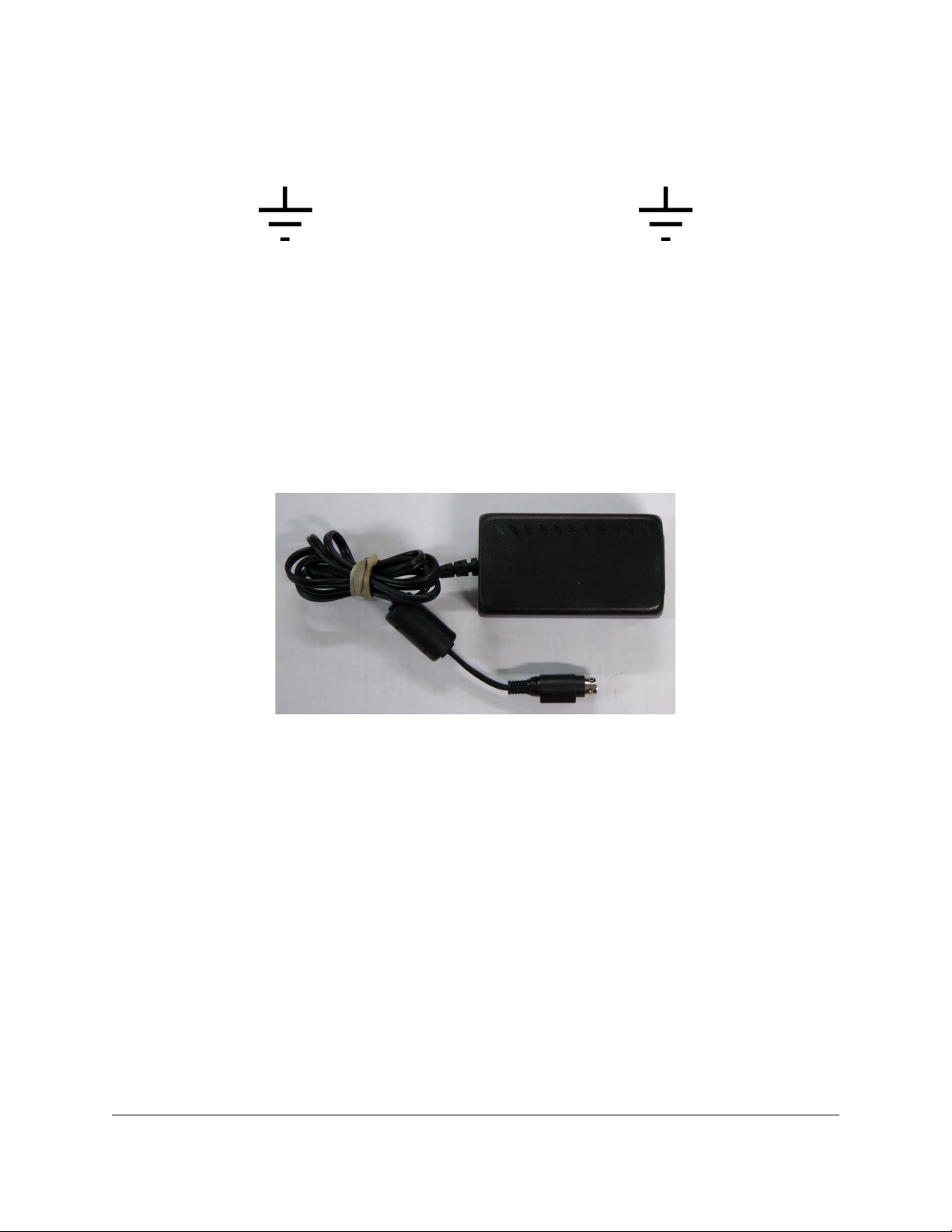
•The H2S-30 should only be used with a oremi approved power supply.
•Power Supply Specifications:
•AC Input: 100-240V~, 1.2A, 50-60Hz
•Output 12V C, 3.0A (36W Max.)
•H2S-30 Power Requirements
•12V C, .12A
H2S.OM.001539. RM Page 4 Version 1.3
oremi Labs

Protecting Yourself and the H2S-30
Never touch the AC plug with wet hands. Always disconnect the H2S-30 from the power supply
by pulling on the plug, not the cord. Allow only a oremi Labs dealer or qualified professional
engineer to repair or re-assemble the H2S-30. Apart from voiding the warranty, unauthorized
engineers might touch live internal parts and receive a serious electric shock. o not put, or
allow anyone to put any object, especially metal objects, into the H2S-30. Use only oremi
approved power supply.
If water or any other liquid is spilled into or onto the H2S-30, disconnect the power and call a
oremi dealer. The unit must be well ventilated and away from direct sunlight. To avoid damage
to internal circuitry, as well as the external finish, keep the H2S-30 away from direct sources of
heat (heater vents, stoves, radiators). Avoid using flammable aerosols near the H2S-30. They
can damage the surface area and may ignite. o not use denatured alcohol, paint thinner, or
similar chemicals to clean the H2S-30. This can damage the unit.
Modification of this equipment is dangerous and can result in the functions of the H2S-30 being
impaired. Never attempt to modify the equipment in any way. In order to ensure optimum
performance of the H2S-30, select the setup location carefully and make sure the equipment is
used properly. Avoid setting up the H2S-30 in the following locations:
•In a humid or dusty environment.
•In a room with poor ventilation.
•On a surface which is not level.
•Inside a moving vehicle where it will be subject to vibration.
•In an extremely hot or cold environment.
H2S.OM.001539. RM Page 5 Version 1.3
oremi Labs

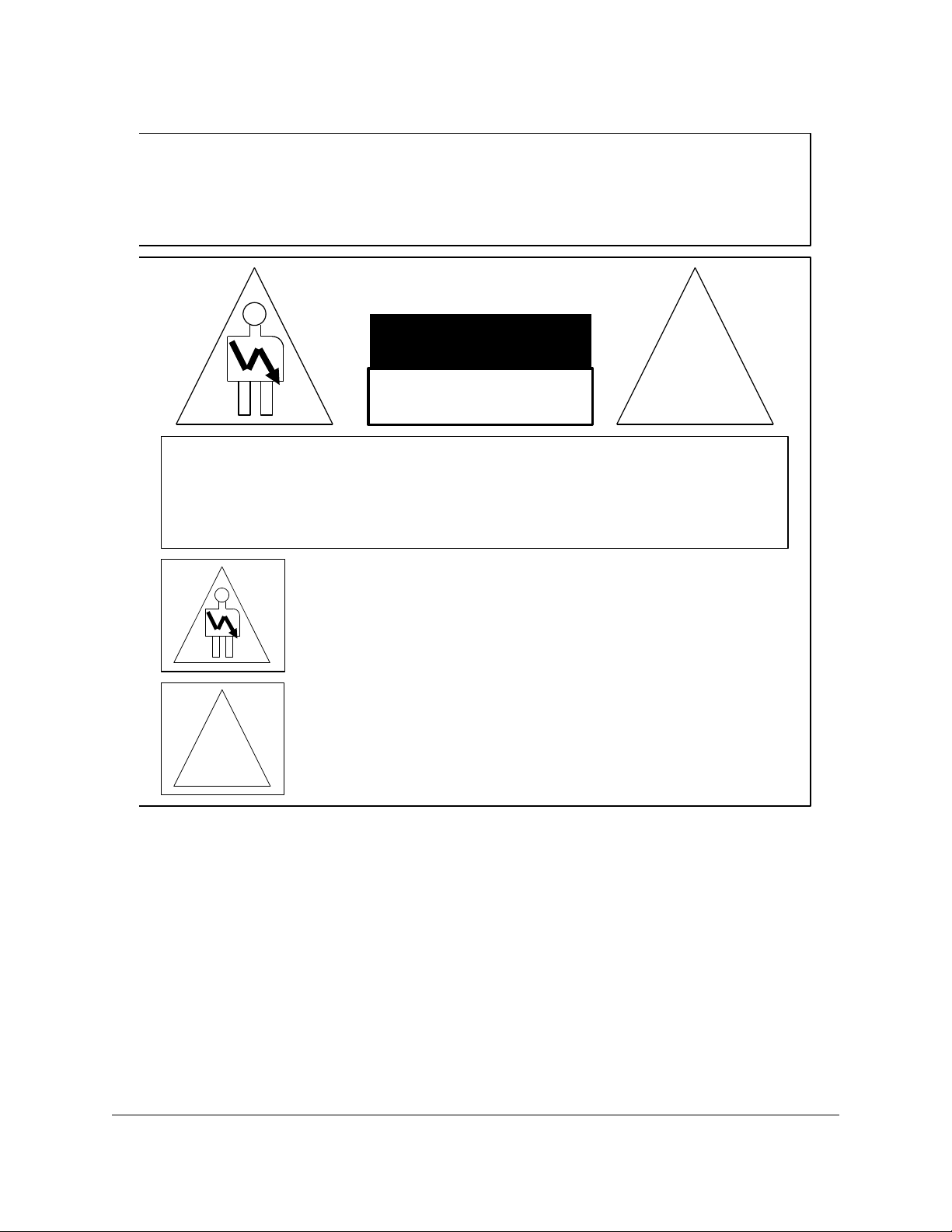
C A U T I O N
R I S K O F E L E C T R I C S H O C K
D O N O T O P E N
!
C A U T I O N : T O R E D U C E T H E R I S K O F E L E C T R I C S H O C K ,
D O N O T R E M O V E C O V E R ( O R B A C K ) .
N O U S E R - S E R V I C E A B L E P A R T S I N S I D E .
R E F E R S E R V I C I N G T O Q U A L I F I E D S E R V I C E P E R S O N N E L .
T h e l i g h t n i n g f l a s h w i t h t h e a r r o w h e a d s y m b o l s u p e r i m p o s e d
a c r o s s a g r a p h i c a l r e p r e s e n t a t i o n o f a p e r s o n , w i t h i n a n e q u i l a t e r a l
t r i a n g l e , i s i n t e n d e d t o a l e r t t h e u s e r t o t h e p r e s e n c e o f u n i n s u l a t e d
“ d a n g e r o u s v o l t a g e ” w i t h i n t h e p r o d u c t ’ s e n c l o s u r e ; t h a t m a y b e
o f s u f f i c i e n t m a g n i t u d e t o c o n s t i t u t e a r i s k o f e l e c t r i c s h o c k .
!
T h e e x c l a m a t i o n p o i n t w i t h i n a n e q u i l a t e r a l t r i a n g l e i s i n t e n d e d t o
a l e r t t h e u s e r t o t h e p r e s e n c e o f i m p o r t a n t o p e r a t i n g a n d
m a i n t e n a n c e ( s e r v i c i n g ) i n s t r u c t i o n s i n t h e l i t e r a t u r e
a c c o m p a n y i n g t h e a p p l i a n c e .
W A R N I N G ! !
T o p r e v e n t f i r e o r s h o c k h a z a r d , d o n o t e x p o s e t h i s a p p l i a n c e t o r a i n o r m o i s t u r e
H2S.OM.001539. RM Page 6 Version 1.3
oremi Labs

CE NOTICE
Marking by the symbol indicates compliance of the device to the EMC (Electromagnetic
Compatibility) directive and to the Low Voltage directive of the European Community. The
marking is indicative that the device meets or exceeds the following technical standards:
•EN 55022 "Limits and Methods of Measurement of Radio Interface Characteristics of
Information Technology Equipment".
•A " eclaration of Conformity" in accordance with the above standard has been made
and is on file at oremi.
H2S.OM.001539. RM Page 7 Version 1.3
oremi Labs

1 Introduction
1.1 Purpose
This document provides guidance on how to use the H2S-30 H MI® to S I converter that
incorporates High- efinition Multimedia Interface technology, as well as the oremi Universal
Interface Software ( UIS). It explains all features of the H2S as well as the infrared remote
control and how to upgrade the firmware.
1.2 Software Version
•UIS software version 4.2.3
•H2S-30 Firmware version 1.6.0
1.3 Contact Information
If in need of help or assistance, please contact oremi Labs Technical Services at
+ 1-818-562-1101 or email at [email protected] .
H2S.OM.001539. RM Page 8 Version 1.3
oremi Labs

2 H2S-30 Overview
2.1 H2S-30 escription
The H2S-30 is an H MI to S I format converter featuring H MI and S I connectors that
allow for any H MI input to be converted to any supported S I output format or scan rate. It
supports both S and H video and employs 12 bit bi-cubic interpolation to ensure the highest
quality picture. It also supports 3G S I and can tackle many conversion tasks.
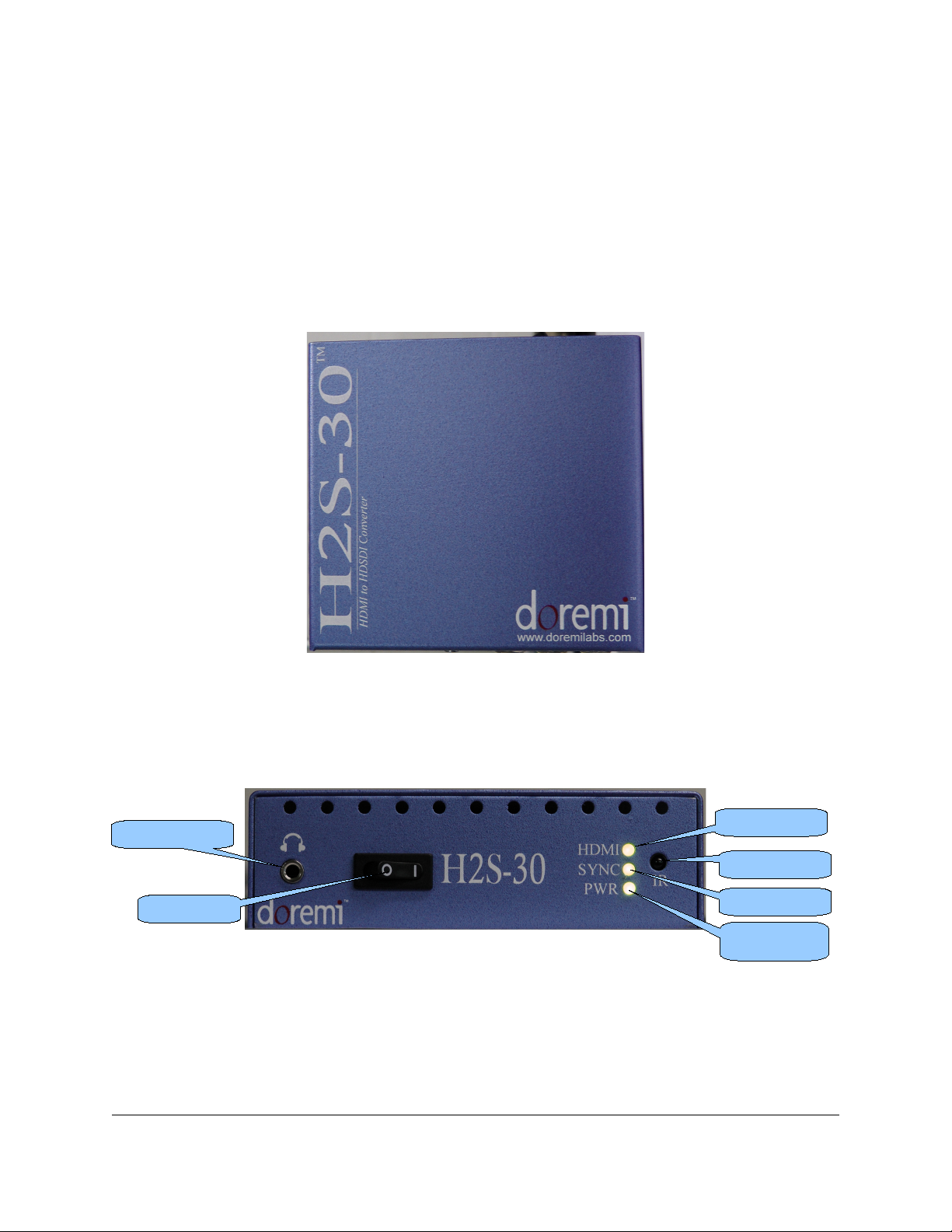
2.1.1 H2S-30 Top View
Figure 1: H2S-30 Top View
2.1.2 H2S-30 Front Panel
The H2S-30 front panel is illustrated below:
Figure 2: H2S-30 Front Panel View
H2S.OM.001539. RM Page 9 Version 1.3
oremi Labs
Infrared Sensor
Headphone Jack
Power LE
SYNC LE
H MI LE
Power Switch

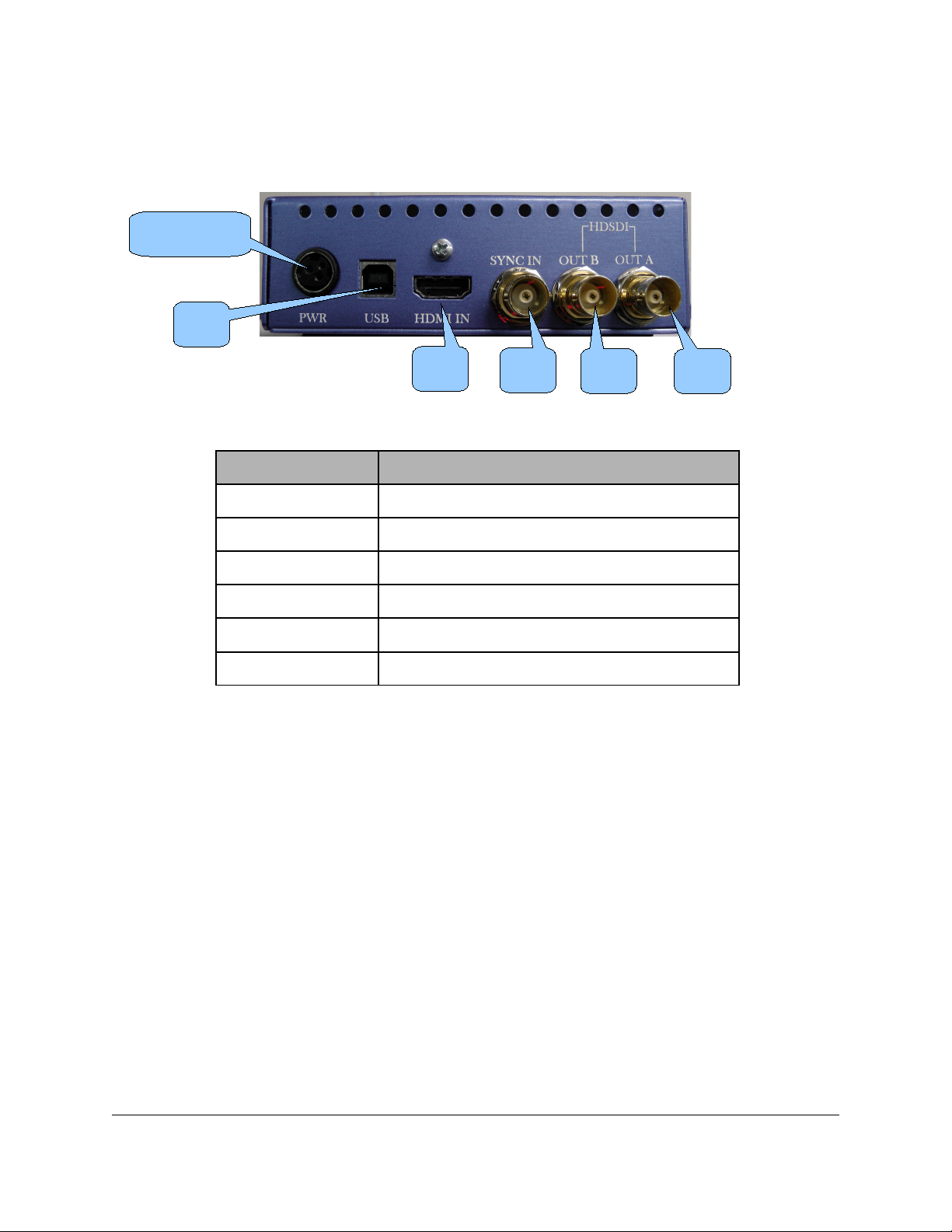
2.1.3 H2S-30 Rear Panel
The H2S-30 rear panel is illustrated below:
Figure 3: H2S-30 Rear Panel View
The rear panel has the following connectors:
Connector escription
USB USB connector
H MI in H MI input connector
S I-A out S I output connector – Link A
S I-B out S I output connector – Link B
SYNC in Sync input connector
Power Power supply connector
H2S.OM.001539. RM Page 10 Version 1.3
oremi Labs
USB
Power Connector
H MI
in
SYNC
in
S I-A
out
S I-B
out
Indice
Altri manuali Doremi Convertitore multimediale