
Doro PhoneEasy 618 Manuale utente
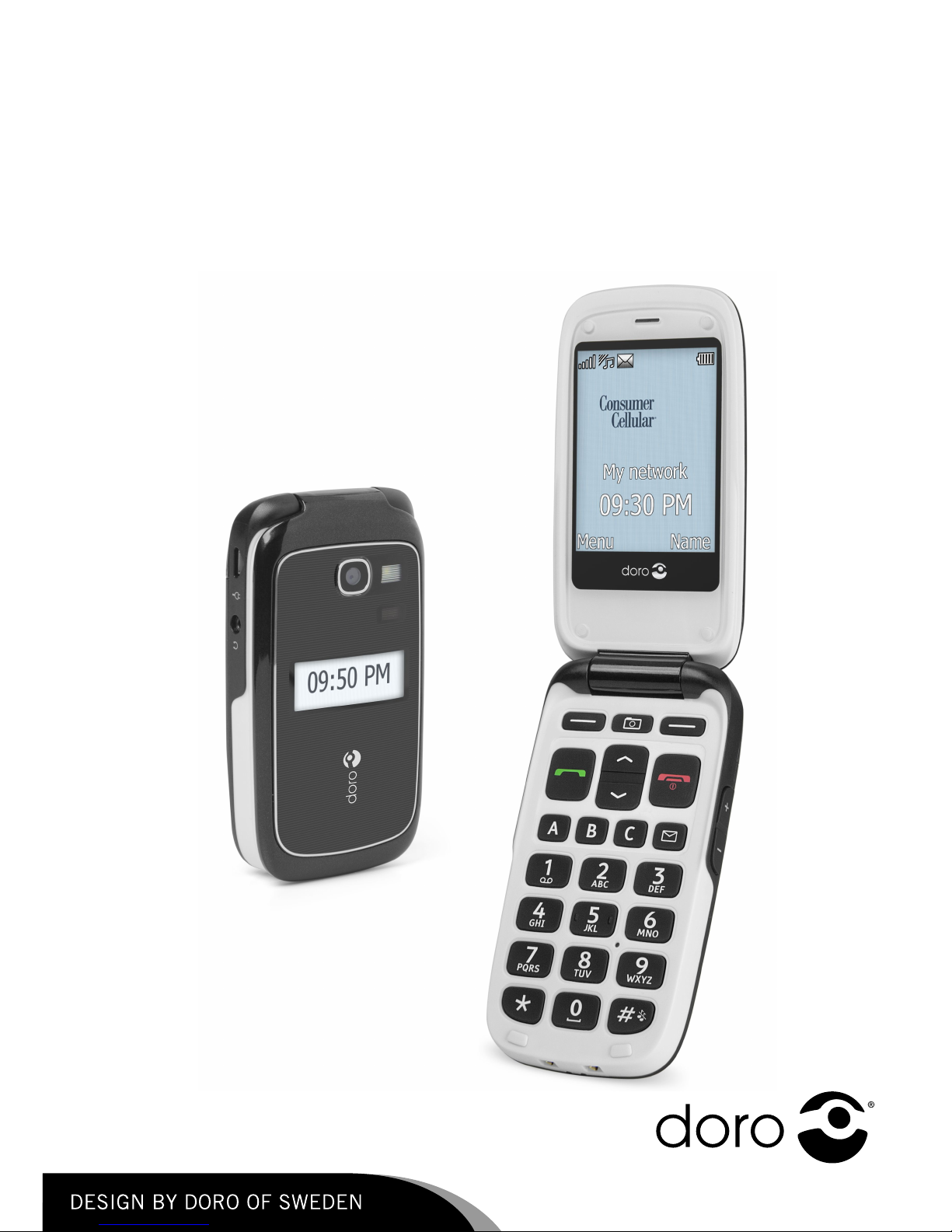
DoroPhoneEasy®618
English(US)
AB C
DEF
GHI JKL MNO
WXYZTUVPQRS
0
8
4
5
6
7 9
1
2
3
ABC
2
3
4
5
6
8
7
9
10
11
12
1
13
14
16
17
18
15
19
20
21
22
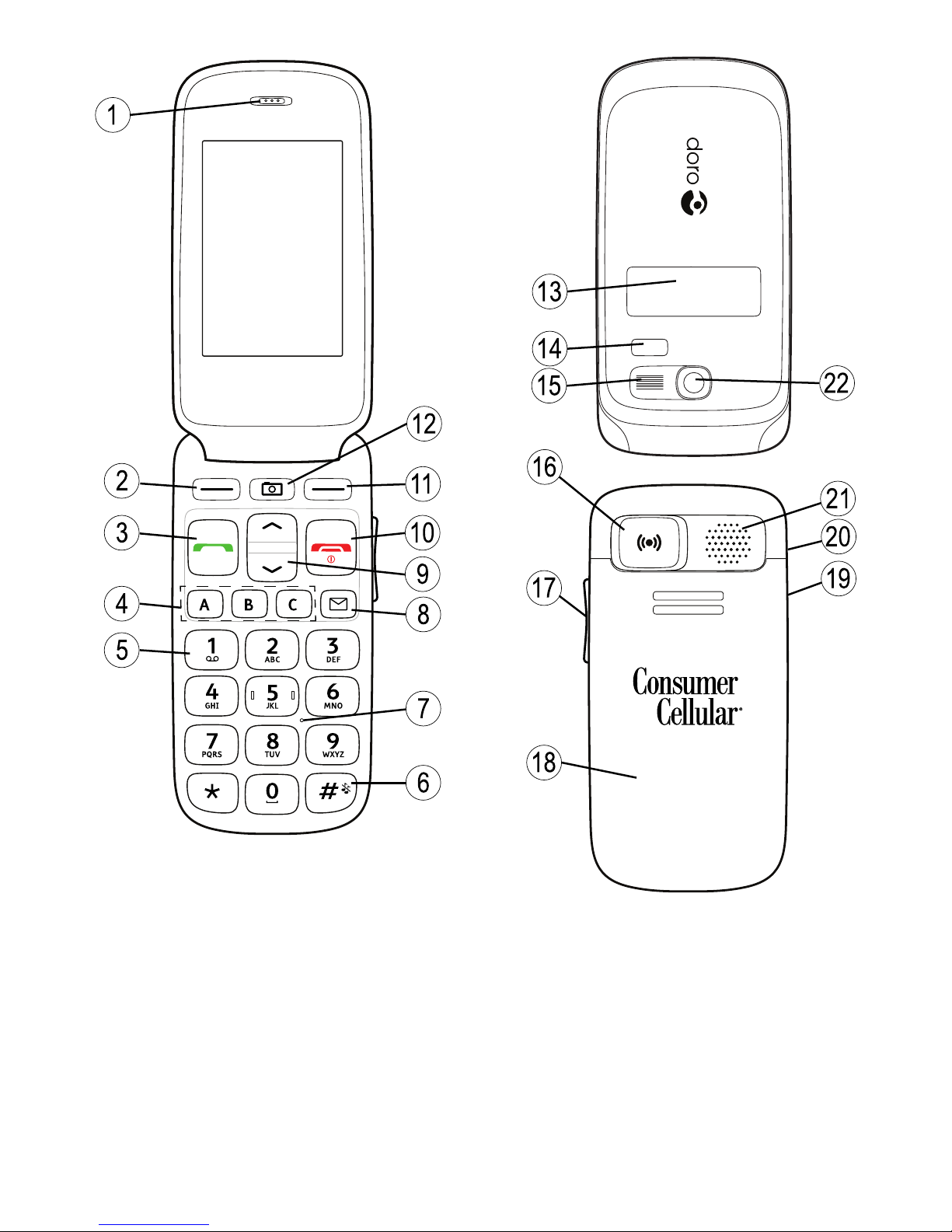
1.Earpiece
2.Leftselectionbutton
3.Callbutton
4.Speeddials
5.Voicemail
6.Silent/Inputmethod
7.Microphone
8.Messagesshortcut
9.Arrowbuttons
10.Endcall/Poweron/off
11.Rightselectionbutton
12.Camerashortcut
13.Externaldisplay
14.LEDs(Red=Battery
low/charging,Green=New
message/missedcall)
15.Cameraash/Flashlight
16.Emergencybutton
17.Volumecontrol
18.Batterycover
19.Headsetsocket
20.Chargingsocket
21.Loudspeaker
22.Cameralens
23.Lanyard
23

English(US)
Contents
Installation................................................................................1
InstallingtheSIMcard,memorycardandthebattery.............1
Charging....................................................................................2
Symbols....................................................................................3
Assistivefunctions...............................................................3
Phoneindicators..................................................................3
Displaystatussymbols.........................................................3
Displaymainsymbols...........................................................4
Operation...................................................................................5
Activatingthephone............................................................5
Makingacall.......................................................................6
MakingacallfromthePhonebook.........................................6
Receivingacall...................................................................6
Volumecontrol.....................................................................6
Enteringphonenumbers.......................................................7
Enteringtext...................................................................7
Calloptions.........................................................................8
Callwaiting.........................................................................9
Callinformation...................................................................9
Speeddial......................................................................10
Silent..................................................................................10
Headset..............................................................................10
SOScalls............................................................................10
Emergencybutton............................................................11
Phonebook.................................................................................12
Creatingaphonebookentry...................................................12
CreatingICEentry(InCaseofEmergency).........................12
Managingphonebookentries.................................................12
ICE(InCaseofEmergency).....................................................14
Messages...................................................................................15
Creatingandsendingtextmessages......................................15
Creatingandsendingpicturemessages..................................15
Inbox,Sent,Outbox.............................................................17
Calllog......................................................................................18
Retrievinganddialing..........................................................18
Camera(takephotos)..................................................................19

English(US)
Camera,options...................................................................19
Cameraadjustments.............................................................19
Imageviewer..............................................................................20
Options...............................................................................20
Connectingthephonetoacomputer............................................21
Draganddropcontentbetweenphoneandacomputer...........22
DisconnecttheUSBcablesafely...........................................22
Settings.....................................................................................22
General...............................................................................22
Sound.................................................................................25
Display................................................................................27
Calls...................................................................................29
Messages............................................................................33
Camera...............................................................................36
Emergency......................................................................37
Bluetooth®...........................................................................37
Security..............................................................................39
Filemanager.......................................................................42
Additionalfunctions....................................................................44
Alarm..................................................................................44
Organizer............................................................................44
Calculator............................................................................45
FMradio.............................................................................46
Flashlight............................................................................47
InstructionsfortheREMOTEUSER.......................................48
Other.........................................................................................51
Troubleshooting...................................................................51
Safetyinstructions......................................................................53
Networkservicesandcosts...................................................53
Operatingenvironment.........................................................53
Medicalunits......................................................................53
Areaswithexplosionrisk......................................................54
Protectyourhearing.............................................................54
Emergencycalls...................................................................54
Vehicles..............................................................................55
Drivingsafely.......................................................................55
Hearingaidcompatibility......................................................56
TTYcompatibility.................................................................57
RFexposureinformation(SAR).............................................57

English(US)
DisclaimerandLimitationofLiability...........................................58
FCC/IndustryCanadanotice.........................................................58
Careandmaintenance................................................................59
Batterydisposalandrecyclinginformation....................................61
Warranty....................................................................................61
Support.....................................................................................61
Specications............................................................................62
English(US)
Installation
IMPORTANT!
Turnoffthephoneanddisconnectthechargerbeforeremovingthe
batterycover.
InstallingtheSIMcard,memorycardandthebattery
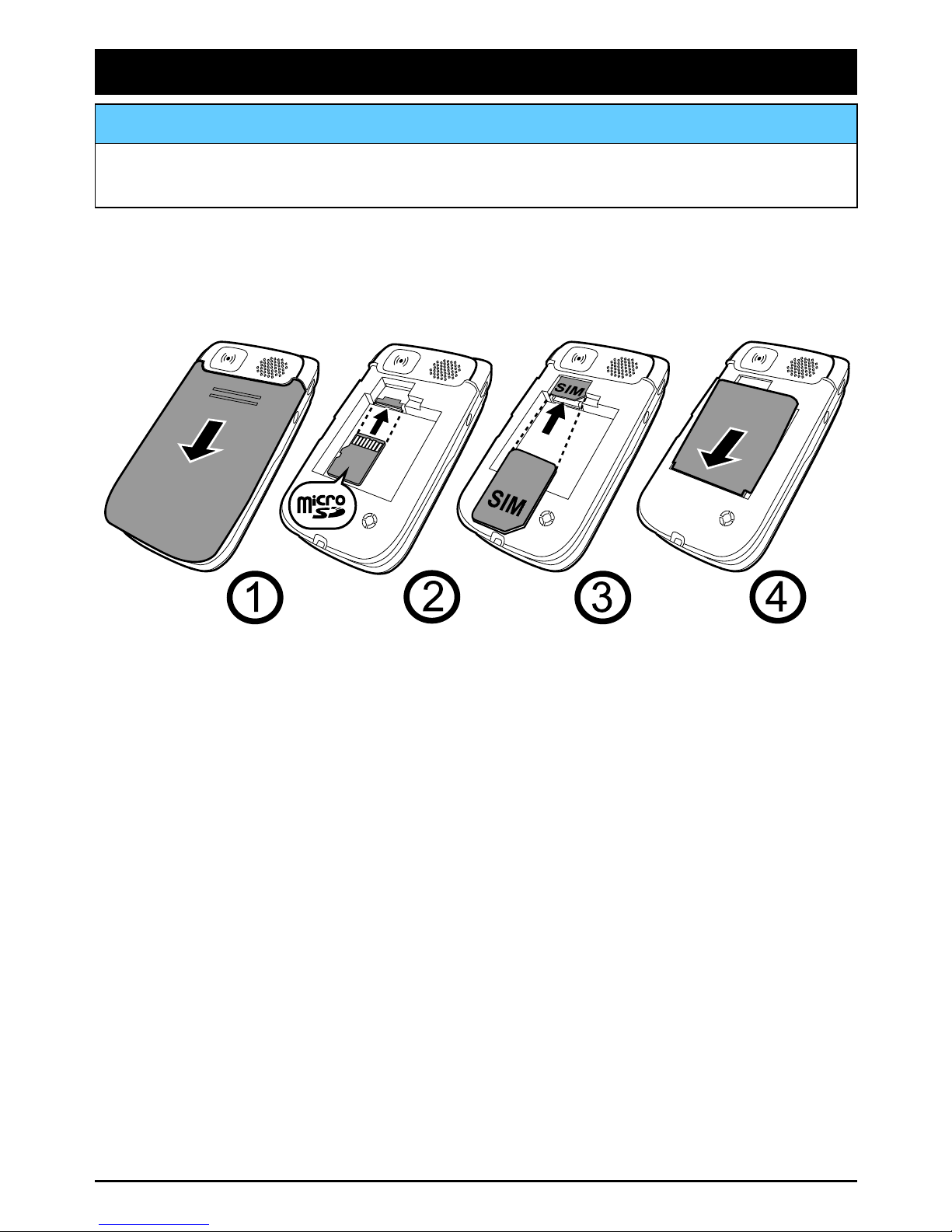
TheSIMandmemorycardholder’sarelocatedinsidethebattery
compartment.
1234
1.Removethebatterycoverandthebatteryifitisalreadyinstalled.
2.Optional:InsertthememorycardintotheslotundertheSIM
cardholder.Makesurethatthememorycardcontactsarefacing
upwardsandpushthecardin,untilyouhearaclick.Takecare
nottoscratchorbendthecontactsonthecard.
Toremoveorreplacethecard,pushthecardinuntilyouheara
clickandthenpullthecardout.
3.InserttheSIMcardbygentlyslidingitintotheholder.Makesure
thattheSIMcard’scontactsarefacingdownwardsandthatthe
cutoffcornerispointinginwards.Takecarenottoscratchor
bendthecontactsontheSIMcard.
4.Insertthebatterybyslidingitintothebatterycompartment.
Replacethebatterycover.
1
English(US)
IMPORTANT!
Useonlycompatiblememorycardsforusewiththisdevice.Compatible
cardtype:microSD,microSDHC.
Incompatiblecardsmaydamagethecarditself,thedeviceandcorrupt
datastoredonthecard.Dependingonthemarketsomephonesmay
haveapre-installedmemorycard.
Charging
CAUTION
Onlyusebatteries,chargerandaccessoriesthathavebeenapprovedfor
usewiththisparticularmodel.Connectingotheraccessoriesmaybe
dangerousandmayinvalidatethephonestypeapprovalandguarantee.
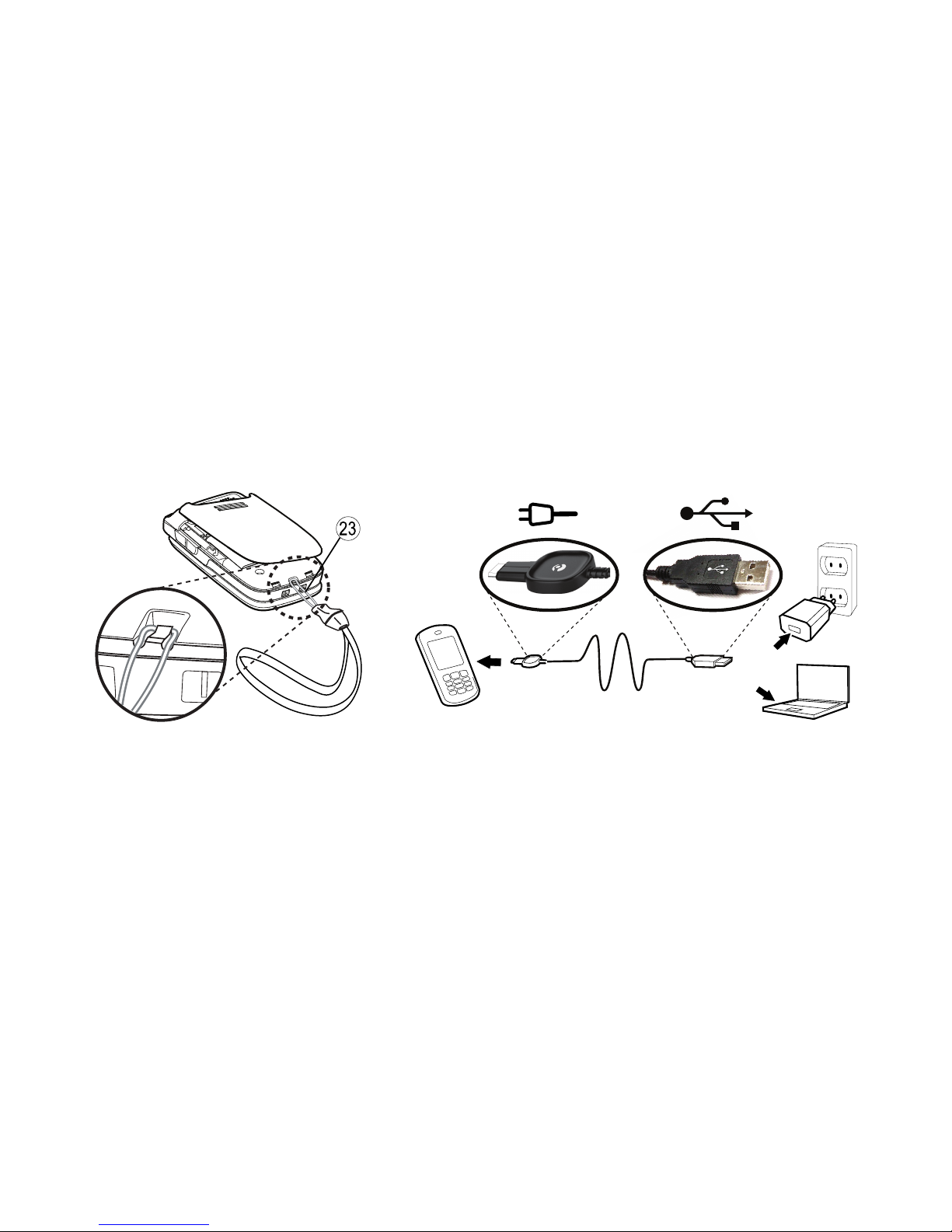
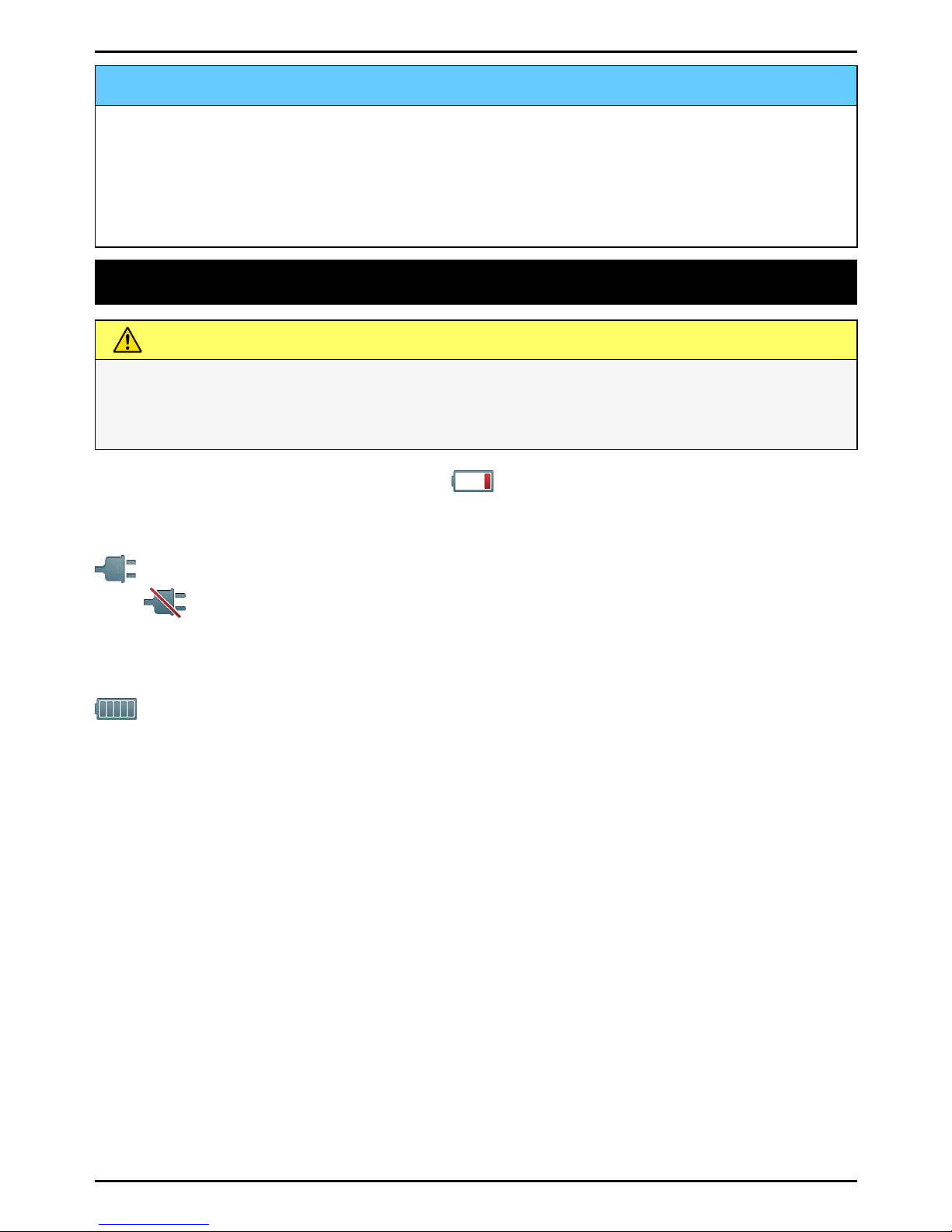
Whenthebatteryisrunninglow,isdisplayedandawarningsignal
isheard.Tochargethebattery,connectthemainsadaptertoawall
socketandtothechargingsockety.
isdisplayedbrieywhenthechargerisconnectedtothephone,
andwhenitisdisconnected.Thebatterychargeindicatorwill
beanimatedwhilecharging.Ittakesapproximately3hourstofully
chargethebattery.
isdisplayedonthescreenwhenchargingiscompleted.Ifthe
phoneisturnedoffwhenthechargerisconnectedtothephoneonly
thebatterychargeindicatorwillbeshownonthedisplay.
Note!
TosavepowertheLCDbacklightgoesoffafterawhile.Pressanybutton
toilluminatethedisplay.Fullbatterycapacitywillnotbereacheduntil
thebatteryhasbeencharged3–4times.Batteriesdegradeovertime,
whichmeansthatcalltimeandstandbytimewillnormallydecrease
withregularuse.
Saveenergy
Whenyouhavefullychargedthebatteryanddisconnectedthecharger
fromthedevice,unplugthechargerfromthewalloutlet.
2
English(US)
Symbols
Assistivefunctions
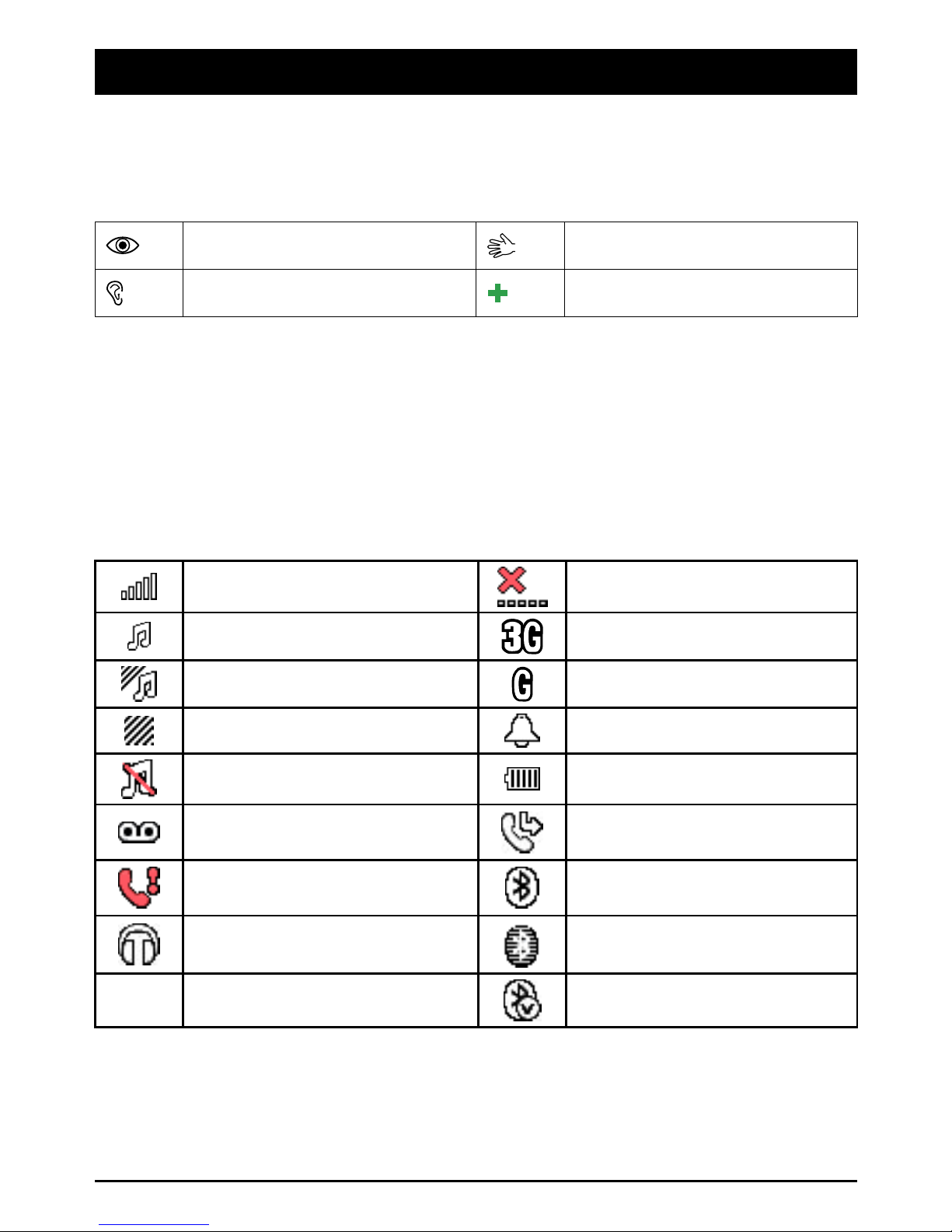
Thefollowingsymbolsindicateinformationinthemanualabout
assistivefunctionsfor:
SeeingHandling
HearingSafety
Phoneindicators
LEDlightonthephonewill:
•ashgreenwhenyouhaveanewmessageoramissedcall.After
readingthenewmessage/missedcall,theashingwillstop.
•ashredwhenthebatteryisrunninglowandduringcharging.
Displaystatussymbols
SignalstrengthNonetworkcoverage
Ringonly3Gcoverage
Ring+vibration2Gcoverage
VibrationonlyAlarmactive
SilentBatterylevel
Voicemailmessage
receivedCallforwardactivated
MissedcallBluetoothon,visibleto
others
HeadsetconnectedBluetoothon,invisibleto
others
5UnreadmessageinInboxBluetoothconnected
3
English(US)
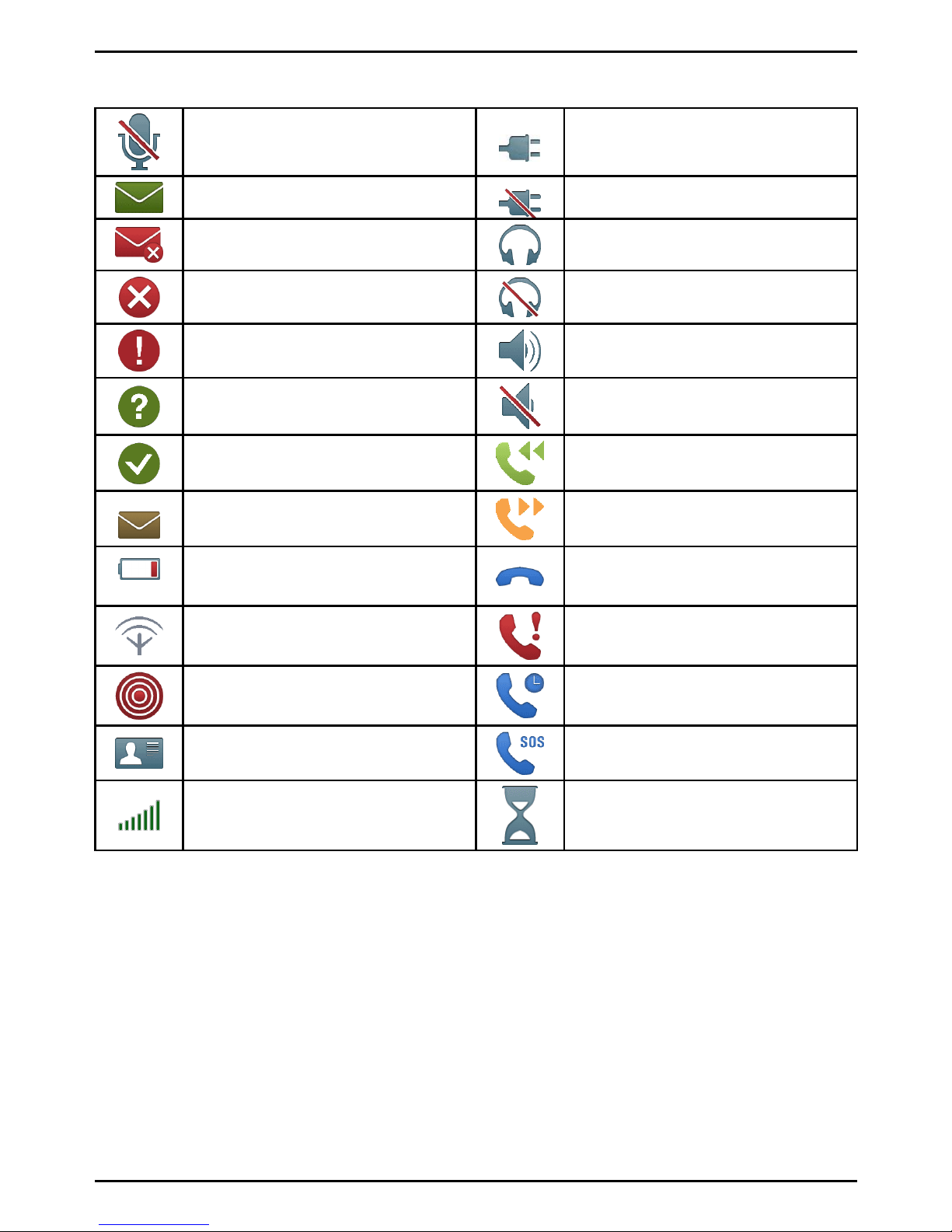
Displaymainsymbols
MuteChargerconnect
MessagesendingsuccessChargerremoved
MessagesendingfailedHeadsetin
ErrorHeadsetout
WarningSpeakeron
QuerySpeakeroff
Done(conrmed)Incomingcall
NewmessageOutgoingcall
BatterylevellowCallended
SearchingMissedcall.PressViewto
seethemissedcalls.
EmergencycallCallon-hold
vCardmessageSOScallsonly
VolumecontrolProcessing,pleasewait
4
Altri manuali per PhoneEasy 618
2
Indice
Altri manuali Doro Telefono cellulare

Doro
Doro 8042 Manuale utente

Doro
Doro Primo 401 Manuale utente

Doro
Doro PhoneEasy 626 Manuale utente

Doro
Doro 7010 Manuale utente

Doro
Doro PhoneEasy 530X Manuale utente

Doro
Doro PhoneEasy 613 Manuale utente

Doro
Doro 5860 Manuale utente

Doro
Doro 5030 Manuale utente

Doro
Doro 730X Manuale utente

Doro
Doro 1360 Manuale utente

Doro
Doro PHONEEASY 410GSM Manuale utente

Doro
Doro 2880 Manuale utente

Doro
Doro 6050 Manuale utente

Doro
Doro 7011 Manuale utente

Doro
Doro HANDLEEASY 326GSM Manuale utente

Doro
Doro 6038 Manuale utente

Doro
Doro 1381 Manuale utente

Doro
Doro ip700wifi Manuale utente

Doro
Doro PHONEEASY 612 Manuale utente

Doro
Doro 5861 Manuale utente


