
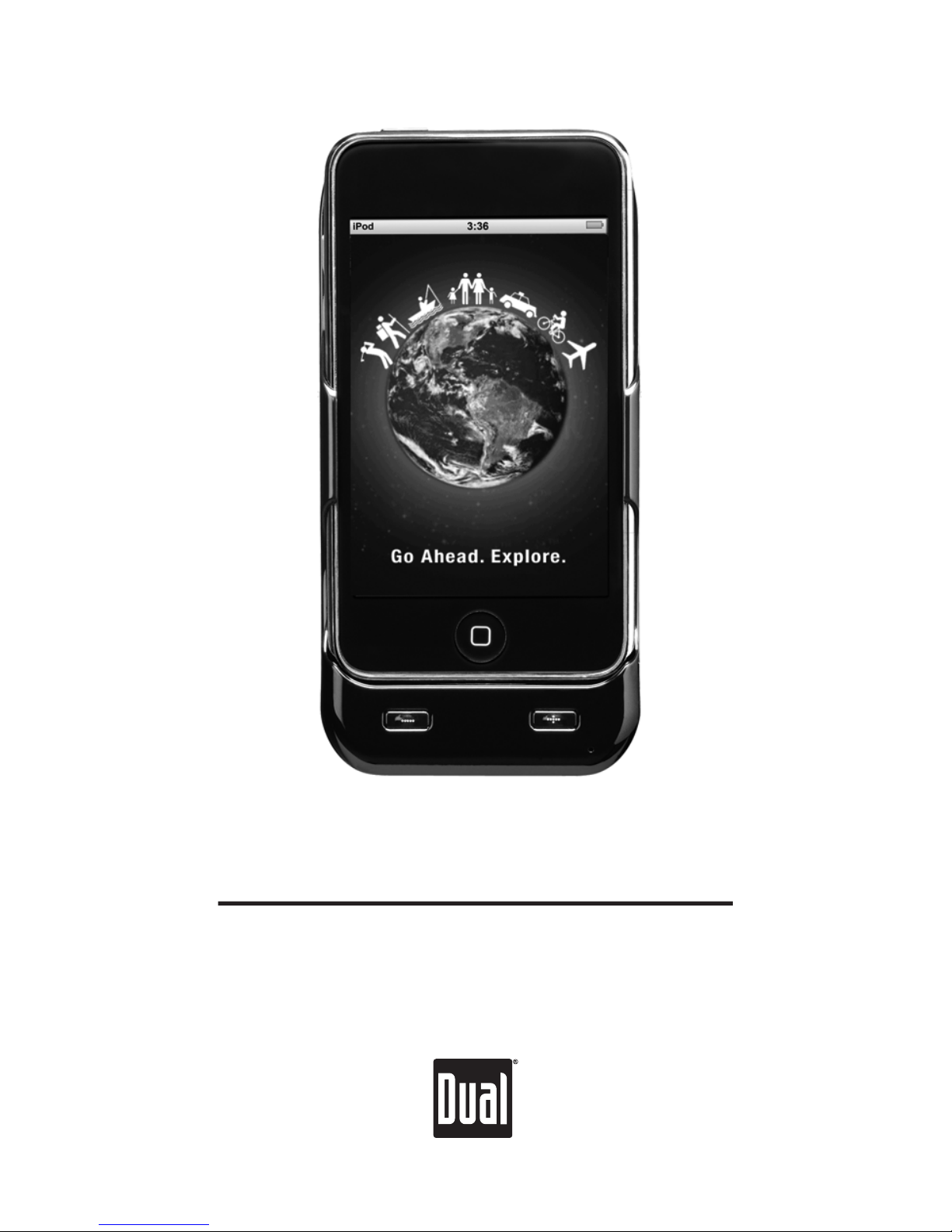
Dual Portable GPS & Battery Cradle Istruzioni operative
INSTALLATION/
OWNER’S MANUAL
Portable GPS & Battery Cradle
for iPod touch
2
INSTALLATION
Preparation
HOLDER
CAR
WINDSHIELD
MOUNT
The Portable GPS & Battery Cradle provides both GPS
location data and backup battery power to any 1st,
2nd, 3rd or 4th generation Pod touch®. Use the
included Car Windshield Mount to secure the iPod
and GPS Cradle in a vehicle for easy access while on
the road.
Note: The GPS Cradle is only designed to fit an iPod
touch. Inserting any other device, such as iPhone®
can cause damage to both the unit and the device.
Mounting
Location
•
Attach Mount in location that is easily within reach
from driver's seat.
•
Ensure that chosen location will not obstruct
visibility, mirrors, airbags or any vehicle controls.
Note: Certain states regulate mounting locations
for safety reasons. Be sure to check and adhere to
local regulations when attaching Mount.
Attaching
Holder
•
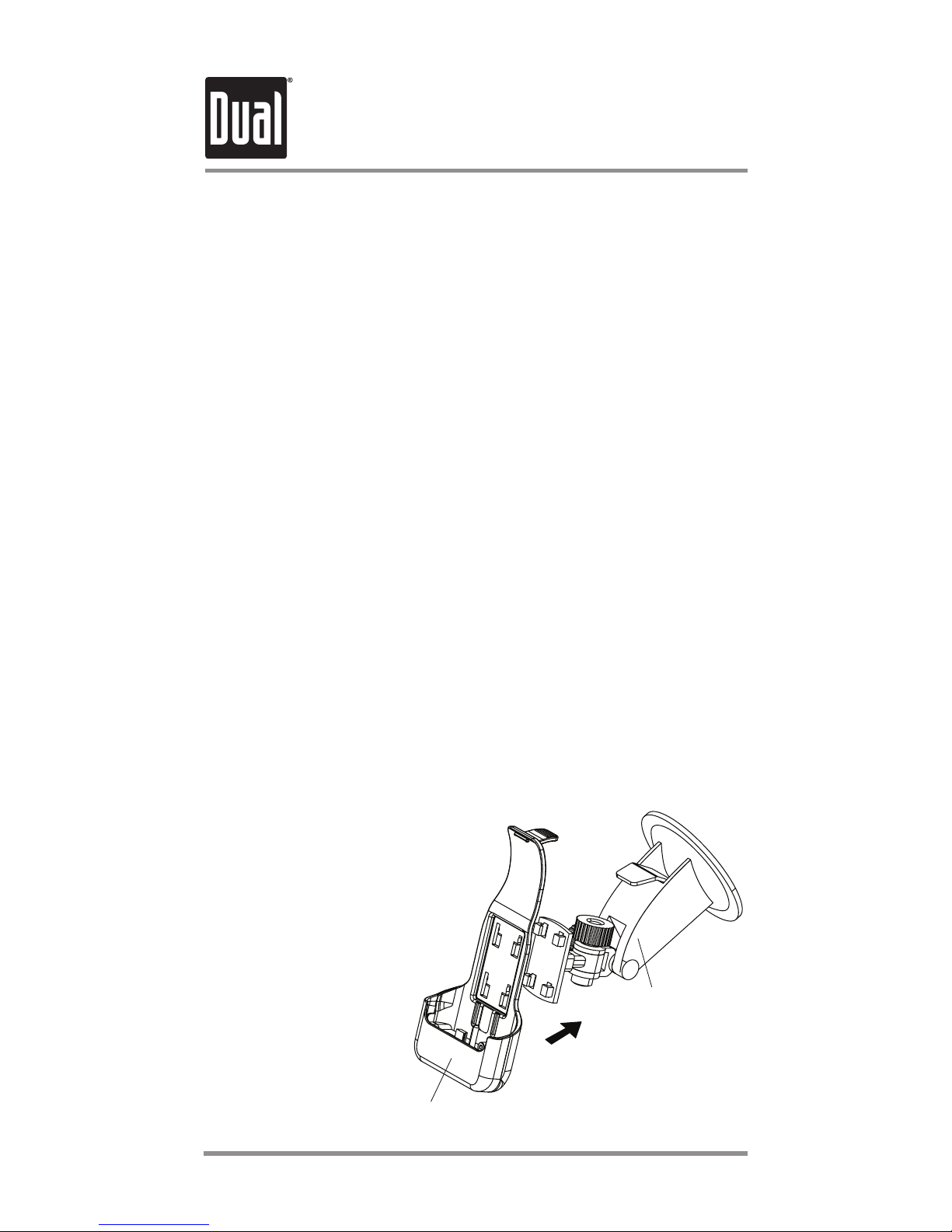
Align four slots on
back of Holder with
four clips on front of
Mount as illustrated
in Figure 1 (at
right). Slide until
Holder clicks
into place.
Figure 1
INSTALLATION
Installation
3
Installing Car Windshield Mount
•
For best hold, first clean the windshield glass in
desired mounting location.
wodniwottnuoMothcatta,tnuoMnorevelesiaR•
in desired location and depress lever to secure.
Attaching iPod touch
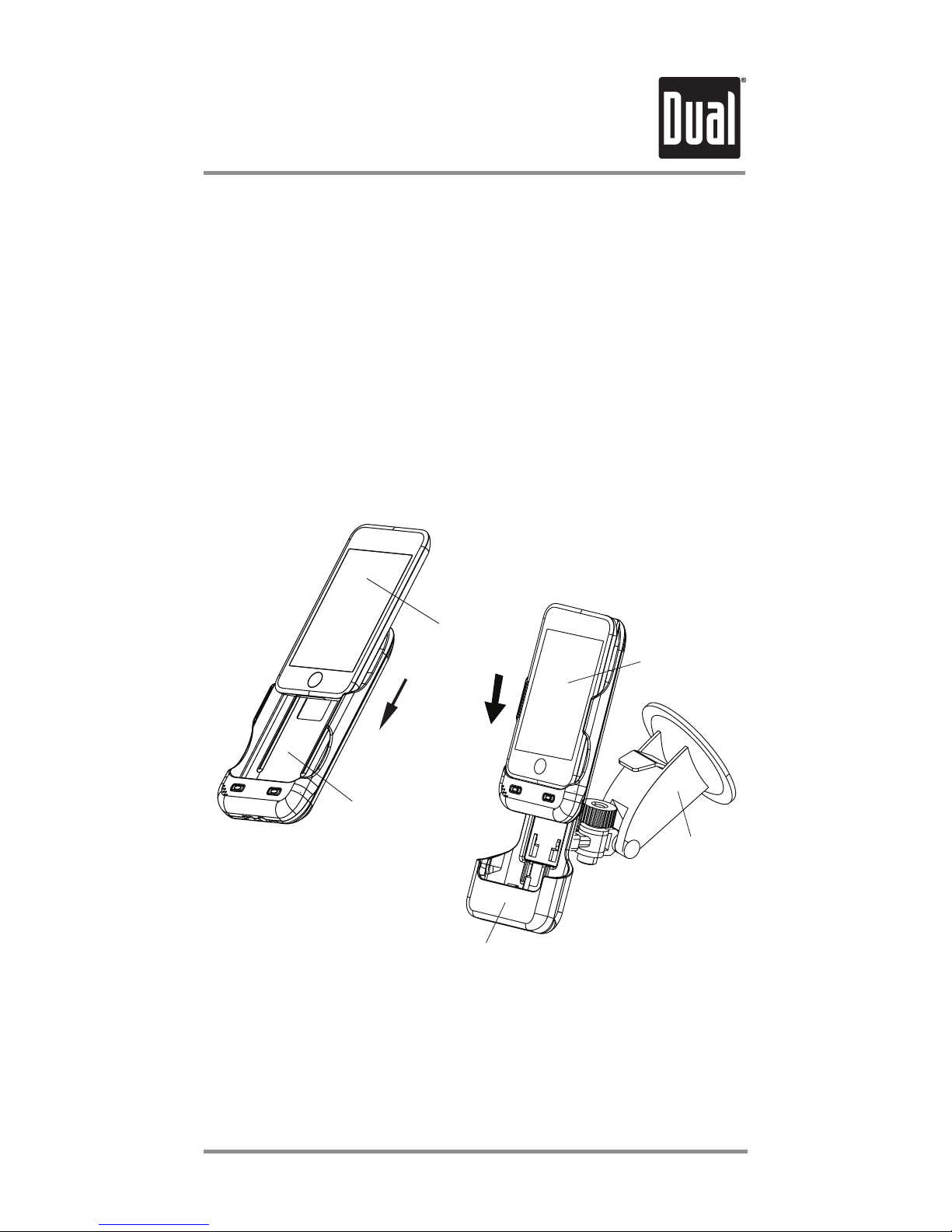
nidetartsullisaeldarCotnihcuotdoPiedilS•
Figure 2 (below). Please be sure to use the spacer
pad and/or insert depending on the model of touch
you are using (see page 4).
saredloHotnieldarCdnahcuotdoPiedilS•
illustrated in Figure3 (above).
•To adjust viewing angle, tighten octagonal nut to
hold the Holder in place, then rotate to desired
viewing angle.
iPod touch
CRADLE
HOLDER
CAR
WINDSHIELD
MOUNT
iPod touch
& CRADLE
Figure 2
Figure 3
Installation of Spacers
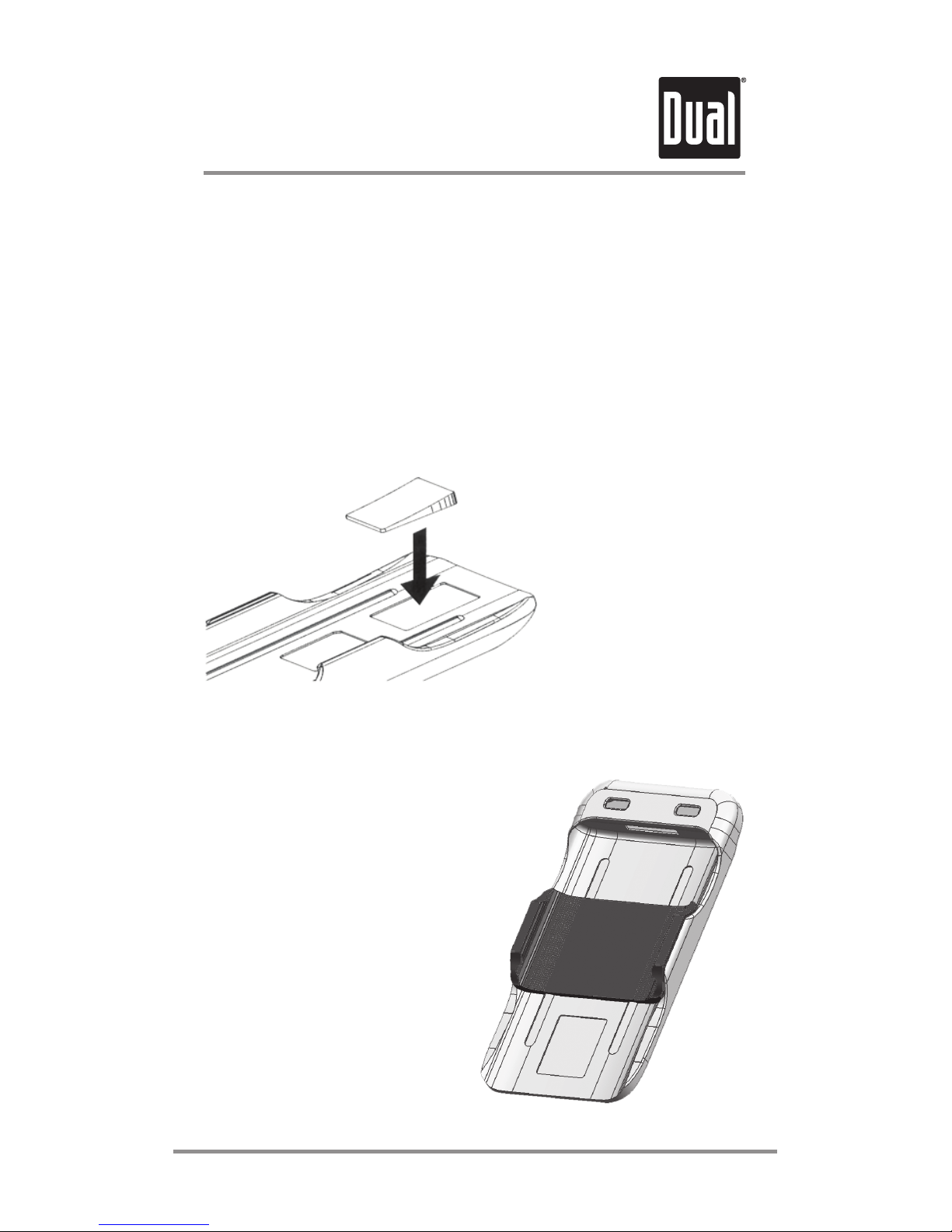
IMPORTANT: There is a spacer pad and a special
insert included with your GPS Cradle. These are
provided for use with 2nd, 3rd and 4th generation
models of the iPod touch. They ensure that the iPod is
held securely in the GPS Cradle. You may damage
your iPod if you use the iPod in the Cradle without the
spacer pad (and the insert with the 4th generation
touch.)
USAGE
For the 2nd, 3rd
and 4th
generation
models of the
touch, peel off
the back of the
spacer pad to
reveal the
adhesive and
insert as shown.
Additionally for the 4th generation
models of the touch, snap the
plastic insert into the GPS Cradle
between the side clips a shown.
Double check that the clips on
the GPS Cradle fit into the
recesses on the side of the
spacer. You must use this
spacer to prevent damage to
the touch. If this insert is
missing from your
product, please call
Customer Service for a
replacement and do not
insert the iPod. 4
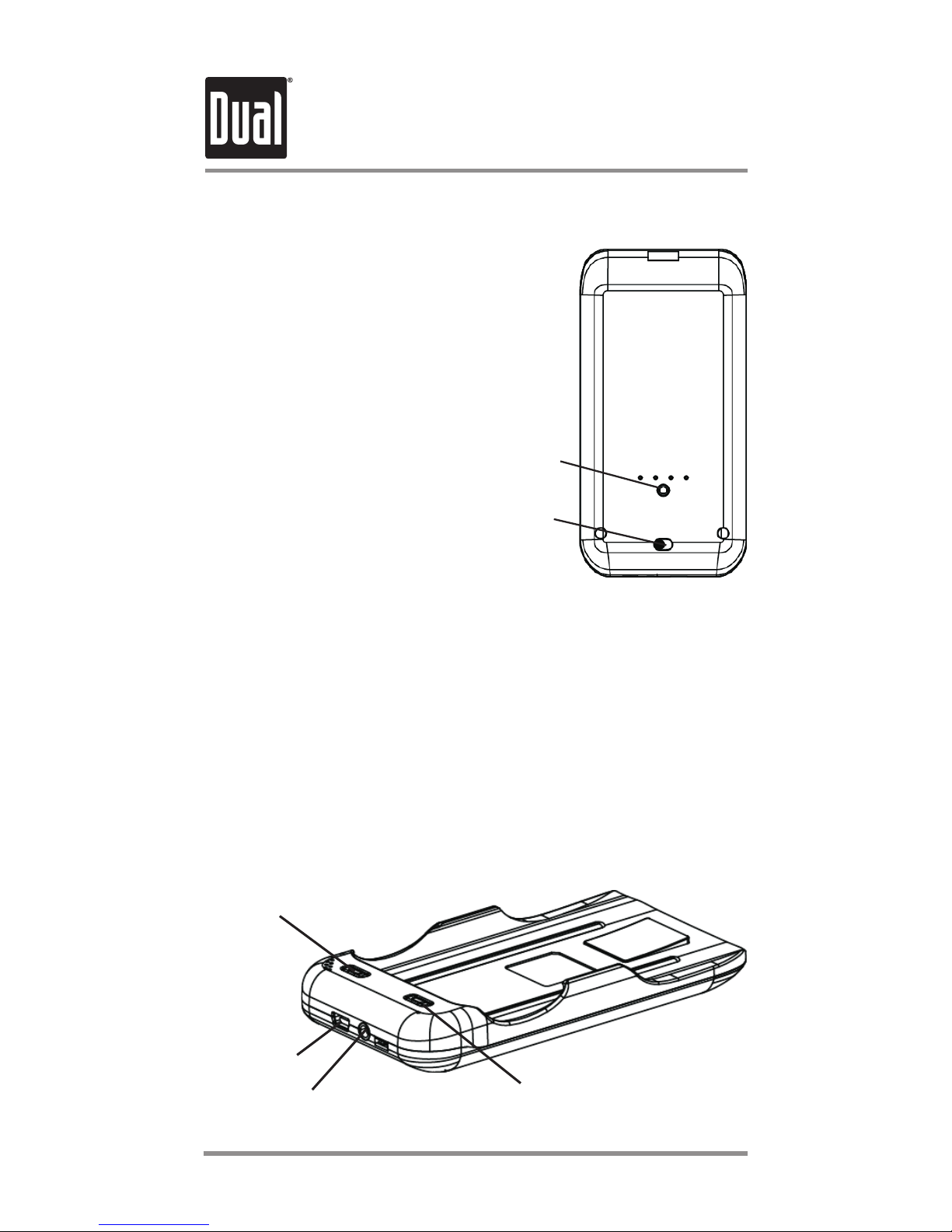
Cradle Controls
Battery Indicator
Press Battery Indicator
button, and the four LED
lights above will illuminate to
indicate current charge.
Battery
Indicator
Power
Power Switch
Move Power switch
to GPS to power GPS
function. When not
using GPS, move Power
switch to Battery to
charge iPod touch or to
Off to save battery.
Volume Down
Volume Up
USB Port
Headphone Jack
Volume
Volume controls on Cradle allow easy volume
adjustment.
Headphone Jack
To listen with headphones, plug headphones into
headphone jack at base of unit.
USB Port
Use included mini USB to USB cable to connect unit
to computer for charging / syncing iPod.
5
INSTALLATION

The GPS antenna is near the top of the Cradle and
faces out the back. Try to avoid covering the antenna
with your hand or laying it down on its back for
long periods of time. The Cradle performs best when
it has an unobstructed view of the sky.
Holder Wiring
12V Power Adaptor
Use included 12V power adaptor to connect Holder
to vehicle's power source to power GPS and charge
iPod.
Audio Out
Use Audio Out port to connect Holder to vehicle
stereo system with 3.5 mm mini stereo audio cable.
Removing iPod
To remove iPod and Cradle from Holder, pull back
on tab at top of Holder, and iPod and Cradle will
slide out easily.
Note: The GPS will operate even when iPod and
Cradle are not positioned in Holder.
Tips for Best Performance
Hold the GPS Cradle Upright
When turning on the GPS Cradle, you can often
shorten the amount of time required to determine
your position by temporarily turning off WiFi on the
iPod. Once the iPod is showing your location (in any
app), you can turn WiFi back on.
Temporarily turn off WiFi
INSTALLATION
6
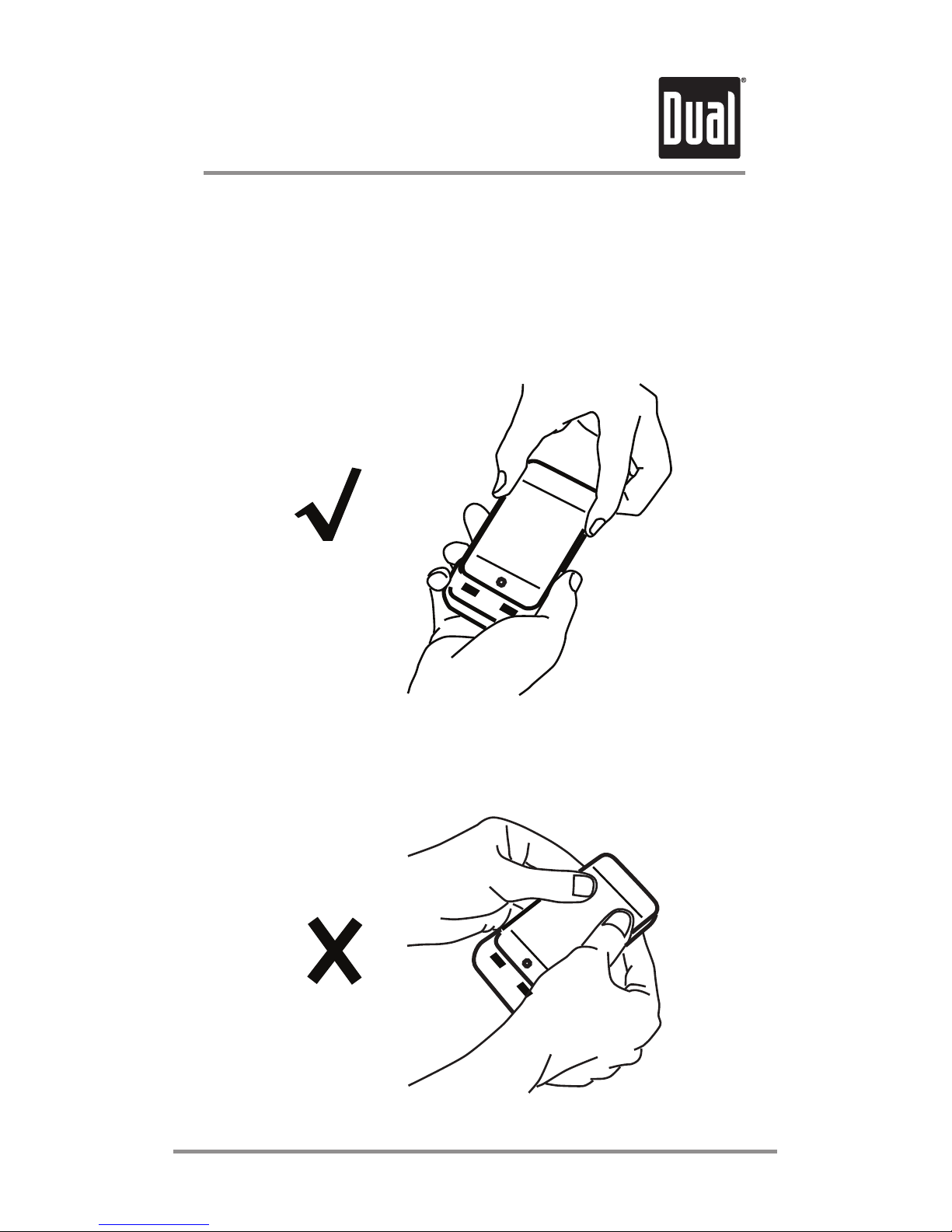
The correct way to remove the iPod from the GPS
Cradle is to grasp the iPod at the top with one hand,
and hold the GPS Cradle firmly with the other. Pull
gently on the iPod to remove it from the Cradle.
Warning: Do not apply pressure to the iPod screen
when removing it from the Cradle. This can damage
your iPod.
Tips for Best Performance
How to Remove the iPod from the Cradle
USAGE
7

Most apps will work with the GPS Cradle: navigation
apps, golfing apps, hiking apps, geocaching apps,
social networking apps, etc. Just double-check that
the app you are interested in is available for the iPod
touch, and whether the app requires a full time
network connection in order to work.
Tips for Best Performance
What apps work with the GPS Cradle?
Although the GPS Cradle will pick up GPS signals
inside your car on a rainy day, the Cradle is not
weatherproof and should be kept away from water.
Keep the Cradle Dry
USAGE
8

SPECIFICATIONS
9
General
Cradle Dimensions (WxHxD) : 2.5” x 5.1” x 0.8”
Holder Dimensions (WxHxD) : 2.8” x 5.8” x 1.0”
Voltage
Cradle input voltage: 5V DC.
Note: Please use only the included USB cable
for connecting to a computer.
Holder input voltage : 5V DC
Note: Please use only the included cigarette jack
power adapter for in-car use.
Cigarette jack power adapter
Input : 12V DC ~ 24 V DC
Output : 5V DC
GPS
50-channel u-blox5 engine
Internal Battery
Capacity: 1,100mAH
Operation time: approximately 10 hours
(GPS mode, volume level set at 50%)
Charging time : 4 hours

SPECIFICATIONS
10
Design and specifications are subject to change
without notice.
Environmental Requirements
With iPod touch
Operating temperature: 32° to 95° F (0° to 35° C)
Nonoperating temperature: -4° to 113° F (-20° to
45° C)
Relative humidity: 5% to 95% noncondensing
Without iPod touch
Operating temperature: 14° to 140° F (-10° to 60° C)
Nonoperating temperature: -4° to 176° F (-20° to
80° C)
Relative humidity: 5% to 95% noncondensing
IC Compliance
Please Note
This Class [B] digital apparatus complies with Canadian
This GPS Cradle is not waterproof or water resistant,
and should be protected from rain and splashing
liquids. The GPS Cradle also does not provide any
protection to the iPod from liquids, dirt or dust.
ICES-003.
Indice
Altri manuali Dual Accessori per lettori MP3


