Eddylight LED PAR 36 Manuale utente

LED PAR 36
USER MANUAL

1. Introduction
2. Safety Information
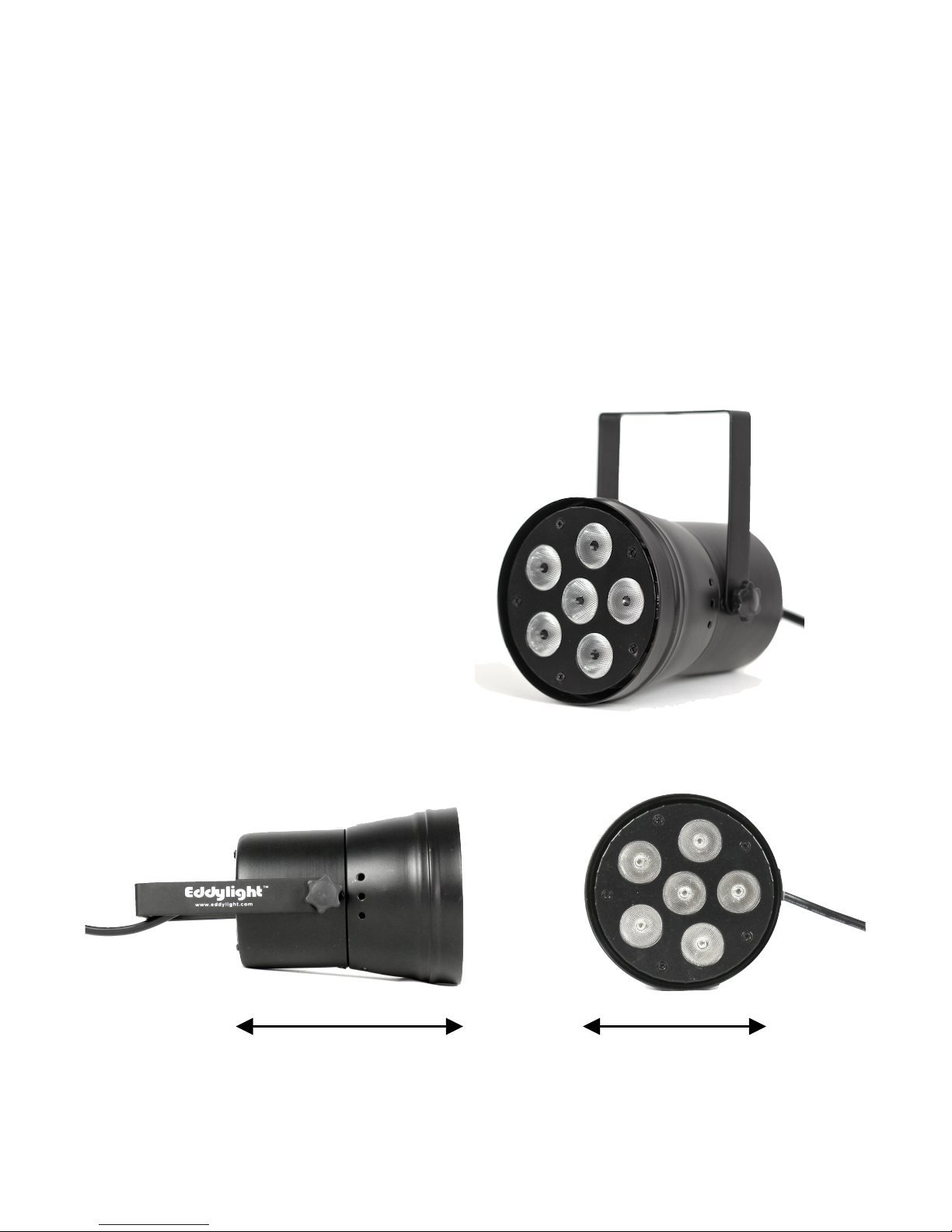
3. Dimensions and Specifications
4. Main Function
5. Rear Panel Display and Operation
6. Instructions for Manual
Programming
7. Master/Slave Control
8. Cable Connection

1. Introduction
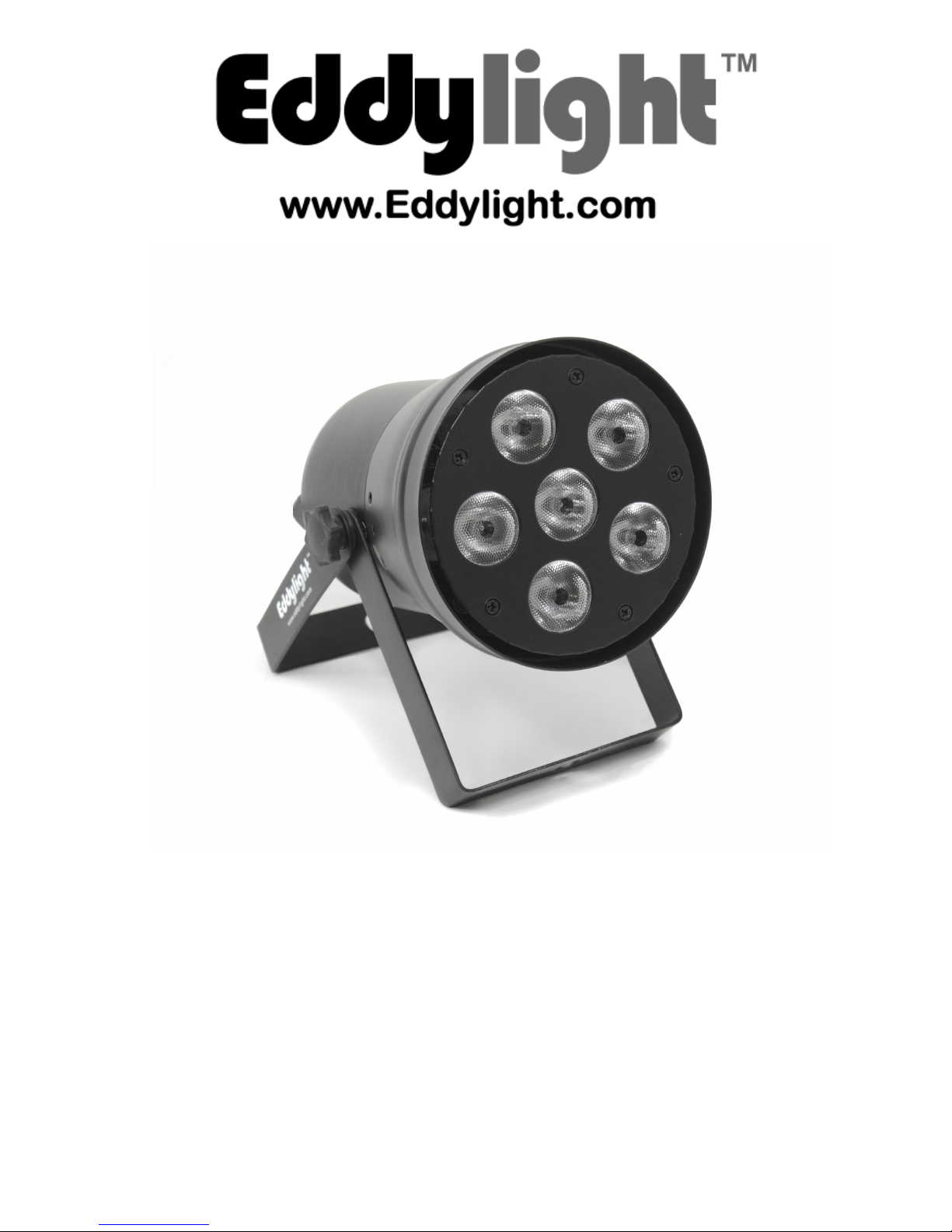
Thank you for purchasing our LED PAR 36 light. Please read these
instructions carefully before operating to avoid any possible damage and
accidents caused by misuse.
The LED PAR 36 light has a hydrodynamic aluminum shell. Three colors
of high-brightness LED lights (red, blue, green) are used to create a wide
spectrum of colors. Each color can be independently dimmed, faded and
so on. It draws low power and is low weight. The DMX controls include
dimming, fade, strobe, gradual change and more. The unit is compatible
with the standard DMX 512 signal for external DMX control. Practical uses
of the product include dance halls, stage backgrounds, hotels, large-scale
performances, drapery uplighting and stage lighting.
Packing List
- LED PAR 36 light
- User manual
- Warranty card
2. Safety Information
- Please consult skilled service technicians for any repairs required
- Always disconnect from the power source before setting up, moving and
servicing
- Avoid direct eye contact to the light when in operation
- Make sure the power supply voltage is compatible with this light
- Before installation, please check the light’s fasteners and mechanical
structure is in good condition and not damaged
- The light is designed for indoor use, below 40 degrees celsius
- The fixture may be mounted in any position provided there is adequate
room for ventilation. Make sure there are no flammable and explosive
items within 0.5 meters.
- Please ensure the ground is always connected
3
www.eddylight.com 1-800-914-3538

3. Dimensions and Specifications
Voltage: 100-264 VAC ~60Hz
Power: 18W
Size: 118mm deep x 115mm wide x 197mm high
Net Weight: 0.8 Kg
Lamp Type: (6) pc of ‘3-in-1’ High Power 3W LED’s
Lamp Life: ~50,000-100,000 hours
Lamp Angle: 25-45 degrees (produces a 5’ dia. spot of light from a 10’
distance, with a 2’ concentrated center of light)
4.5” dia.
5.5”

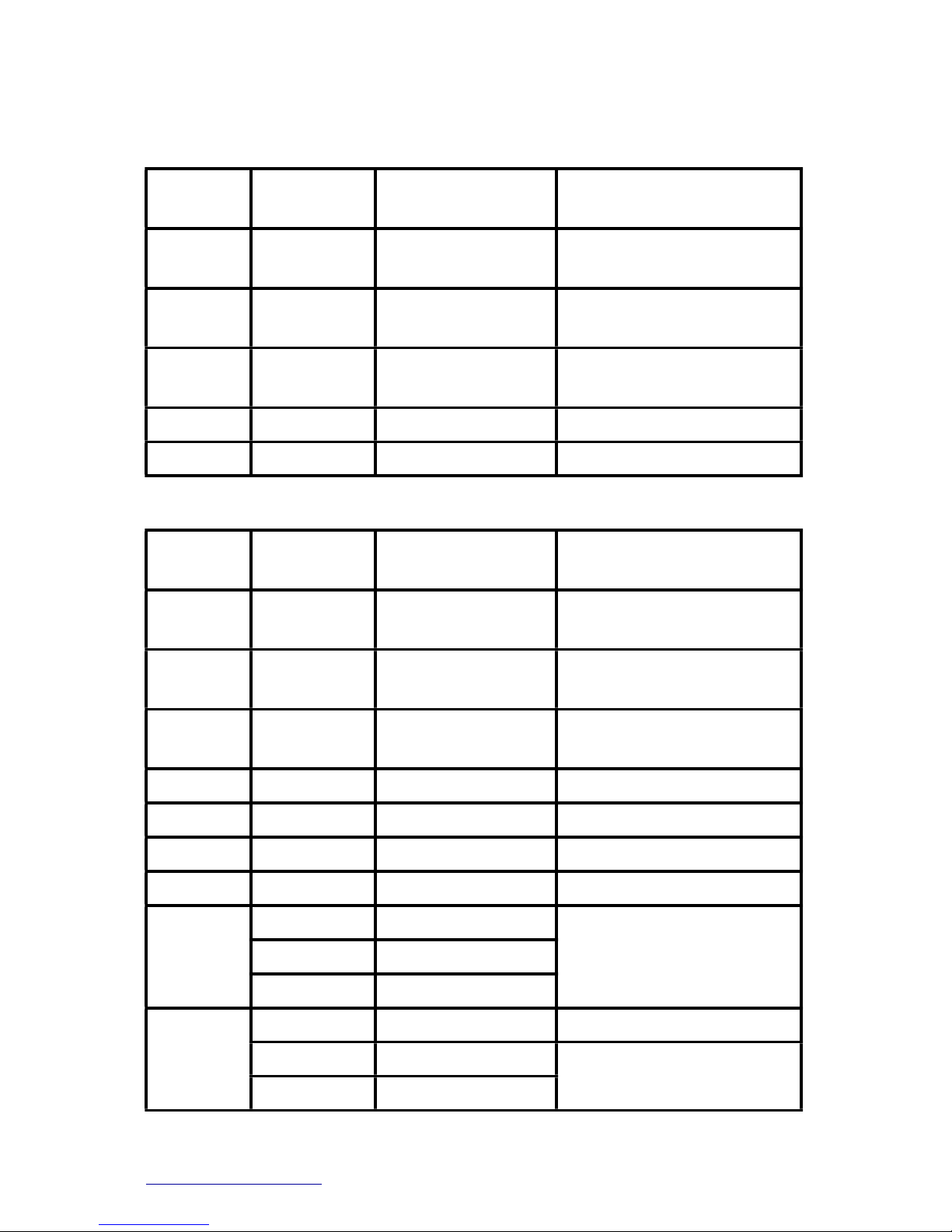
4. Main Function
5 Channel Mode:
Channel
DMX
Value
Function
Notes
1
0-255
Red dimming
0—100%
2
0-255
Green dimming
0—100%
3
0-32
Blue dimming
0—100%
4
0-255
No function
5
0-255
No function
9 Channel Mode:
Channel
DMX
Value
Function
Notes
1
0-255
Red dimming
0—100%
2
0-255
Green dimming
0—100%
3
0-32
Blue dimming
0—100%
4
0-255
No function
5
0-255
No function
6
0-255
Master dimmer
7
15-255
Strobe speed
8
72-133
3 color jumping
Overrides CH1-7
8
134-195
7 color jumping
Overrides CH1-7
8
196-255
31 color jumping
Overrides CH1-7
9
28-127
Dimmer mode
(See “nodE” in MENU)
9
128-250
Color fading
Overrides CH1-8
9
251-255
Sound activation
Overrides CH1-8
5
www.eddylight.com 1-800-914-3538
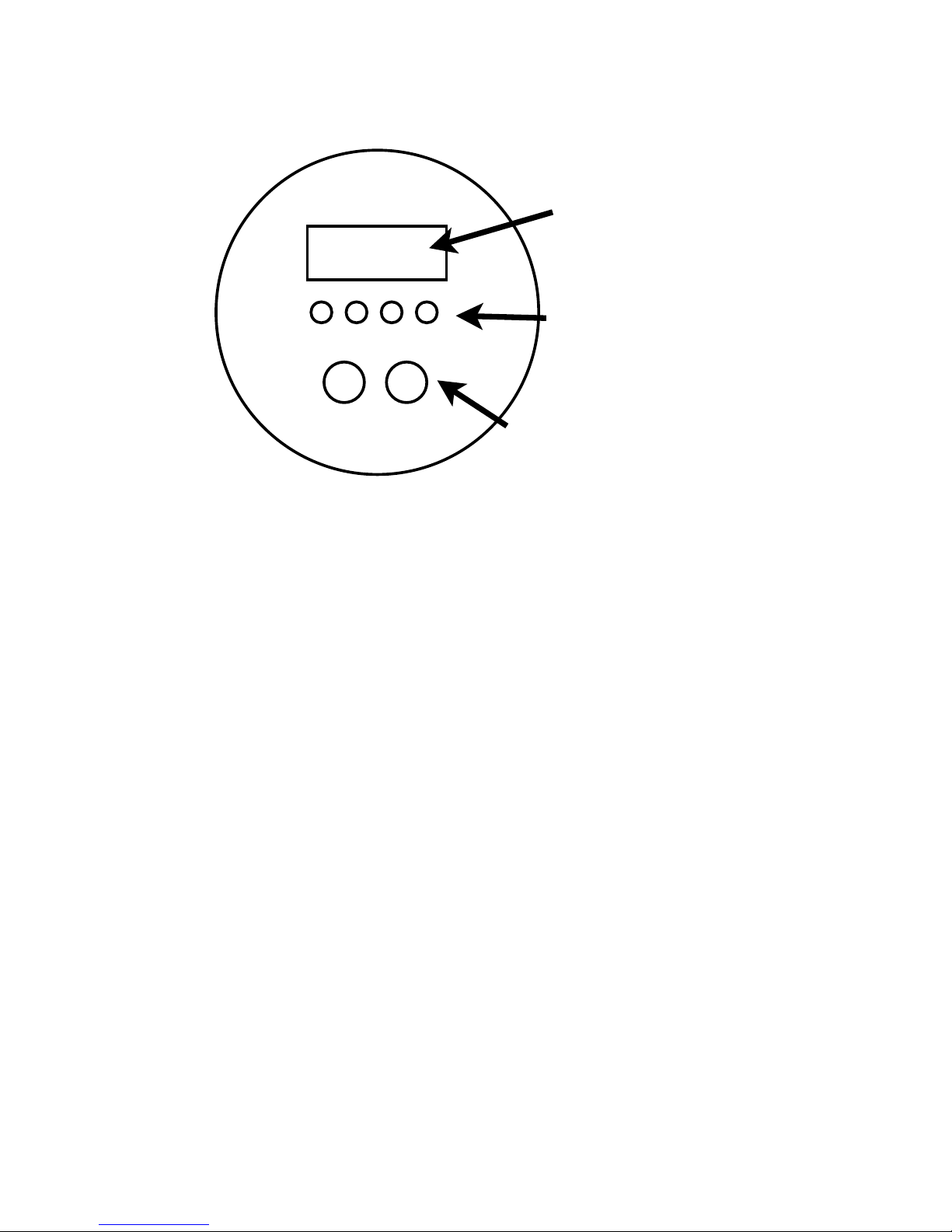
5. Rear Panel Display and Operation
MENU: Access the menu or return to a previous menu option
UP: Menu selection or parameter increments
DOWN: Menu selection or parameter increments
ENTER: Select the current menu option
6. Instructions for Manual Programming
MENU items:
•!”Addr”: DMX mode (001-512)
•“Slav”: Slave mode
•!“Chnd”: DMX channel mode (5CH/9CH)
•!“SouA”: Sound activated mode
•!”SP”: Built-in program speed change mode (speed = 0-15)
•“Pr”: Built-in preset programs (0-11)
•!”Colo”: Preset colors (0-30)
•“Strb”: Strobe mode (speed = 0-15)
•!”r”: Solid color mode, red setting (0-255)
•!”g”: Solid color mode, green setting (0-255)
•!”b”: Solid color mode, blue setting (0-255)
•“LED”: Select whether LED display is on or off (on/off)
•“nodE”: DMX dimmer mode (nod0-nod4) (see DMX chart CH9)
Press ENTER to save your selection, which means you will enter the
menu mode saved previously when you activate the light next time. For
example, if you want to choose DMX mode d017, operate as follows:
(See next page)
DMX OUT DMX IN
Menu Up Down Enter
LED Display
Selection buttons
DMX input/output

•Press MENU repeatedly until “Addr”
•Press UP / DOWN to select your desired address (ie. “d017”)
•Press ENTER to choose.
Creating Solid Colors: (r, g, b)
•Press MENU until “r”, “g” or “b” is selected.
•Press UP / DOWN until to change the number (brightness of that color)
•Press ENTER to choose
•Repeat the process for each color
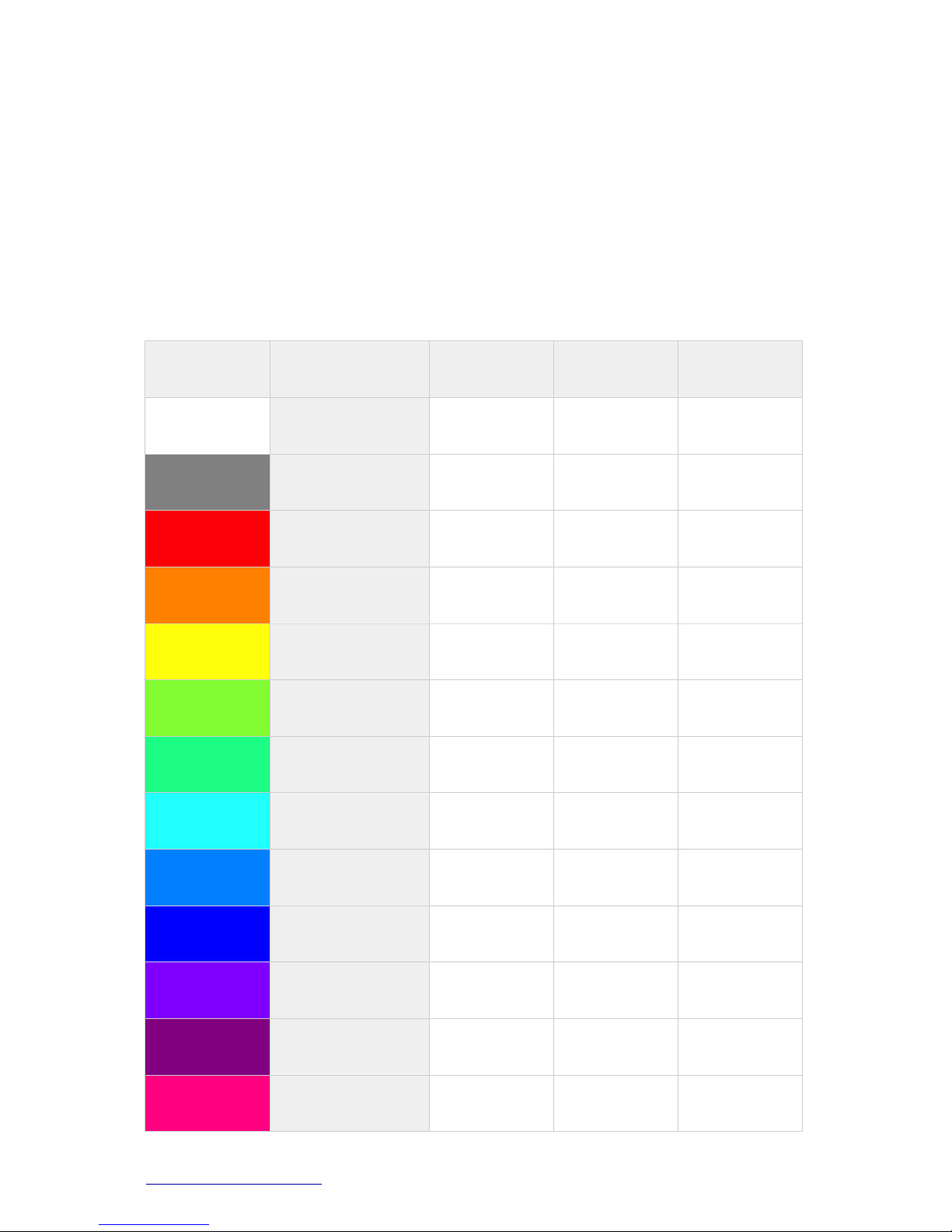
Sample colors:
Color
Name
Red
Green
Blue
!
White
255
255
255
!
Dim White
128
128
128
!
Red
255
0
0
!
Orange
255
128
0
!
Yellow
255
255
0
!
Chartreuse
128
255
0
!
Spring Green
0
255
128
!
Cyan
0
255
255
!
Blue
0
128
255
!
Indigo
0
0
255
!
Navy
128
0
255
!
Purple
255
0
255
!
Pink
255
0
128
7
www.eddylight.com 1-800-914-3538
7. Master/Slave Control
The MASTER functions as a master as long as it’s not in DMX mode (and
ideally no cable plugged into the DMX INPUT on the unit). It sends a
signal to the SLAVE through a DMX cable and synchronizes its settings to
it. Do not use more than 20 lamps or 60m of DMX cable.
The SLAVE units should be set to DMX mode and the address code set to
“A001” to receive the MASTER’s signal. Only one light can be set as a
master, but multiple lights can be set as slaves.
8. Cable Connection
A standard XLR connection is used for the DMX 512 protocol:
DMX512 does not include automatic error checking and correction, and so
is not an appropriate control for hazardous applications, such as
pyrotechnics or movement of theatrical rigging. False triggering may be
caused by electromagnetic interference, static electricity discharges,
improper cable termination, excessively long cables, or poor quality
cables.
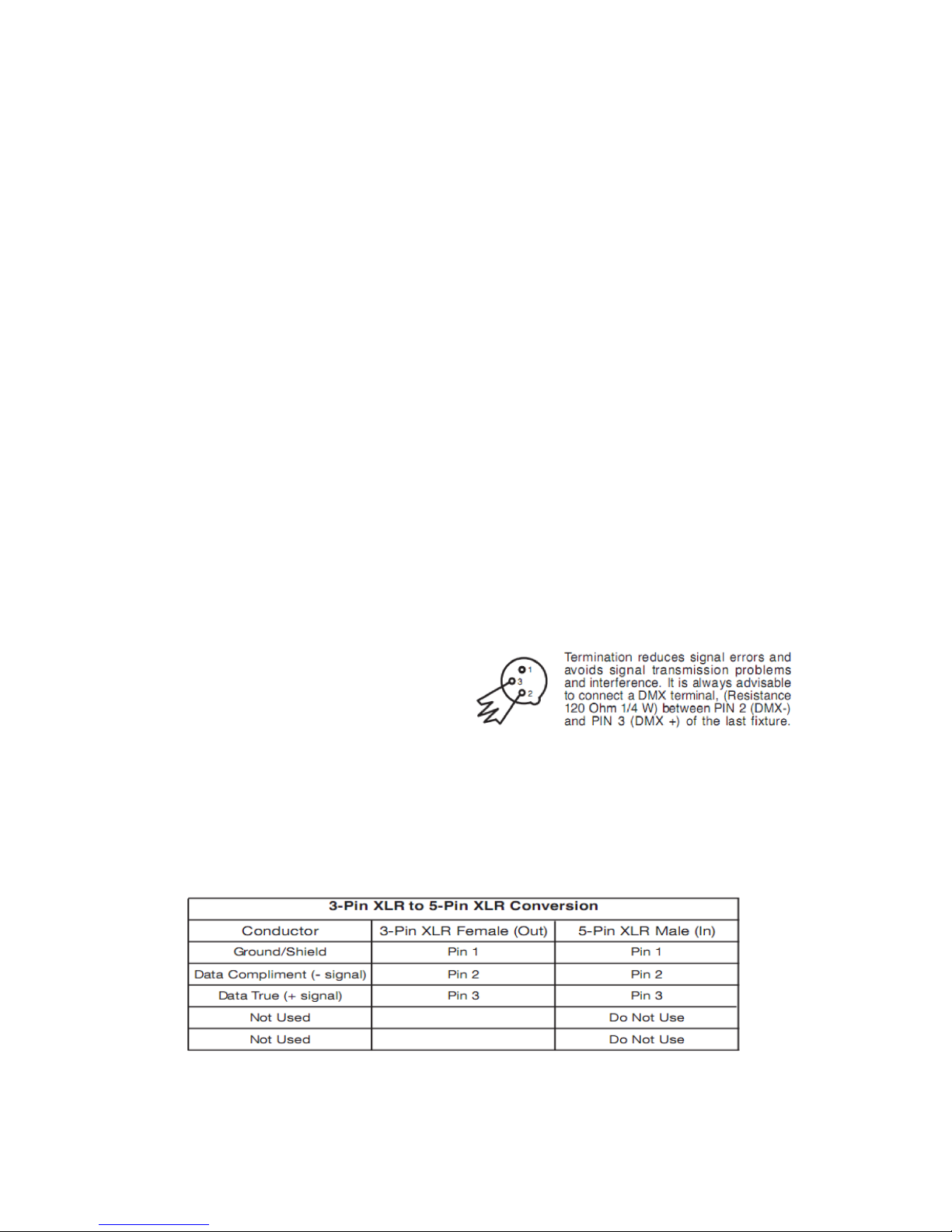
If using 5-pin DMX, please use a 5-pin to 3-pin cable adapter. Details on
configuration below:
Note: In order to avoid failures and
signal interference, it is recommended
to connect a 120Ωresistor (1/4W) at the
end of the DMX connection as shown on
right. If using 5-pin DMX, please use a
5-pin to 3-pin cable adapter. Details on
configuration below:
Indice
Altri manuali Eddylight Proiettore