II. ASSEMBLY
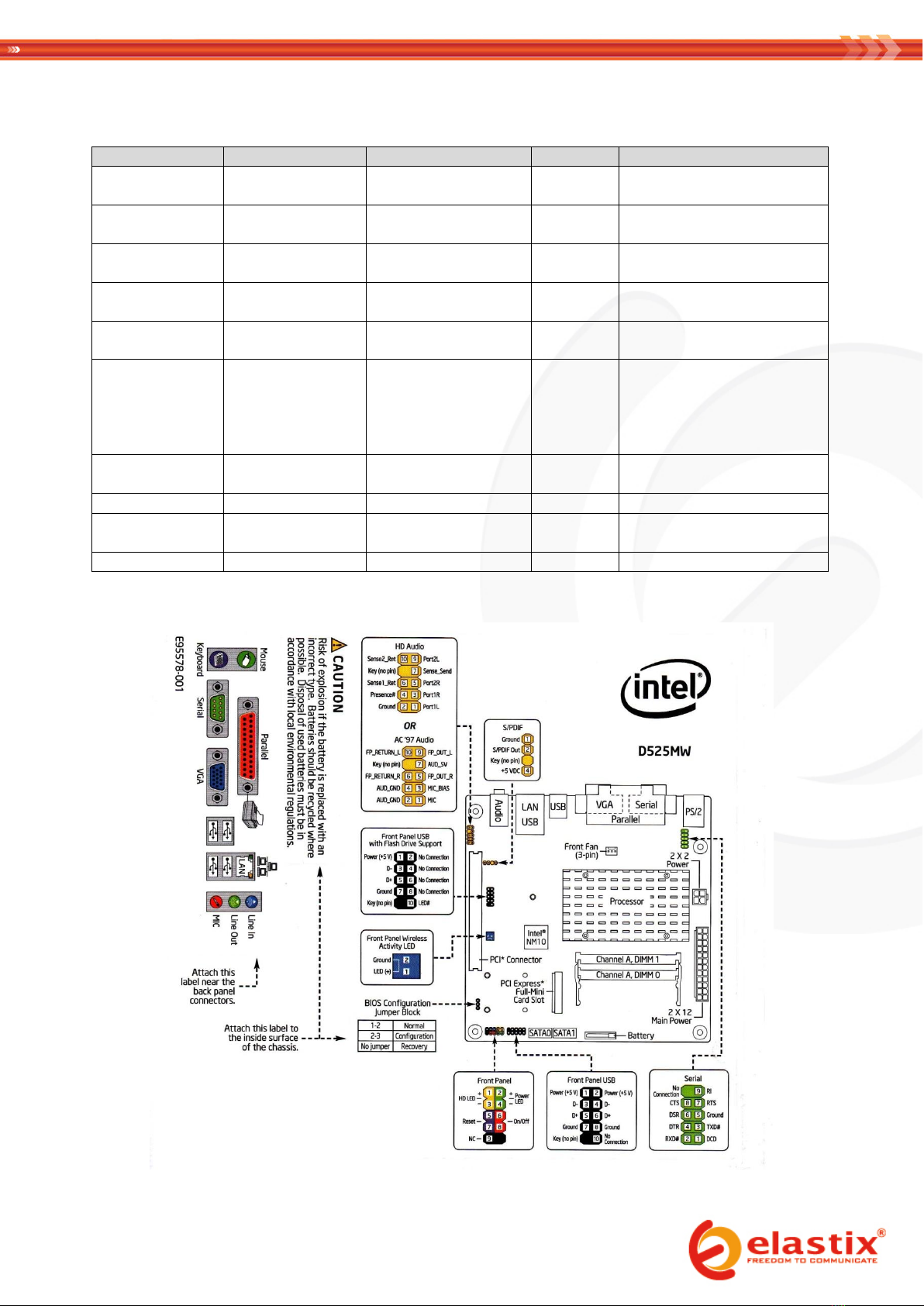
1. Match the faceplate on the back of the case to each port on the back of the motherboard
2. Remove the protective plastic sticker off the LCD screen
3. Screw the LCD screen to the case
4. Screw the motherboard to the bottom of the case
5. Insert the memory module in the motherboard’s memory slot
6. Connect the 24-pin ATX power connector coming from the PSU to the motherboard’s power connector (2 x 12)
7. Screw the fan to the left side of the case and connect its power cord to the PSU
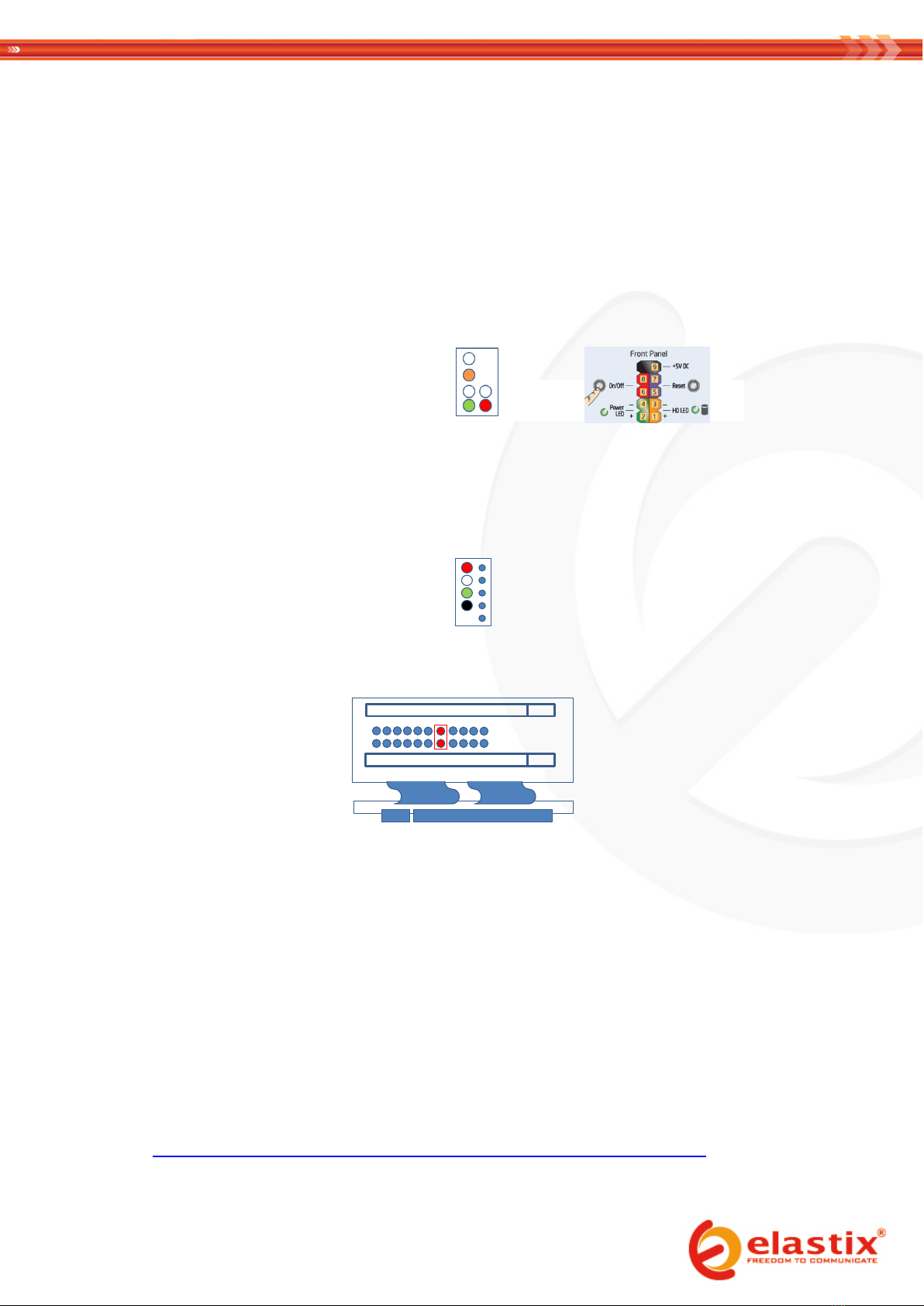
8. Connect the POWER SWITCH cable (orange-white) to the motherboard
9. Connect the HDD LED and Power cables (green-white and red-white , respectively) to the motherboard
10. Screw the SATA disk to the bottom of the case
11. Connect the data cable of the SATA disk to the motherboard
12. Connect the power cable of the SATA disk to the PSU
13. Connect the provided USB cable (WRUSBY11) from the LCD panel (CFA635-TFE-KU1) to an internal USB port of
the motherboard
14. If necessary, insert the flexible riser into the PCI slot, after having set its jumper according to the following
diagram:
15. Secure cables conveniently using nylon cable ties
NOTE: the assembly process will be completed in the VII. PACKAGING section of this document, once the installation of
Elastix has been finished and tested
III. PRE-INSTALLATION
1. Connect the data and power cables of a SATA CD or DVD drive to the motherboard (skip this step if installing
Elastix from an external optical drive instead)
2. If instead an external optical drive is used for the installation (not recommended), connect it to the
corresponding port on the back of the ELX-3000
3. Connect the Power Cord Cable to the PSU connector on the back of the ELX-3000 and then to a nearby outlet
4. Press the power button to turn on the appliance
5. Place in the optical drive a CD or DVD containing the latest Elastix stable 32 bits version found in
http://sourceforge.net/projects/elastix/files/Elastix%20PBX%20Appliance%20Software/
(this guide was written using Elastix 2.2)