Elproma NTS-pico3 Manuale utente

NTS-pico3
Miniature NTP Time Server for Small Networks
User Manual
Date: 22.06.2022

2
Table of Contents
Imprint 3
Safety instructions 4
Release notes and firmware 5
Introduction 6
General presentation 7
Installation 8
Hardware 8
Antenna mounting 8
Additional lightning protection considerations 9
Serial port, either RS232/RS485 13
First start and usage 14
Powering up 14
LED indicators 14
Basic SETUP 15
IP addressing 15
SSH access control 16
Monitoring GNSS satellite signals ON-LINE 17
Running NTP (Network Time Protocol) 18
Configuring NTP 18
Monitoring NTP on-line 19
Synchronizing Microsoft Windows clock 20
Synchronizing Linux & Mac OSX clock 20
Serial ports configuration 21
Running PTP (Precision Time Protocol) 22
PTP options: 23
Additional settings: (available via SSH only) 24
PTP client implementation on Windows 10 and Server 2019: 25
Requirements 25
Implementation procedure 25
Troubleshooting 27
How to check if PTP is working? 27
How to check if NTS-pico3 sends PTP messages? 27
1) PTP L2 (Ethernet) 27
2) PTP L4 (UDP) 27
APPENDIX 28
Technical Specification 28
Additional notes 30

3
Imprint
Elproma Elektronika Sp. z o.o.
Duńska 2A
05-152 Czosnów
phone: +48 22 751 76 80

4
Safety instructions
Except external power supply (230VAC), this equipment contains DC (9-30VDC) voltages.
Do not handle any metallic part until the 230VAC power supply has been disconnected! Do not
assemble, disassemble set when the power reminds switched ON. Making wiring and touching
cables is strongly prohibited when power is ON. Never work alone under hazardous voltage
conditions. Always check that the power cord(s), plug(s), and sockets are in good conditions.
Always use qualified service personnel to install permanently wired equipment and surge antenna
arrestors.

6
Introduction
NTS-pico3 is next generation ultra-miniature time server. Unit has built-in antenna module
that allows it to synchronize to GNSS and package has 30 meter coax cable (SMA ended) included.
It delivers time directly to network using NTP and PTP/IEEE1588 protocols. It is equipped with
single 100/10Mbps Ethernet port working with IPv4/IPv6*. Unit is very small and has natural air
cooling. It has been designed for small industrial networks and it can operate 24/7. It is powered
in range 9-30VDC. Marine antenna has built-in GPS signal amplifier (38dB gain) and TCXO
holdover oscillator for GNSS less operations.
With hardware timestamping NTS-pico3 can achieve accuracy < 200ns. Server has multi-
satellites receiver simultaneously supporting: GPS, GLONASS. Server has very fast (less than
0.5ms +/- 1ppm) Time To First Fix TTFF synchronization start up. The GNSS receiver accuracy
is better than 15ns (at 2 sigma). Server supports cryptographic authentication for NTP. Holdover
mode ensure synchronization accuracy to be better than 4ms in first hour. After 24h the max.
holdover error is not bigger than 100ms on server output.
The NTS-pico3 GNSS receiver is designed for automatic operation without the need for user
intervention. It can however, be accessed via a serial port (RS232 or USB) for configuration and
debug purposes. Following synchronization Ethernet protocols are supported:
●NTP Network Time Protocol (rfc5905)
●SNTP Simple NTP (rfc 4330)
●PTP Precision Time Protocol IEEE1588:2008
Referential UTC is drawn from GPS & Glonass via built-in GNSS receiver, using NMEA183
frame. NTS-pico3 can also act as an 1PPS frequency reference clock. It can distribute 1PPS using
NTP or PTP IEE1588 protocol. It has also 1 SMA 1PPS output.

7
General presentation
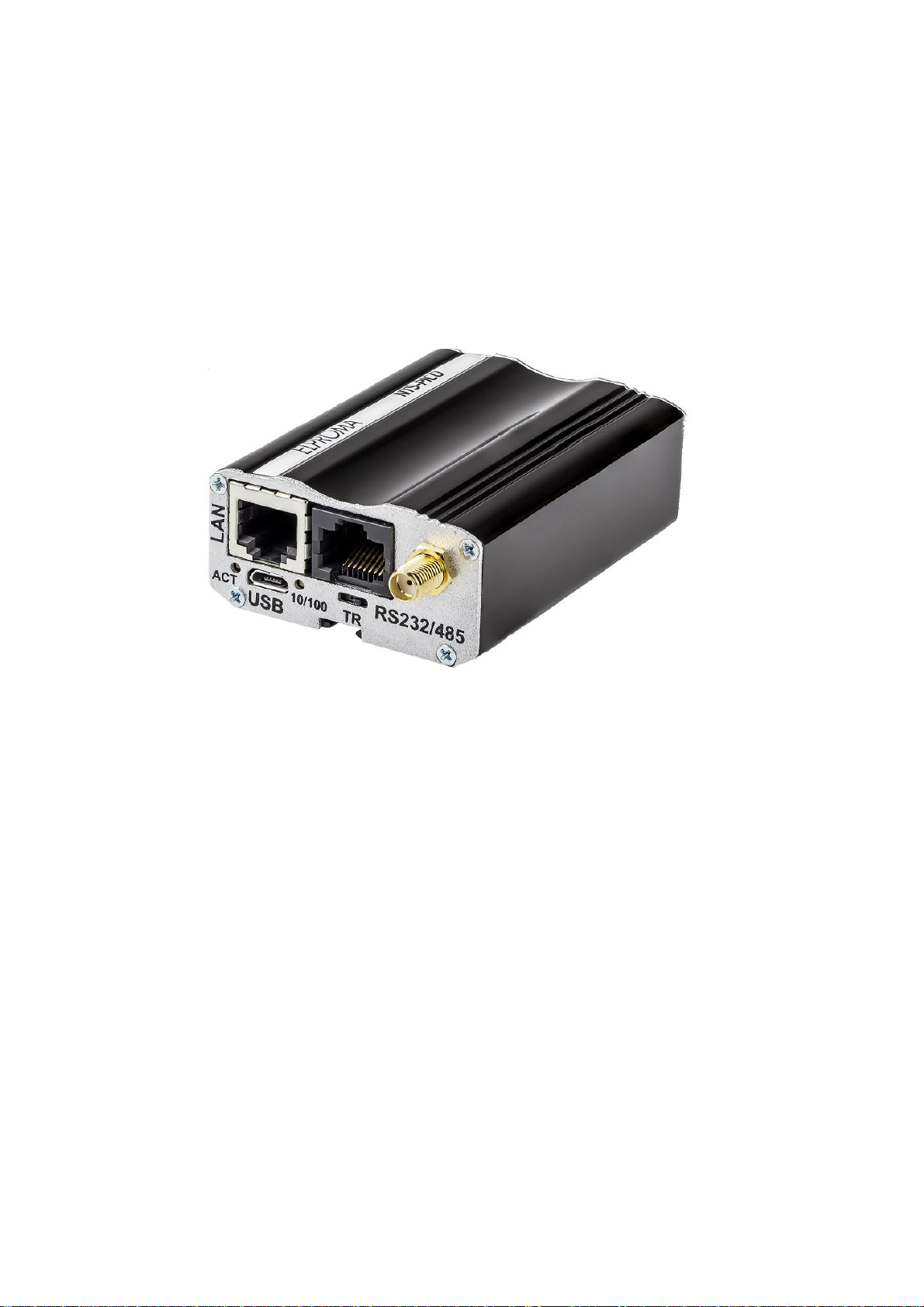
NTS-pico3 includes:
•1 x GNSS (SMA)
•1 x PWR (VDC)
•1 x 1PPS (SMA)
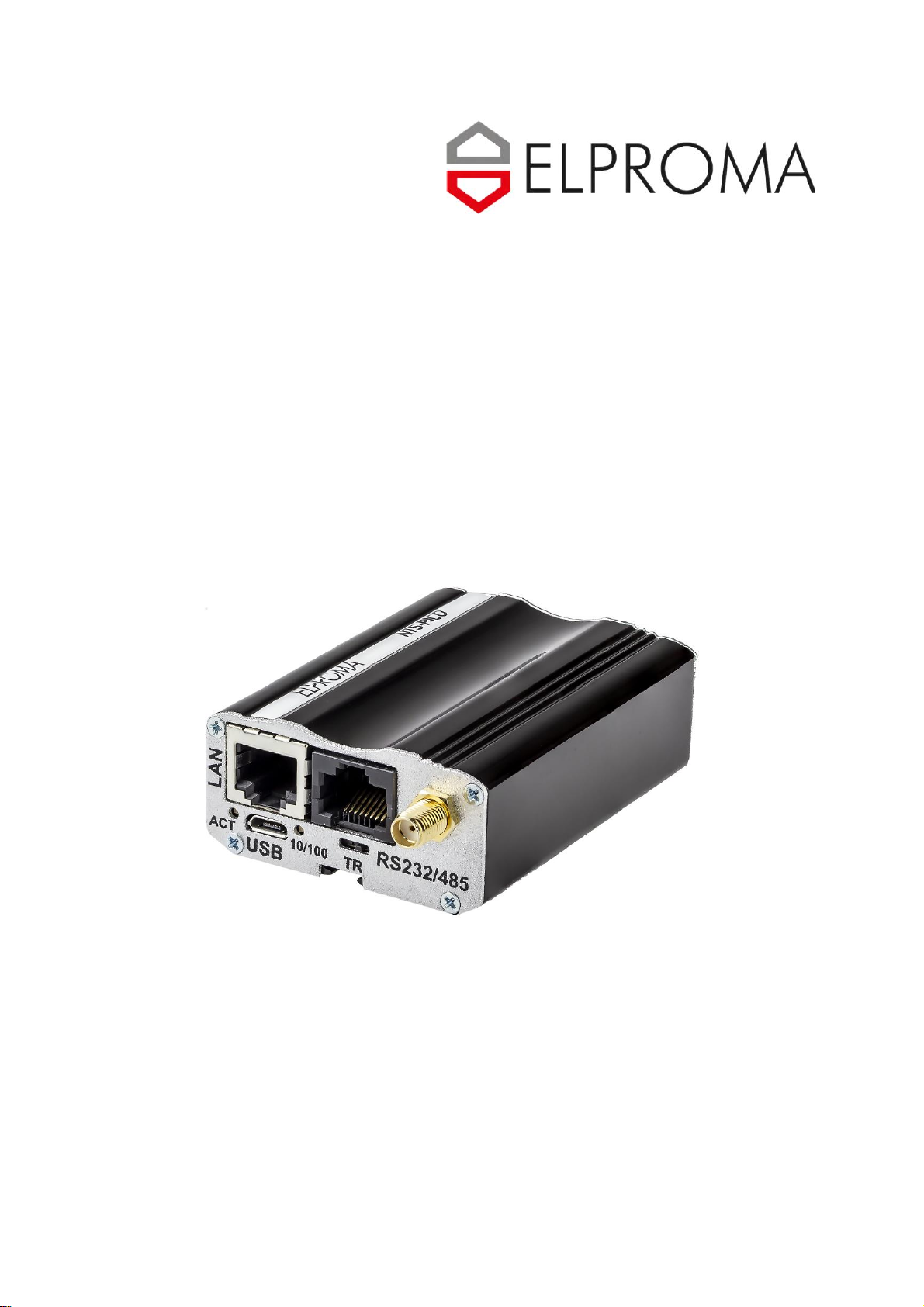
NTS-pico3 picture view

8
Installation
Hardware
The NTS-pico3 box on arrive includes:
1. NTS-pico3 miniature time server (pcs 1)
2. Power supply 12VDC/230VAC (pcs 1)
3. Outdoor active GNSS antenna w/ 30m coax H-155 and accessories (pcs 1)
Options (not included in standard set):
4. Ethernet cable 1m RJ45/RJ45 (pcs 1)
5. RS232 cable 1m DB-9/RJ45 (pcs 1)
Note: Set does not include antenna mast, but antenna can be mounted directly using
attached accessories: claps, bracket, nuts etc. - they are included.
Antenna mounting
Installing a basic system will require the following (a) mounting of the antenna (b)
optionally mounting 1 or 2 lightning arrestors (not included to product set). The antenna supplied
is of the active type, and is suitable for almost all applications. It is supplied with a pre-attached,
30-meter H-155 coax cable, terminated with a male SMA connector. Before commencing
installation, check that all the items detailed in the contents list have been supplied. The antenna is
supplied with mounting clamps for attachment to a mounting pole, included too. Mast antenna
suspension (H=0.5m) is not included but it is available as separate products from Elproma.
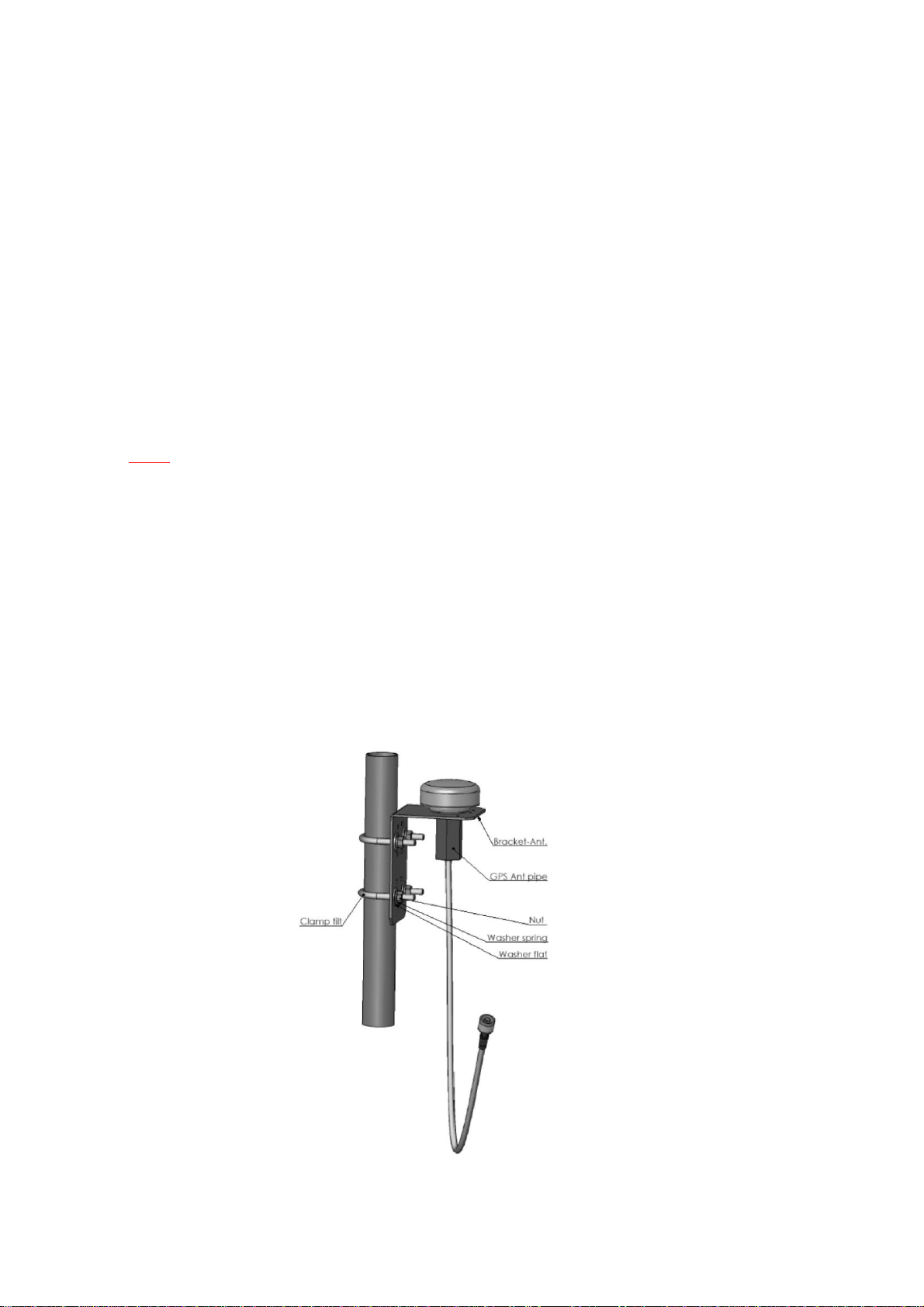
Following figure shows an example of how mounting antenna might be achieved.
Mounting GNSS antenna

9
Note: The most important consideration in selecting a position for the antenna is the presence
of objects which obscure the sky or horizon. Where possible, there should be no obstruction to a
full view of the sky.
Overhead wires and other very narrow obstructions may be considered as invisible to the
signals, provided that they are a few meters away. Large flat surfaces can decrease performance of
the receiver. Be especially wary about mounting the antenna directly onto the fascia of a flat roof.
To overcome this situation, elevate the pole about 1 meter above the flat surface. A satellite
prediction mobile phone program may usefully be employed to check a potential installation, and
also to identify directions in which obstructions may be a particular source of problems.
Note: When the NTS-pico3 is operational, the GNSS antenna assembly may be disconnected
for short periods (e.g. maintenance or repair) without interruption to the unit synchronization LAN
output.
Additional lightning protection considerations
As the antenna is roof mounted (to have a clear view of the sky) it is likely to be exposed to
lightning strikes.
Protection against this is afforded by ensuring adequate grounding of the mountings as
described below. There is no way to provide 100% protection for electronic equipment from direct

10
strike damage. It is possible however, to reduce the likelihood of damage from near strike induced
fields by ensuring the installation obeys some fundamental rules.
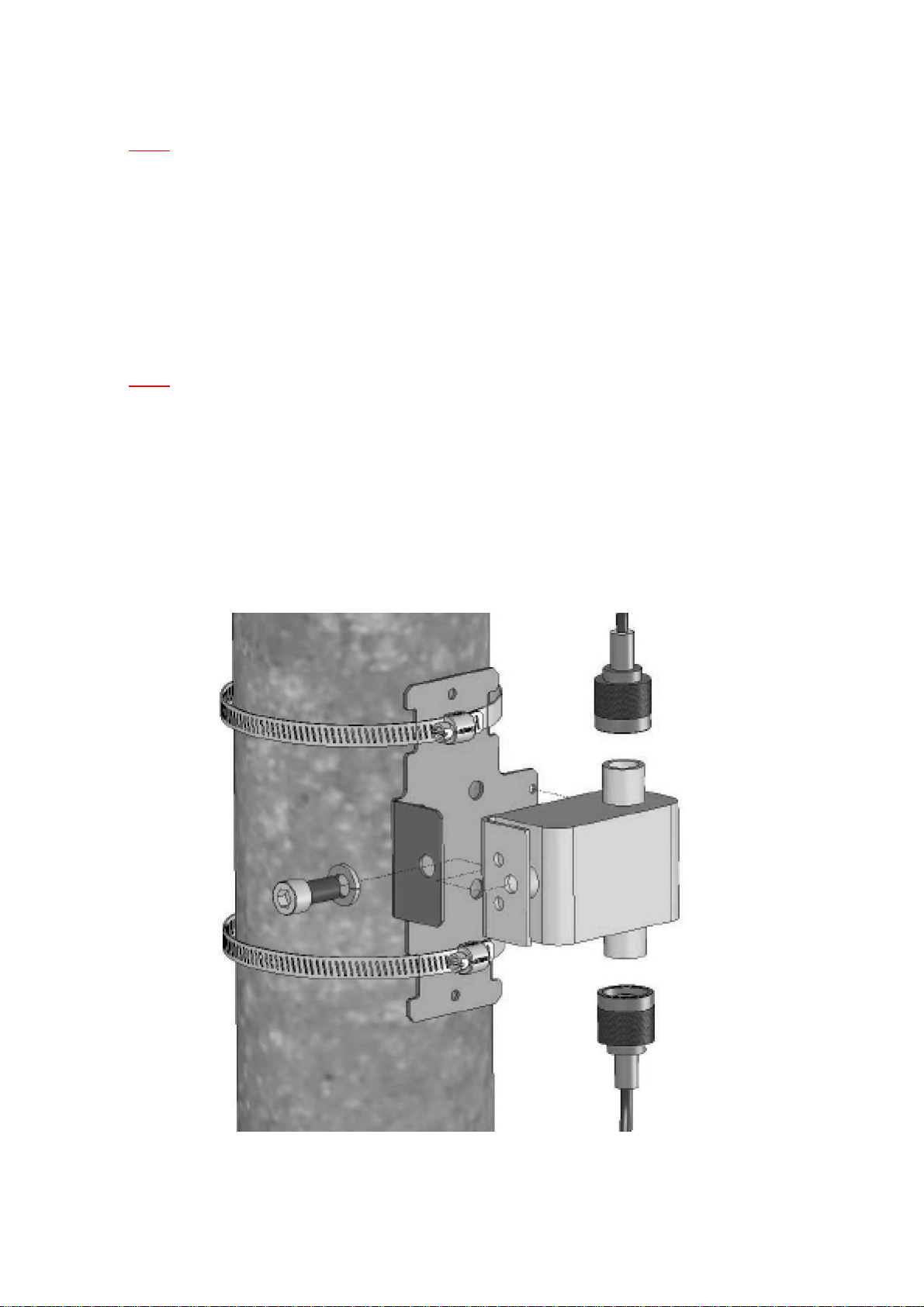
A proprietary lightning arrestor should be installed, of a type which does not reduce GNSS
signal transfer. Install the lightning arrestor near to the antenna (e.g. on the mounting pole),
ensuring all connections maintain electrical and environmental protection.
After taking the precautions described previously in the antenna installation, it should be
understood that a destructive residual current may still be present in the cable coming down from
the antenna to the NTS-pico3 unit.
A second lightning arrestor should be installed near to the NTS-pico3 to further dissipate any
remaining lightning energy. At the earth end please use multiple connection points if at all possible.
All connections should incorporate as large an area of contact as possible, which is made
more probable using large bolts, and substantial washers. Where there is no access to the metal
framework of the building, it is imperative to erect a suitable lightning conductor. Failure to do so
is almost certain to result in destruction of NTS-pico3 and connected into it equipment in the event
of the antenna receiving a near lightning strike.
Altri manuali per NTS-pico3
1
Indice
Manuali Server di riferimento orario di rete popolari di altre marche

EKOS
EKOS EKOSync 1588 Manuale utente

Meinberg
Meinberg LANTIME M200/GPS Manuale per l'uso e la cura

Meinberg
Meinberg LANTIME M600 Manuale per l'uso e la cura

Meinberg
Meinberg LANTIME M300/MRS/AD10-AD10 Manuale per l'uso e la cura

TPA
TPA S5 Manuale utente

Meinberg
Meinberg LANTIME M300/GPS/2LNE/AD10-AD10 Manuale per l'uso e la cura

Gorgy Timing
Gorgy Timing LEDI NETWORK iTS Manuale utente

Mobatime
Mobatime DTS 4160.grandmaster Manuale utente

Meinberg
Meinberg LANTIME M300/GNS/RPS Manuale per l'uso e la cura

Mobatime
Mobatime DTS 4128.timeserver Manuale utente

Meinberg
Meinberg IMS LANTIME M1000 Manuale utente

BRG Precision Products
BRG Precision Products NTP100B Manuale utente