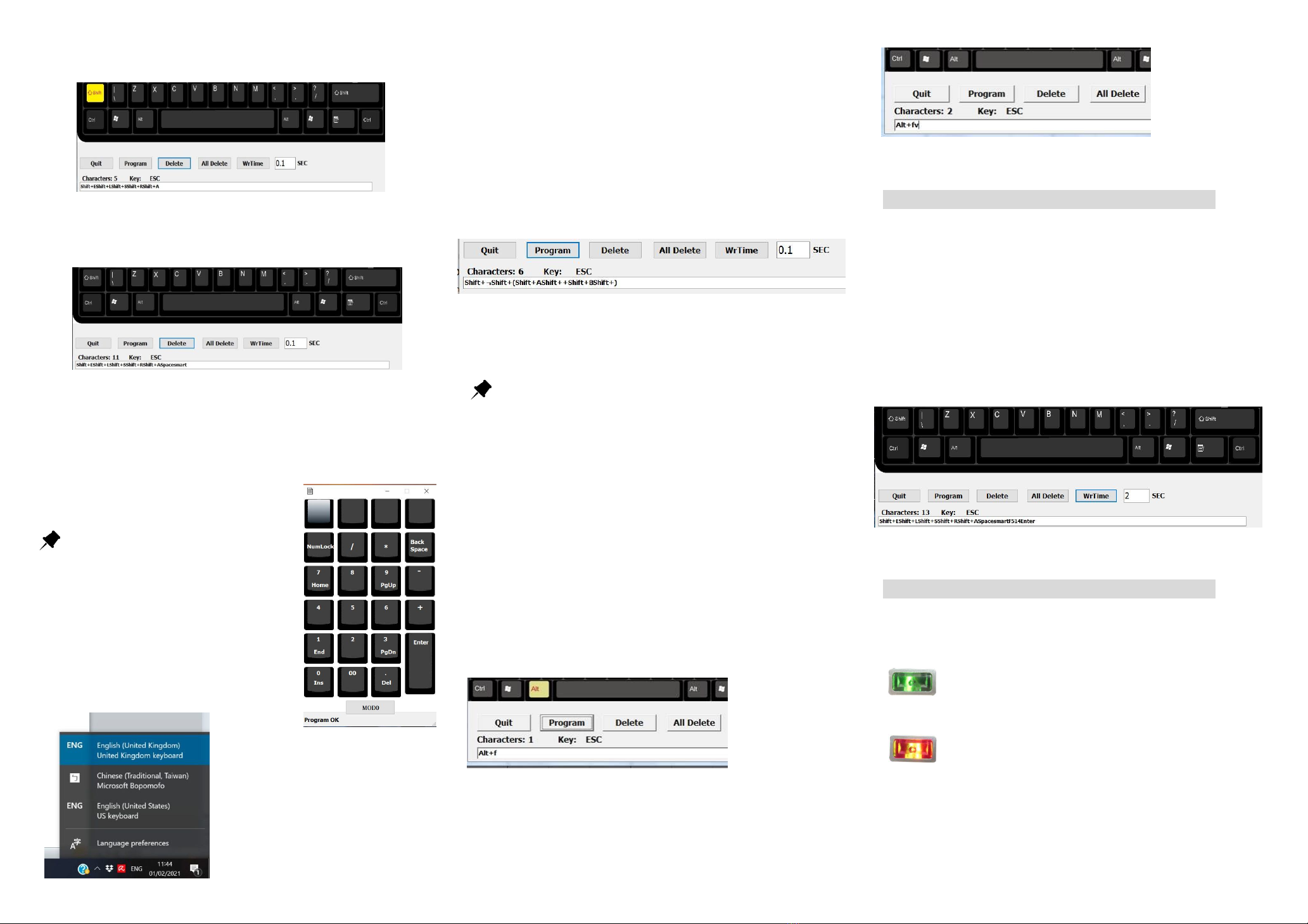
Step 2: Double click Shift key and press E, L, S, R, A keys when Shift key in
yellow. In script box should be like as follows.
Shift +EShift +LShift +SShift +RShfit +A
Step 3: Click “Shift” key once again to release uppercase. Click Space Key
and s m a r t keys. The programming code in the script box should be like
Shift +EShift +LShift +SShift +RShfit +ASpacesmart
Step 4: Click “Program” button. The programming data will be saved in
PK-2068. After clicking the Program button, the keypad layout will be
pop up on screen again. You will find the 1st programmable key becomes
light grey. It means that the key was programmed. The message of
Program OK will be shown on the beneath of
keypad layout.
Important to Know
1. Please note that the maximum
programming data is up to 30 characters
including space, comma, etc.
2. Before testing this programmed key.
Please check if your language is in English
(United Kingdom). If not, please choose
correct language.
In case you have more than one
language in your system, please
check the language settings on the
taskbar each time after programming
and make sure it is English (United
Kingdom).
This situation happens only
on programming; It will not affect the
use afterwards.
Exercise II.
If you want to program repeat logical Statement, ¬(A + B) for example.
Step 1. Open PK-2068-UK software and keypad layout will pop up on your
screen. Then click one of the programmable keys, the virtual keyboard
will pop up.
Step 2. Move cursor and double click Shift which will be highlighted in
yellow. Then click ¬(A + B). The script box will be like as follows.
Shift+¬Shift+(Shift+AShift++Shift+BShift+)
Step 3. Click Program
Before testing this programmed key. Please check if your
language is in English (United Kingdom). If not, please choose
correct language. Otherwise, the programmed key will display as ~(A +
B) not ¬(A + B) because language is English (United States).
Program with modifier keys
To use modifier keys like “Shift”, “Ctrl”, “Alt” as composite function,
double click on it and the modifier keys will be highlighted. Move
cursor to other keys you want to composite (e.g.,B key), the dialog box
will appear “Shift+b”, “Ctrl+b”, “Alt+b” respectively.
Exercise III.
If you want to program “Print preview” in Excel; Alt +f +v
Step 1. Double click Alt which will be highlighted in yellow. Then press
f as follows.
Step 2: Click Alt key again (to release Alt function), the Alt key becomes
black as other keys. Then press v.
Step 3: Click “Program” button.
How to use WrTime (pause timer)
The WrTime is to hold the next action some certain time when you
program a series action. The pause timer supports from 0.1 sec to 10
sec.
Exercise
If we want the programmed key to automatically type ELSRA smart
and Enter after 2 seconds. Following previous example, after press
smart.
Set WrTime 2 SEC and press WrTime button and press Enter key.
The programming code in script box should be like as follows.
Shift +EShift +LShift +SShift +RShfit +ASpacesmartF514F514Enter
How to switch MOD0/ MOD1 on Keypad
Press LED button on PK-2068 to switch the function to standard
keypad or programmable keypad. (green / red LED)
Should you need any assistance, please contact:
Green light indicates the keypad is working at MOD0
and only upper 4 keys are user defined key
(programmed key)
Red light indicates the keypad is working at MOD1
and all keys except “Enter” are user defined key
(programmed key)


