
EMPORIA Vue Manuale utente

Installation Guide
WARNING! The Emporia Vue
requires installing sensors
inside your home’s electrical
panel and working around
dangerous voltage that could
lead to injury or death. Emporia
recommends that installation be
performed by a licensed
electrician or other qualified
professional in accordance with
the regional electrical code
where it is being installed.
Improper installation or use of the
equipment can be dangerous or even
fatal. In no event shall Emporia be
liable to you or any third party for any
damages, either direct or indirect,
arising from or related to any personal
injury as a result of your failure to
follow the safety information and
instructions in this Installation Guide.

Need help?
emporiaenergy.com/support
support@emporiaenergy.com
1-844-EMPORIA (367-6742)
Safety information
Personal protective gear should be worn
when installing the Emporia Vue.
Do not use the Emporia Vue in any
manner other than specified in this
installation guide.
Do not attempt to open, disassemble, or
repair any of the components of the
Emporia Vue.
If you believe any of the Emporia Vue
components may have been damaged,
do not attempt to use them.
Do not install the Emporia Vue in
environments with explosive gas or
vapors; nor in damp or wet environments;
nor in direct sunlight; nor where
temperatures are consistently below -40°
F (-40° C) or above 122° F (50° C).
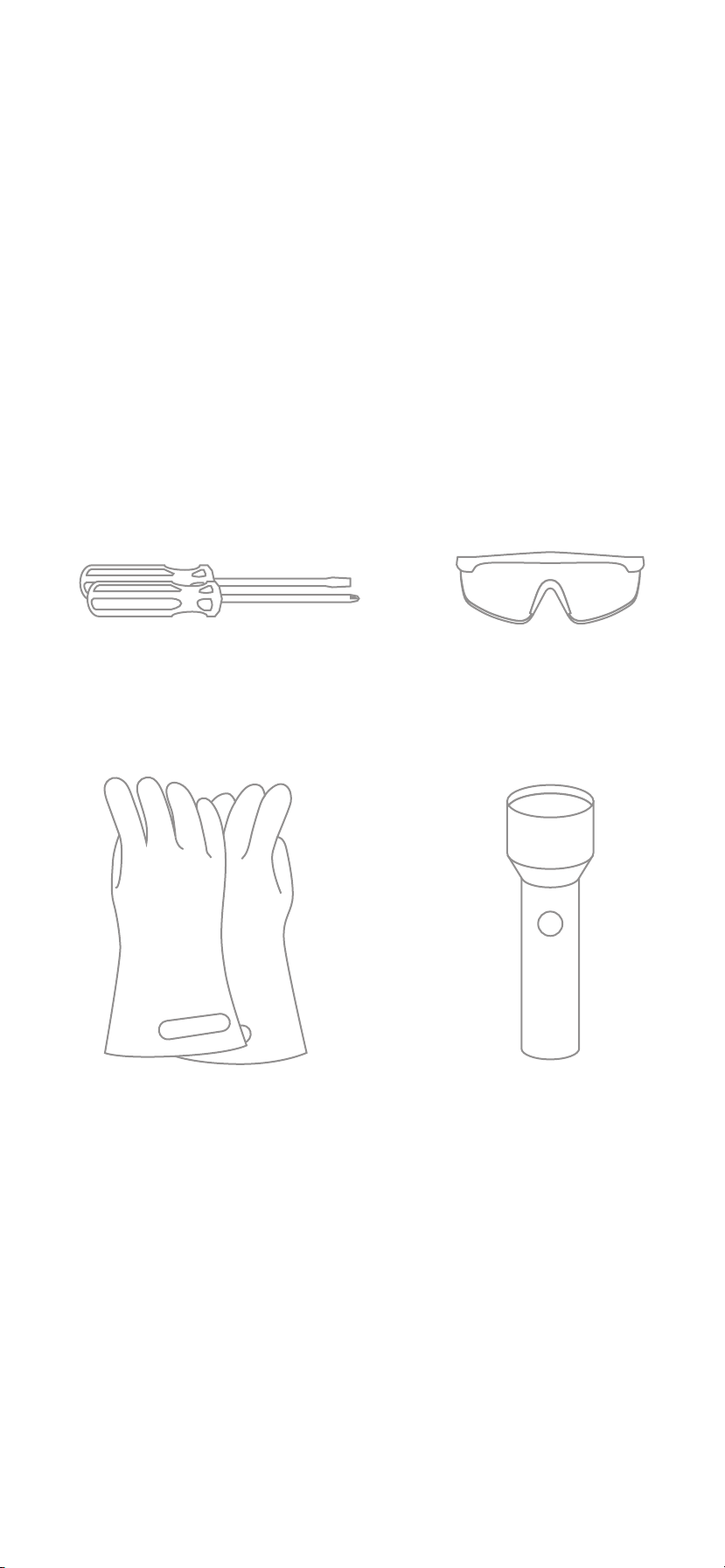
Before you get started
The Emporia Vue is installed in your home’s
electrical panel. You’ll turn off the main
breaker, which will shut off all of the power
in your home. However, the service mains
will remain dangerously energized. The
following items may help with safe
installation. It’s also helpful to perform the
installation with a friend.
Phillips and flathead
screwdrivers Protective
eyewear
Alternative
light source
Protective
gloves
Need help?
emporiaenergy.com/support
support@emporiaenergy.com
1-844-EMPORIA (367-6742)
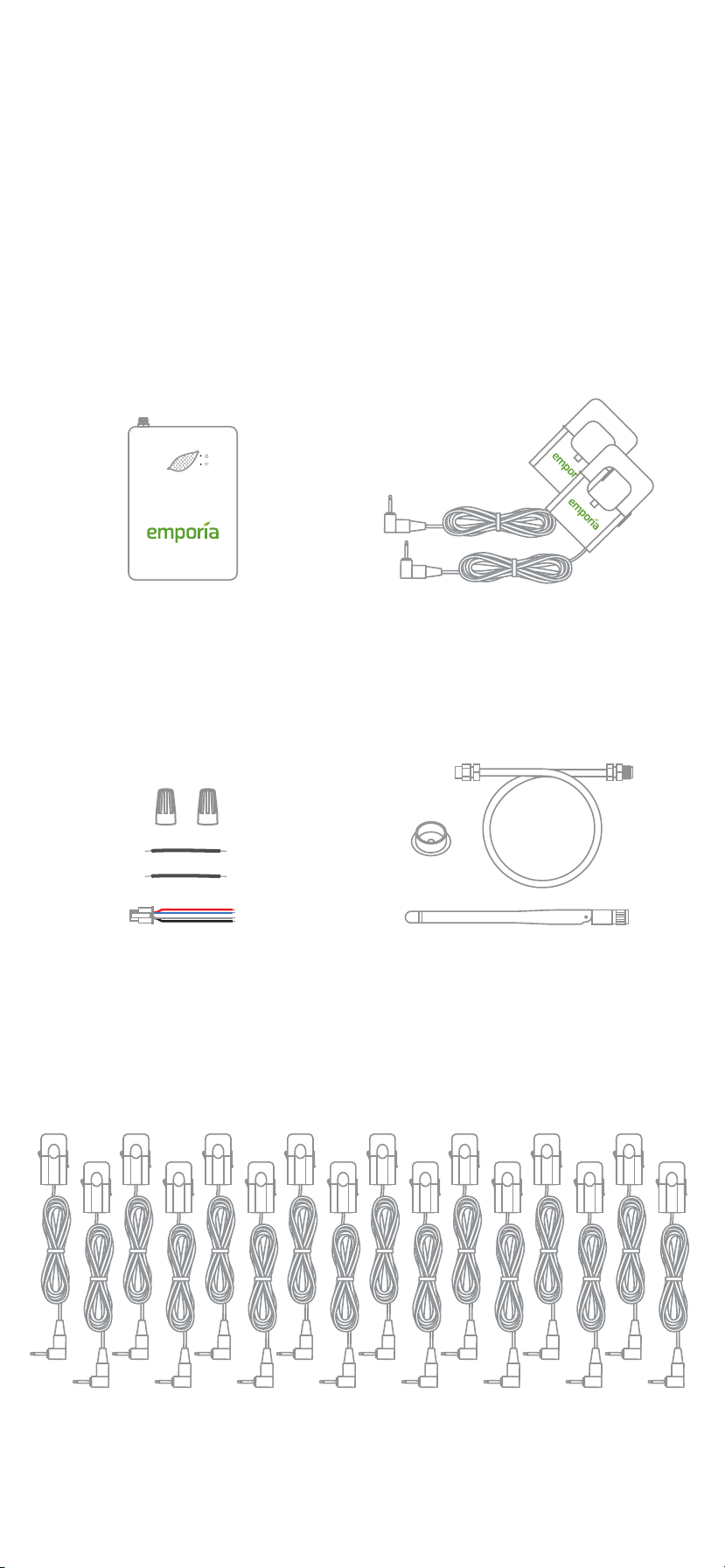
What’s in the box
Your new Emporia Vue contains the
following items. If you believe that any of
these items may have been damaged for
any reason, do not attempt to use them and
call support immediately.
Energy
monitor
2 wire nuts,
2 extra wires, and
wire harness
Two or three 200A
current sensors
(depending on bundle)
Knockout plug,
WiFi cable,
and antenna
Up to sixteen 50A current sensors
(depending on bundle)
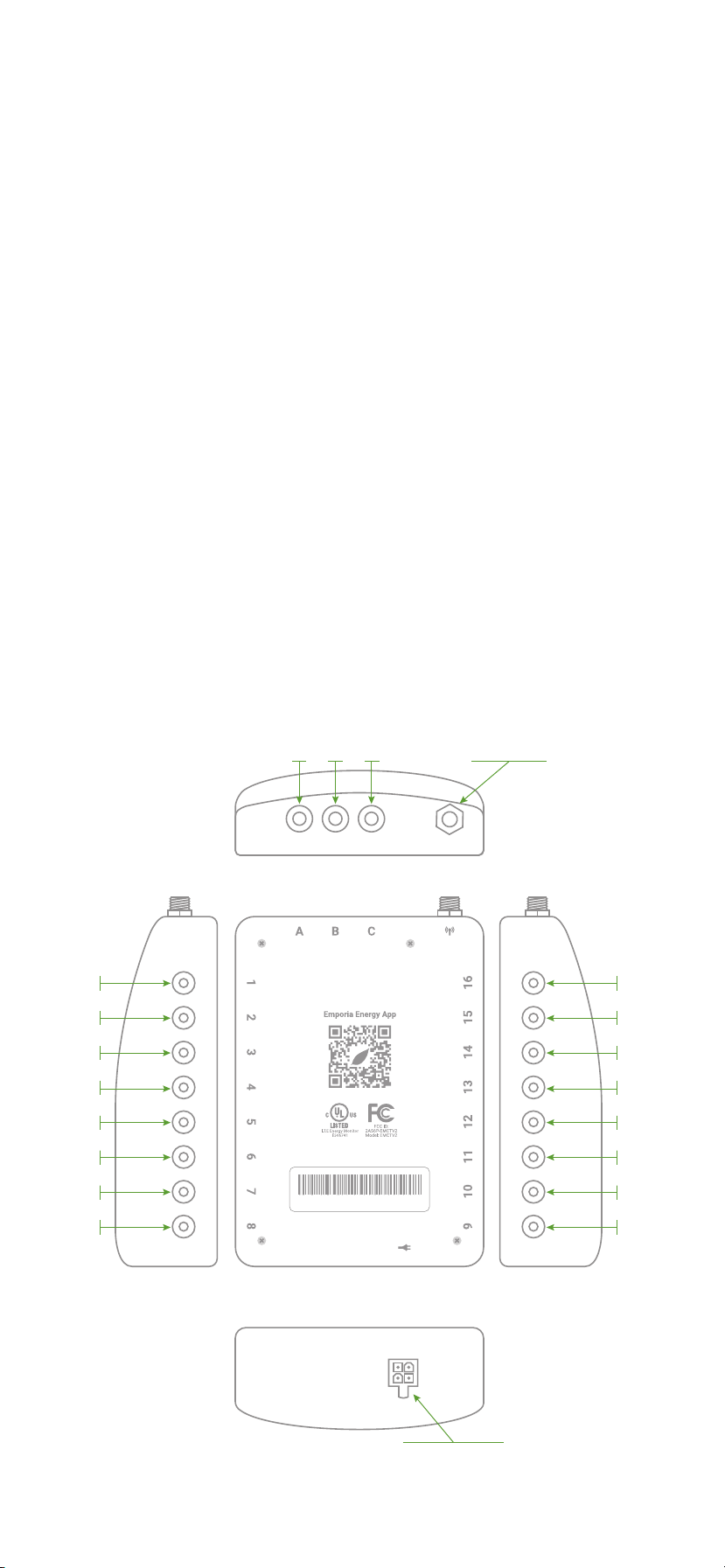
Energy monitor connections
The energy monitor is the hub of the
Emporia Vue. The 3.5mm A, B, and C ports
on the top of the monitor are the inputs for
the 200A main sensors (your bundle may
only have included two). The coaxial
connector for the WiFi cable is also on the
top. The 2.5mm 1 through 16 ports on the
sides of the monitor are the inputs for the
50A sensors (your bundle may have come
with 16 or 8 sensors, or none at all). The
port for the wiring harness is located on the
bottom of the monitor. All of the ports are
clearly labeled on the back of the energy
monitor.
WiFi
connector
1
2
3
4
5
6
7
8
16
15
14
13
12
11
10
9
CB
3.5mm 200A sensor ports
2.5mm 50A sensor ports
2.5mm 50A sensor ports
A
top
sideside
bottom
back
Wire harness
port
A2024A0401XXXXXXXXXXXX
Step 1: Get the App
Use your phone to check the signal strength
of your Wi-Fi network next to the electrical
panel in your home. Low/no signal may
require a Wi-Fi extender for the Vue to work.
Download the Emporia Energy app onto
your phone or tablet from the Apple App
Store, from Google Play, or from
emporiaenergy.com/app. Create an
account and begin the setup process.
emporiaenergy.com/app

Step 2: Turn off the main
breaker and remove the cover
In your electric panel, turn off the main
breaker, although it may be located
elsewhere in your house or you may not
even have one. This turns off all the circuits
in your home. Next, remove any screws
holding the cover to the panel and remove
the cover to access the circuit breakers and
the live service mains!
Need help?
emporiaenergy.com/support
support@emporiaenergy.com
1-844-EMPORIA (367-6742)

Step 3: Find a place
for the monitor
Locate a place within your electrical panel
for your Vue energy monitor. Your breaker
box may be oriented differently, but the
monitor is small and designed to fit easily in
the box. Find a place that works for you.
WARNING: The service
mains are always live!
Live
service
mains
Need help?
emporiaenergy.com/support
support@emporiaenergy.com
1-844-EMPORIA (367-6742)
Step 4: Mount the antenna
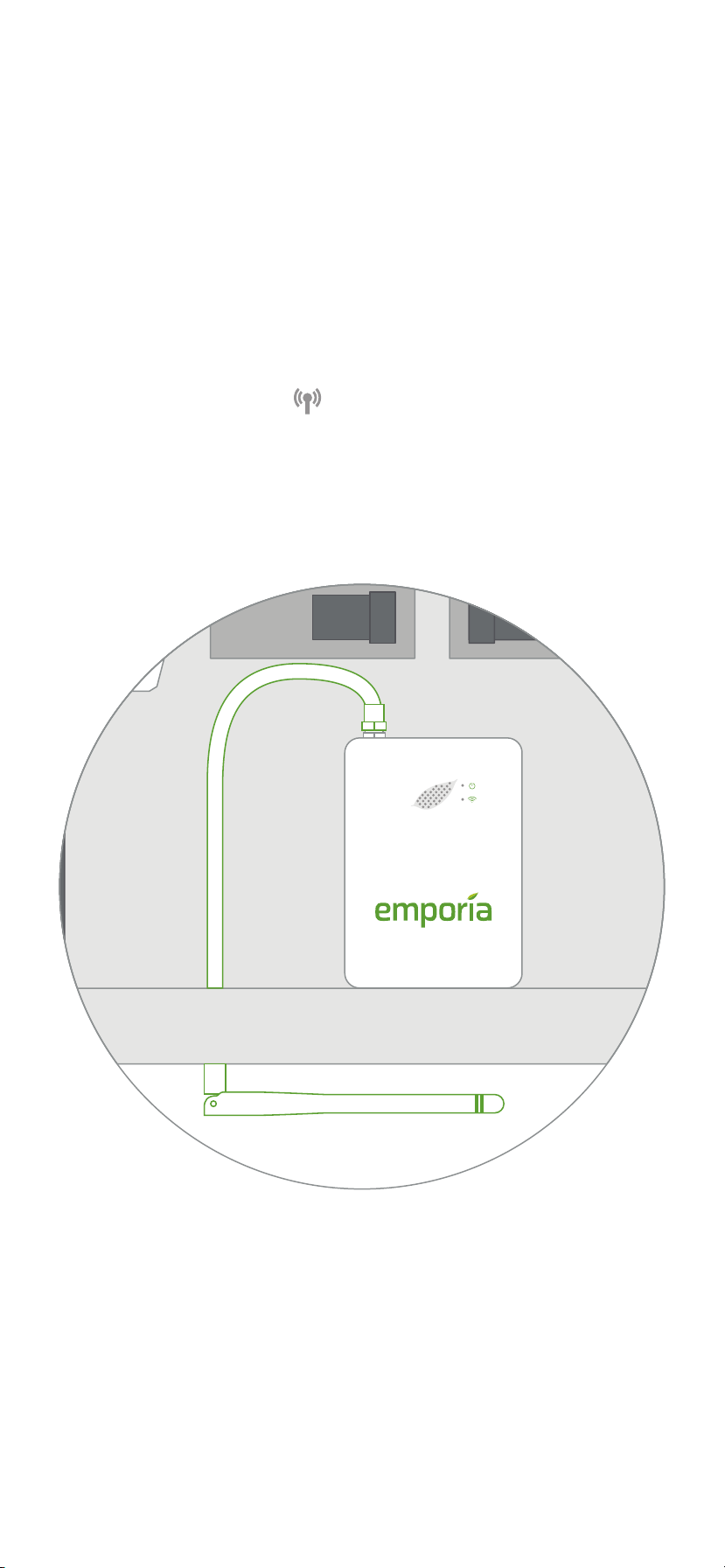
Use a screwdriver to remove a knockout
from inside the electrical panel. Connect the
cable to the antenna and mount it with the
knockout plug through the hole. It’s ok to
install the antenna inside of a wall. Screw
the cable to the top of the energy monitor in
the jack marked . If possible, orient the
antenna in the same direction as the
antenna on your WiFi router.
Need help?
emporiaenergy.com/support
support@emporiaenergy.com
1-844-EMPORIA (367-6742)
Altri manuali per Vue
2
Indice


