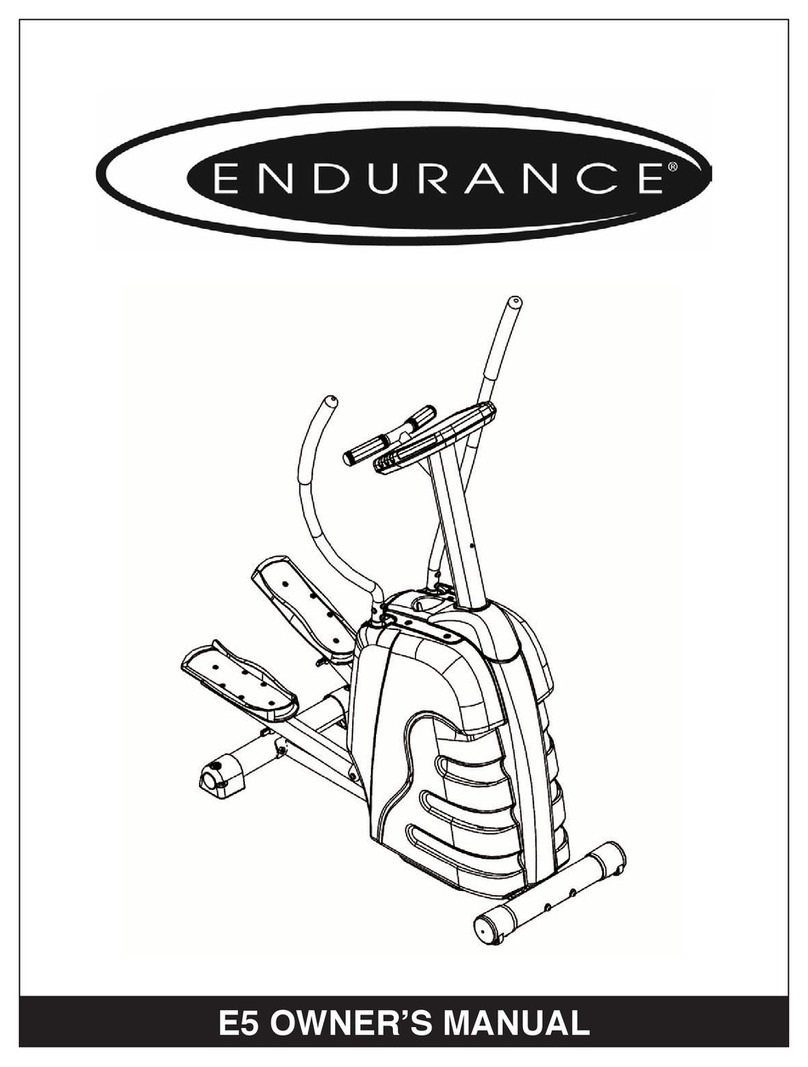
Endurance E4 Manuale utente

Endurance E4
Elliptical Trainer
®
User Manual
E4


Endurance® wants to thank you for making the E4 a part of your exercise
program. Our quality, durability and craftsmanship will enable you to enjoy
the E4 for many years to come. We have included some general fitness
guidelines that will help you in your pursuit of a healthy lifestyle. The E4 will
enable you to customize and monitor your workouts to:
• Increase your cardiovascular system
• Increase your metabolism
• Strengthen and tone your muscles
• Help you maintain weight loss
For a more comprehensive list turn to page 19.
Whether you are a beginner or you are an avid exerciser, the
E4
was
designed to be an efficient, easy and enjoyable way to achieve an improved
level of fitness. So take the next step and achieve that fit and healthy body
you want. The on-board digital computer enables you to accurately monitor
your progress by tracking speed, time, distance, calories and pulse.
This Ownerʼs Manual contains the information you need to operate and enjoy
your Endurance E4. Please read the manual in its entirety
before attempting to
exercise on the E4. Ready? Well, letʼs get started!
1

2

E4
Table of Contents
SAFETY INSTRUCTIONS...........................................
CLEANING...................................................................
ASSEMBLY, MOVING, PLACEMENT..........................
LEVELING...................................................................
FOOT POSITIONS......................................................
HOW TO USE THE E4...........................
SYNCHROSTRIDE MOTION ARMS SETTINGS
........
E4 CONSOLE
INSTALLING BATTERIES............................................
CONVERTING FROM METRIC TO STANDARD........
TURNING SCREEN DISPLAY ON..............................
CHOOSING TIME AND STARTING............................
COUNTING-DOWN / UP.............................................
PROGRAMMING DISTANCE......................................
FEEDBACK DISPLAY..................................................
TURNING SCREEN DISPLAY OFF.............................
ADJUSTING RESISTANCE..........................................
GENERAL
DEVELOPING A FITNESS PROGRAM.......................
WARM-UP....................................................................
FLEXIBILITY................................................................
EXERCISE GUIDELINES............................................
ACHIEVING YOUR FITNESS GOALS........................
SAMPLE GOALS.........................................................
KEEPING AN EXERCISE DIARY................................
HEART RATE CONVERSION CHART........................
5
5
5
6
6
7
7
8
8
8
9
9
9
11
11
11
12
12
13
18
19
20
20
22
3

4
E4 ELLIPTICAL TRAINER
Console
Hand Pulse Grips
Pedal Arm
Foot Pedal
Adjusters
Front Foot
& Transport
Wheels
Foot Pedal
Side Cover
Beverage
Holder
Tension
Control
Knob
Levelers
4

5
IMPORTANT SAFETY INSTRUCTIONS
SAVE THESE INSTRUCTIONS!
Failure to follow any of the following safety instructions may result in injury or
serious health problems:
• Use this exercise product only as intended and described in this Ownerʼs Guide.
Do not use attachments not recommended by the manufacturer.
• Never drop or insert any object into any opening, or on the Pedal Arm Guide Rails.
• Do not place fingers, feet or any other objects into or near the moving parts of
the E4
.
• Never turn foot pedals, pedal arms or crank arms by hand.
• To avoid entanglement and possible injury, do not expose hands or arms to the
drive mechanism.
• Do not dismount the E4 until the pedals are at a complete STOP.
• Warn bystanders to keep a safe distance away. Do not allow anyone (other
than the user) to touch the machine while it is in operation.
• Do not remove the E4 side covers. Only an authorized retailer
should perform maintenance or repair services.
• Do not use outdoors.
CHILDREN
• Keep children off and away from your E4 at all times!
• When the E4 is in use, young children and pets should be kept
at least 10 feet away.
OTHER SAFETY TIPS FOR YOUR E4
• CAUTION! If you experience chest pains, nausea, dizziness or shortness of
breath, stop exercising immediately and consult your physician before continuing.
• Donʼt wear loose clothing that might catch on any part of the E4.
• Read this Ownerʼs Guide in its entirety before operating the E4.
CLEANING
• Use a damp cloth to wipe your E4 and computer free of sweat and
dust. Always avoid getting extra moisture on the computer. By keeping the
computer face free of sweat, you can ensure a longer computer life.
• Important Reminder: Never use petroleum - based solvents when cleaning.
Doing so will damage the finish on your E4.
ASSEMBLY
If you have elected to assemble this product yourself, for your safety,
please read and follow each of the steps in the enclosed assembly
instructions. It is recommended that assembly be performed by an
authorized retailer. If you have any questions regarding any part or
function of your E4, contact your retailer.
If you have elected to assemble this product yourself, for your safety,
please read and follow each of the steps in the enclosed assembly
instructions. It is recommended that assembly be performed by an
authorized retailer. If you have any questions regarding any part or
If you have elected to assemble this product yourself, for your safety,
please read and follow each of the steps in the enclosed assembly
instructions. It is recommended that assembly be performed by an
authorized retailer. If you have any questions regarding any part or
please read and follow each of the steps in the enclosed assembly
instructions. It is recommended that assembly be performed by an
5
instructions. It is recommended that assembly be performed by an
authorized retailer. If you have any questions regarding any part or
function of your E4, contact your retailer.
please read and follow each of the steps in the enclosed assembly
instructions. It is recommended that assembly be performed by an
authorized retailer. If you have any questions regarding any part or
function of your E4, contact your retailer.

6
FOOT POSITION
Your E4 has a large foot pedal, offering you a variety of foot positions.
When using your E4 you may notice that your heel rises off the footpad. This
is normal heel-toe-plant walking or running motion and you should not try to
prevent this.
MOVING YOUR E4
Your E4 has a pair of transport wheels built into the front foot. It is easy to
move your E4 by picking up the back end and rolling it on the front transport
wheels.
PLACEMENT IN YOUR HOME
It is important that you place your E4 in a comfortable and inviting
room.
Your E4 is designed to use minimal floor space. Many people
will place their
E4 facing the TV or a picture window. To make exercise a desirable daily
activity for you the E4 should be in an attractive setting.
LEVELING YOUR E4
If your E4 wobbles when you have placed it where you intend to use it,
raise or lower the adjustable levelers located on either side of the pedal arm
guide rail stabilizing foot.

7
GLIDE POSITION
Placing the foot pedal toward the back of the pedal arm (using the foot
pedal adjusters located on the bottom portion of the foot pedal) will
decrease your step height and keep the
step pattern elliptical. Your workout
will feel more like a ski glide, or smooth run or walk.
STEP POSITION
Moving the foot pedal to the front of the pedal arm (using the foot pedal
adjusters located on the bottom portion of the foot pedal) will increase your
step height. This will give you a more vertical stepping motion. This position
is particularly effective for developing your quadriceps muscles.
HOW TO USE THE E4
To start using the E4 simply stand on the foot pedals with the toes of your
shoes close to the front edge of the foot platform. Place your hands in a
comfortable position on the handlebars. Simply move your
highest foot forward and follow the natural path of the machine.
E4 MOTION HANDLES
Working in unison with the adjustable resistance
of the elliptical stride, the Motion Handles are
designed to work your upper body in rhythm
with your lower body. The ergonomic design
encourages good posture and proper technique.
When working with the Motion Handles for
the first time, start out at a slow pace to
get accustomed to the total body motion.
MOTION HANDLES

8
E4 CONSOLE
INSTALLING BATTERIES
If your E4 batteries have not already been installed by your retailer, please
install them now. The console uses two AA batteries. Install the batteries in
the battery compartment in the back
of the console.
CONVERTING FROM METRIC TO STANDARD
First flip the switch located in the reverse side of the panel. Then, take the
batteries out and replace them. When the machine powers back up the
readout will switch.
TURNING THE SCREEN DISPLAY ON
You can turn your console on by either pressing the RESET button at the
bottom right of the console or by simply getting on your elliptical and begin-
ning your stride.
CLEARING PREVIOUSLY STORED INFORMATION
Your elliptical will retain information from your previous workout such as
calories and distance for a few minutes. You can clear this information by
pressing RESET.
CONSOLE FEEDBACK
Your E4 provides you with the information you need for an
effective workout every time.
Indice
Altri manuali Endurance Ellittica
Manuali Ellittica popolari di altre marche

Weslo
Weslo Momentum 4.0 Elliptical Manuale operativo e di manutenzione

Progear Fitness
Progear Fitness Air elliptical pro 1307 Manuale utente

Torque Fitness
Torque Fitness XPLLP Manuale utente

Octane Fitness
Octane Fitness PRO3700C Manuale utente

Xterra
Xterra FS5.8e Manuale utente

Bodyguard
Bodyguard E-40 Manuale utente

Bonn Germany
Bonn Germany Concept 2.2 Manuale utente

Precor
Precor Resolute RSL 620 Manuale utente

NordicTrack
NordicTrack E 9.2 Elliptical Manuale utente

Vision Fitness
Vision Fitness X6600iNetTV Manuale utente

Matrix
Matrix MX-A5x Manuale utente

SportsArt Fitness
SportsArt Fitness ECO-NATURAL Elite E874 Manuale utente