
Energate Z100 P2 Scheda tecnica
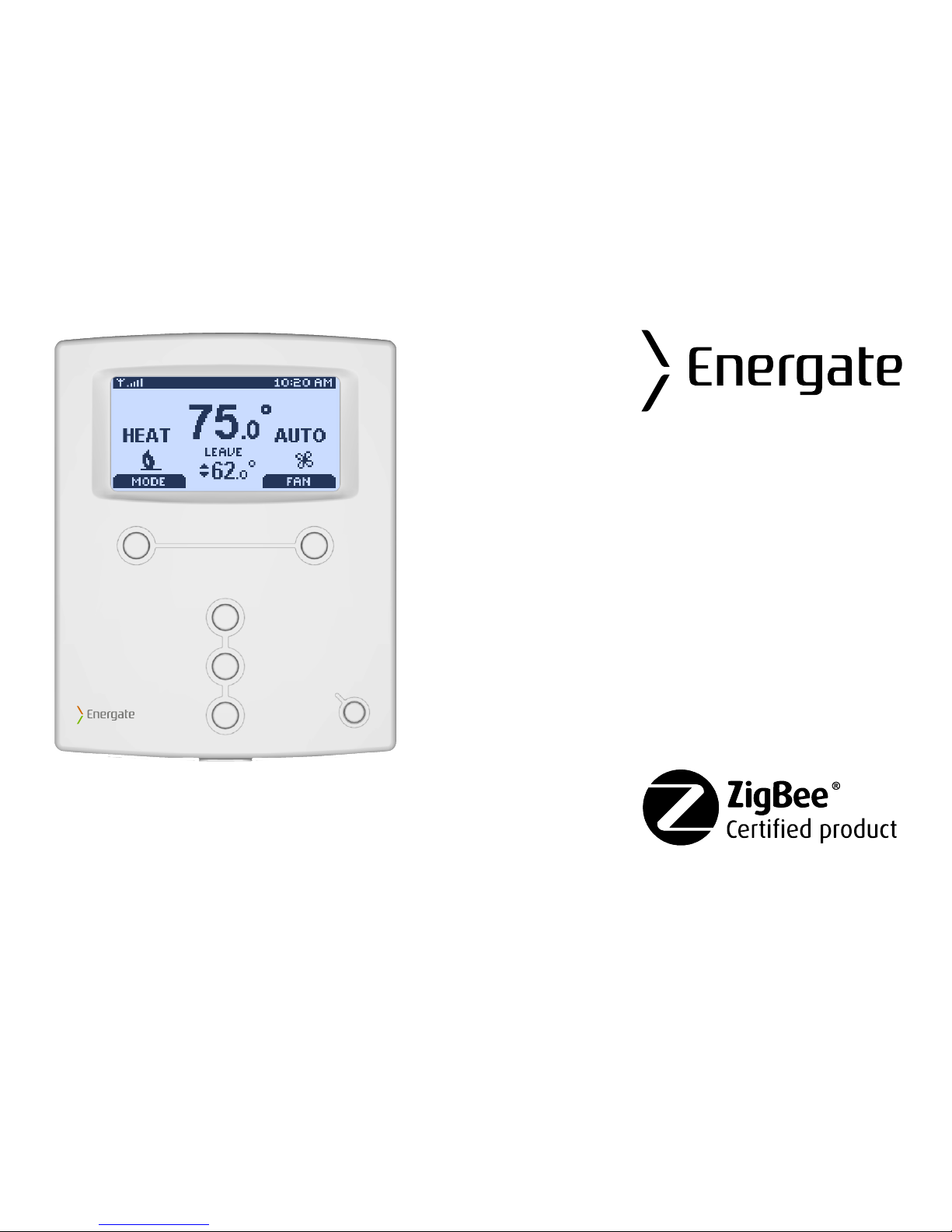
Z100 P2 Smart Thermostat
Operating and
Installation Manual
AW000655-C

Page 2

Operating and Installation Manual
Congratulations on the purchase of your new thermostat. It has been designed for easy
programming to save on energy costs and allow a comfortable living environment.
Features:
•Auto programming mode for your yearly heating and cooling needs
•Easy adjustment of temperature and schedule
•Energy efficient presets to help reduce heating and cooling costs
•Wirelessly communicates with your utility
•Notifies you and automatically responds to utility demand response events
•Provides you with the current price of energy or rate tier
•Lets you select from a range of comfort and savings levels when energy prices increase
•Large, easy to read backlit display
•Silent operation
•Protection against short circuits during installation
Page 3

TableofContents
OPERATING THE THERMOSTAT ................................................................................................7
Navigating the Controls ..................................................................................................................7
Home Screen .................................................................................................................................8
Heat / Cool / Fan Icons.............................................................................................................10
Setpoint Value Display..............................................................................................................10
HELP button.................................................................................................................................11
Title Bar........................................................................................................................................11
Default Schedule ..........................................................................................................................12
Temporary Hold............................................................................................................................14
Heating and Cooling Modes .........................................................................................................16
Fan Modes ...................................................................................................................................16
Main Menu....................................................................................................................................17
Temperature Settings...................................................................................................................18
Quick Schedule ............................................................................................................................18
Advanced Schedule .....................................................................................................................19
Schedule Type..........................................................................................................................20
Setpoints...................................................................................................................................21
Schedule...................................................................................................................................22
Hold Screen - Permanent, Timed, and Temporary Holds.............................................................23
Setting the Date & Time ...............................................................................................................26
Energy / Price Events...................................................................................................................28
Page 4

Energy Event................................................................................................................................28
Voluntary and Mandatory Energy Events .................................................................................29
Starting a Temporary Hold during an Energy Event .................................................................30
Energy Options Screen ................................................................................................................31
Price Conservation Event.............................................................................................................31
Conservation Screen....................................................................................................................32
Indicators of Energy Events and Savings.....................................................................................34
Utility Text Messages ...................................................................................................................35
User Options ................................................................................................................................36
Price Display Options ...............................................................................................................36
Filter Reminder .........................................................................................................................37
Time..........................................................................................................................................37
Temperature Units and Calibration...........................................................................................38
Languages................................................................................................................................38
Service Information...................................................................................................................39
Power Outages.............................................................................................................................39
INSTALLATION AND MAINTENANCE .......................................................................................40
Mounting the Thermostat..............................................................................................................40
Mounting the Outdoor Sensor ......................................................................................................40
Cleaning the Thermostat ..............................................................................................................40
Removing Thermostat Front Housing from Backplate..................................................................41
Replacing the Battery ...................................................................................................................42
Wiring Configuration.....................................................................................................................43
Page 5

Setup Menu Options.....................................................................................................................44
Password..................................................................................................................................44
Setpoint Range.........................................................................................................................45
Equipment Type .......................................................................................................................45
Equipment Settings...................................................................................................................46
Conventional Systems ..........................................................................................................46
Heat Pump Systems .............................................................................................................47
Control Options.........................................................................................................................48
Device Info Screen ...................................................................................................................49
ZigBee Link Info Screen ...........................................................................................................51
Reset Screen............................................................................................................................53
Thermostat Reset .................................................................................................................54
User Configuration Reset......................................................................................................56
Security Keys Reset..............................................................................................................56
Conventional System Test............................................................................................................57
Heat-Pump System Test ..............................................................................................................58
Product Conformity.......................................................................................................................59
Caution.........................................................................................................................................59
Note:.............................................................................................................................................60
Page 6
OPERATING THE THERMOSTAT
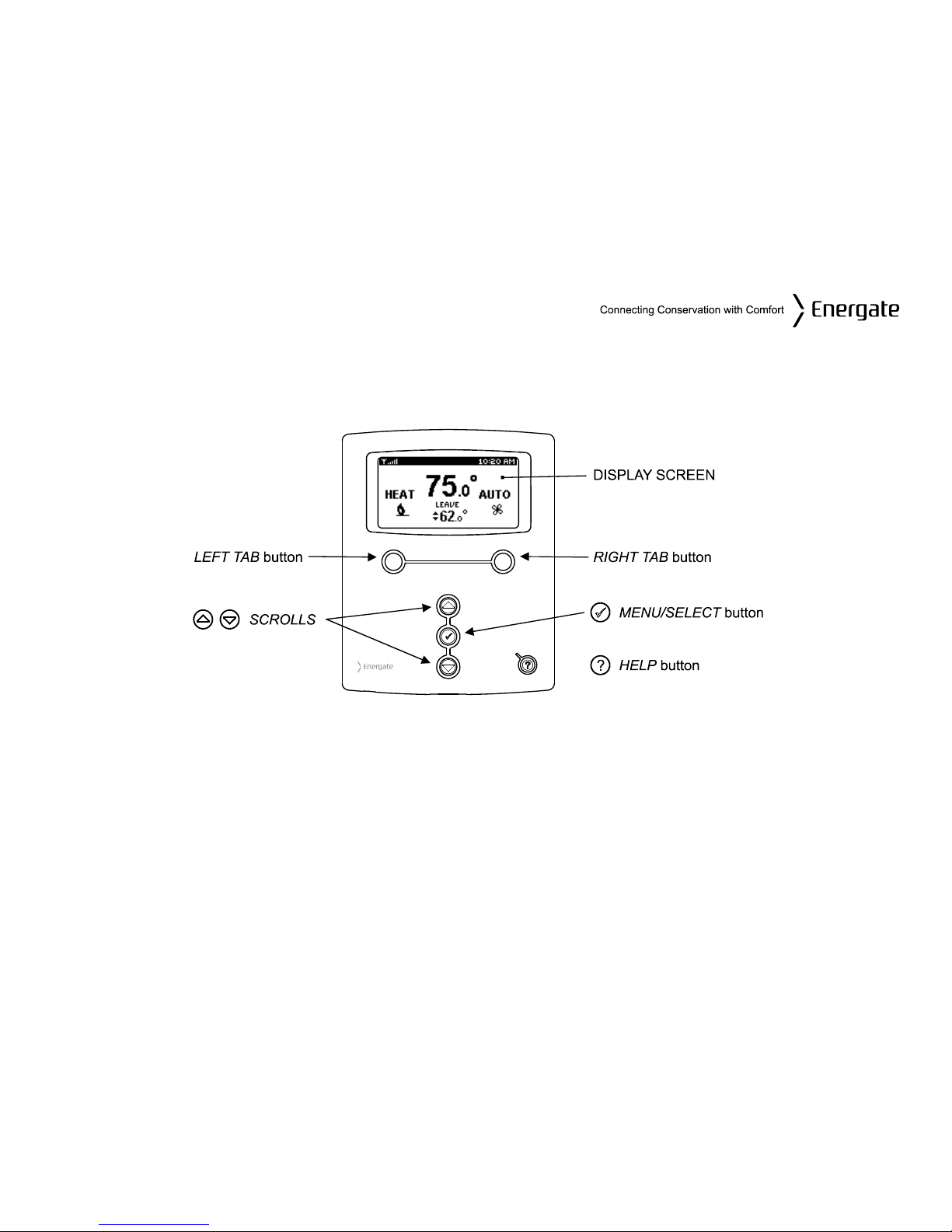
Navigating the Controls
The function of the LEFT and RIGHT TAB buttons appears on the bottom of the display screen.
Use the SCROLL (▲▼) buttons to adjust the temperature, move through the menus options, and
change highlighted values. Press the MENU / SELECT (√) button to access the menu as well as to
select or accept highlighted menu items.
Page 7

Home Screen
The Home screen displays current temperature and operation data. When the Home screen is in
Idle mode, the backlight is on with low brightness. Please note that icons such as heat or fan are
animated when the equipment is running.
Note: A SETPOINT (e.g., LEAVE) is identified by a name and specifies both heating and
cooling target temperatures. See the Temperature Settings section for additional information.
Page 8
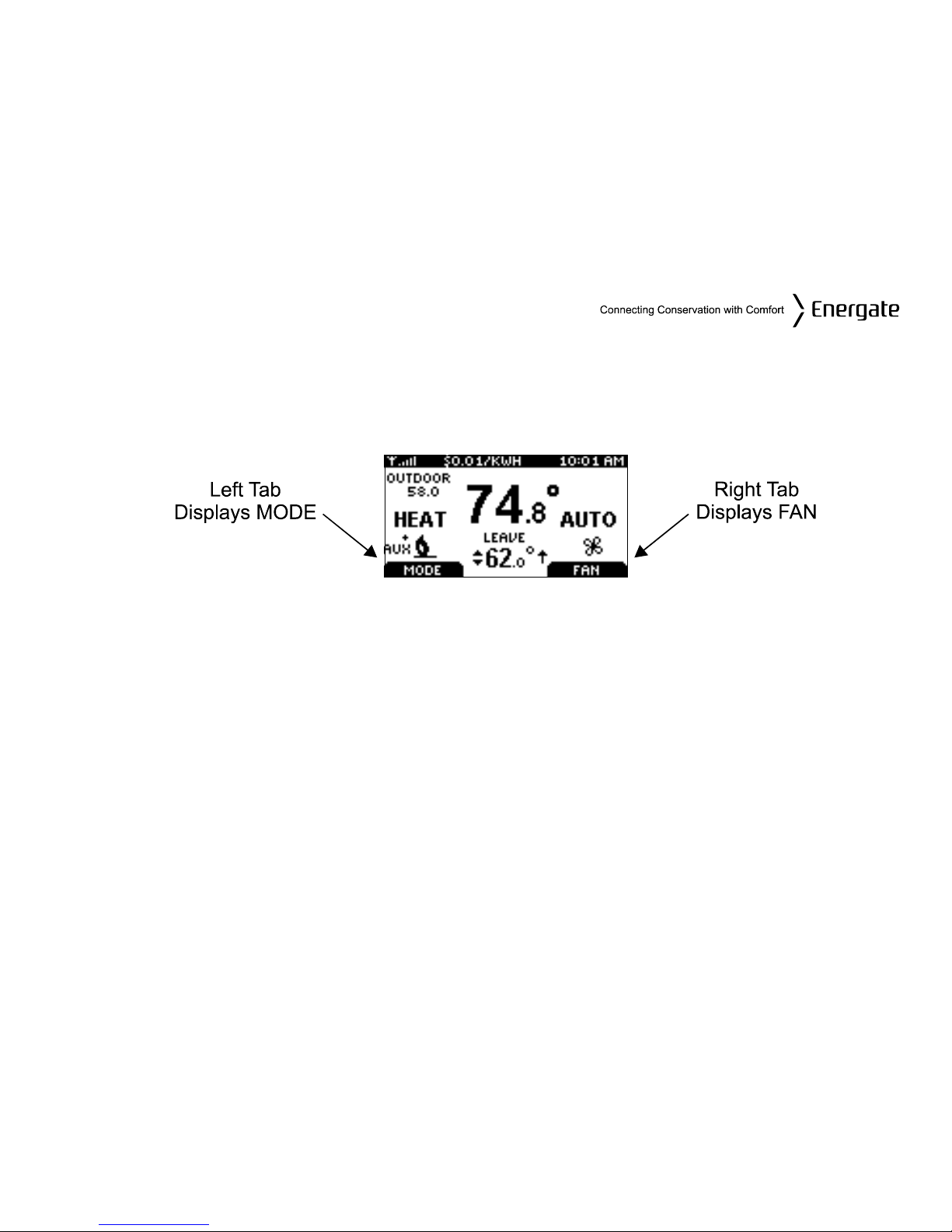
By just pressing any of the buttons, the Home screen becomes Active, the backlight brightens and
the MODE and FAN tabs are shown.
Pressing the LEFT TAB button changes the thermostat mode (COOL/HEAT/AUTO/EMERG/OFF).
The available options for the thermostat mode will depend on the type of heating or cooling
equipment at your home. Pressing the RIGHT TAB button changes the fan mode (ON/AUTO)
Pressing the SCROLL (▲▼) buttons makes the temperatures of the SETPOINTs higher (warmer)
or lower (cooler). You can accept the changes by pressing the LEFT TAB, which will be displaying
ACCEPT, or you can walk away after making the changes. They will be automatically accepted
when the screen goes to the Idle mode (i.e. the backlight diminishes to low).
To see the different menu items displayed, the MENU / SELECT (√) button needs to be pressed
once when the screen is active or twice when it is in the Idle mode.
Page 9
Heat / Cool / Fan Icons
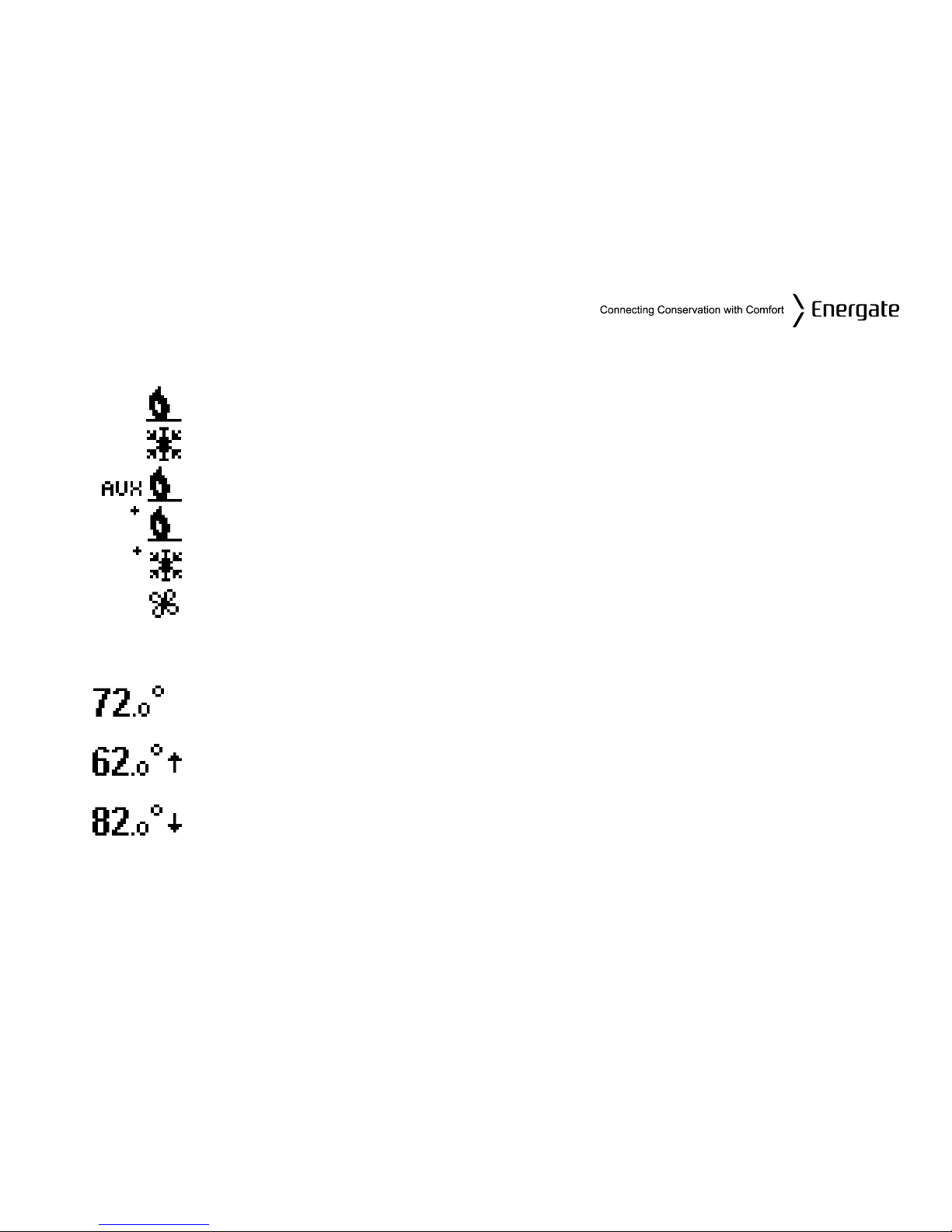
Icon Description
Heat mode (animated when engaged).
Cool mode (animated when engaged).
Auxiliary heat on (animated).
More than one heat stage engaged (animated).
More than one cool stage engaged (animated).
Fan (animated when engaged).
Setpoint Value Display
The thermostat is controlling the HVAC equipment to the displayed
temperature.
The thermostat is anticipating the HVAC equipment control to the next
SETPOINT value, which is a higher temperature than the displayed value
The thermostat is anticipating the HVAC equipment control to the next
SETPOINT value, which is a lower temperature than the displayed value.
Page 10
Indice
Altri manuali Energate Termostato

Energate
Energate Pioneer Z100 Smart Thermostat Scheda tecnica

Energate
Energate Pioneer Z100 Smart Thermostat Scheda tecnica

Energate
Energate Foundation Manuale utente

Energate
Energate FZ100C Manuale utente

Energate
Energate Pioneer Z100 Smart Thermostat Scheda tecnica

Energate
Energate FZ100 Manuale utente

Energate
Energate Foundation RM41F Manuale utente

Energate
Energate AW000873 Manuale utente

Energate
Energate Pioneer Z100 Smart Thermostat Scheda tecnica

Energate
Energate Foundation Manuale utente


