CONTROLS
Be sure you are familiar with and
know
how
to
operateeach ofthetractor's controls before attempt-
ing to start and run
it
BASIC TRACTOR
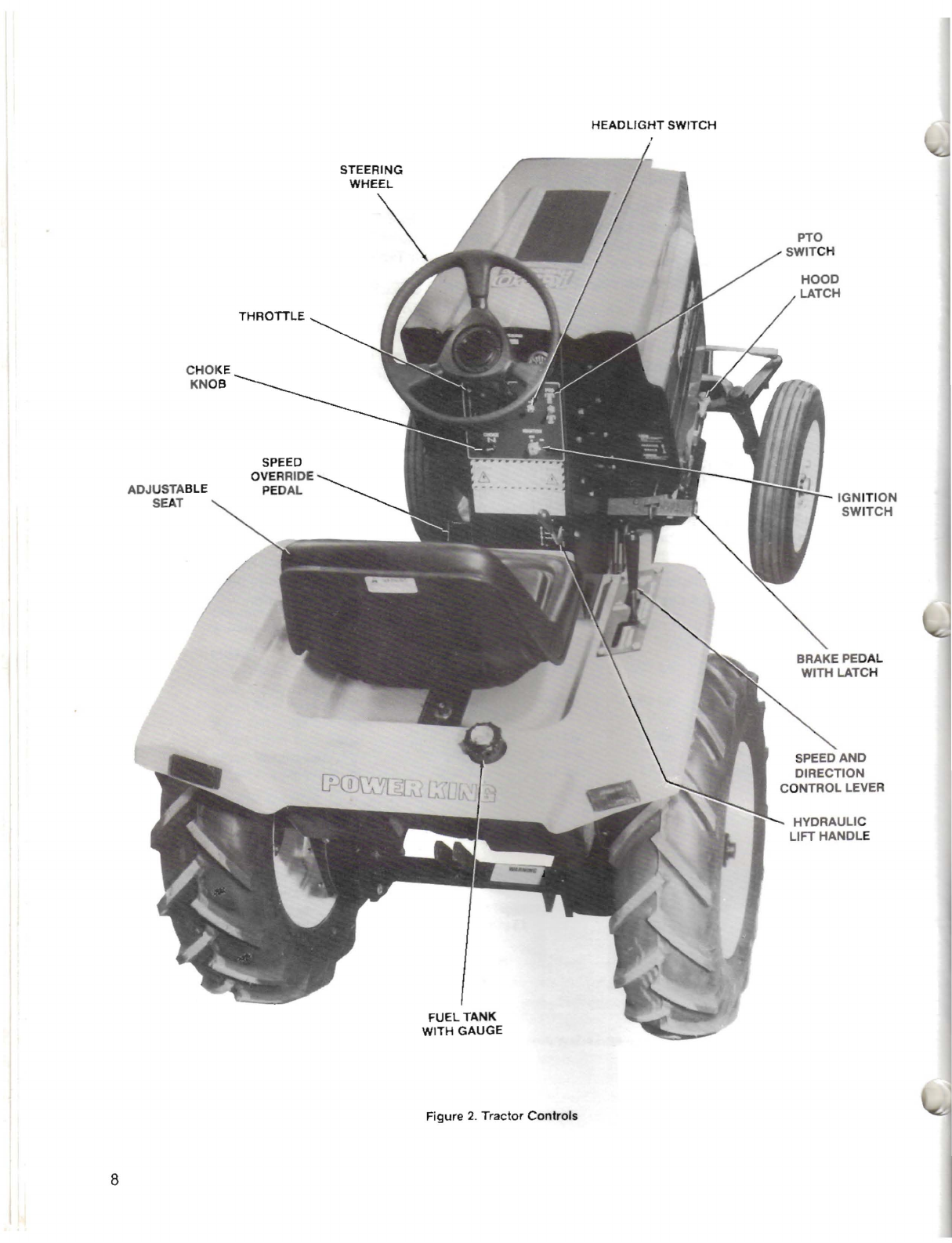
Refer to the callout reference
in
Figure 2to identify
and locate each of the tractor's controls.
1.
IGNITION SWITCH. This is athree position, key
actuated switch. Turn the key all the way to the
right into the "START" position to start engine.
When released, the key will automatically return
left to the
"ON"
position. Turn key left to the
"OFF"
position to stop engine.
2.
HEADLIGHTSWITCH. When ignition switch key
is in the
"ON"
position, this knob
controls
the
tractor's headlights. Pull knob outto turn head-
lights on, push
in
to turn them off. (Note: Head-
lights will also go off when ignition key is turned
to
"OFF"
position.)
3.
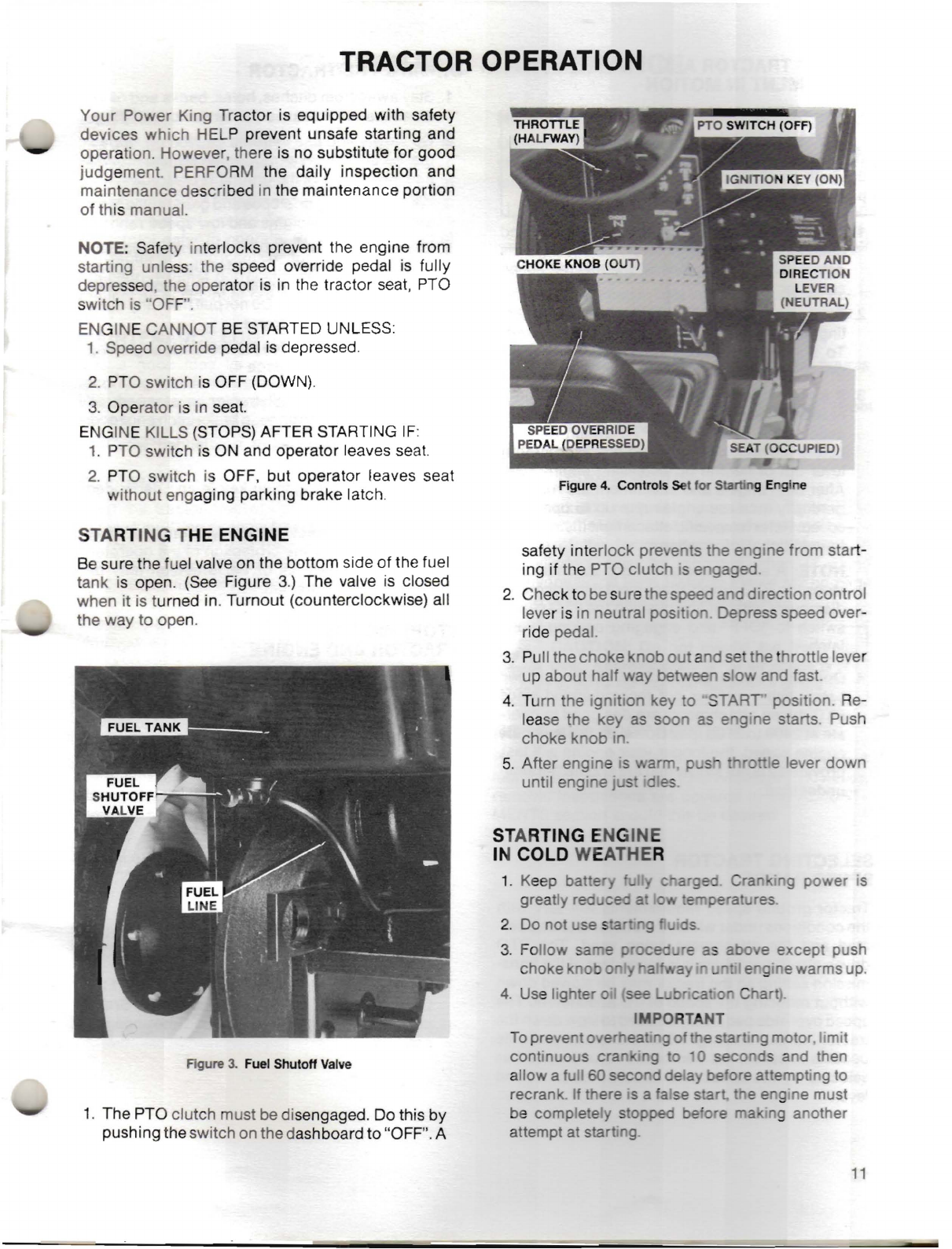
THROTTLE LEVER. This lever controls the
amount
of
fuel being fed into the engine. Moved
upward, the engine's speed (rpm) will increase.
The speed will decrease when the throttle lever
is moved downward. Set lever midway between
the fast position (indicated
by
arabbit symbol)
and slow position (indicated by aturtle) when
starting engine.
4.
PTO CLUTCH SWITCH. This starts and stops
the electromagnetic clutch for the Power Take-
Off
on the
front
of
the engine. The switch
engages the clutch when pulled out and pushed
"ON", and disengages it when pushed "OFF".
5.
CHOKE KNOB.
By
cable extension this knob
controls
the'uel-air
mixture in the engine's
carburetor. The knob should be pulled outwhen
starting the engine and then pushed in shortly
after engine begins to run
6.
STEERING WHEEL. Controls the frontwheels of
the tractor for steering.
7.
BRAKE PEDALS. The left pedal controls the left
wheel brake and the right pedal controls the
right wheel brake. Pedals can
be
operated to-
gether
as
asingle unitby rotating the brake latch
arm on the back of the left pedal into the notch
on the right pedal
forthe
normal modeof opera-
tion (such
as
mowing). Each pedal can
be
oper-
ated independently
as
left or right wheel brakes
for turning with aheavy load
or
for
tight
turns.
Individual brakes
ca
also be used to stop one
wheel from spinningon ice
or
otherpoortractive
material. Always apply bra
es
gradually.
8.
SPEED AND DIRECTION CON ROL LEVER.
The hand operated control lever is used to
"START"
and/or
"STOP"travel
of
the tractorand
toselect its forward
or
reverse operating speeds.
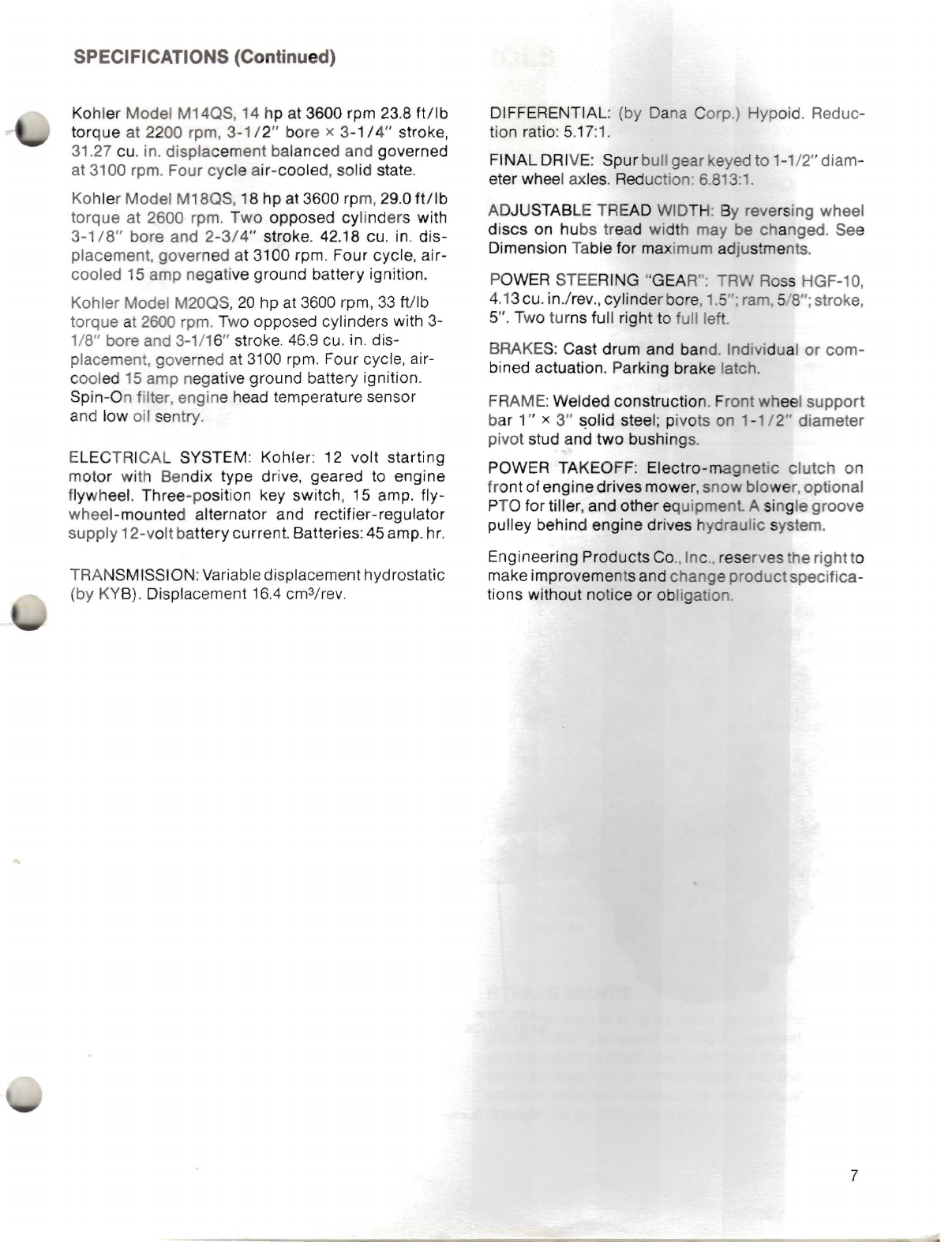
Forward speeds can
be
adjus ed from 0to 7.4
mph and reverse speeds from 0
to
3mph. The
neutral ("N") position
as
adetent.
I\.
WARNING:
Always
make
certain
the
speed
..
and
direction control lever
is
in
the
neutral
detent
before
starting
or
getting
off
the
tractor.
Makecertain that clothing
or
other
objects
do
not
hook
onto
the
lever
when
getting
off
the
tractor.
9.
SPEED OVERRIDE PEDAL. T epedal
attheleft
of the console
is
used
for
neutral safety starts
and speed over-ride adjustments while travel-
ling. As the pedal is depressed. speed slows and
as
it
is
released, the speed
as
selected by the
hand lever will be resumed (this is similar to a
cruise control function).
10.
PARKING BRAKE. Fully depressing the brake
pedals,
once
they are locked together with the
brake latch, encounters the par ing brake arm
which
automatically
latches
and
holds
the
pedals
in
their depressed position. (Note: When
brakes are in this position. engine may be
started
or
will continuerunning withoutoperator
being in seat ifthe transmission is in neutral and
the PTO clutch switch is down.) Alight
down-
ward tap on the latch releases the pedals.
11.
HOOD LATCH. Retains the lower edges of the
hood preventing bounce on rough terrain.
12.
ADJUSTABLE
SEAT.
Contoured seat may be
movedforward
or
rea ard
up
to3". Loosen two
wingnuts on t e seat
support
plate
and
slide
seat assembly back or forth to
suit
Tighten
wingnuts.
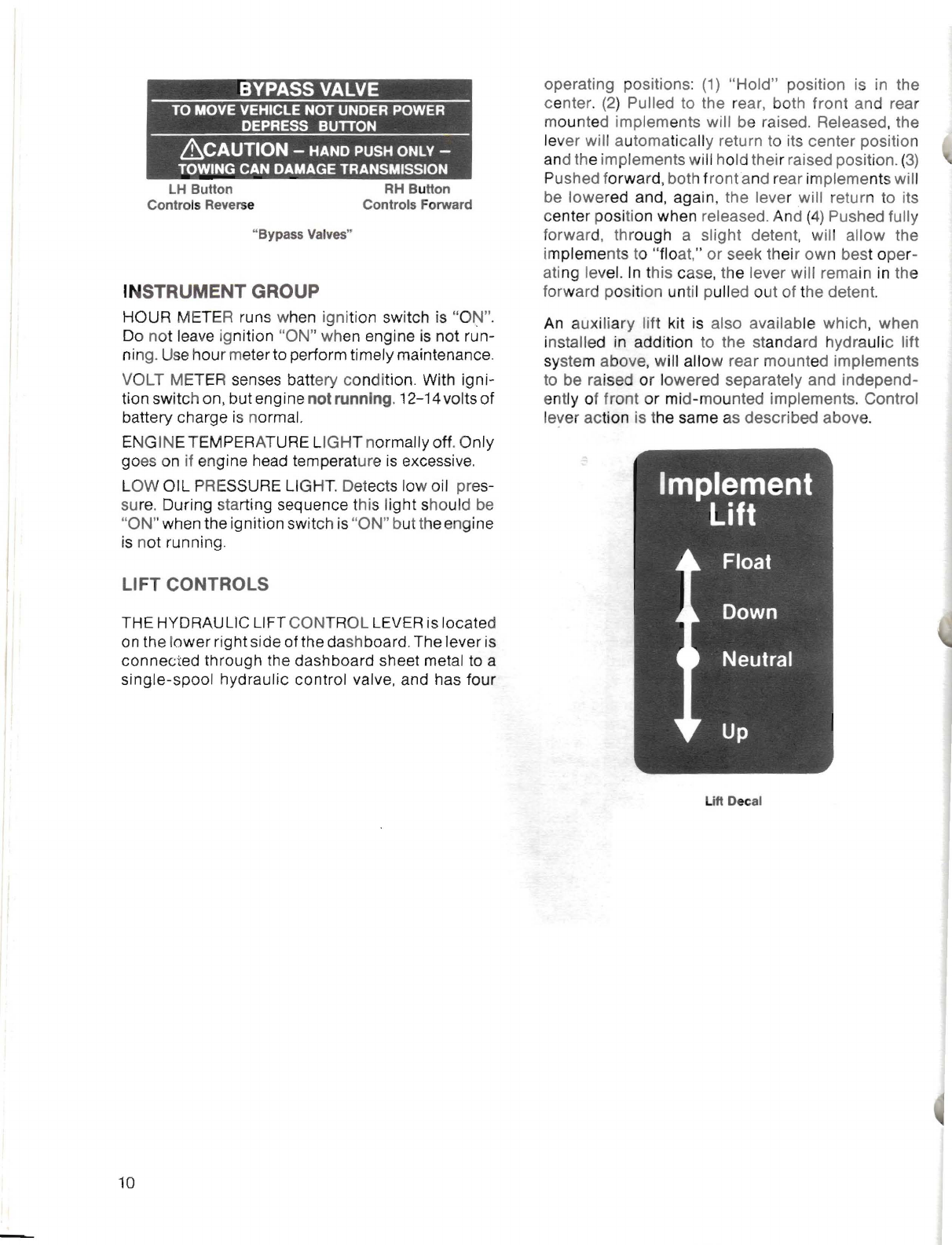
BYPASS VALVES
When the
tractor
is to be hand pushed, the
appro-
priate "FWD" (forward)
or
"RE .(reverse) bypass
valve must be pushed
do
nand held down. Insert a
small screwdriver
or
similar object into the desired
actuator hole and depress he alve ac uator, hold
down while pushing the rac or.
9