
Enview EST9120 Manuale utente
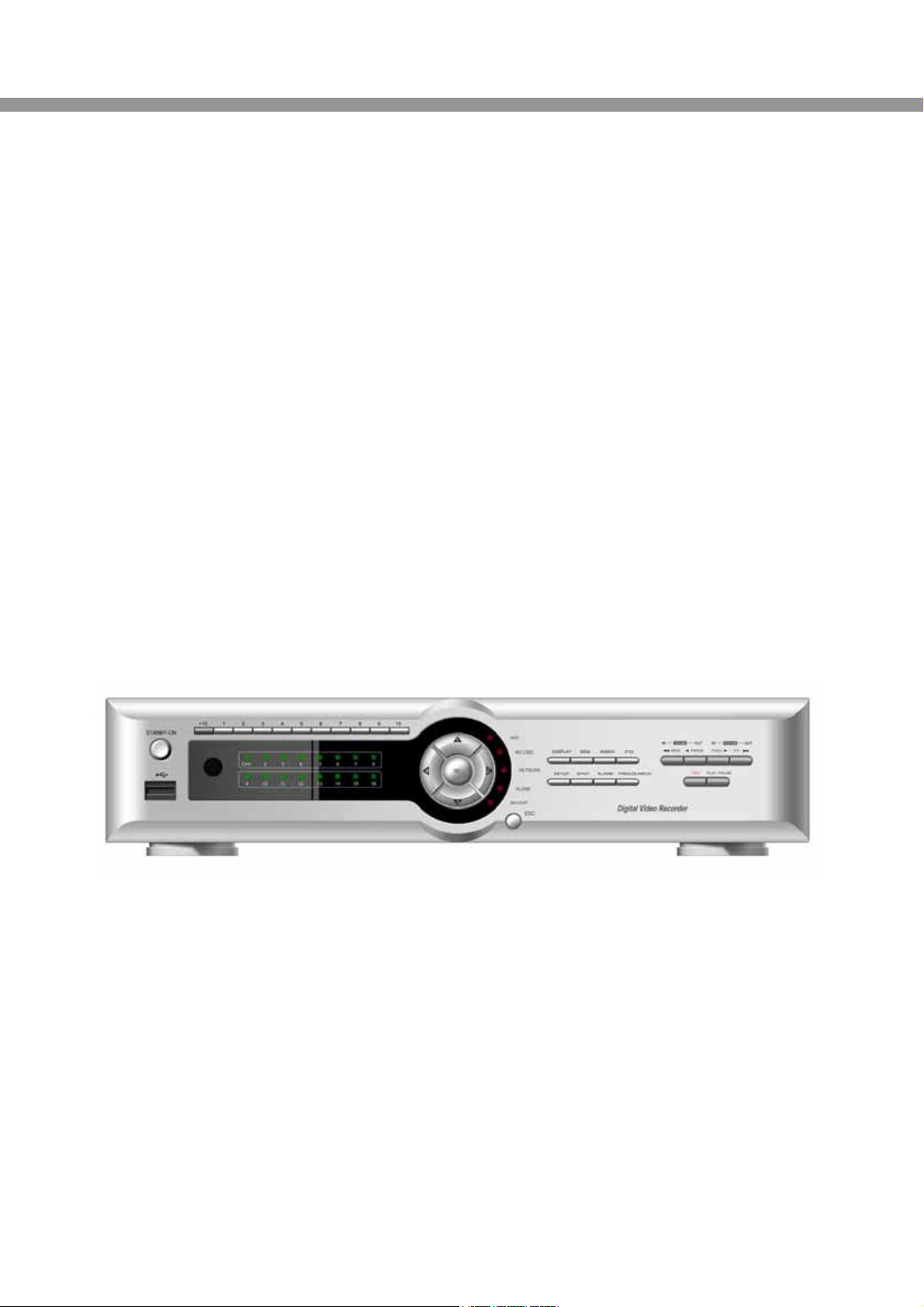
EST9120/EST16120 User Guide
This document contains preliminary information and subject to change without notice.
USER GUIDE
EST9120/EST16120
9/16 channel MPEG-4 Triplex DVR
V. 1.5
EST9120/EST16120 User Guide
2
SAFETY PRECAUTIONS
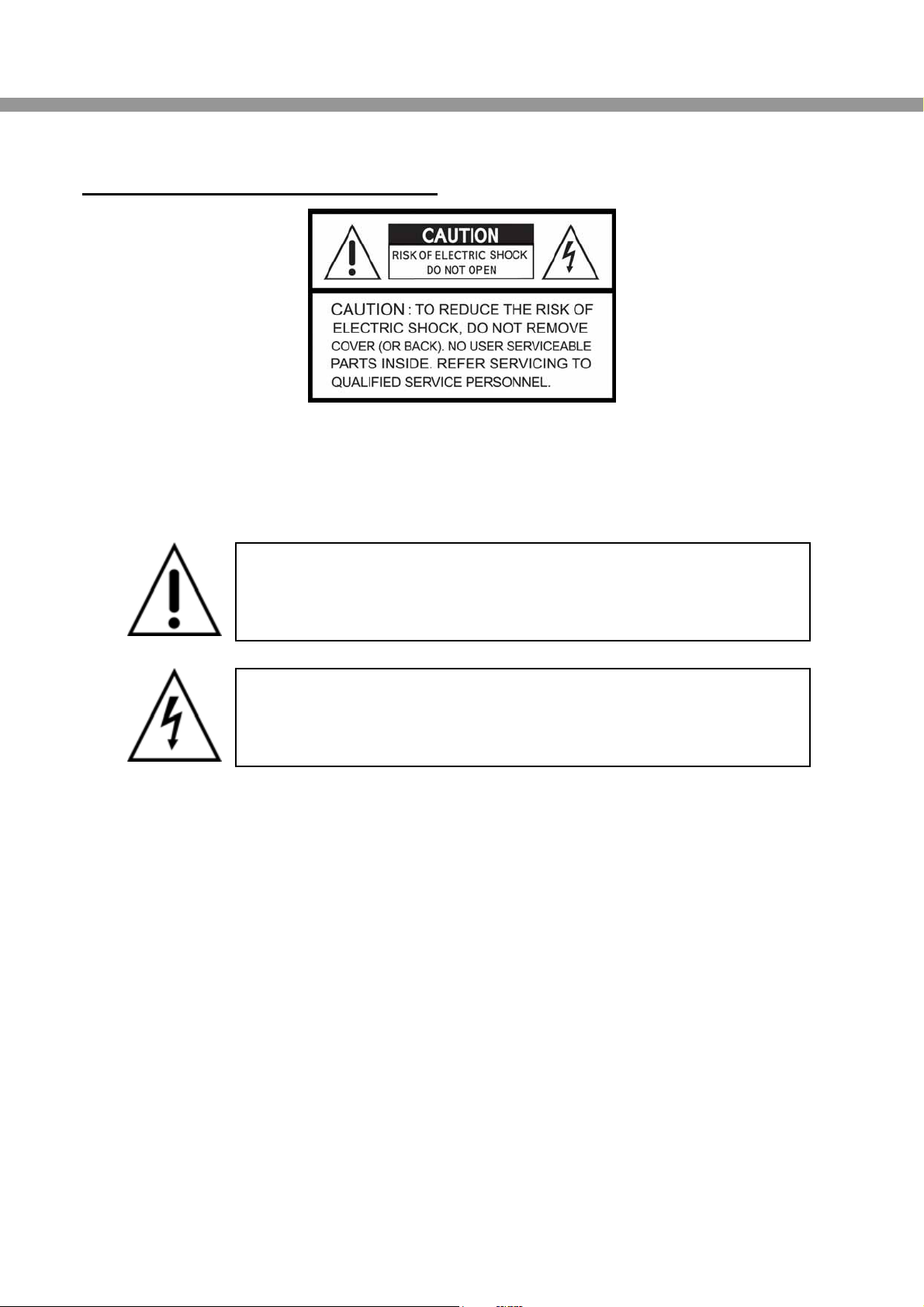
EXPLANATION OF SYMBOLS
CAUTION
THIS PRODUCT HAS MULTIPLE-RATED VOLTAGES (110V AND 220V).
SEE INSTALLATION INSTRUCTIONS BEFORE CONNECTING TO THE POWER SUPPLY.
THIS PRODUCT USES A LITHIUM BATTERY.
RISK OF EXPLOSION IF THE BATTERY ON THE MAIN BOARD IS REPLACED BY AN
INCORRECT TYPE. DISPOSE OF USED BATTERIES ACCORDING TO INSTRUCTIONS.
THIS EQUIPMENT AND ALL COMMUNICATION WIRINGS ARE INTENDED FOR
INDOOR USE.
TO REDUCE THE RISK OF FIRE ELECTRIC SHOCK, DO NOT EXPOSE THE UNIT TO
RAIN OR MOISTURE.
This symbol is intended to alert the user to the presence of
important operation and maintenance (servicing) instructions in
the literature accompanying the appliance.
This symbol is intended to alert the user to the presence of
unprotected “dangerous voltage” within the product’s enclosure
that may be strong enough to cause a risk of electric shock

User Guide
3
WARNING
THE PRODUCT SHOULD BE INSTALLED BY A TRAINED PROFESSIONAL. THE DVR
SHOULD BE POWERED OFF WHEN CONNECTING CAMERA, AUDIO, OR SENSOR
CABLES.
THE MANUFACTURER IS NOT RESPONSIBLE FOR ANY DAMAGES CAUSED BY
IMPROPER USE OF THE PRODUCT OR FAILURE TO FOLLOW INSTRUCTIONS FOR THE
PRODUCT.
THE MANUFACTURER IS NOT RESPONSIBLE FOR ANY PROBLEMS CAUSED BY OR
RESULTING FROM THE USER PHYSICALLY OPENING THE DVR FOR EXAMINATION OR
ATTEMPTING TO FIX THE UNIT. THE MANUFACTURER MAY NOT BE HELD LIABLE
FOR ANY ISSUES WITH THE UNIT IF THE WARRANTY SEAL IS REMOVED.
EST9120/EST16120 User Guide
4
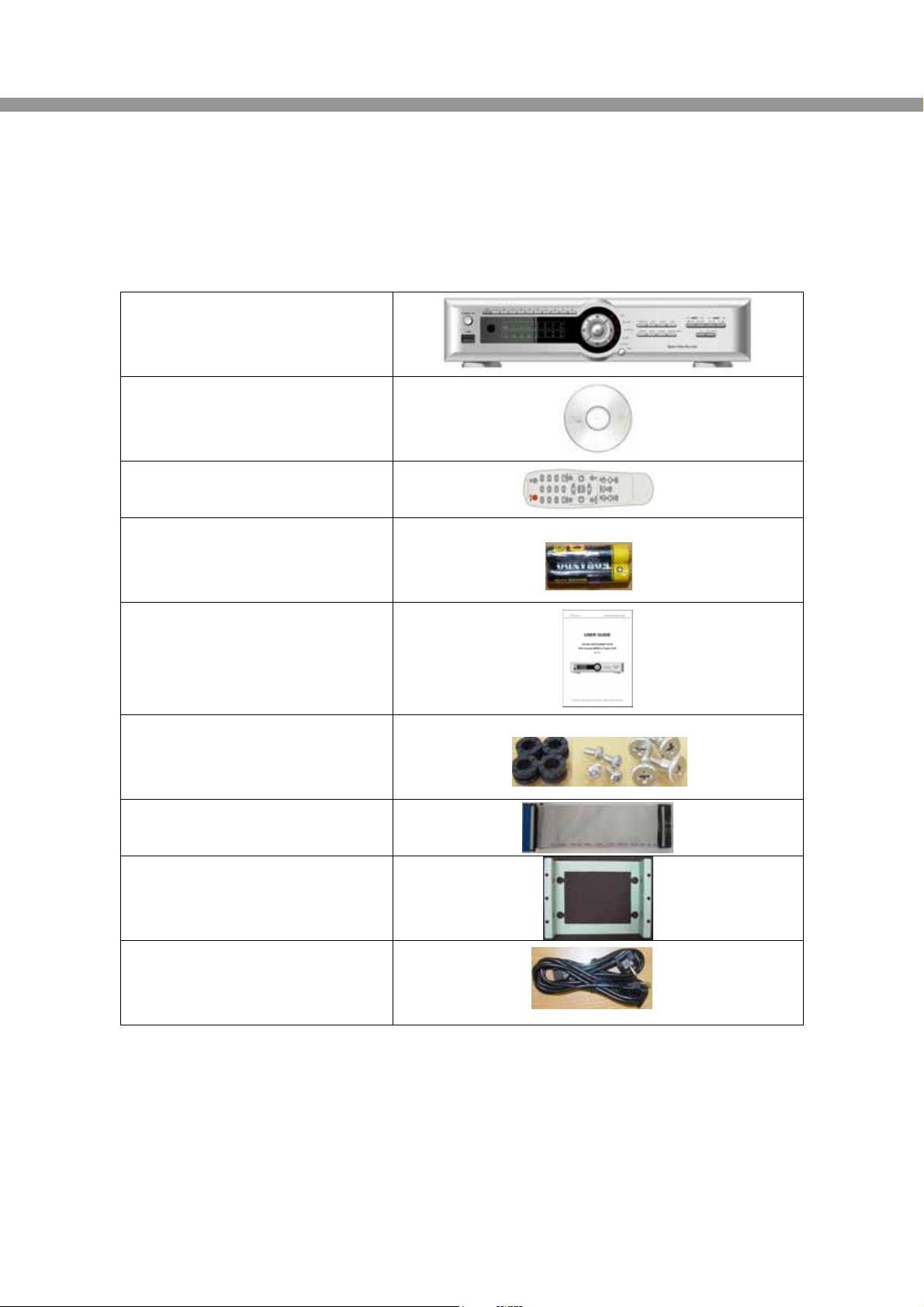
THE LIST OF CONFIGURATION
DVR SET
CLIENT SOFTWARE CD
REMOTE CONTROLLER
BATTERY
MANUAL
(SERVER & REMOTE CLIENT S/W)
RUBBER RINGS &
SCREWS (4x4x4EA)
IDE HDD CABLE(2EA)
HDD BRACKETS(4EA)
POWER CABLE 110V & 220V
User Guide
5
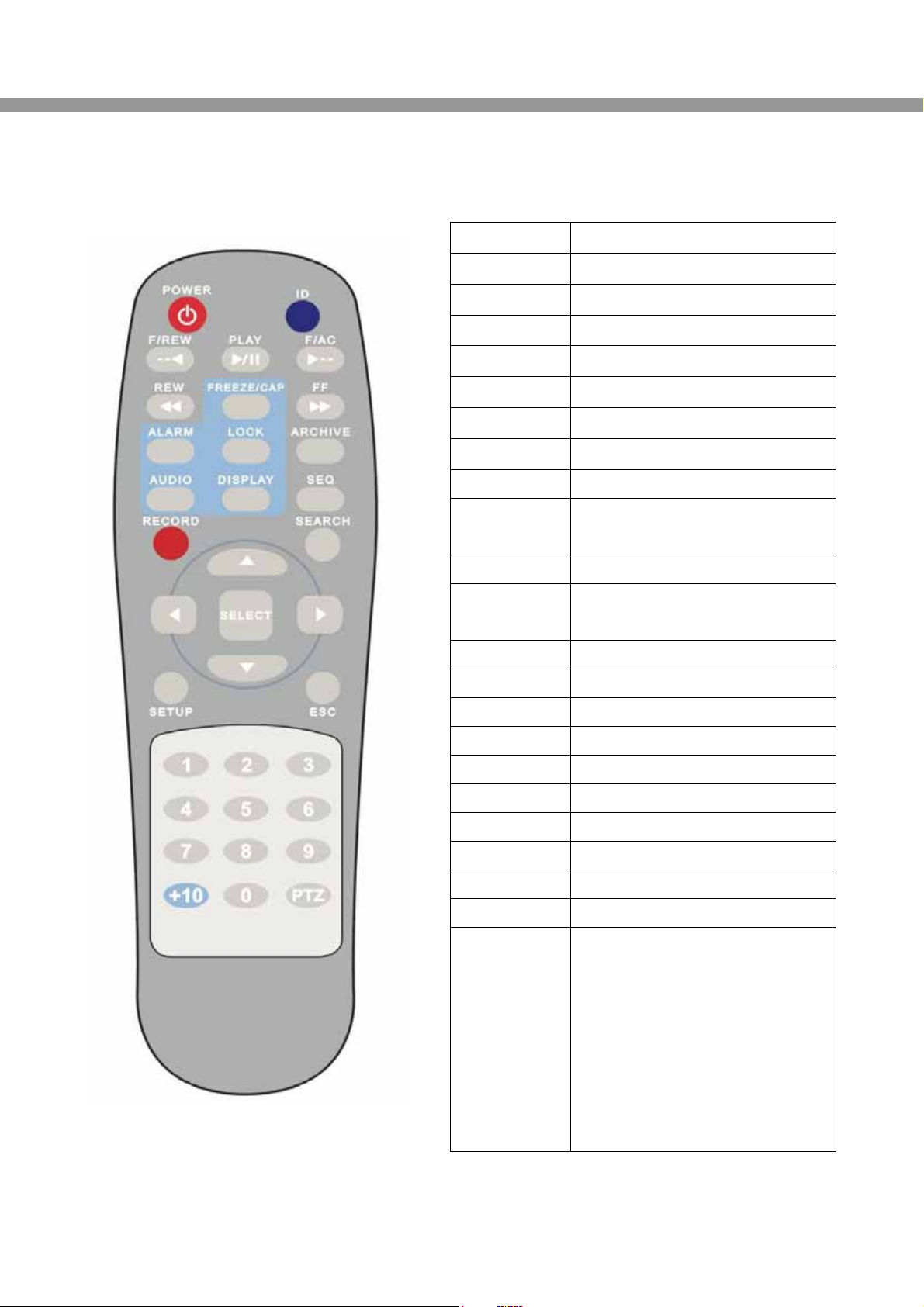
THE OPERATION OF REMOTE CONTROLLER
POWER Power On/Off
ID (DVRs) Input DVR ID (ID : i.e. 00 or 01)
F/REW Jump 60 seconds backward
PLAY Play/Pause
F/ADV Jump 60 seconds forward
REW Rewind (X1, X2, X4, X8)
FREEZE/CAP Freeze/Capture for Still Image
FF Fast Forward (X1, X2, X4, X8)
ALARM Disable alarm operation
LOCK/ SETUP Key lock of all of the functions
/Setup menu screen
ARCHIVE Display of archive list
AUDIO Disable, Mute or Highlighted
channel only
DISPLAY Change division (1->4->9->16)
SEQ Sequence of Full or Quad view
RECORD Manual recording
SEARCH Search menu screen
DIRECTION Direction or number 1 to 4
SELECT Enter and Save button
SETUP Setup or Menu button
ESC Esc
PTZ PTZ menu screen
NUMBER Channel 1 to 9
+10 Channel 10 and channel 11 to16
10CH->press +10 and number 0
11CH->press +10 and number 1
12CH->press +10 and number 2
13CH->press +10 and number 3
14CH->press +10 and number 4
15CH->press +10 and number 5
16CH->press +10 and number 6
EST9120/EST16120 User Guide
6
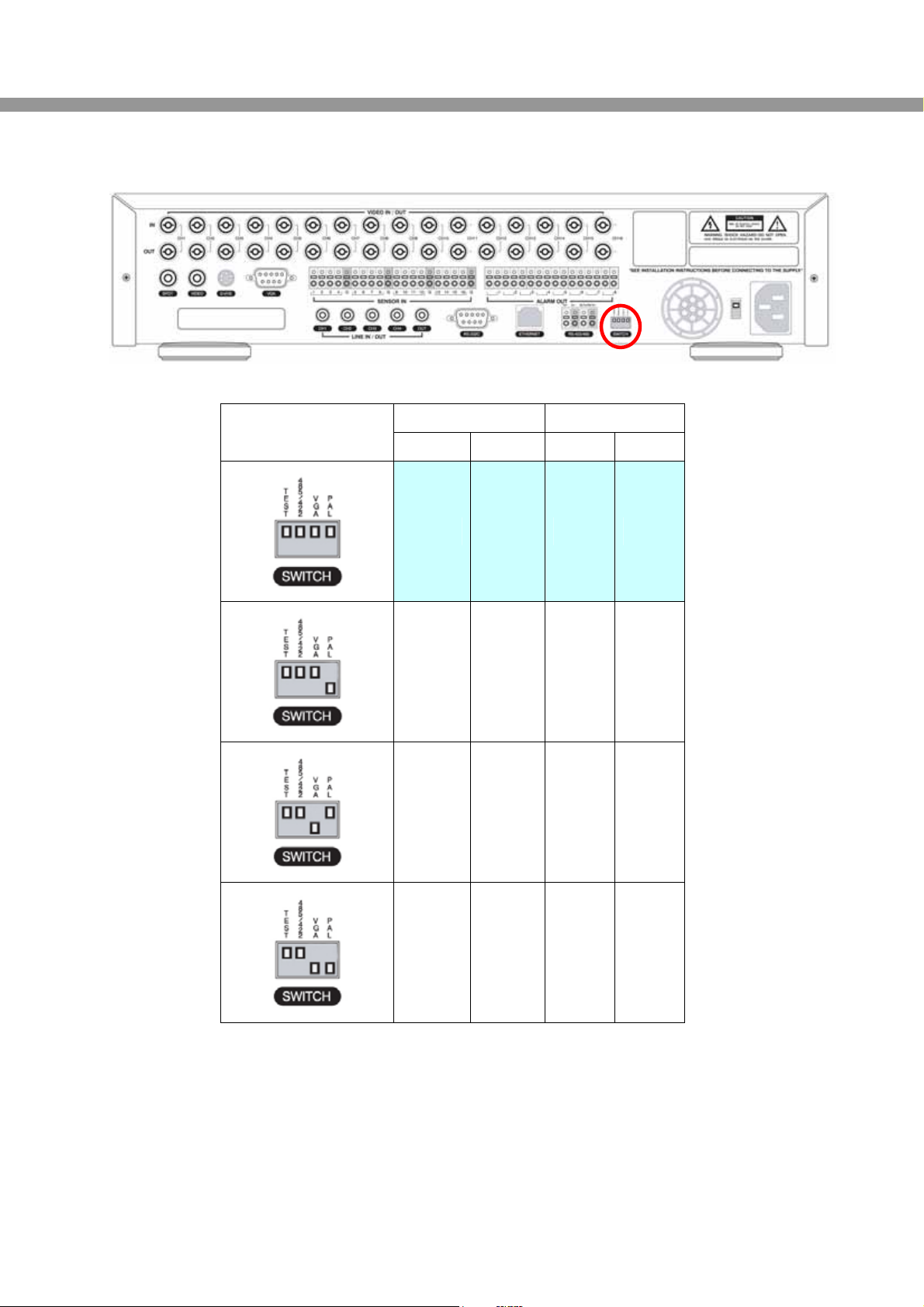
VIDEO SIGNAL SELECT / SETTING
Video mode Video output
SETTING NTSC PAL BNC VGA
O X O X
X O O X
O X X O
X O X O
NOTICE
Do not change the setting when the power is on.
When the position of the switch is changed, the DVR should be rebooted to apply the
new setting.
User Guide
7
HDD INSTALLATION
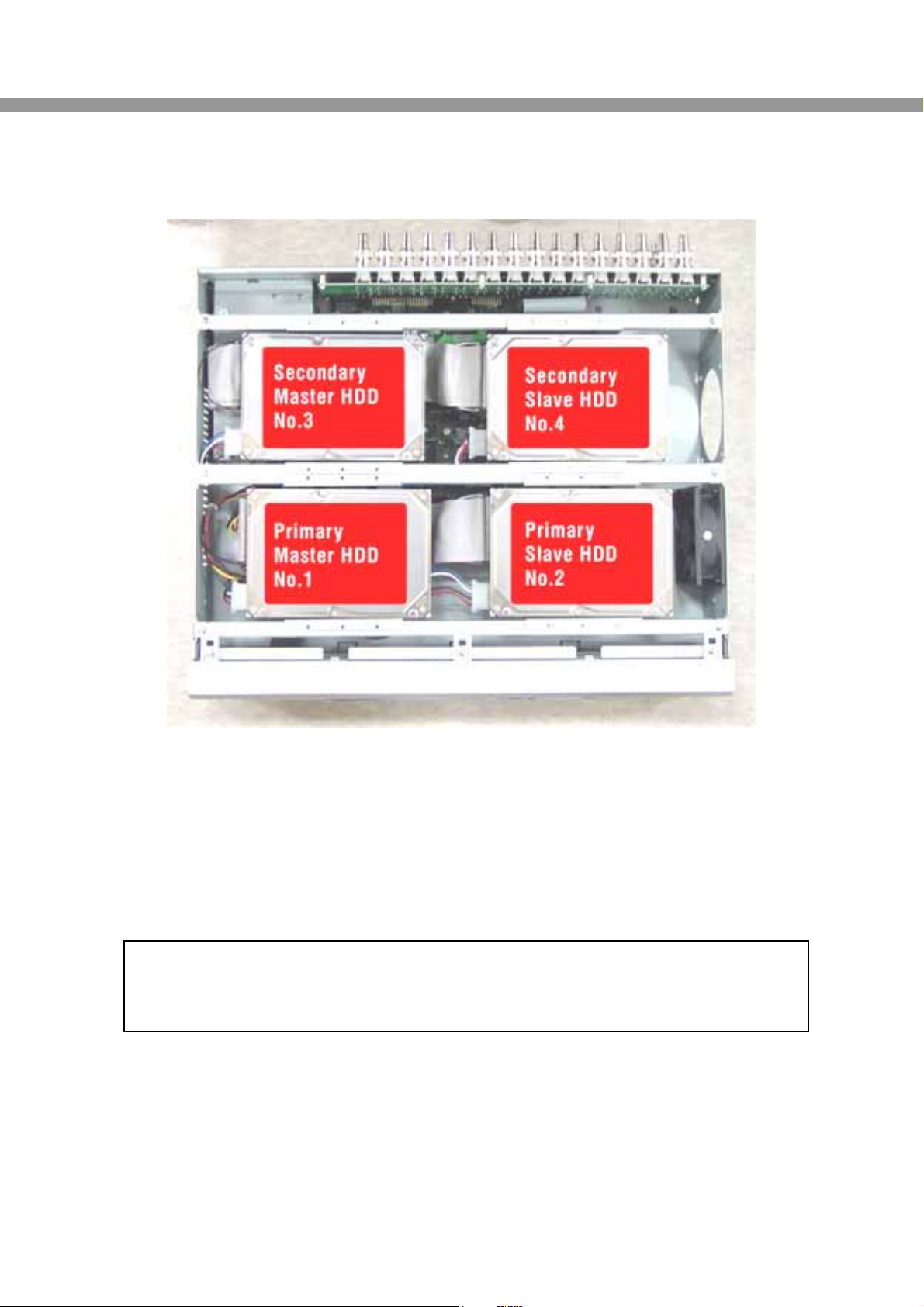
HDD installation order
1. Primary Master HDD
2. Primary Slave HDD
3. Secondary Master HDD
4. Secondary Slave HDD
NOTICE
The brands and models of all HDD should be the same. If the brands and models of each HDD
are different with others, the DVR could not reco
g
nize HDD.

EST9120/EST16120 User Guide
8
Compatible HDD models
BRAND CAPACITY RPM BUFFER INTERFACE
80GB 7200RPM 2M E-IDE
160GB 7200RPM 8M E-IDE
HITACHI
250GB 7200RPM 8M E-IDE
80GB 7200RPM 2M E-IDE
160GB 7200RPM 8M E-IDE
MAXTER
250GB 7200RPM 8M E-IDE
80GB 7200RPM 2M E-IDESAMSUNG
160GB 7200RPM 2M E-IDE
80GB 7200RPM 2M E-IDE
160GB 7200RPM 8M E-IDE
WESTERN DIGITAL
250GB 7200RPM 8M E-IDE
40GB 7200RPM 2M E-IDE
80GB 7200RPM 2M E-IDE
160GB 7200RPM 2M E-IDE
SEAGATE
250GB 7200RPM 2M E-IDE
User Guide
9
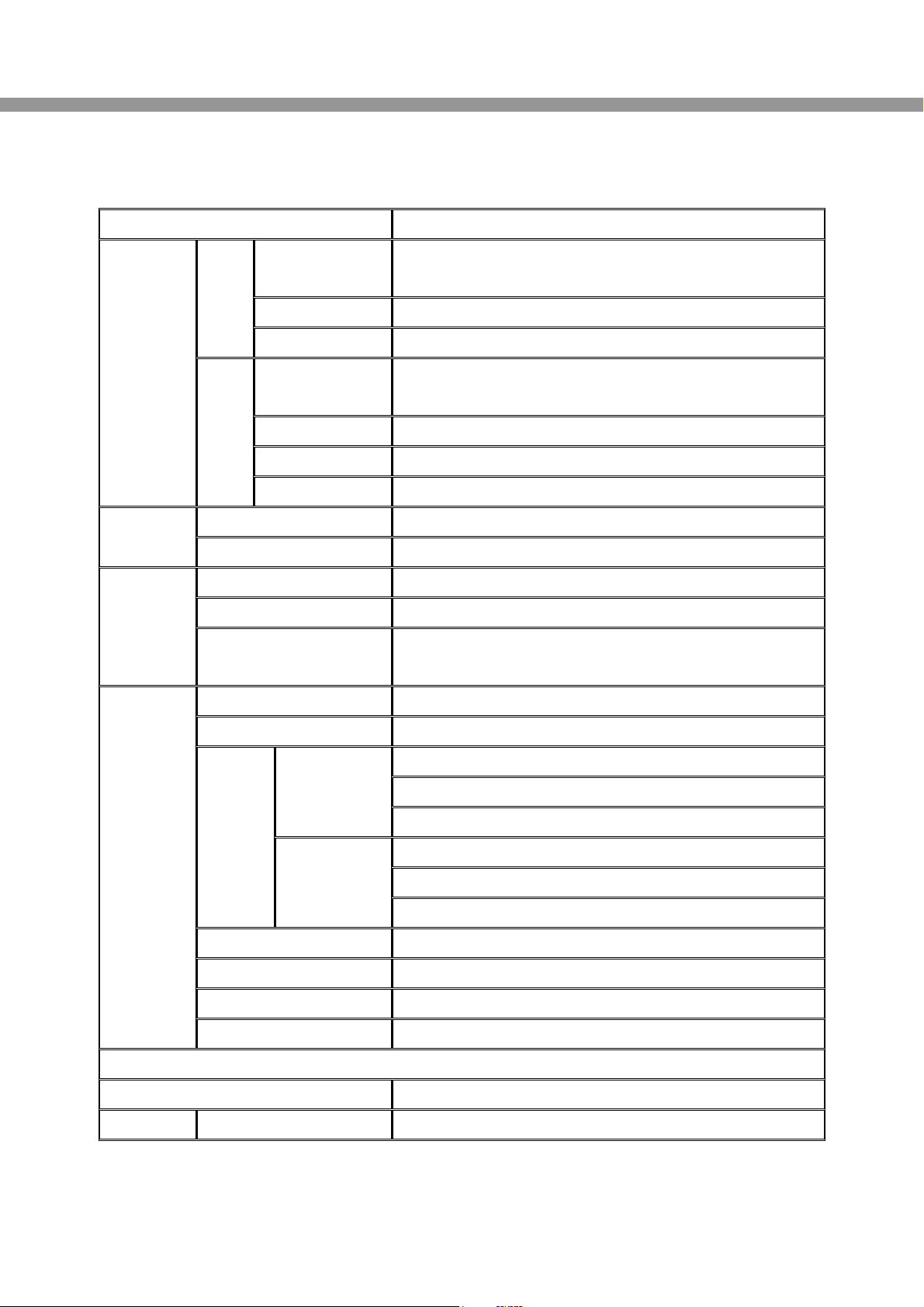
SPECIFICATIONS
ITEM Description
Channel,
Input Level 9/16CH, Composite 1.0Vp-p, 75 Ohm
Signal Format NTSC/PAL
Input
Video Loss Check Yes
Main Monitor
Output 1 CH BNC, 1 CH S-VIDEO, 1CH VGA
Output Level Composite 1.0Vp-p +_0.2, 75 Ohm
Signal Format NTSC/PAL & VGA
Video
Output
Etc Output 9/16CH Loop-back , 1CH SPOT
Input & Output 4 CH Line input & 1 CH Line output
Audio Audio Codec G.711
Sensor Input 9/16 (NC/NO Selectable)
Alarm Output 8
Alarm
Alarm Output By Alarm, Motion, HDD Error, Temperature, FAN & POWER
Failure, Video Loss,And ABCD (A Blind Camera Detection)
Compression MPEG-4
Multi-operation TRIPLEX (Playback/Record/Network)
MAX. 120fps @ 352x240
MAX.60fps @ 704x240
NTSC
MAX. 30fps @ 704x480
MAX. 100fps @ 352x288
MAX. 50fps @ 704x288
Frame
Rate
PAL
MAX. 25fps @ 704x576
Recording quality grade 5 grades
Recording Mode Continuous / Schedule / Motion/ Sensor/ Manual
Motion Detection Motion detection setup by Grid
Recording
Pre & Post Recording Yes
Display
Frame Rate ( /Sec) NTSC: 30fps/channel, 60 field PAL: 25fps/channel, 50 field
Playback Multi-Decoding 1, 4, 9, 16 & PIP
EST9120/EST16120 User Guide
10
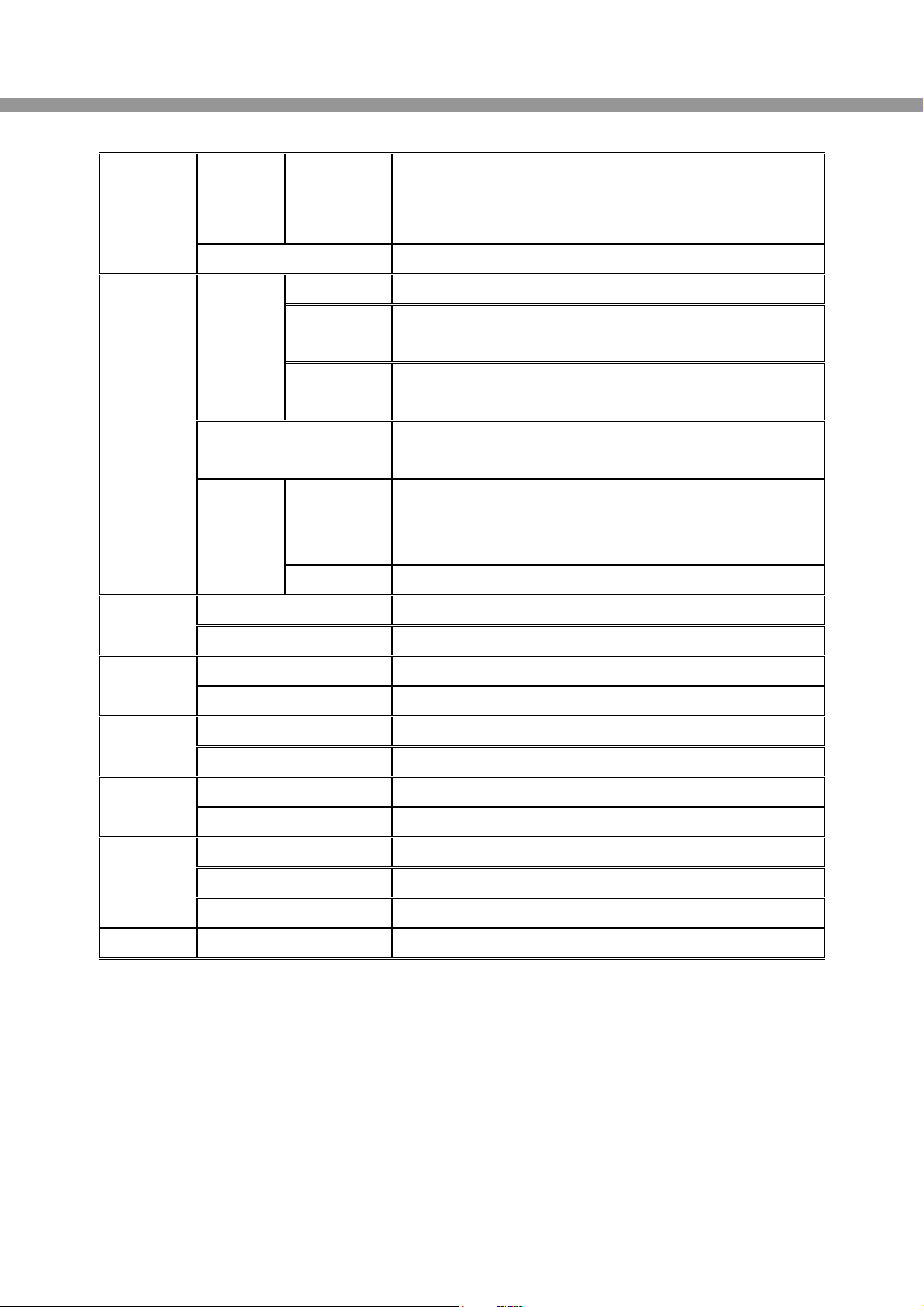
Playback
Speed
Fast Forward /
Reverse ×2, 4, 8, 16, 32, Max
Search Mode Time, Event, Channels
Interface Type EIDE/ATA133
Max Capacity
of 1 HDD 250GB
Internal
HDD Max HDD
Number 4
File system NaFS: Own developed & Designed for never broken
by any power failure
USB 2.0
memory stick
& CDRW
Still Image & AVI
Storage
Backup
Network Moving picture & Still Image
Menu Display GUI
User I/F Input Method Front Keypad, Remote controller
Console & External Modem 1 RS-232C (9pin D-SUB connector)
Serial port Camera control 1 RS-485/422 (4 Terminal Block)
Dynamic IP support Yes
Network Network Interface 10/100 base-T Ethernet (RJ-45)
Functions Live, Search, Backup, PTZF Camera Control
Network
Client S/W Central Monitoring System Yes
DLS (Day Light Saving) Yes
Multi-Language Yes
Additional
Functions S/W Upgrade USB memory stick
Power Power Source 100~127V/200~240V, 50-60Hz
Questo manuale è adatto per i seguenti modelli
1
Indice


