
Etec DVA286 Manuale utente
1
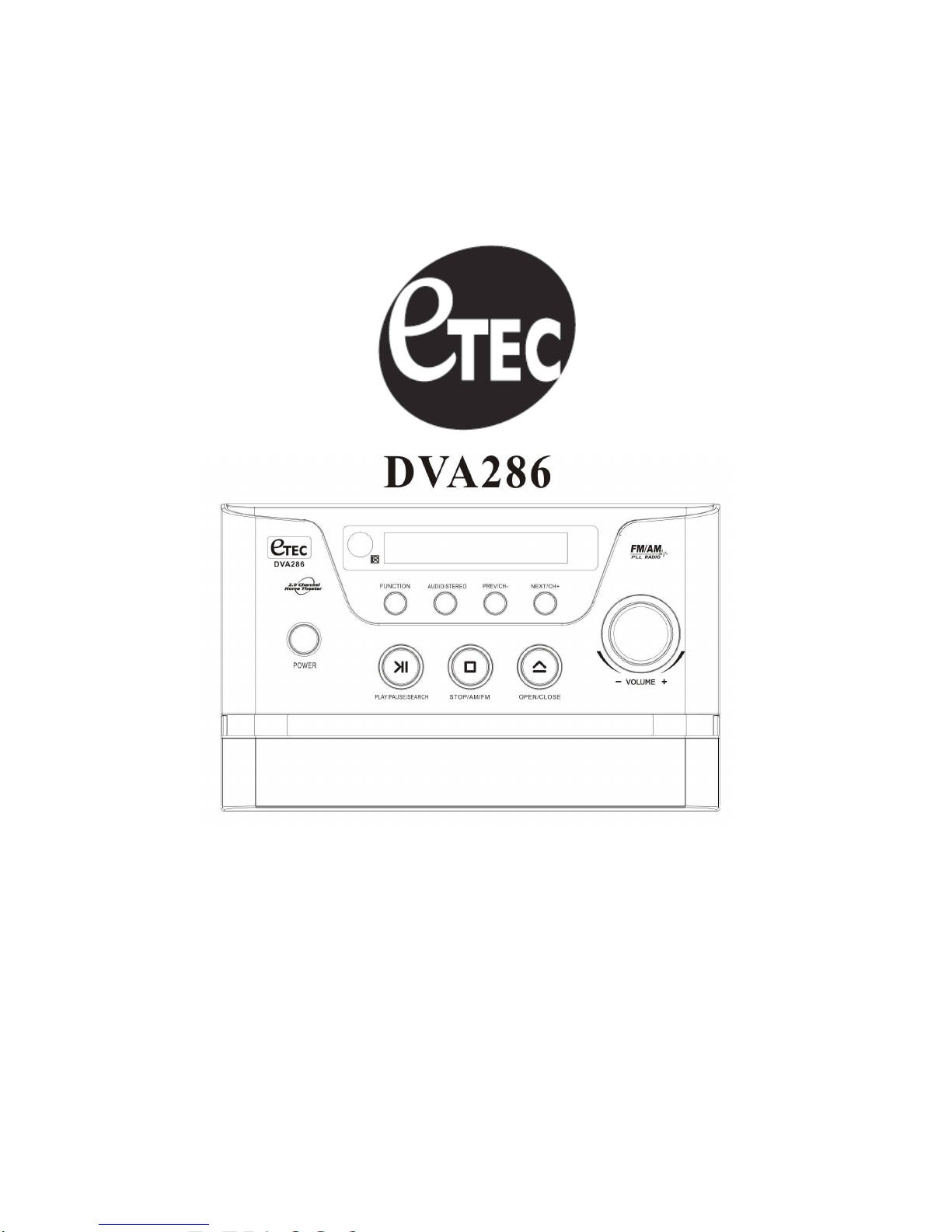
MINI DVD HOME THEATER SYSTEM
Instruction Manual
Please read this manual carefully before operating the DVD Home Theater System. Keep this
manual handy for further reference.
2
TABLE OF CONTENTS
BEFORE USE
Safety Precautions and Important Safety Instructions……….…………..….…….....2-4
Notices and Disc Protection ………………………………………………………….…5-6
Playable Disc Formats and Accessories………………………….……………………...7
CONTROL AND CONNECTION
Basic connection…………………………………………………………….………….......8
Front panel or back panel and led display……………………………......……………...9
Remote control…………………………………………………………………..…….……10
Preparations…………………………………………………………………………………11
BASIC PLAYBACK
Basic Playback……….……………………………………………………………………..12
Pause / Step playback……….………………………….…………………..………..…....12
Previous / Next…………….……………………………..…………………..….…..…...…12
Fast Forward / Next and Fast Reverse / Previous………..……………………..………12
Stop Playback…………………….………………………………………………..………..13
Slow………………………………….…………………………………………………..…...13
Function………………………………….………………………………..……..………..…13
ADVANCED PLAYBACK
Time …………………………………………….……………………………..…….…..…...14
Zoom……………………………………………………………………….………...……….14
Program…………………………………………………………………………….….….....14
Subtitle…………………………………………………………………………….………….14
Title………………………………………………………………….…..……….…………...14
Menu…………………………………………………………………..……….………….....14
Angle…………………………………………………………….…………….……….........14
N/P……………………………………………………………….…………..………..……..14
Repeat / A-B Repeat……………………………………………………..………….……..15
Volume and mute…………………………………………..…………….…………………15
Audio………………………………………………………….………….………..…………15
SPECIAL FUNCTIONS PLAYBACK
JPEG & MP3 disc playback…..……………………………………….…………………..15
MPEG-4 disc function introduction………………………………………..……….….….16
Picture CD playback………………………………………………………………….…....17
RADIO
Radio band and function operations.………………………………….…………….……18
REFERENCE
System setup…………………………………..…………………….…………………..19-25
Troubleshooting…………………………………………..…………….……………………26
Special Function of DVD…………………………………………………………..………..27
Function supported by DVD Discs…………………………………..……………….……27
Specifications…………………………………………………………………………..…….27
Warranty………………………………………………………………………………………28
3
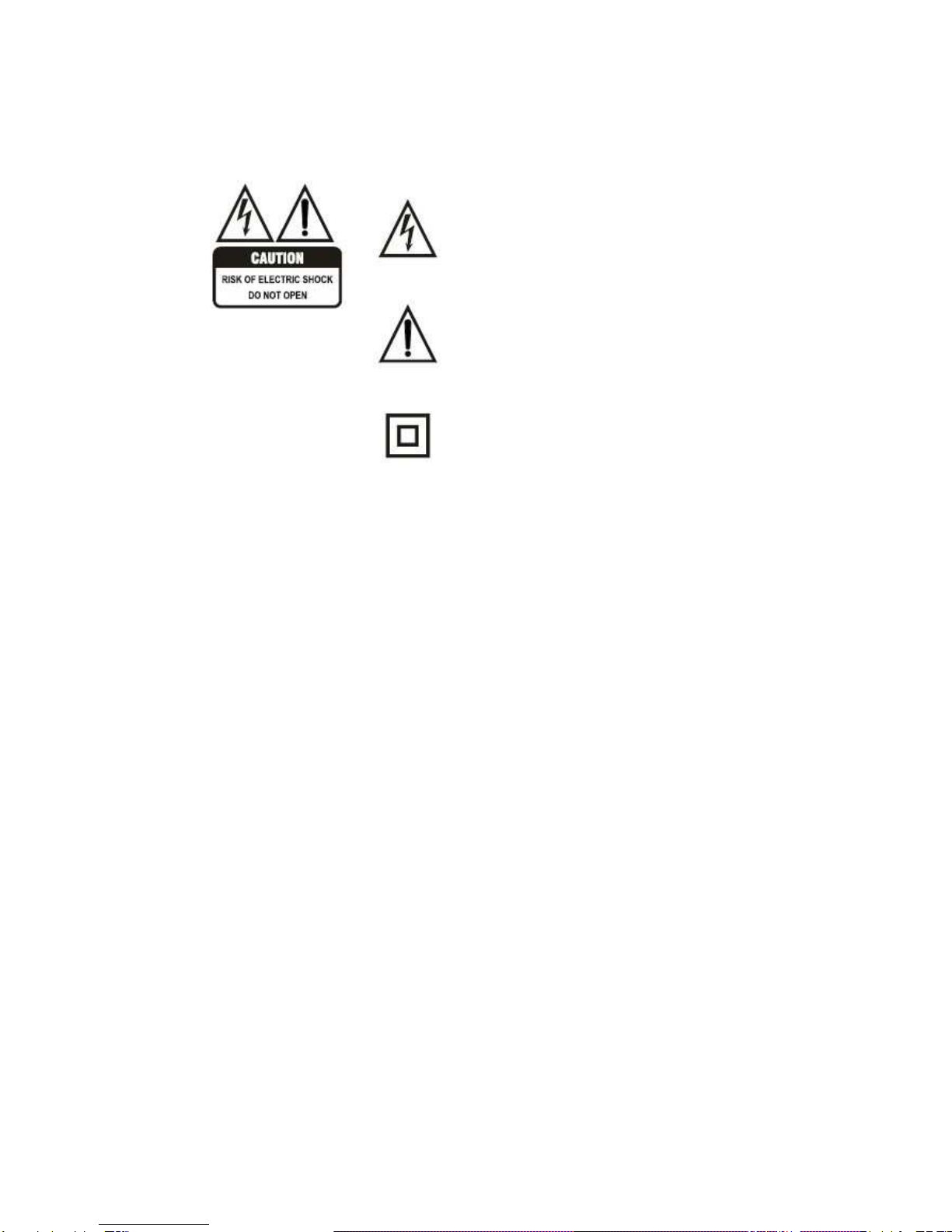
The Lightning flash with arrowhead
symbol, within an equilateral triangle, is
intended to alert the user to the presence of
un-insulated “dangerous voltage” within
product’s enclosure that may be of sufficient
magnitude to constitute a risk of electric
shock to persons.
The exclamation point within an equilateral
triangle is intended to alert the user to the
presence of important operating and
maintenance (servicing) instructions in the
literature accompanying the appliance.
The symbol for class II (double insulation).
WARNING: TO REDUCE THE RISK OF FIRE OR ELECTRIC SHOCK, DO NOT EXPOSS
THIS APPLIANCE TO RAIN OR MOISTURE, AS DANGEROUS HIGH VOLTAGES ARE
PRESENT INSIDE THE ENCLOSURE. DO NOT OPEN THE CABINET. REFER
SERVICING TO QUALIFIED PERSONNEL ONLY.
CAUTION: when replacing the direct plug in power supply or a separable, cord-connected
power supply, the replacement must be exact duplicate or one recommended by the
manufacturer.
TO PREVENT ELECTRIC SHOCK, MATCH WIDE BLADE OF PLUG TO WIDE SLOT, AND
FULLY INSERT
This Digital Video Disc player employs a laser system.
Use of controls, adjustment or the performance of procedures than those specified may
result herein hazardous radiation exposure to prevent direct exposure to laser beam. Do not
try to open the enclosure. Visible laser may radiate when the cabinet is opened or the
interlocks are defeated.
DO NOT STARE INTO THE LASER BEAM

IMPORTANT SAFETY INSTRUCTIONS
CAUTION:
::
:PLEASE READ AND OBSERVE ALL WARNINGS AND INSTRUCTIONS FOUND IN THIS
MANUEL AND MARKED ON THE UNIT. RETAIN THIS BOOKLET FOR FUTURE REFERENCE.
This set has been designed and manufactured to assure personal safety. Improper use can result in
electric shock or fire hazard. The safeguards incorporated in this unit will protect you if you observe the
following procedures for installation, use, and servicing. This unit is fully transistorized and does not
contain any parts that can be repaired by the user.
DO NOT REMOVE THE CABINET COVER OR YOU MAY BE EXPOSED TO DANGEROUS VOLTAGE.
REFER ALL SERVICING TO QUALIFIED SERVICE PERSONNEL ONLY.
1. Read this manual.
After unpacking this product, read the instruction manual carefully. Follow all operating and other
instructions.
2. Ventilation
Slots and openings in the cabinet are provided for ventilation and to ensure operation of the product by
protecting it from overheating. These openings must not be blocked or covered by placing the product on a
bed, sofa, or other soft surface.
3. Heat
The product should be situated away from heat sources such as radiators, heat registers, stoves, or other
products (including amplifiers) that produce heat.
4. Water and Moisture
Do not use this product near water including a bathtub, washbowl, kitchen sink, laundry tub, in a wet
basement, or near a swimming pool.
5. Cleaning
Unplug this product from the wall outlet before cleaning. Do not use liquid or aerosol cleaners. Use a dry
cloth for cleaning.
6. Power-cord protection
Power-supply cords should always be routed in a manner so they are not likely to be walked on or pinched
by items placed upon or against them. Pay particular attention to the cord at plugs, convenience
receptacles, and at the point where they exit from the product.
7. Lightning
For added product protection during a storm, or if left unattended and unused for long periods of time,
unplug the unit from the wall outlet. This will prevent damage to the product due to lightning and power-line
surges.
8. Object and Liquid entry
Never push an object of any kind into this product through openings as they may touch dangerous voltage
points or short-out parts that could result in a fire or electric shock. Never spill liquid of any kind on the
product.
9. Attachments
Do not use attachments not recommended by the product manufacturer as they may cause hazards.

5
IMPORTANT SAFETY INSTRUCTIONS
10. Accessories
Do not place this product on an unstable cart, stand, tripod, bracket, or table. The product
may fall, causing serious injury to a child or adult, and serious damage to the product. Use
only with a cart, stand, tripod, bracket, or table recommended by the manufacturer, or sold
with the product. Any mounting of the product should follow the manufacturer’s instructions,
and should use a mounting accessory recommended by the manufacturer. A product and
cart combination should be moved with care. Quick stops, excessive force, and uneven
surfaces may cause the product and cart combination to overturn.
11. Disc tray
Keep your fingers clear of the disc tray as it is closing. Neglecting to do so may cause serious personal
injury and damage the product.
12. Burden
Do not place a heavy load, step on the product, or use it as a stand for an object. The object may fall
causing serious personal injury and serious damage to the product.
13. Damage Requiring Service
Unplug this product from the wall outlet and refer any servicing to qualified service personnel under the
following conditions:
a) When the power-supply cord or plug is damaged.
b) If liquid has been spilled, or objects have fallen into the product.
c) If the product has been exposed to rain or water.
d) If the product does not operate normally by following the operating instructions. Adjust only those
controls that are covered by the operating instructions as an improper adjustment of other controls may
result in damage and will often require extensive work by a qualified technician to restore the product to
its normal operation.
e) If the product has been dropped or damaged in any way.
f) When the product exhibits a distinct change in performance. This could indicate a need for service.
14. Servicing
Do not attempt to service this product yourself as opening or removing covers may expose you to
dangerous voltage or other hazards. Refer all servicing to qualified service personnel.
15. Replacement Parts
When replacement parts are required, be surethe service technician has used replacement parts specified
by the manufacturer or has the same characteristics as the original part. Unauthorized part substitutions
may result in fire, electric shock, or other hazards.
16. Safety Check
Upon completion of any service or repairs to this product, ask the service technician to perform safety
checks to determine that the product is in proper operating condition.
NOTICES AND DISC PROTECTION
NOTES ON USE
■ The top and rear panels of the unit may become warm after a long period of use. This is not a
malfunction of the product.
6
■ When the unit is not use, be sure to remove your disc and turn off the power.
■ If you do not use the unit for a long period, the unit may not function properly in the future. Turn on and
use the unit occasionally.
■ Do not place foreign objects on the tray.
LOCATION
Do not locate the unit in places such as:
■ Near heating devices or in enclosed car.
■ High temperature (47
O
C or higher) or high humidity (90% or higher)
■ Dirty places.
■ Avoid direct exposure to sunshine
INTERFERENCE
When you place this unit near a TV, radio or VCR, the playback picture may become poor and the sound
may be distorted due to signal interference. In this case, place the unit away from the TV, Radio or VCR.
NOTES ON MOISTURE CONDENSATION
The laser pickup may get water condensation under the following situations.
■ When you bring the unit directly from a cold place to a warm place
■ When you use the unit in a room where cold air from an air-conditioner blows directly on the unit.
■ During the summer, when you use the unit in a hot and humid place right after moving the unit from an
air-conditioned room.
■ The room is very humid or damp.
If water condensation exists, the unit will not operate properly. Remove the disc and connect the power
cord to the wall outlet. Turn the unit ON, and leave it for 2-3 hours.After 2-3 hours the unit will have warmed
up and evaporated any moisture. Keeping the unit connected to the wall outlet will prevent condensation
from occurring.
PLAYBLE DISC FORMATS and ACCESSORIES
The following disc formats can be played:
DVD, CD, CD+/-R/RW, MP3, JPEG.
●Discs formats not listed above cannot be played in this unit.
●Non-standardized discs cannot be played even if they are labeled as above.
●The performance of a recorded disc depends on the method and quality of the disc-burning
equipment. In some cases, a burned disc may not play.

7
ACCESSORIES
BASIC CONNECTION
BASIC CONNECTION
● Connecting the player to a TV using the Audio/Video cable
If the TV only has an S-video input, connect the DVD player with an S-video cable (not included).
When using an S-video cable, do not connect the yellow video cable ends.

8
BASIC CONNECTION
● Connecting through an audio system
● Connecting to a High definition TV
FRONT & REAR PANEL
FRONT PANEL
1. Power
2. Play/Pause/Search
3. Stop/FM/AM
4. Open/Close
5. Volume
6. Remote Sensor
7. Function
8. Audio/Stereo
9. Prev/Ch-
10. Next/Ch+
11. LED Display Window

9
1 2 3 4
REAR PANEL
REAR PANEL
1. R/L Ch Output
2. Digital Audio Coaxial Output
3. S-video Output
4. Digital Audio Optical Output
5. Speaker Outputs
6. Composite CB/CR/ Y Output
7. AUX Audio in
8. Video Output
9. FM Antenna
10. AM Antenna
LED DISPLAY
LED DISPLAY of DVD

10
REMOTE CONTROL
1. POWER
2. MUTE
3. NUMBER BUTTONS
4. FAST REVERSE
5. FAST FORWARD
6. AUTO SEARCH
8. NAVIGATION (LEFT)
9. MENU
10. AUDIO
11. N/P
12. ANGLE
13. SUBTITLE
20. VOLUME +/- 7. SETUP
21. TONE (BASS/TREBLE)
22. NEXT (CH+)
23. PREVIOUS (CH-)
24. STOP / AM/FM BAND
25. FUNCTION
26. NAVIGATION (UP)
27. NAVIGATION (RIGHT)
28. NAVIGATION (DOWN)
29. TITLE
30. OSD
31. ZOOM
14. REPEAT
15. A-B
16. EQ
17. PROGRAM
18. OPEN/CLOSE
19. DVD CHAPTER UP/DOWN
32.TIME
33. RETURN
34. PBC
35. SLOW
Indice
Altri manuali Etec Sistema Home Theater


