6 - FORM NO. 56041532 / ECFM 17/20
INTRODUCTION
ThismanualwillhelpyougetthemostfromyourECFM 17/20.Readitthoroughly
before operating the machine.
Thisproduct isintended forcommercial use;polishing, spraybuffing,scrubbing,
stripping and rotary carpet shampooing.
PARTS AND SERVICE
Repairs, when required, should be performed by your Authorized Euroclean
Service Center, who employs factory trained service personnel, and maintains
an inventory of Euroclean original replacement parts and accessories.
CalltheEUROCLEAN DEALER namedbelow forrepairparts orservice. Please
specify the Model and Serial Number when discussing your machine.
(Dealer, affix service sticker here.)
NAME PLATE
The Model Number and Serial Number of your machine are shown on the
Nameplate on the bottom of the machine. This information is needed when
ordering repair parts for the machine. Use the space below to note the Model
Number and Serial Number of your machine for future reference.
MODEL NUMBER
SERIAL NUMBER
UNCRATE THE MACHINE
When the machine is delivered, carefully inspect the shipping carton and the
machine for damage. If damage is evident, save the shipping carton so that it
can be inspected. Contact the Euroclean Customer Service Department
immediately to file a freight damage claim.
(A)-KNOW YOUR MACHINE
1Operator Hand Grips
2Cord Hook
3Switch Levers - Squeeze - ON / Release - OFF
4Handle Adjustment Knob
5Power Cord
6Operator Handle
WARNING!
This machine contains moving parts. To reduce the risk of injury,
always unplug the power cord before servicing.
(B)-INSTALLING THE BRUSH OR PAD
HOLDER
AligntheLugs(A) withthecorrespondingSlots (B) inthebrushor pad holderand
turn the brush or pad holder counterclockwise to lock it in place. To remove
brush/pad holder, give it a quick, hard turn clockwise.
CAUTION!
Using the wrong brush or pad on this machine can damage the
floor or overload the motor.
OPERATION
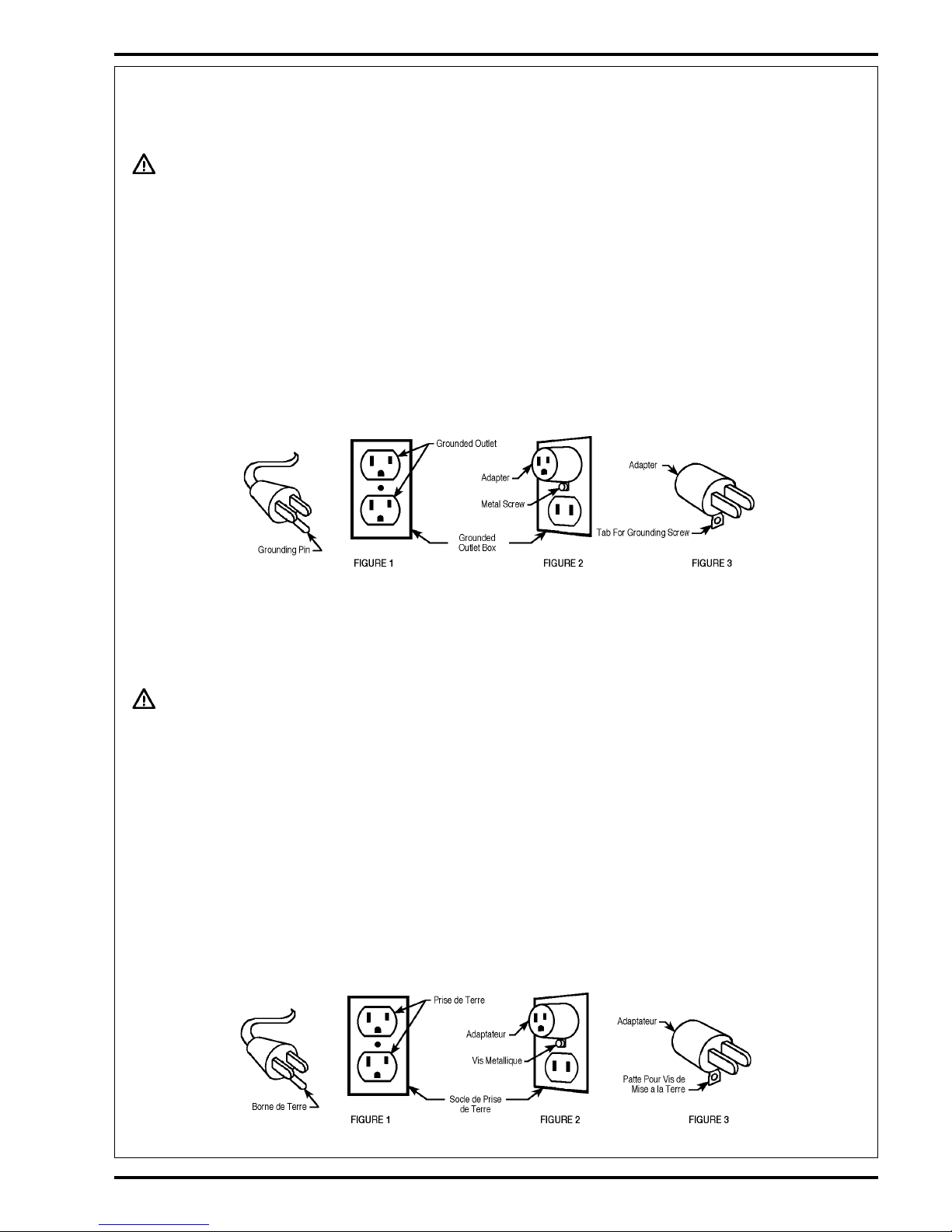
1Unwrap the Power Cord (5) and plug it into a properly grounded outlet.
2Loosen the Handle Adjustment Knob (4). Move the Operator Handle
downward until your arms are almost straight. Then tighten the Knob
(4) to lock the handle in place.
3Lift the Handle until the brush (or pad) is flat against the floor.
WARNING!
Be prepared to control the machine as soon as the motor starts.
Just a slight up or down movement of the Handle will make the
machine move from side to side. Raise the Handle to go right.
Lower the Handle to go left.
CAUTION!
Immediately start moving the machine back and forth. Keep the
machine moving while the motor is running to avoid damage to
the floor.
4Hold the Operator Hand Grips (1) firmly, then compress the Switch
Levers (3) to start the motor. NOTE: When the dual controlled switch
levers are released, the machine shuts off immediately.
NOTE: Whenspraybuffing,checkthepadevery15minutesfordirtand
wax build-up. If the pad is dirty, turn it over to expose the clean side or
install a clean pad.
AFTER USE
1UnplugthePowerCord,wrapitaroundtheOperatorHandGrips(1) and
the Cord Hook (2).
2Remove the pad holder or brush from the machine. Clean the pad or
brushand hangit uptodry. Allow buffingpadsto drycompletelybefore
using again.
Storebrushesandpadholdersseparatefromthemachine. Neverstore
the machine with the pad holder or brush on the machine.
3Wipe the entire machine with a clean, damp cloth. Wipe the underside
of the brush housing after wet use.
4Inspect the entire machine and all accessories for damage. Perform
any required maintenance or repairs before storage.
5Store the machine in a clean, dry place with the Handle locked in the
upright position.