
Evo SP8 Manuale utente

8 Channel Smart Preamp with AD/DA
User Manual V1
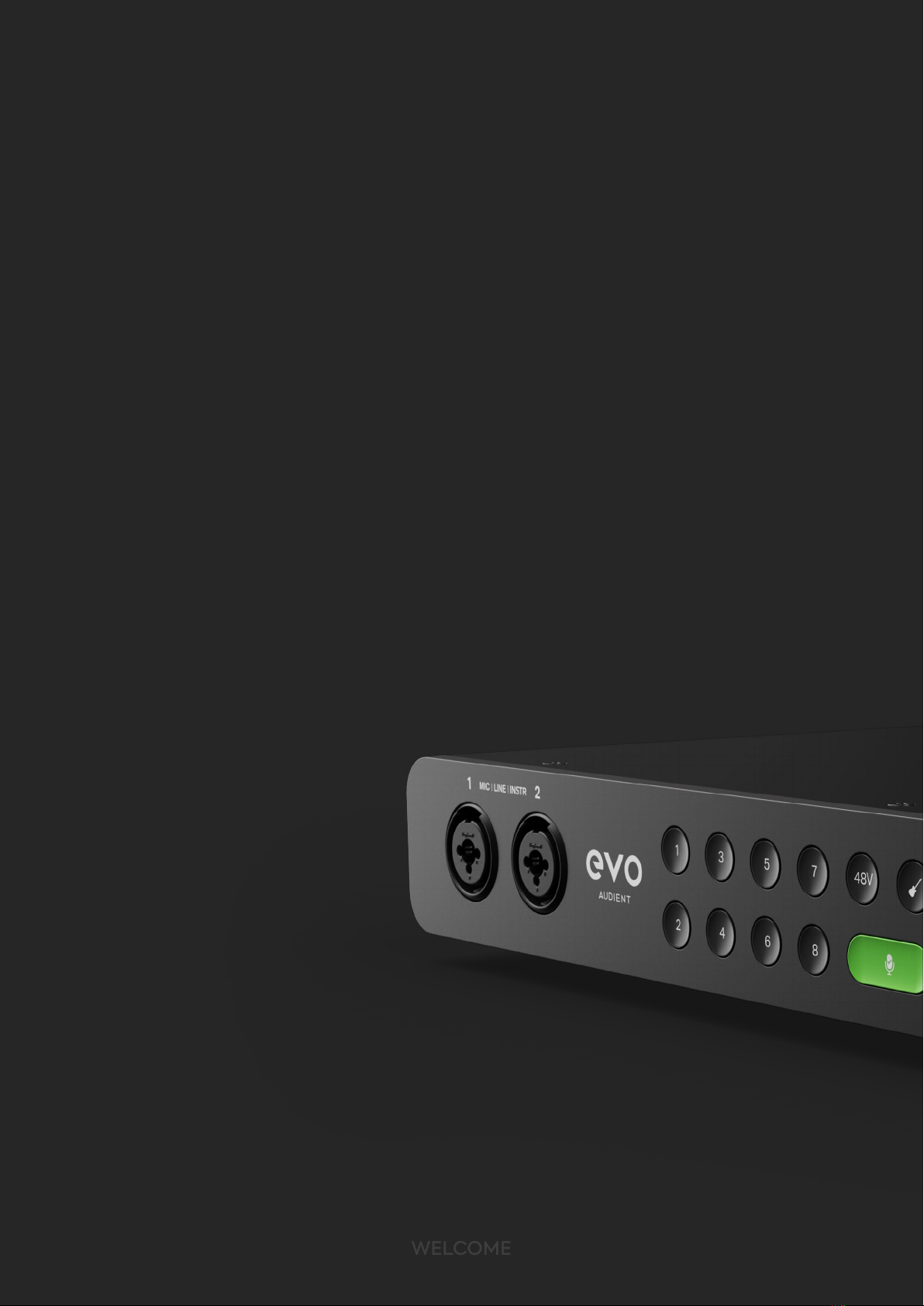
Welcome to your new EVO SP8 Smart Preamp. EVO SP8 has been designed to
remove the technical barriers creatives face when exploring the often intimidating
world of audio and make recording simple for everyone.
EVO SP8 includes 8 High-Performance EVO Preamps with innovative Smartgain
technology, 2 JFET Instrument Inputs and Pristine Converters.
We hope you enjoy using EVO SP8 and it helps you in your creative endeavors,
whatever they may be!
Work smarter not harder.
WELCOME
WELCOME

EVO makes recording easy
WELCOME

CONTENTS
03 Registration with ARC
01 Declaration of Conformities
02 Installation/Setup
04 Hardware Features
05 EVO Expanded System
06 EVO SP8 Rack Mounting
Mic Preamps & Line Level Inputs
Features
Smartgain Mode
Smartgain on the Extended EVO System
Digital Inputs & Outputs
Word Clock Input
Metering
Power
Clocking
Factory Reset
Line Outputs


DECLARATION OF CONFORMITIES
Re-orient or relocate the receiving
antenna
01 Increase the separation between the
equipment and receiver
02
03 Connect the equipment into an
outlet on a dierent circuit from that
to which the receiver is connected 04 Consult the dealer or an experienced
radio/TV technician for help
DECLARATION
This apparatus has been tested and found to comply with the limits of
a class-A digital device, pursuant to Part 15B of the FCC Rules. These
limits are designed to provide reasonable protection against harmful
interference in a residential installation.
This equipment generates, uses and can radiate radio frequency
energy and if not installed and used in accordance with the
instructions, may cause harmful interference to radio communications.
If this equipment does cause harmful interference to radio or television
reception, which can be determined by turning the equipment o and
on, the user is encouraged to try to correct the interference by one or
more of the following measures:

We, EVO Audient, Aspect House, Herriard, Hampshire, RG25 2PN, UK,
01256 381944, declare under our sole responsibility that the product EVO SP8
complies with Part 15 of FCC Rules.
Operation is subject to the following two conditions:
1. This device may not cause harmful interference,
2. This device must accept any interference received,
including interference that may cause undesired operation
Audient Ltd has conformed where applicable, to the European Union’s Directive
EN 63000:2018 on Restrictions of Hazardous Substances (RoHS) as well as the following
sections of California law which refer to RoHS, namely sections 25214.10, 25214.10.2, and 58012,
Health and Safety Code; Section 42475.2, Public Resources
We, EVO Audient, declare that the product, the EVO SP8, to which this declaration
relates, is in material conformity with the appropriate CE standards and
directives for an audio product designed for consumer use.
We, EVO Audient, declare that the product, the EVO SP8, to which this declaration
relates, is in material conformity with the appropriate UKCA standards and
directives for an audio product designed for consumer use.
Under an environment with electrostatic discharge, the device may cease to output sound
(EUT could not operate properly). This requires the user reset the device by unplugging &
re-connecting to host computer.
As a device that provides power to other equipment power management features are
inappropriate for this product.
IEC 62368 Test Report with Japan deviation.
We, EVO Audient, declare that the product, the EVO SP8, to which this declaration relates,
is in material conformity with the appropriate PSE standards and directives for an audio
product designed for consumer use. METI Ordinance Appendix 12 J55032(H29).
DECLARATION

INSTALLATION / SETUP
Plug the EVO SP8 into a mains outlet using the mains power lead included in
the box. For more information on how to connect your device to your host
interface, please read the ‘Clocking Conguration’
section of this Manual.
The rst time powering on EVO SP8, you will be asked to follow the setup
procedure, allowing you to customise EVO SP8’s settings to your liking.
Firstly, you can adjust and set the brightness of all of EVO SP8’s hardware
LEDs, including the LED Ring, to suit your studio environment. Use the Control
Wheel to adjust the slider and then click the Control Wheel to save your
settings and then hit ‘Next’
INSTALLATION / SETUP
Initial Setup

Now you can select your initial Clock Source, Sample Rate and Analogue
Output source depending on your current setup.
You can change these settings at any time from the setup menu if you
wish to.
INSTALLATION / SETUP

REGISTRATION WITH AUDIENT ARC
EVO SP8 comes bundled with a collection of professional software and
services, giving you everything you need to start recording.
Go to arc.audient.com and select “register your product” and enter
your details to create an account.
You will then receive a verication email to your inbox, double check
your Spam and Junk folders if you cannot see this. Once you’ve veried
your account, register your EVO SP8 by entering the serial number and
the unique 4-digit PIN found on the underside of the EVO SP8.
Once you have registered the product, you can select from a wide
array of free software and plugins, giving you easy access to powerful
creative tools straight away.
REGISTRATION
Indice


