
Explorer QRZ-1 Manuale utente

-1
User’s Manual
Dot-Matrix LCD Display Multiple Key Lock Setting Multi-Display
Mode Dual Band Dual Wait Dual Standby 200 Channels
Battery Saving CTCSS
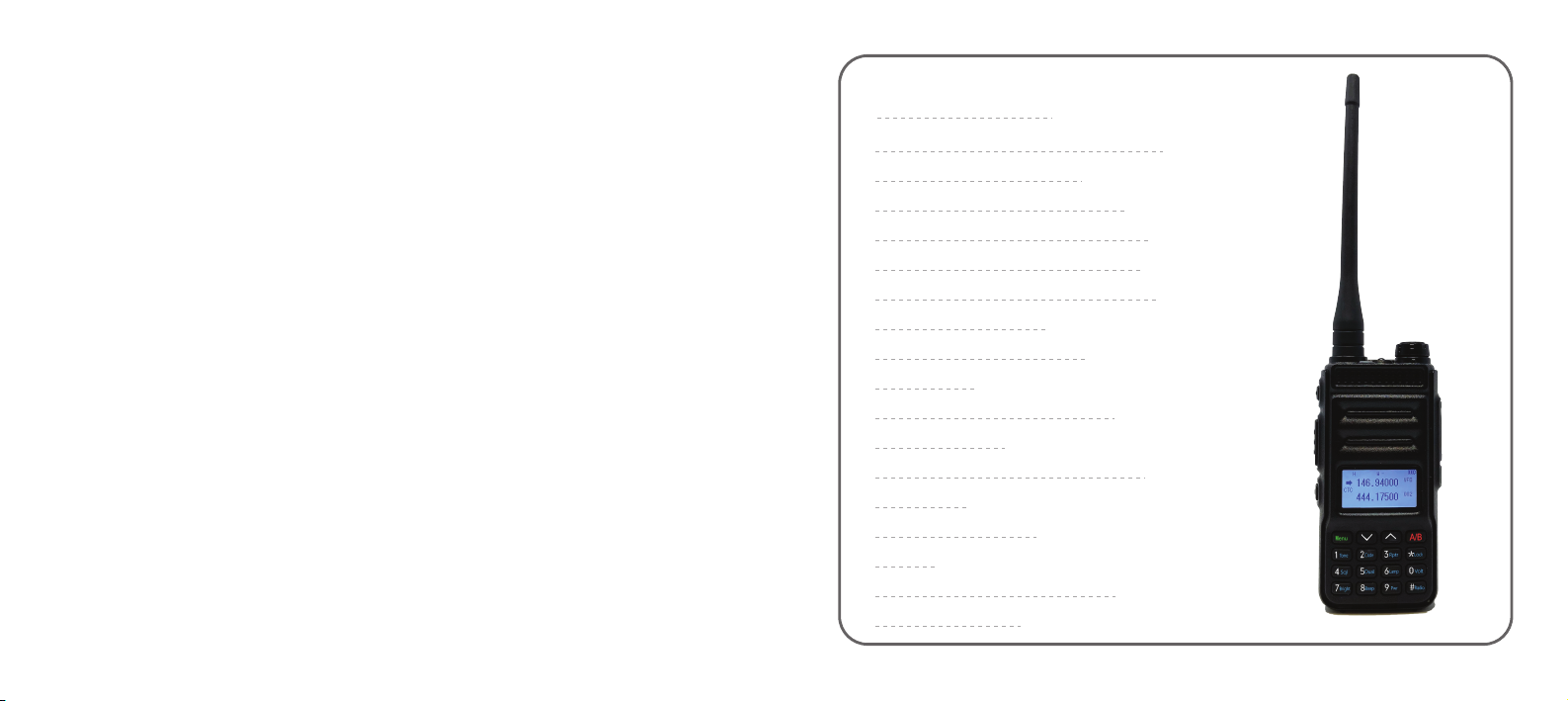
Dual band, dual display, dual standby
DOT-MATRIX LCD display
A/B band independent operation
200 channels storage and scanning
FM Radio and 24 stations memory
Wide/Narrow band selectable
VOX 0-7 level setting
CTCSS and scanning
Shortcut menu operation mode
Multiple keys lock settings
Multi display mode
for purchasing the Explorer QRZ-1
Transceiver. After reading this manual
you will have an understanding of the
features of this radio.
THANK YOU
Main Features

WHAT’S IN THE BOX-----------------------------------------------------------------------
CHARGING BATTERY PACK-------------------------------------------------------------
INSTALLATION OF ACCESSORIES----------------------------------------------------
THE BASICS----------------------------------------------------------------------------------
Simplex-----------------------------------------------------------------------------
Repeaters-----------------------------------------------------------------------
Transmit Frequency-------------------------------------------------------------
Offset----------------------------------------------------------------------------
Offset Direction-------------------------------------------------------------------
CTCSS------------------------------------------------------------------------------
Squelch-----------------------------------------------------------------------------
Carrier Squelch-------------------------------------------------------------------
CTCSS------------------------------------------------------------------------------
USING THE RADIO-------------------------------------------------------------------------
Radio Illustration--------------------------------------------------------------
LCD Display-------------------------------------------------------------------
Working Mode----------------------------------------------------------------
02
04
06
10
11-12
13
13-14
14
15
17
17
17
19-20
21-22
23-24
MENU STRUCTURE-----------------------------------------------------------------------
Tone Mode-----------------------------------------------------------------------------
Tone Sel--------------------------------------------------------------------------------
Repeater-------------------------------------------------------------------------------
Squelch--------------------------------------------------------------------------------
Dual RX--------------------------------------------------------------------------------
Lamp Mode---------------------------------------------------------------------------
Brightness-----------------------------------------------------------------------------
Beep------------------------------------------------------------------------------------
Power----------------------------------------------------------------------------------
Battery---------------------------------------------------------------------------------
VOX------------------------------------------------------------------------------------
VOX Level-----------------------------------------------------------------------------
Scan Mode----------------------------------------------------------------------------
Scan------------------------------------------------------------------------------------
TX Block-------------------------------------------------------------------------------
Offset-----------------------------------------------------------------------------------
Welcome-------------------------------------------------------------------------------
RX Sleep------------------------------------------------------------------------------
25-28
25
25
25
25
25
25
25
25
26
26
26
26
26
26
26
27
27
27

MENU STRUCTURE (CONT.)
Time Out-------------------------------------------------------------------------------
Step-------------------------------------------------------------------------------------
Nar/Wide-------------------------------------------------------------------------------
Tone Scan-----------------------------------------------------------------------------
Lock Mode-----------------------------------------------------------------------------
Disp Mode-----------------------------------------------------------------------------
Dual Watch----------------------------------------------------------------------------
Reset-----------------------------------------------------------------------------------
Firmware------------------------------------------------------------------------------
KEYPAD LOCK---------------------------------------------------------------------------------
CHANNEL STORAGE AND DELETE--------------------------------------------------
SPECIFICATIONS--------------------------------------------------------------------------
SAFETY PRECAUTIONS-----------------------------------------------------------------
WARRANTY--------------------------------------------------------------------------------------
27
27
27
27
28
28
28
28
28
29
30-32
34-35
36-37
38

-1
WHAT’S IN THE BOX
02

-1
The supplied battery pack of this radio is a high-performance Li-ion with 7.4V
standard voltage 1400mAh high capacity in a very compact package. Under normal
use, the battery pack has an expected life span of 500 charge cycles. If you have a
battery pack that has diminished capacity, replace the battery and dispose of the old
one properly.
Charging Precaution
Do not short-circuit the battery terminals or expose to fire.
Do not disassemble the battery.
The battery should be charged only when the ambient temperature is
between 32°F and 110°F.
Turn off the transceiver when charging.
Do not charge when the battery or the radio is wet. Allow the radio and
battery to completely dry before charging to avoid damage.
Do not allow conductive metals, such as jewelry, coins or keys,
to come in contact with the battery terminals. It is especially
dangerous to carry the battery in your pocket.
04

Charging Operation :
The light on the charger will indicate the charging status.
Battery Tips:
• Charge the battery before using for the first time. The battery is not fully charged at the
factory.
• A new battery will reach its optimal performance after two or three charging cycles.
• To optimize battery life, do not operate when the battery voltage is below 7.3 VDC
(approximately 20%) and do not store the battery for more than a couple of days with the
battery voltage above 8.2 VDC (approximately 80%).
1) Align the two grooves of the battery to the guide rail on the back of the aluminum
shell, then push the battery up until the battery latch locks. (Figure1)
2) To remove the battery, make sure the radio is off, then push the battery latch
down and slide the battery out from the radio. (Figure 2)
Figure 1 Figure 2
05 06

Figure 5
1) Align the threaded end of the antenna and the threaded hole at the top of the
radio, then rotate the antenna clockwise until it is secured. (Figure 3)
2) To remove the antenna, rotate it counter-clockwise until the antenna is detached.
(Figure 4)
Align the two holes in the belt clip with the two holes in the radio and attach
using the supplied M2.5x5 screws. (Figure 5)
Figure 3 Figure 4
07 08

-1
THE BASICS
THE BASICS
Simplex is a mode of operation where two radios talk directly to each other, without any
intervening assistance. Simplex is the classic “walkie-talkie” mode that most people use
when communicating with friends that are nearby.
At the frequencies used by this radio, nearby obstructions matter. For example, a signal
will travel farther in an open field than it will in a forest. Trees, buildings, concrete, all of
these things will absorb some of your transmitted and received radio signals. The rule of
thumb is that for effective communications, there must be a line-of-sight path between the
participants. It doesn’t have to be physically transparent, i.e. the signal can easily
penetrate a thin, nonmetallic surface. Therefore, line-of-sight refers to radio wave
propagation and not light.
One of the best ways to provide line-of-sight reception is to have one of the two radios
located at a higher elevation than the other. A person standing on a small hilltop can
therefore have line-of-sight propagation with everything seen below.
Simplex :
If you are new to two-way radio, there are some basic concepts that you should be familiar
with before using this device. By becoming familiar with these general ideas, you can
avoid the improper operation of the device which can be harmful, injurious to health, or
possibly illegal.
Please be familiar with these terms:
10

THE BASICS
A repeater gives the benefit of line-of-sight to multiple users at once. Repeaters are
unattended devices that receive signals on one frequency (the INPUT frequency), and they
retransmit everything that is heard on another frequency (the OUTPUT frequency).
Repeaters place their antennas atop a high structure or hill so that it has an excellent
line-of-sight over a large area. Any user that is within the coverage area that is reached by
the repeater will hear a clear, strong signal. This enables users to communicate with each
other despite not having a clear line of sight between them.
A repeater is an unattended radio that simply repeats everything it hears. It has a listening
(INPUT) frequency and a transmit (OUTPUT) frequency. All users are tuned and listen to
the repeater’s OUTPUT frequency. When users want to speak, they transmit on the
repeater’s INPUT frequency.
Repeaters :
Radios still work in the forest, but not as well as when you’re on a hilltop.
To use SIMPLEX mode, it is only necessary to set both radios to the same frequency.
(if you use tone options, they must also match) Each user in a SIMPLEX group transmits
and receives on the same frequency. Be careful when choosing simplex frequencies
because most of the available frequencies are already occupied, even though you may not
hear anything.
The difference between an INPUT and and OUTPUT frequency is sometimes called a ‘split’,
but more accurately referred to as the repeater’s OFFSET, which is specified as some
distance, plus or minus, from the repeaters OUTPUT frequency. There are standards for
this and at VHF frequencies the standard offset is ±600 khz and at UHF frequencies the
standard offset is ±5 mhz.
In addition to frequency and offset, many repeaters require a specific tone to be transmitted
to enable the output. This tone is called CTCSS. You can’t hear CTCSS normally because
it’s a very low (sub-audible) tone. When the repeater hears the tone coming from your
transmitter, it will open its output.
Information you will need to program a repeater into your radio.
1) Repeater’s transmit frequency (“Output” frequency)
2) Offset
3) Offset Direction
4) CTCSS
11 12
Indice


