Fanvil C62 Manuale utente

Fanvil Product User Manual
IP Phone
Model: C62
Corporate Headquarters
Fanvil Technology Co., Ltd
Address: Unit 4A, Building NO.7,
Tian An Industrial Park, Nan Shan District, Shenzhen 518054 China
Web Site: www. Fanvil.com
Tel: +86 755 26402199
Fax: +86 755 26402618

Safety Notices
Please read the following safety notices before installing or using this phone.
They are crucial for the safe and reliable operation of the device.
Please use the external power supply that is included in the package. Other
power supplies may cause damage to the phone, affect the behavior or
induce noise.
Before using the external power supply in the package, please check with
home power voltage. Inaccurate power voltage may cause fire and damage.
Please do not damage the power cord. If power cord or plug is impaired, do
not use it, it may cause fire or electric shock.
The plug-socket combination must be accessible at all times because it
serves as the main disconnecting device.
Do not drop, knock or shake it. Rough handling can break internal circuit
boards.
Do not install the device in places where there is direct sunlight. Also do
not put the device on carpets or cushions. It may cause fire or breakdown.
Avoid exposure the phone to high temperature, below 0℃ or high humidity.
Avoid wetting the unit with any liquid.
Do not attempt to open it. Non-expert handling of the device could damage
it. Consult your authorized dealer for help, or else it may cause fire, electric
shock and breakdown.
Do not use harsh chemicals, cleaning solvents, or strong detergents to clean
it. Wipe it with a soft cloth that has been slightly dampened in a mild soap
and water solution.
When lightning, do not touch power plug or phone line, it may cause an
electric shock.
Do not install this phone in an ill-ventilated place.
You are in a situation that could cause bodily injury. Before you work on
any equipment, be aware of the hazards involved with electrical circuitry
and be familiar with standard practices for preventing accidents.

Table of Content
1 INTRODUCING C62 VOIP PHONE ...................................................................................... 6
1.1 THANK YOU FOR YOUR PURCHASING C62 ............................................................................. 6
1.2 DELIVERY CONTENT............................................................................................................ 6
1.3 KEYPAD .............................................................................................................................. 6
1.4 PORT FOR CONNECTING .......................................................................................................8
1.5 ICON INTRODUCTION ........................................................................................................... 8
1.6 LED INTRODUCTION............................................................................................................9
2 INITIAL CONNECTING AND SETTING............................................................................ 11
2.1 CONNECT THE PHONE ........................................................................................................ 11
2.1.1 Connect to network....................................................................................................... 11
2.1.2 Power adaptor connection............................................................................................. 12
2.2 BASIC INITIALIZATION ....................................................................................................... 12
2.2.1 Network settings........................................................................................................... 12
3 C62’S BASIC FUNCTION..................................................................................................... 14
3.1 MAKING A CALL ................................................................................................................ 14
3.1.1 Call Device................................................................................................................... 14
3.1.2 Call Methods................................................................................................................ 14
3.2 ANSWERING A CALL .......................................................................................................... 14
3.3 DND ................................................................................................................................ 15
3.4 CALL FORWARD ................................................................................................................ 15
3.5 CALL HOLD....................................................................................................................... 15
3.6 CALL WAITING ................................................................................................................. 15
3.7 MUTE ............................................................................................................................... 16
3.8 CALL TRANSFER ................................................................................................................ 16
3.9 3-WAY CONFERENCE CALL ................................................................................................. 16
3.10 MULTIPLE-WAY CALL ......................................................................................................... 17
4 C62’S ADVANCED FUNCTION........................................................................................... 18
4.1 CALL PICKUP..................................................................................................................... 18
4.2 JOIN CALL ......................................................................................................................... 18
4.3 REDIAL / UNREDIAL .......................................................................................................... 18
4.4 CLICK TO DIAL .................................................................................................................. 19
4.5 CALL BACK ....................................................................................................................... 19
4.6 AUTO ANSWER .................................................................................................................. 19
4.7 HOTLINE ........................................................................................................................... 19
4.8 APPLICATION .................................................................................................................... 19
4.8.1 SMS ............................................................................................................................. 19
4.8.2 Memo........................................................................................................................... 20
4.8.3 Voice Mail ................................................................................................................... 20
4.9 PROGRAMMABLE KEY CONFIGURATION ............................................................................. 20

5 C62’S BASIC SETTING ........................................................................................................ 23
5.1 KEYBOAD ......................................................................................................................... 23
5.2 SCREEN SET ...................................................................................................................... 23
5.3 RINGER SET ...................................................................................................................... 23
5.4 VOICE VOLUME................................................................................................................. 23
5.5 TIME & DATE.................................................................................................................... 23
5.6 GREETING WORD .............................................................................................................. 24
5.7 LANGUAGE SET ................................................................................................................. 24
6 C62’S ADVANCED SETTINGS ............................................................................................ 25
6.1 ACCOUNT ......................................................................................................................... 25
6.2 NETWORK ......................................................................................................................... 25
6.3 SECURITY ......................................................................................................................... 25
6.4 MAINTENANCE.................................................................................................................. 25
6.5 FACTORY RESET ................................................................................................................ 25
7 WEB CONFIGURATION...................................................................................................... 26
7.1 INTRODUCTION OF CONFIGURATION ................................................................................... 26
7.1.1 Ways to configure......................................................................................................... 26
7.1.2 Password Configuration................................................................................................ 26
7.2 SETTING VIA WEB BROWSER............................................................................................... 26
7.3 CONFIGURATION VIA WEB................................................................................................ 27
7.3.1 BASIC ......................................................................................................................... 27
7.3.1.1 Status ................................................................................................................................ 27
7.3.1.2 Wizard............................................................................................................................... 28
7.3.1.3 Call Log ............................................................................................................................ 30
7.3.1.4 MMI SET.......................................................................................................................... 31
7.3.2 Network ....................................................................................................................... 32
7.3.2.1 WAN Config ..................................................................................................................... 32
7.3.2.2 LAN Config ...................................................................................................................... 34
7.3.2.3 Qos Config ........................................................................................................................ 35
7.3.2.4 Service Port ....................................................................................................................... 37
7.3.2.5 DHCP SERVER ................................................................................................................ 39
7.3.2.6 SNTP ................................................................................................................................ 40
7.3.3 VOIP............................................................................................................................ 42
7.3.3.1 SIP Config......................................................................................................................... 42
7.3.3.2 IAX2 Config...................................................................................................................... 47
7.3.3.3 Stun Config ....................................................................................................................... 48
7.3.3.4 DIAL PEER setting............................................................................................................ 50
7.3.4 Phone ........................................................................................................................... 53
7.3.4.1 DSP Config ....................................................................................................................... 53
7.3.4.2 Call Service....................................................................................................................... 54
7.3.4.3 Digital Map Configuration ................................................................................................. 57
7.3.4.4 Phone Book ....................................................................................................................... 58

7.3.4.5 Function Key..................................................................................................................... 60
7.3.5 Maintenance ................................................................................................................. 64
7.3.5.1 Auto Provision................................................................................................................... 64
7.3.5.2 Syslog Config.................................................................................................................... 65
7.3.5.3 Config Setting.................................................................................................................... 66
7.3.5.4 Update............................................................................................................................... 67
7.3.5.5 Account Config ................................................................................................................. 68
7.3.5.6 Reboot............................................................................................................................... 69
7.3.6 Security........................................................................................................................ 70
7.3.6.1 MMI Filter......................................................................................................................... 70
7.3.6.2 Firewall ............................................................................................................................. 71
7.3.6.3 NAT Config ...................................................................................................................... 73
7.3.6.4 VPN Config....................................................................................................................... 75
7.3.7 Logout.......................................................................................................................... 77
8 APPENDIX ............................................................................................................................. 78
8.1 SPECIFICATION .................................................................................................................. 78
8.1.1 Hardware...................................................................................................................... 78
Voice features........................................................................................................................... 78
8.1.2 Network features .......................................................................................................... 79
8.1.3 Maintenance and management ...................................................................................... 80
8.2 DIGIT-CHARACTER MAP TABLE .......................................................................................... 80

1 Introducing C62 VoIP Phone
1.1 Thank you for purchasing C62
Thank you for purchasing C62. C62 is a full-feature telephone that provides
voice communication over the same IP network that your computer uses. This
phone functions not only much like a traditional phone, allowing to place and
receive calls, and enjoy other features that traditional phone has, but also it own
many data services features which you could not expect from a traditional
telephone.
This guide will help you easily to use the various features and services
available on your phone.
1.2 Delivery Contents
Please check whether the delivery contains the following parts:
The base unit with display and keypad
The handset
The handset cable
The power supply
The Ethernet cable
The User Manual
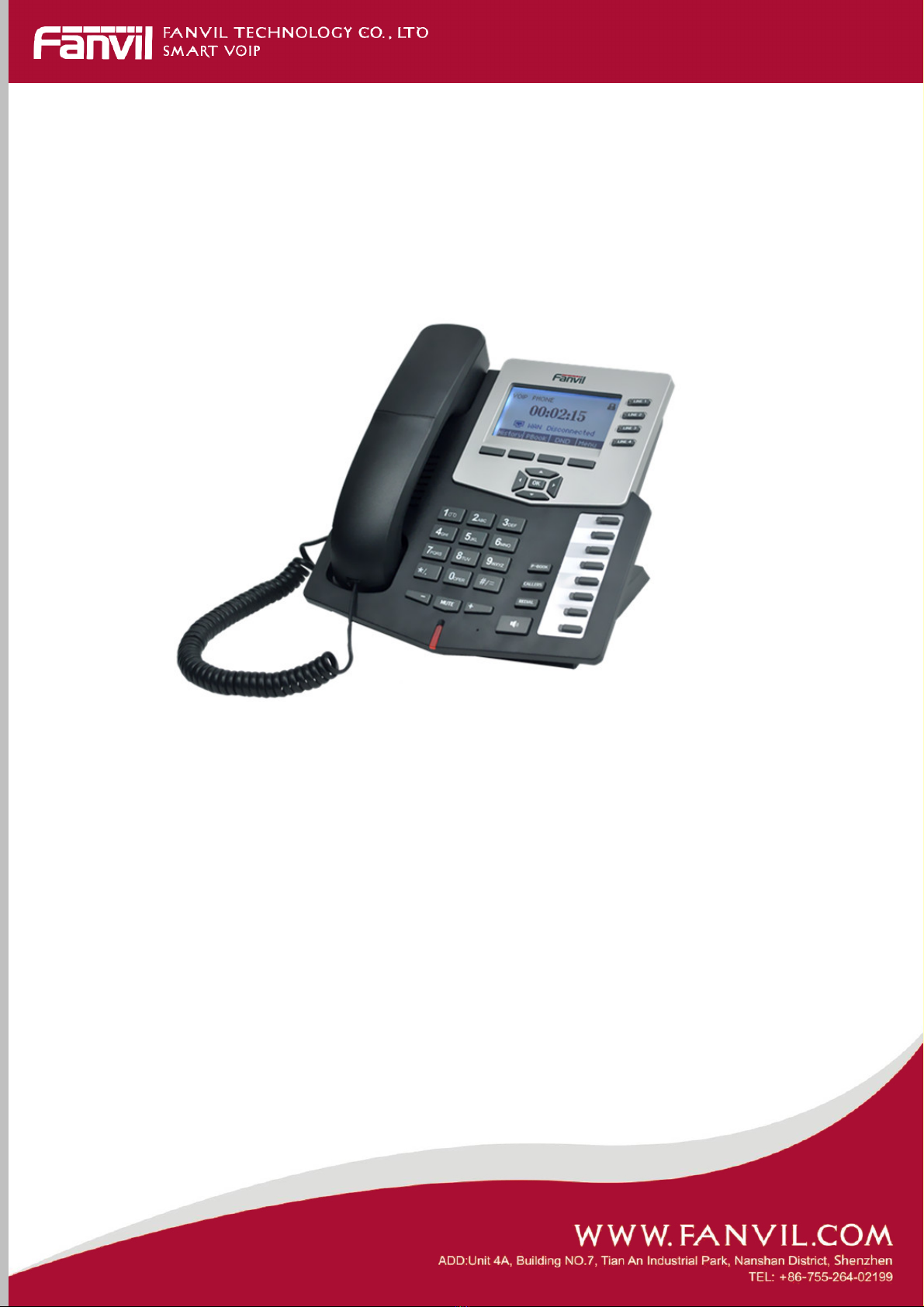
IP Phone is designed to look like conventional phone; the following photo
shows a broad overview of the IP Phone.

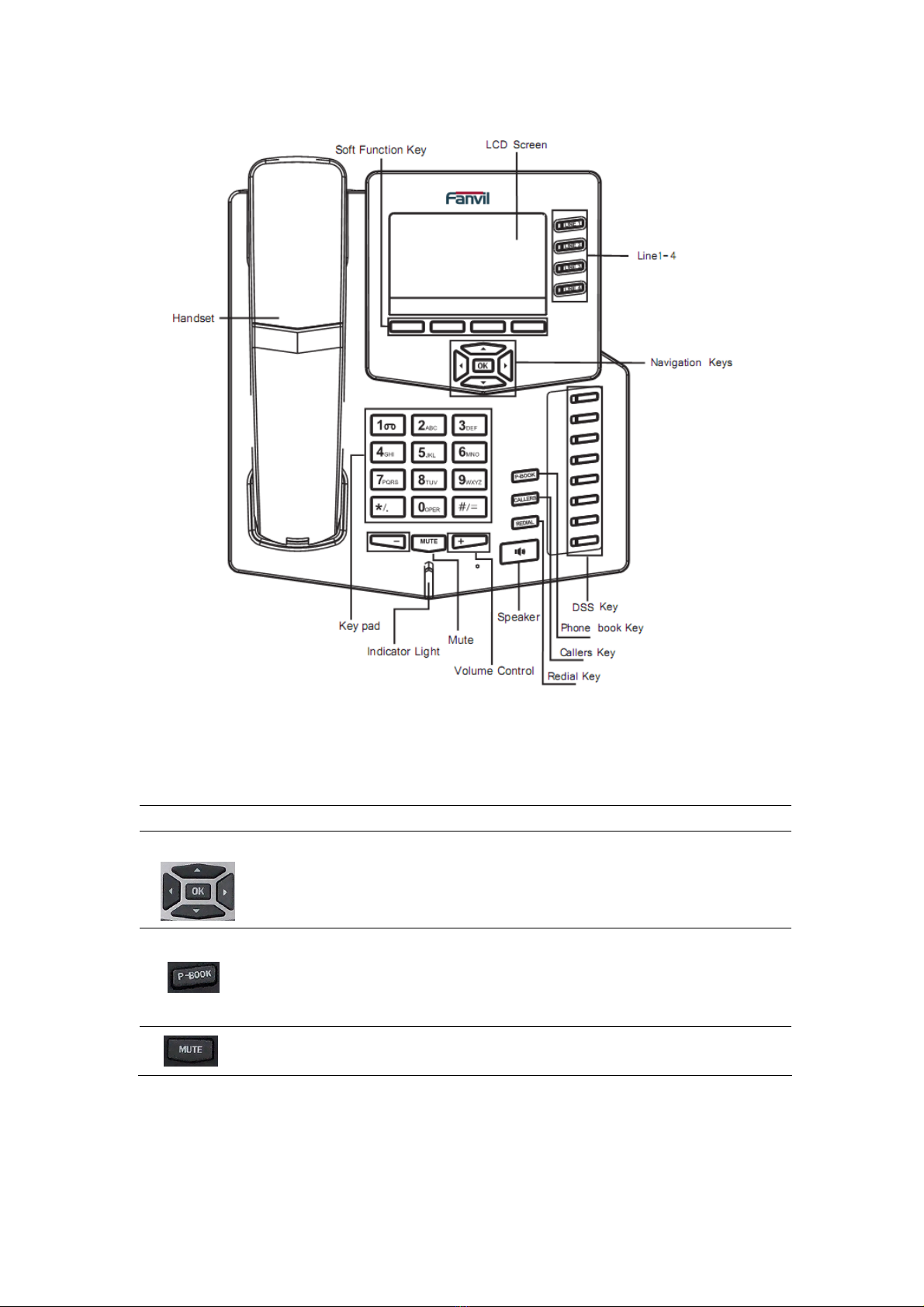
1.3 Keypad
Key Key name
Function Description
Navigation
Navigation key assist users for operating.
In idle state they have special function.
You can configure through the web page according
to your patterns of use.
Phone
Book
Access to phone book, and check the record list by
adding new records and revising the record. When
check the phone book records, press this key again
will return to idle interface.
mute Press this key in calling mode, and you can hear
the other side, and the other side cannot hear you.

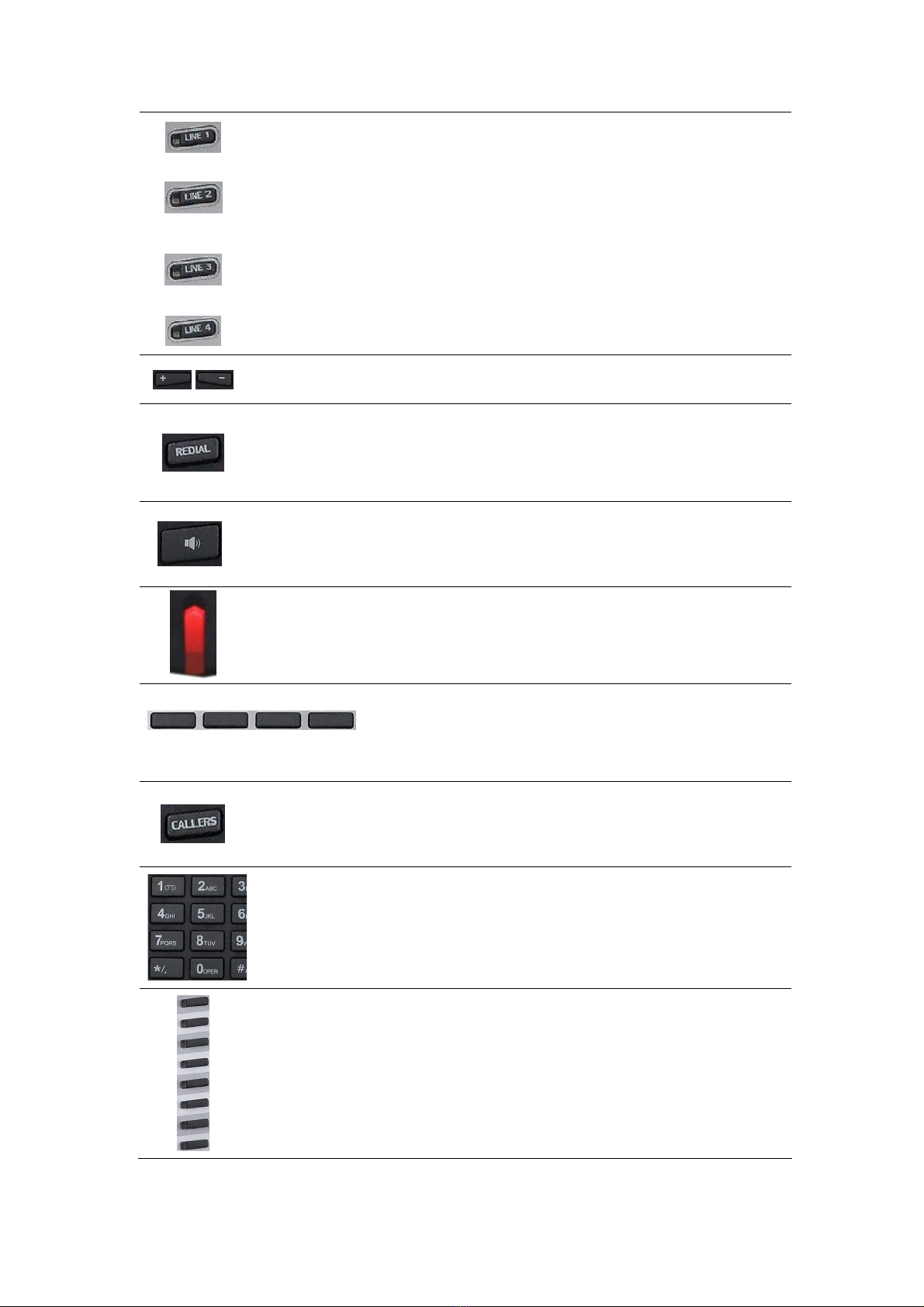
Line1/2
/3/4
Here are four SIP lines; user could select any one
to make the call, if it has been registered.
Volume -/+
Turn down or turn up the volume by pressing these
two keys.
Redial
1. In the hook off /hands-free mode, use the key to
dial the last call number;
2. In stand-by mode, it has a function to check the
Outgoing Call.
Hands-free
Make the phone into hands-free mode.
Indicator
light
If the light blinking, indicate the phone has missed
call. It also can indicate there is new incoming call.
Soft key 1/2/3/4
Keys combination, include functions such as
History/PBook /DND /Menu /Del /Redial /Send /
Quit/Answer/Divert/Reject/Hold/Transfer/Conf/Cl
ose and so on.
Callers
View the Missed call, Incoming Call and Outgoing
Call.
Digital
keyboard
Inputting the phone number or DTMF.
DSS keys
You can configure them with your own functions
in the web page.

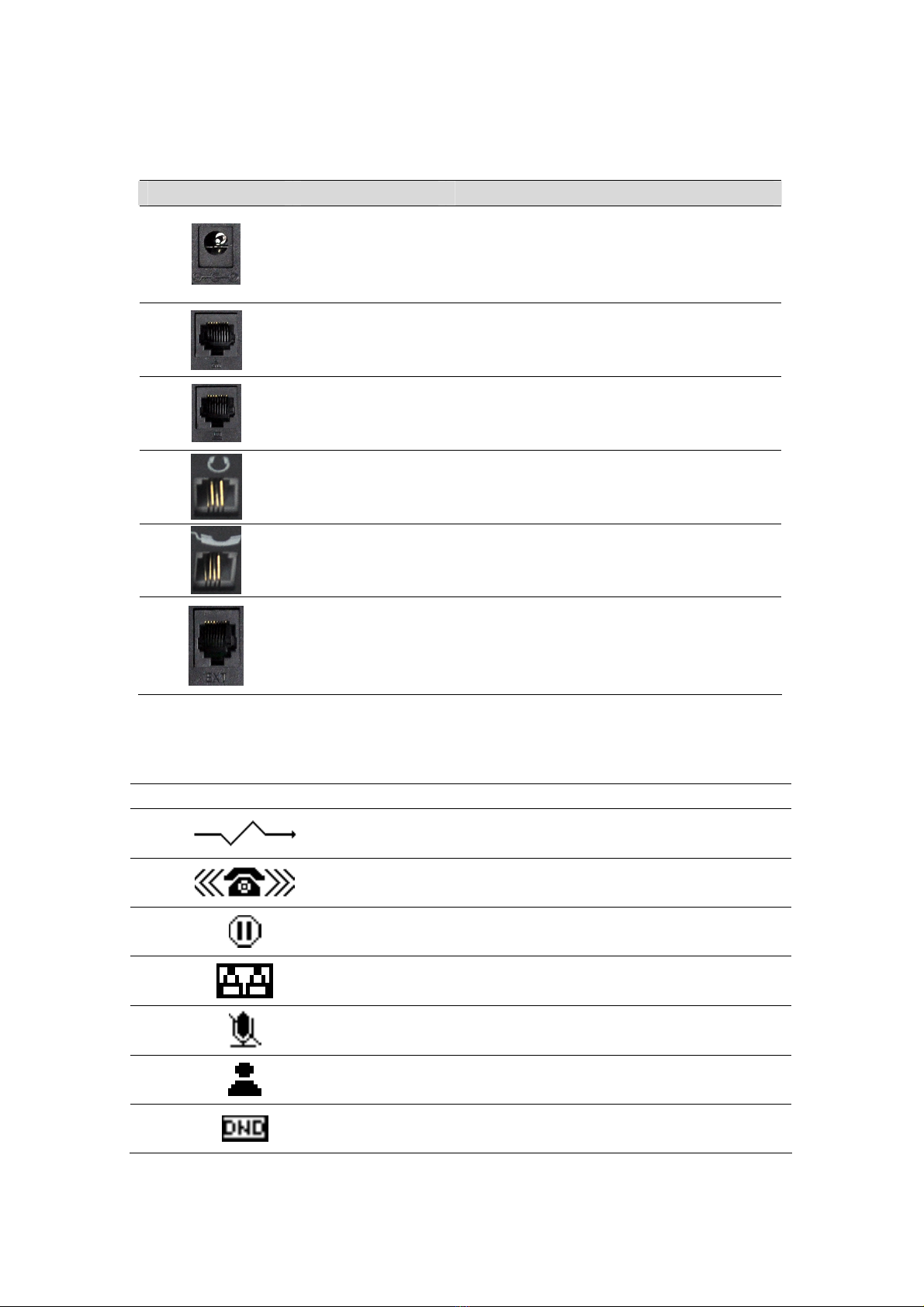
1.4 Port for connecting
Port Port name description
Power switch Input: 5V AC, 1A
WAN 10/100M Connect it to ether Network
LAN 10/100M Connect it to PC
Headset Port type: RJ-9 connector
Handset Port type: RJ-9 connector
External console
interface Port type: RJ-45 direct connector
1.5 Icon introduction
Icon Description
Call out
Call in
Call hold
Auto answer
Call mute
Contact
DND(Do not Disturb)

In hand free mode
In handset mode
In headset mode
SMS
Missed call
Call forward
1.6 LED introduction
Table 1 Call/Line Appearance Button LEDs for BLF
LED Status Description
Steady green The object is in idle status
Slow blinking red The object is ringing
Steady red The object is active
Fast blinking red The object is not available
Off It is not active as call/line appearance
Table 2 Call/Line Appearance Button LEDs for Presence
LED Status Description
Steady green The object is online
Slow blinking red The object is ringing
Steady red The object is active
Fast blinking red The object is not available
Off It is not active as call/line appearance
Table 3Line key LEDs
LED Status Description
Steady green The account is active
Fast Blinking red There is an incoming call to the account
Slow Blinking red The call is on hold
Off Call/line appearance is active
Table 4 Power Indication LED
LED Status Description
Steady red Power on
Fast Blinking red There is an incoming call
Slow Blinking red There is a missed call
Altri manuali per C62
2
Indice
Altri manuali Fanvil Telefono IP

Fanvil
Fanvil X7 Manuale utente

Fanvil
Fanvil X303W Manuale utente

Fanvil
Fanvil X5S Manuale utente

Fanvil
Fanvil X3S/G Manuale utente

Fanvil
Fanvil BW530 Manuale utente

Fanvil
Fanvil X210 Manuale utente

Fanvil
Fanvil H5 Manuale utente

Fanvil
Fanvil C58 Manuale utente

Fanvil
Fanvil FV6030 Manuale utente

Fanvil
Fanvil X3S Pro Manuale utente

Fanvil
Fanvil F52 Manuale utente

Fanvil
Fanvil X5S Manuale utente

Fanvil
Fanvil X301 Manuale utente

Fanvil
Fanvil X3U Manuale utente

Fanvil
Fanvil X210 Manuale utente

Fanvil
Fanvil X7 Manuale utente

Fanvil
Fanvil VH05 Manuale utente

Fanvil
Fanvil X3SG Pro Manuale utente

Fanvil
Fanvil X2P Manuale utente

Fanvil
Fanvil D800 Manuale utente