
FLIGHT MOTION SIMULATORS Dreamflyer FMS df X-2 Manuale utente

REL-E-03
FLIGHT MOTION SIMULATORS INC.
Dreamflyer FMS df X-2
User Manual
Model No. FMS df X-2
Serial No. __________________
Questions?
Read all precautions and instructions in this
manual before assembling or using this
equipment. Keep this manual for future
reference.
CAUTION
Customer Hot Line:
1-877-435-9746
Mon. – Fri.
9:00 a.m. – 4:00 p.m. PST
sales@mydreamfltyer.com
Serial
number
location
If you have questions, or if
there are missing parts, we will
guarantee complete
satisfaction through direct
assistance from our factory.
The trained staff on our
customer hot line will provide
immediate assistance free of
charge to you.

1
FLIGHT MOTION SIMULATORS
FMS df X-2 User’s Manual
FMS Flight Motion Simulators Inc.
Unit 4-230 Loughheed Road, Kelowna, BC, Canada V1V2M1
Phone 250 765-8359 • Toll Free 1 877 435-9746
sales@mydreamflyer.com
Saitek is a separate legal entity and does not
Endorse or recommend Dreamflyer Flight
Motion Simulator In any way shape or form.

2
Table of Contents
Important Precautions.............................................3
Before You Begin ...................................................4
Assembly................................................................5
Initial Set Up.........................................................25
Software Notes...................................................................25
Trim (balance) Your Dreamflyer..........................................27
Maintenance and Troubleshooting........................28
How to Order Replacement Parts.........................28
Limited Warranty ..................................................28
Statement of Warranty........................................................28
Warranty.............................................................................28
Warranty Service................................................................29
Extent of the Warranty........................................................29
Limitations of the Liability....................................................30
Additional Rights.................................................................30
Thank You............................................................30

3
Important Precautions
To reduce the risk of serious injury or damage to the flight motion
simulator, please read the following important precautions before using your
Dreamflyer motion simulator.
Read all instructions in this manual before using the flight motion simulator.
Great care must be taken when climbing on to or off of the flight motion simulator.
The machine can and may move at any time in any direction causing a fall or
possible injury.
Do not stand on rudder pedals when mounting the flight motion simulator. Remove feet
from rudder pedals before trying to shift your weight or stand up.
It is the responsibility of the original owner to ensure that all users of the flight motion
simulator are adequately informed of all precautions.
Place the flight motion simulator on a level surface.
Keep the simulator indoors and away from moisture and dust.
Inspect and properly tighten all parts on a regular basis. Replace any worn parts
immediately.
Keep children under 4 and pets away from the flight motion simulator at ALL times.
Ensure children under 18 are supervised at ALL times when using or around the flight
motion simulator.
The flight motion simulator should not be used by persons weighing more than 250 Lbs,
by pregnant women or people using medications...
If you feel dizziness or illness while using the flight motion simulator, stop immediately and
contact your physician.
Do not lean on the flight motion simulator at any time as it may move causing a fall or
injury.
Ensure that the main monitor is attached using ONLY the screws provided by Flight
Motion Simulators Inc. These screws are slightly longer and will ensure a safe mounting of
the monitor.
Please ensure that any person using your flight motion simulator is aware of all the
precautions on this page.
4
Before You Begin
Congratulations for selecting the Dreamflyer Flight Motion Simulator. The simulator has been
designed to ensure that you have many years of enjoyment from your flight motion simulator.
If you have questions after reading this manual, call our customer service department toll-free at
1-877-435-9746 Monday thru Friday 9:00 AM to 4:00 PM Pacific time (excluding holidays). To
help us assist you please note the serial #
before calling. We can also be reached by email at
sales@mydreamflyer.com
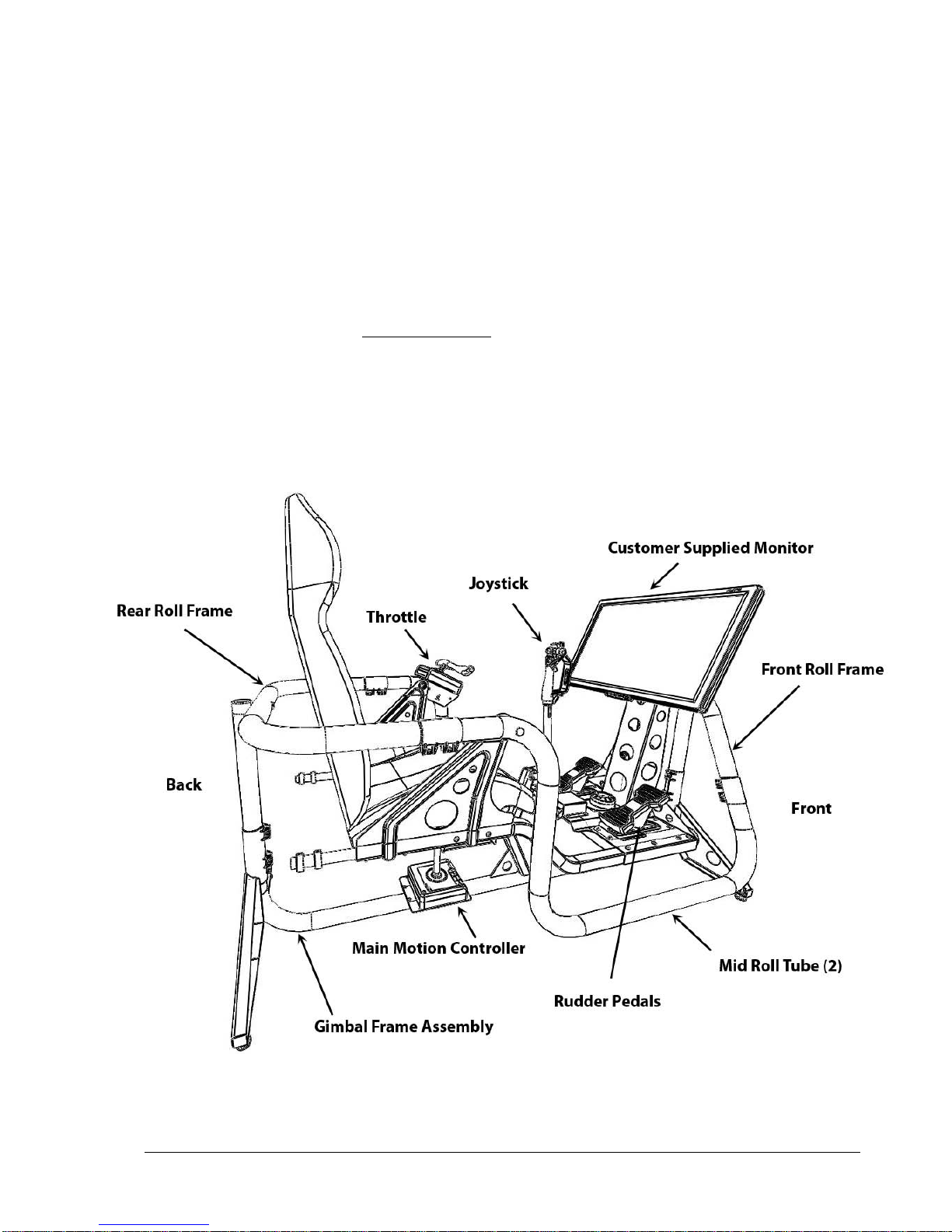
Before reading further, please familiarize yourself with the parts and terms shown in the diagram
below.
5
Assembly
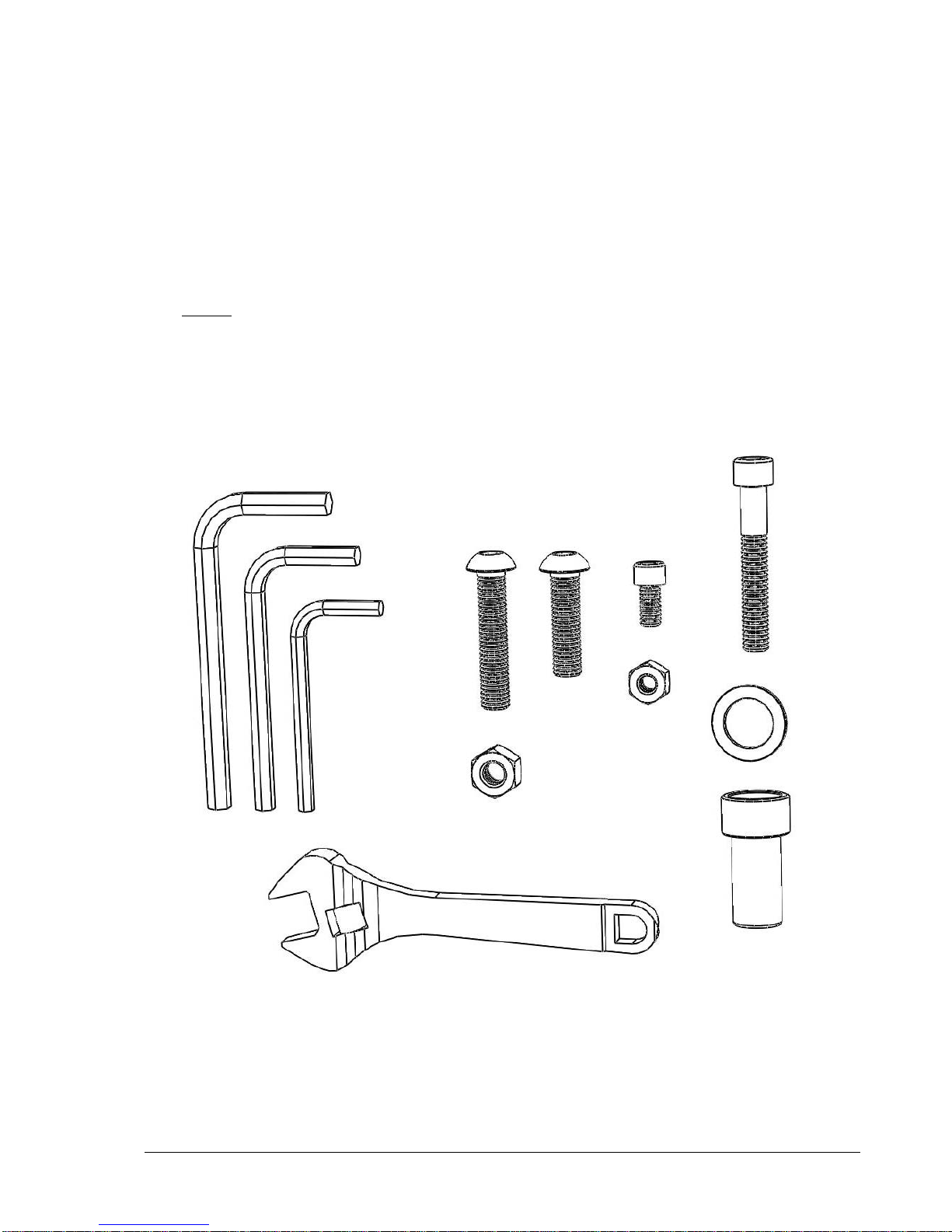
Assembly requires two healthy and capable persons to complete successfully. Place all parts of the
flight motion simulator in a cleared area and remove all packing materials. All tools for assembly
are included within the packaging.
Before
proceeding, read through all the assembly steps and identify the fasteners that will be used
at each step. It may help to lay these out in groups in the order of the assembly steps to ensure you
have correctly identified the fasteners before you begin assembly.
Not all fasteners and tools shown here.
6
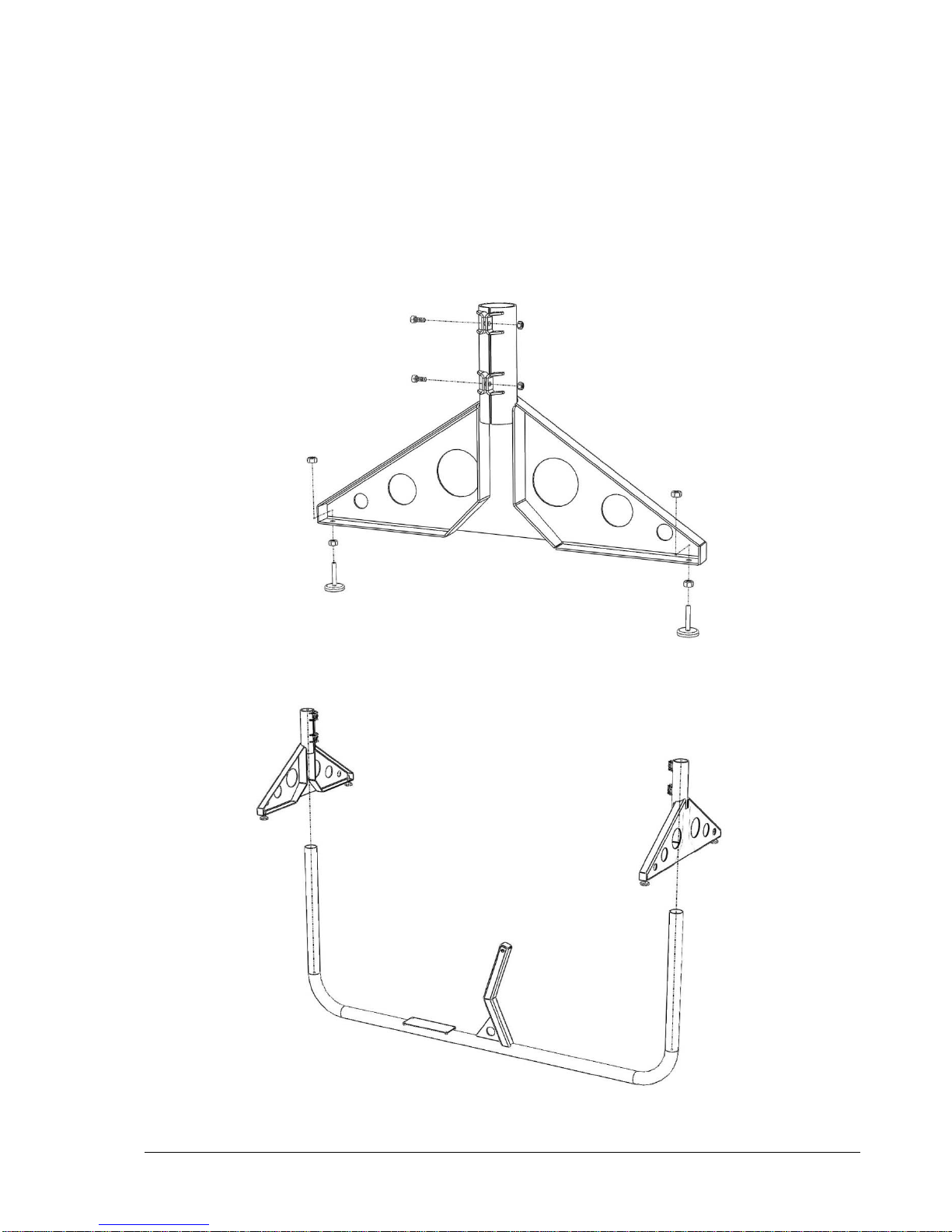
1) Assemble both Frame End Supports as shown below. Adjust Screw Feet to middle of their
adjustment. Slide both Frame End Supports onto Main Frame. Slide Frame End Supports to the
ground ensuring to be careful so as not to scratch the finish on the Main Frame. Align both Frame
End Supports perpendicular to Main Frame and tighten two clamp screws on each end securely.
Adjust feet to ensure frame does not rock on ground.

7
2) Attach Joystick Mounting Plate and Joystick Controller to Main Frame as shown below.
Ensure arrow on Joystick Mounting Plate is pointing forward as shown below.

8
3) Attach Joystick Assembly to Main Frame as shown below.

9
Main Frame Assembly should look like picture below when completed.
Indice
Manuali Display avionico popolari di altre marche

Smart Avionics
Smart Avionics PB-4 Manuale utente

Midcontinent
Midcontinent SAM MD302 Manuale

MGL Avionics
MGL Avionics Stratomaster Maxi Single FF-3 Manuale utente

Garmin
Garmin GI 275 Manuale utente

Mid-Continent Instruments
Mid-Continent Instruments 4300 Series Manuale

Avidyne
Avidyne 700-00182 Series Manuale di servizio


