
FONON SBM Series Manuale utente

1
Introduction
Technical Support
Disclaimer
Thank you for purchasing a product in the SBM series. This product is warranted to be free of
manufacturing defects for one year from the date of purchase. If you cannot find the solution to your
particular application, or, if for any reason you need additional technical assistance. Our technical
support group is glad to work with you in answering your questions, please use the ways as following:
Tel: 844.44.LASER (52737)
Fax: (407) 804-1002
Email: Fonon_Web_Contact@sfinkx.com
Web: www.fonon.us
Address: 400 Rinehart Road #1000, Lake Mary, FL 32746
The information provided in this document is believed to be reliable. However, no responsibility is
assumed for any possible inaccuracies or omissions. Specifications are subject to change without
notice. The Windows 2000/XP/Vista are registered trademarks of Microsoft. Other trademarks are the
property of their respective owners.
Fonon reserves the right to make changes without further notice to any products herein to improve
reliability, function, or design. Fonon does not assume any liability arising out of the application or use of
any product or circuit described herein; neither does it convey any license under its patent rights, nor
the rights of others.
Special Symbols
Failure to follow instructions may lead to product damage, or error.
Failure to follow instructions may lead to injury by electric shock.
Failure to follow instructions may lead to injury by invisibleradiation.

2
Chapter 1
Safety
Contents
Introduction.....................................................................................................1
Technical Support.......................................................................................1
Disclaimer ..................................................................................................1
Special Symbols..........................................................................................1
Safety Regulation ......................................................................................4
Name Plate and Warning Labels ..................................................................6
Safety Protection Device............................................................................9
Chapter 2:
I nsta llation .................................................................................. 11
Unpack and Locate Machine........................................................................ 11
Package Contents Lis t...............................................................................16
Part Names and Functions ........................................................................ 17
Hardware Installation ................................................................................ 23
Check environment............................................................................. 23
Connect AC power cable..................................................................... 23
Driver Installation ..................................................................................... 25
Install Driver ......................................................................................25
Uninstall Driver ..............................................Error! Bookmark not defined.
Change USB Cable to Another Port ...............Error! Bookmark not defined.
Core lDR AW Setup.................................................................................... 34
AutoCad Setup ........................................................................................38
Chapter 3:
Operation ....................................................................................... 47
Operator Position ...................................................................................... 47
Basic Operation Flow.................................................................................48
Machine Operation .................................................................................. 49
Control Panel ......................................................................................... 49
Operating Menu....................................................................................... 52
Print Driver Operation ............................................................................. 65
Laser Tab ................................................................................................ 65
Job Tab ................................................................................................... 73
Cut & Engrave Setup...........................................................................75
Page Tab ................................................................................................ 76
Page Setup ........................................................................................76
Job Title ............................................................................................ 77
Repetition .......................................................................................... 77
Material ............................................................................................. 77
Position Mode ................................................................................... 77
Power Scale............................................................................................. 79
Custom Power Scale ......................................................................... 79
Product Tools........................................................................................... 80

3
Chapter 1
Safety
System Upgrade ................................................................................. 80
Chapter 4:
Maintenance .................................................................................81
Daily Cleaning..........................................................................................81
Weekly Cleaning ...................................................................................... 84
Chapter 5:
Tr oubles hooting ........................................................................ 86
Append i c es ................................................................................................. 87
App endix 1: Specifications......................................................................87
App endix 2: Dimensions ......................................................................... 88
Appendix 3: Suggested Powe r and Speed Settings ................................. 90
4
Chapter 1
Safety
Safe ty Regulation
The SBM series uses a CO2 Laser as a light source. It is classified as a class-IIIR
product by CDRH (the Center for Devices and Radiological Health).
Wavelength: 10.6μm
Maximum output power: 30 ~ 100 W
Visibility: Invisible
When operating the SBM series, be sure to always comply with the safety
regulations as following:
Do not attempt to modify or disassemble any component of the machine
without Fonon technical support.
Do not open the doors of chassis and access the laser tube or
electronic components, especially while the machine power is on.
Connect the machine to a grounded outlet. Verify that the voltage of the
outlet is correct for the machine.
Do not disable the interlocks which are on top and front doors.
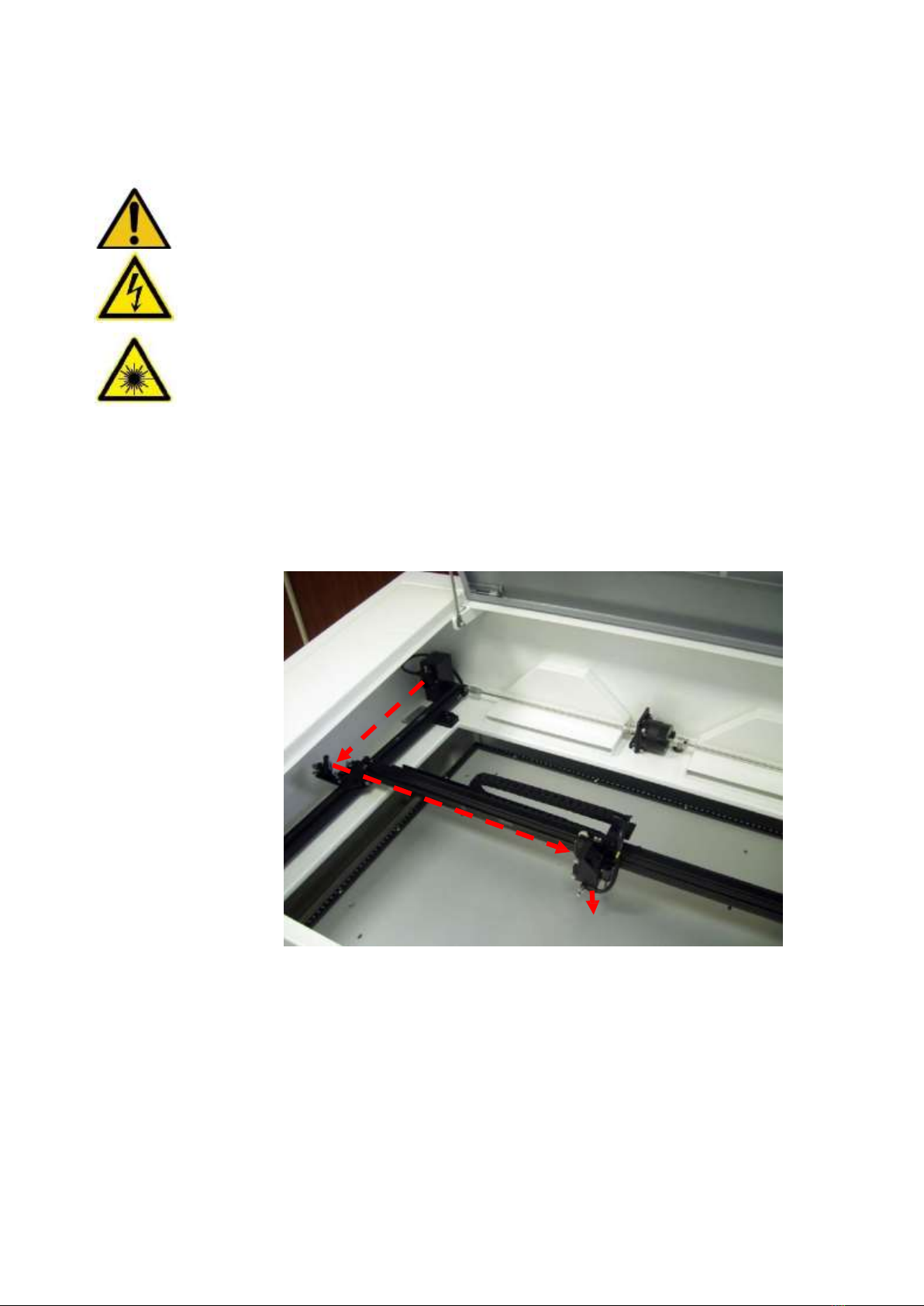
Be careful about the path of the invisible laser beam shown in figure.
Otherwise, eye or skin injury may result.

5
Chapter 1
Safety
Do not watch the laser beam directly during operation. Bright light caused by
the lasing process can damage the eye.
The side and rear doors are fixed by screws for safety. If you open these
doors, the SBM will become a Class 4 laser device. For your safe, please
wear protective goggles.
The laser beam may cause fire. Never leave machine along without other
operator watching during the laser cutting and engraving process. Keep a fire
extinguisher near the machine at all times.
Blowing materials with air flow from nozzle while cutting or engraving can
avoid fire occurring and also obtain good quality.
Verify that materials used in the engraver are proper for lasing. Never
engrave or cut substrates that contain PVC or Teflon .
Good efficiency of exhaust system makes you avoid breathing dust, debris or
poison gas.
Please comply with maintenance schedule as chapter 4 to keep SBM working
well.
Before you execute auto focusing function, please make sure that there will
be no crashing between motion system and other objects. For safety, it is
NOT recommended to use auto focusing function on inequality materials.
6
Chapter 1
Safety
Name Plate and Warning Labels
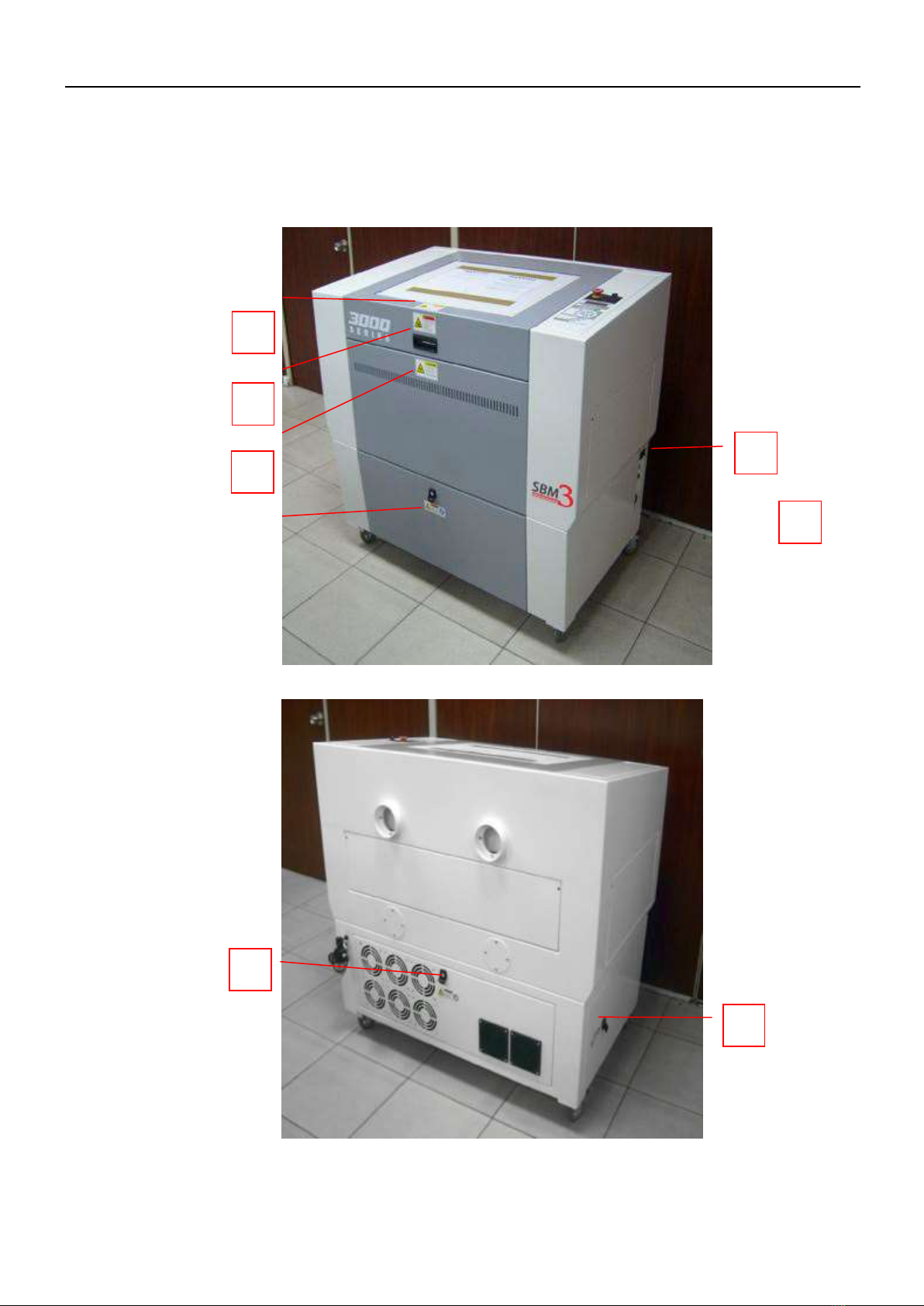
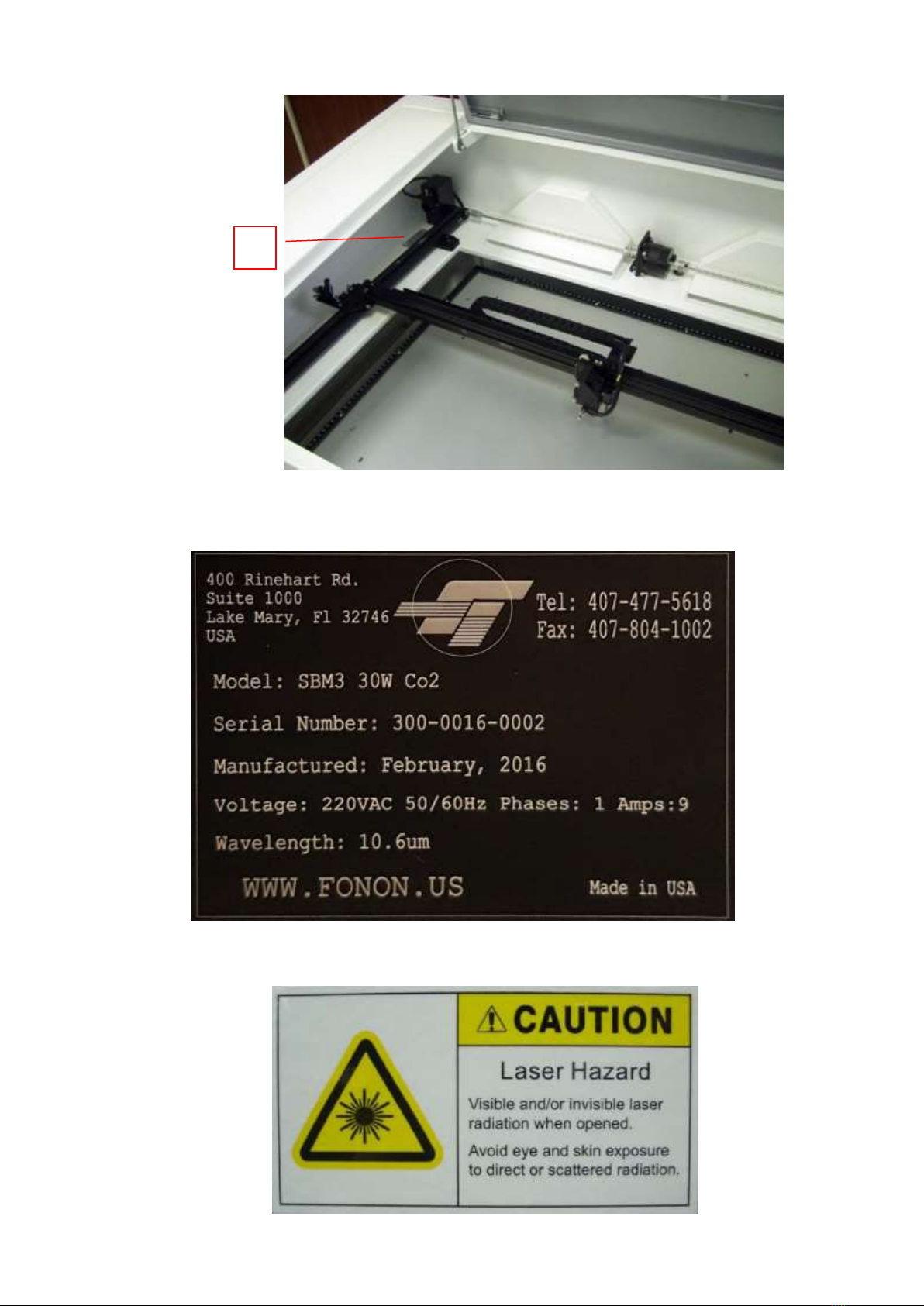
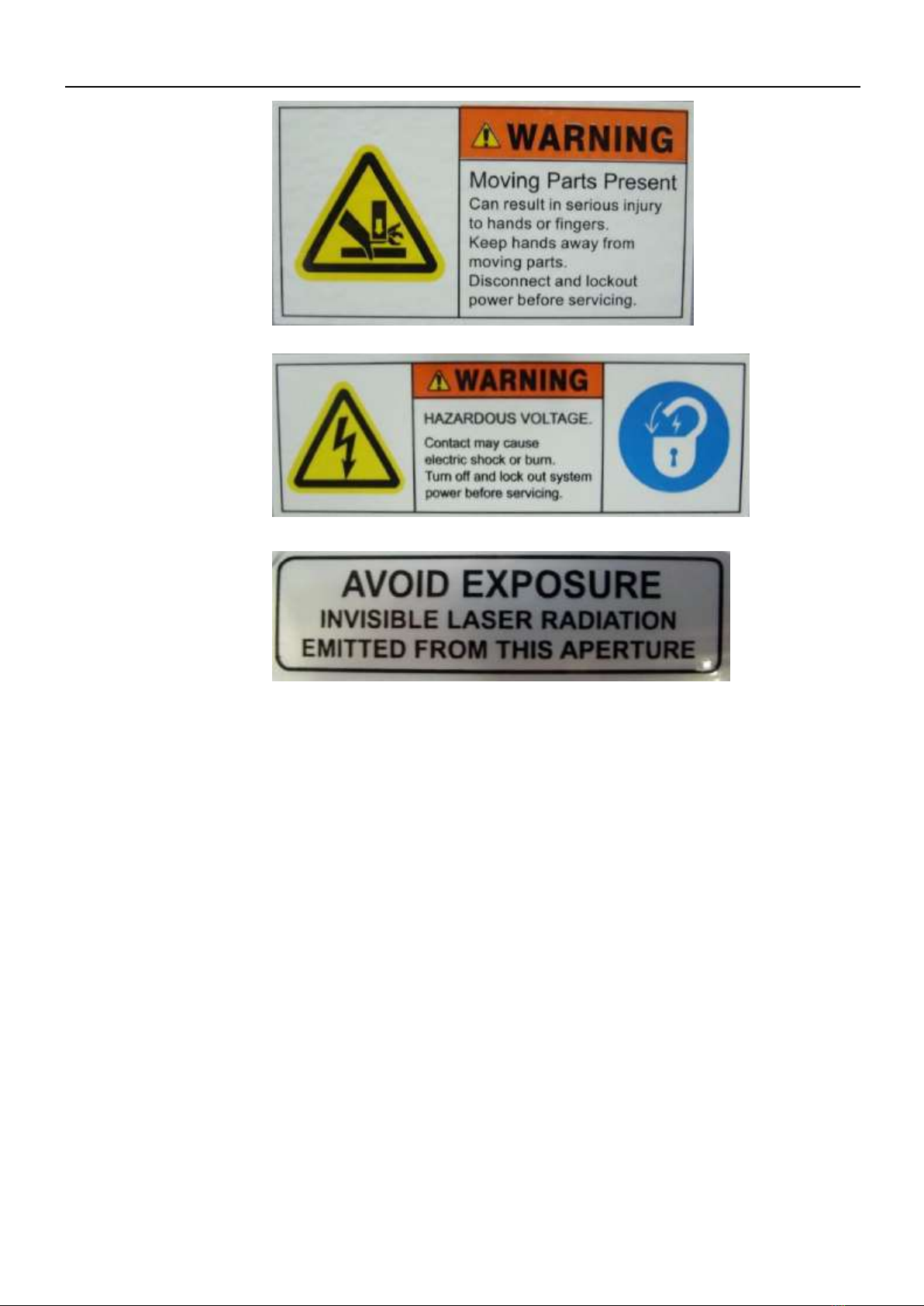
The labels as following are affixed to the SBM. These labels must never be
removed. If they are damaged or tampered for any reason, please request for Fonon
immediately to replace them.
1
4
4
2
2
3
2
7
Chapter 1
Safety
1
2
5
8
Chapter 1
Safety
3
4
5
9
Chapter 1
Safety
Safe ty Protection Device
Interlock
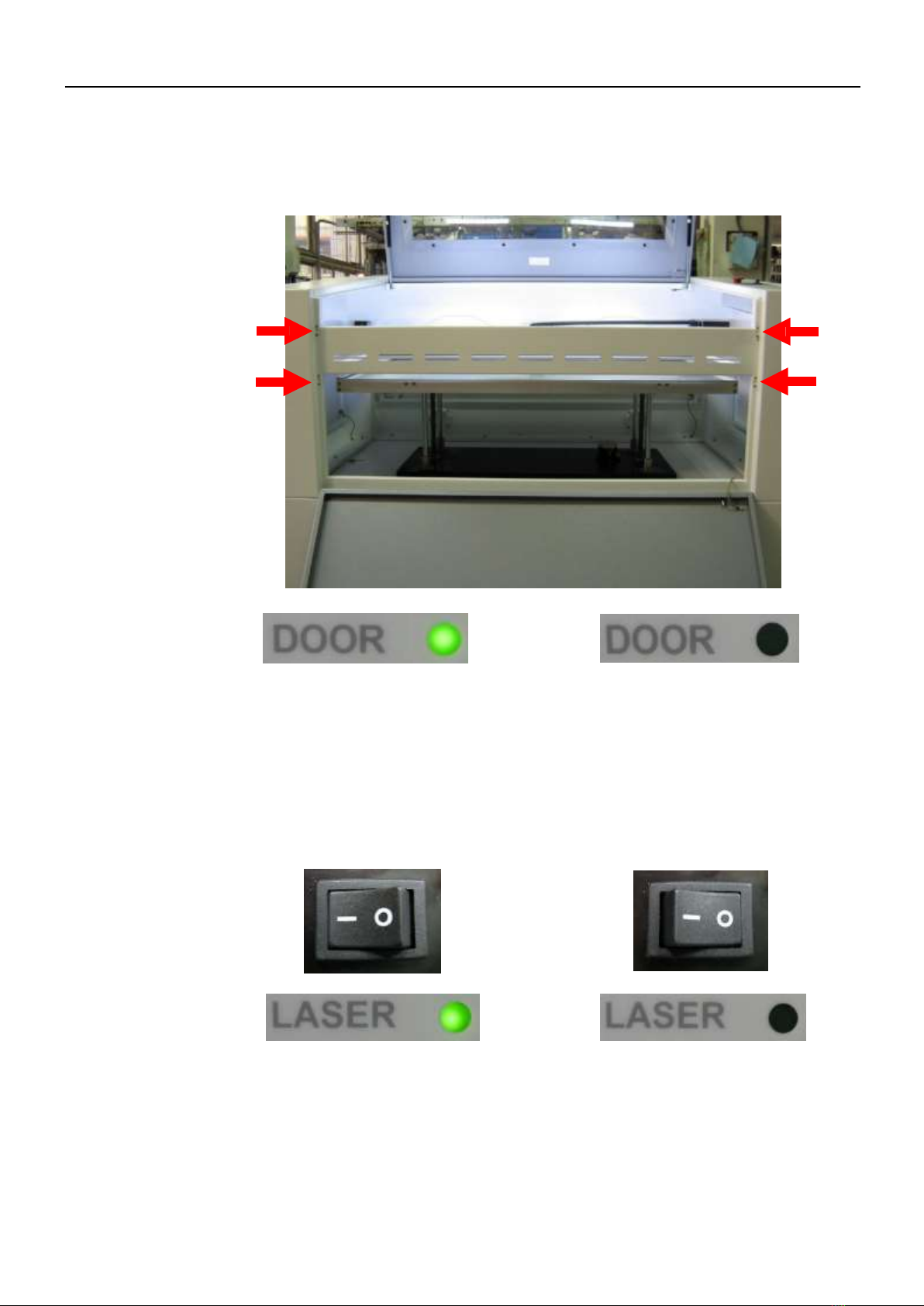
The laser beam will not be emitted if you open the top or front doors. When any door
is opened, the LED indicator of “DOOR” on control panel will be off.
Both doors close Any door opens
Laser Switch
Laser switch on control panel can shut down the power of laser system immediately,
and it has no effect on motion system. Compared with interlock, Turning off laser
switch can save power. When you turn on laser switch, the LED indicator of “LASER”
on control panel will be on (it needs to take more than 5 seconds to warm up laser
tube while you turn it on).
ON
OFF
Questo manuale è adatto per i seguenti modelli
1
Indice


