7
TIP
TIP
TIP
TIP
:
When using the remotecontrol to enter password andcamera titles, select the fieldusing the navigation buttons,press ENTER, and then pressthe number buttons.
1.5
1.5
1.5
1.5 R
R
R
R emote
emote
emote
emote control
control
control
control
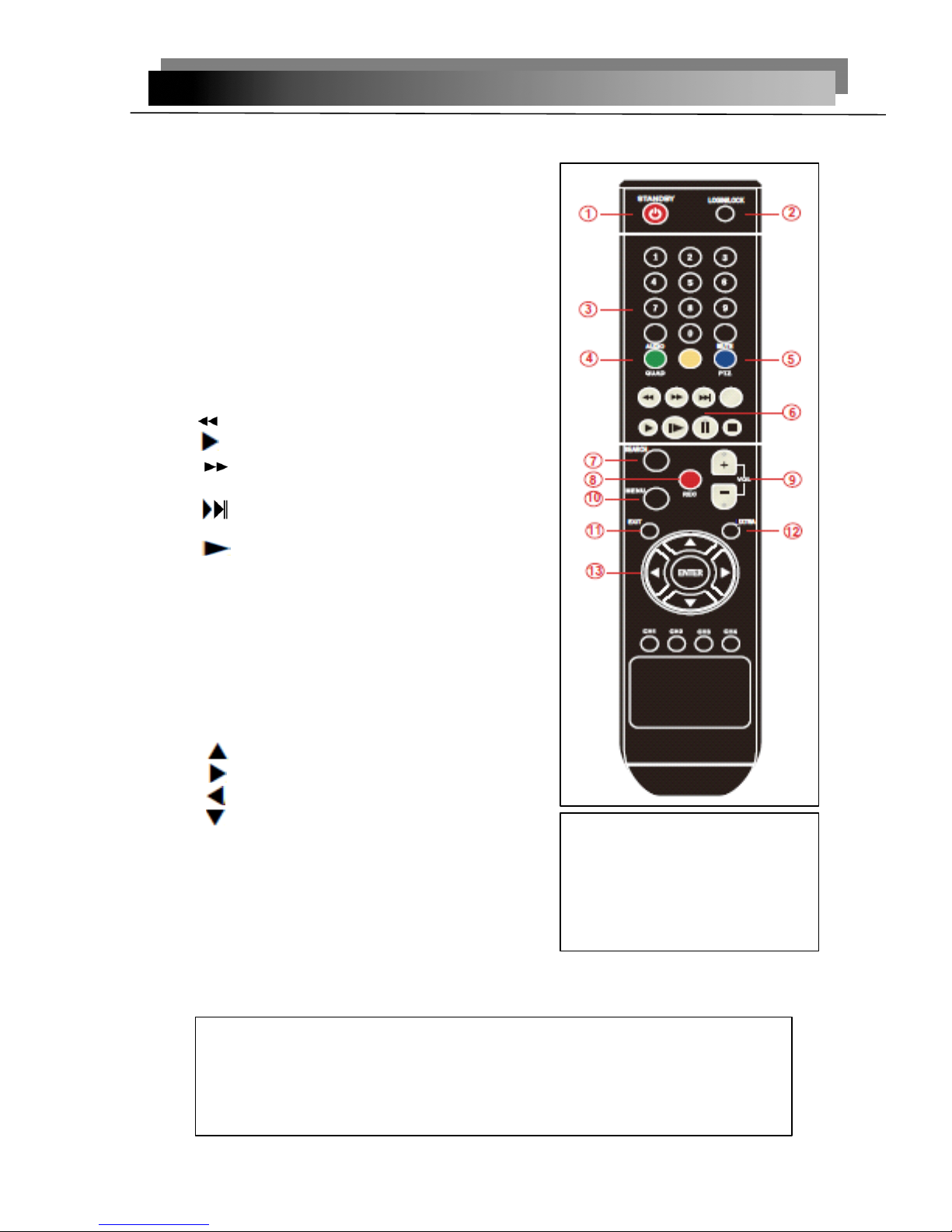
The remote control is the secondary input deviceFor navigating the system
’
s interface.
To
use the remote control:1. STANDBY
STANDBY
STANDBY
STANDBY :Press to turn standby mode ON/OFF.2. LOGIN/LOCK
LOGIN/LOCK
LOGIN/LOCK
LOGIN/LOCK : If "Security" has been enabled inthe Setup menu, press to open the user password loginscreen.
3. Number/Channel
Number/Channel
Number/Channel
Number/Channel buttons
buttons
buttons
buttons : While in menus,press buttons 0~9 to enter values; during live viewing,press to view channels in full-screen.4. QUAD
QUAD
QUAD
QUAD :
:
:
:Press to switch between quad andsplit-screen displays.
5
.
PTZ
PTZ
PTZ
PTZ : Press to open the PTZ control window.6. Playback controls
:
•
:
Increase reverse playback speed 2X, 4X, 8X.
•
:
Press to start playback.
•
:
Press to increase forward playback speed2X, 4X, 8X.
• : Press to slow playback speed by 1/2, 1/4,1/8.
• : Press to to advance frame-by-frame.• ║ : Press to freeze playback to one frame.•■: Press to stop playback.7. SERACH: Press to stop playback8. RECORD:Press to start manual recording,then press again to stop manual recording.9. +/
+/
+/
+/ -
-
-
-: In menus, press to adjust values.10. MENU
MENU
MENU
MENU
:
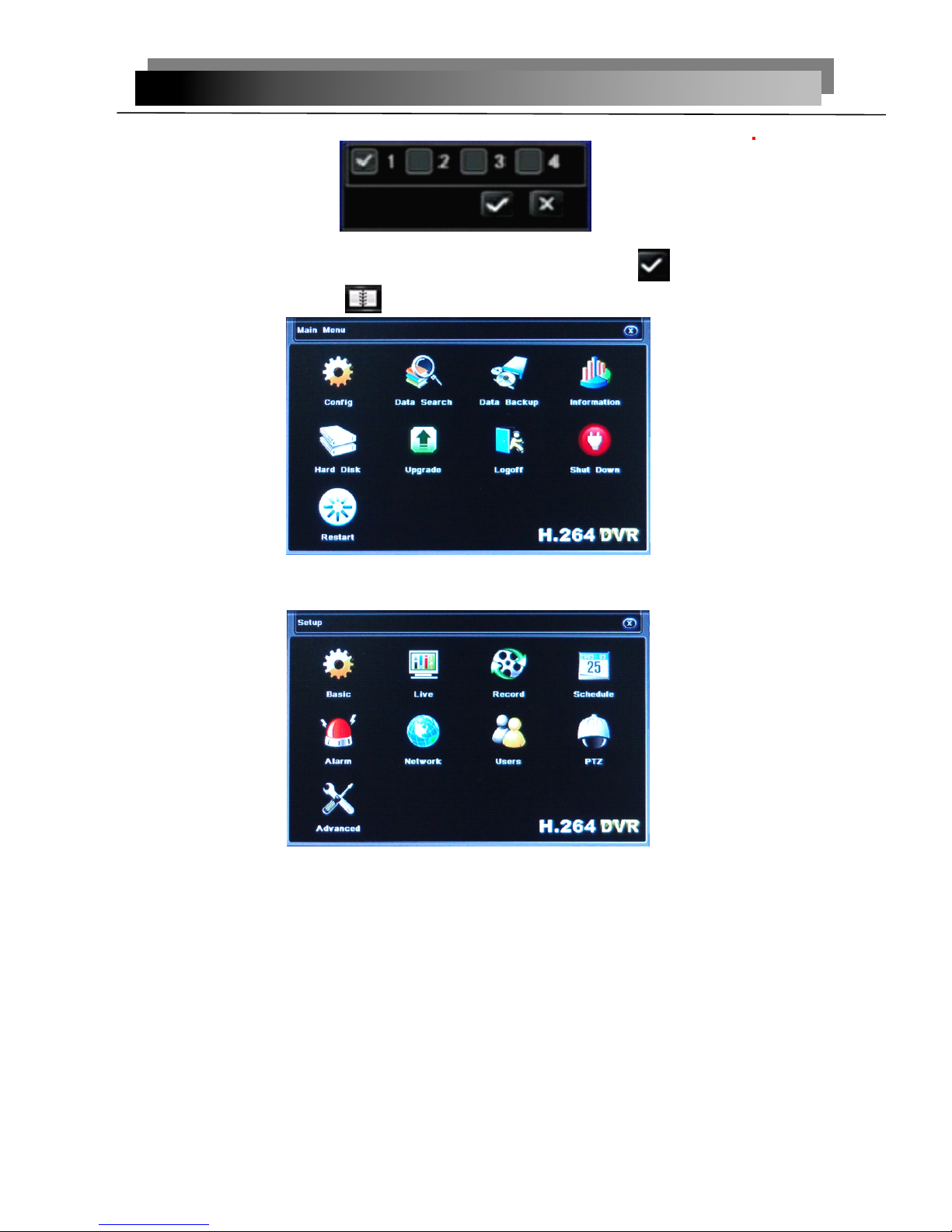
Opens the main menu
.11.
EXIT
EXIT
EXIT
EXIT : Close menu windows12. EXTRA
EXTRA
EXTRA
EXTRA : For the future use .13. Navigation/
Navigation/
Navigation/
Navigation/ Enter
Enter
Enter
Enter :
• : Move cursor in menus up;
• : Move cursor in menus right;
•
:
Move cursor in menus left;
•
:
Move cursor in menus down;•Enter
Enter
Enter
Enter : In menus, press to confirm selections;during playback and preview, press to view systeminformation
Check
Check
Check
Check whether
whether
whether
whether there
there
there
there is
is
is
is fluorescent
fluorescent
fluorescent
fluorescent light
light
light
light being
being
being
being used
used
used
used in
in
in
in the
the
the
the nearby
nearby
nearby
nearby
For the convenience of readers read and quick queries, the followingsections with a example of 4 -channel digital hard disk recorders to intro du c
e
thedetail s, and pictures are base on this model, other model
’
s operation interface arethe same except channel and frame rate, Corresponding parameter to the samesettings, individual parameters can be directly and so on .