7
Chapter V System Settings
1 .Audio output mode
After entering settings, there are digital / analog output modes
options.Please choose "digital" output mode by default; If analog output is
selected, there will be no signal output.
2.Display settings
Backlight brightness and timer can be set. Backlight timers are available for
10 seconds, 20 seconds, 30 seconds and always on.
3.Language
The operating language can be set to Chinese, English, Korean.
4.Information
Information: Player information, Disk space and file type supported.
5.Format device
After entering, TF card can be formatted according to the prompt.
(Note: All data can not be recovered after formatting, please operate with
caution!)
6.Auto upgrade
Local upgrade is supported. When new firmware is of cially released, it can
be copied to TF card for automatic upgrade. (Firmware file names are unified
as: upgrade.hex)
7.Factory settings
Factory settings: Can be restored to factory settings
f
In t h e mai n men u sta t e, pr ess t h e" "o r" " t o sel e ct th e
"se t "men u , wh i ch ha s th e fol l owin g opt i ons: A udio outp u t mo d e,
Display settings, Language, In form a tion , For m at de vice , Aut o
upg r ade, Fact o ry se ttin g s.
8
Chapter VI Other
I.Troubleshooting:
► No display after power-on
Solution: check whether the power wiring is correct.
The black power line is the ground wire, the yellow line is connected to the 12V
positive pole of the normal power supply, and the red line is connected to the 12V
positive pole of the key power supply.
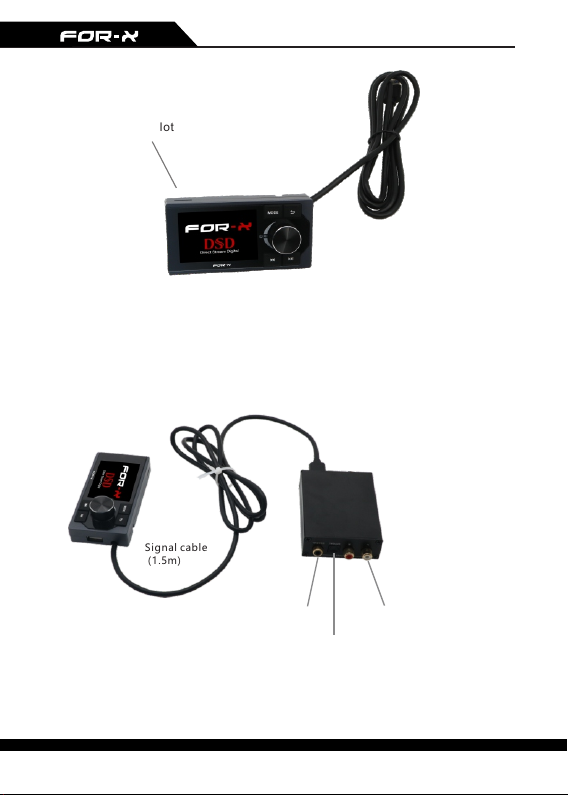
► When playing a file, there is no sound or the sound is rustling
Possible causes: wrong signal line connection,song format problem, DTS coding
(rustling, not supported).
► No signal output
Possible causes: the TF card is in poor contact; the playlist is not updated;
the audio output mode is analog.
► In case of crash, please unplug the power supply and re-energize it in 2
minutes.