June 12, 2012
Page 6 out of 14
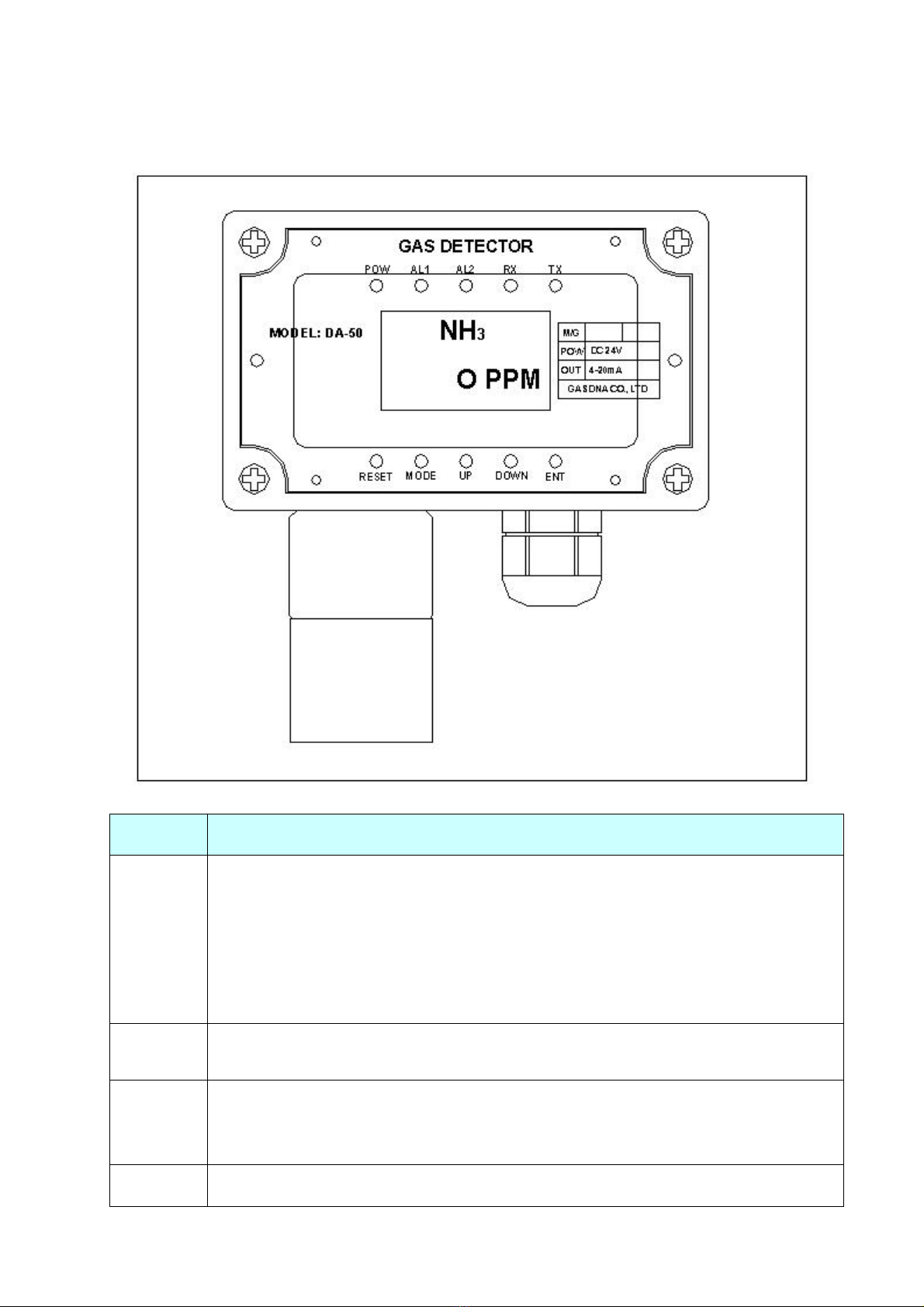
- When you keep touching it more than 5 seconds, the setting va ue decrease very
fast.
ENT Restore the set va ue
POW Power on.
A 1 AL1 operates.
A 2 AL2 operates.
RX RS-485 receives signa .
TX RS-485 sends signa .
[Sensor Calibration]
Gas sensor’s property is subject to change whi e it is being used. This is common to a sensors. You
have to ca ibrate the sensor periodica y to keep the optimum condition of sensor.
DA-50 has automatic ca ibration function by micro processor.
1. Zero calibration
P ease fo ow be ow process to zero-ca ibrate sensor output.
①
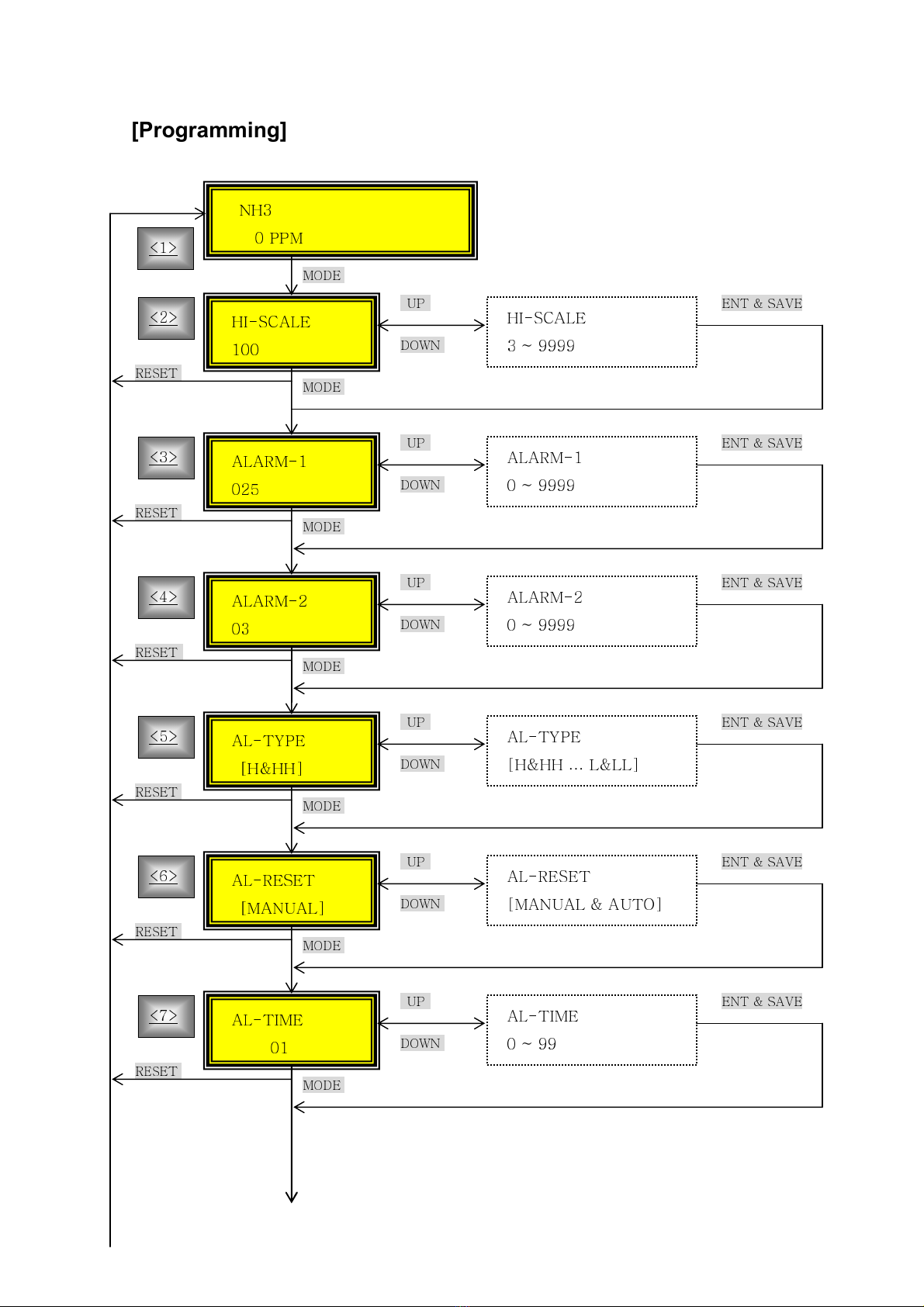
P ease keep touching the MODE key more than 2 seconds through g ass window and enter
into setting mode.
②
Then, LCD shows “CAL-[ZERO]”. P ease touch ENT key.
③
Then, LCD shows “ZERO GAS”. P ease infuse the standard gas.
④
When the measured va ue gets stab e, p ease touch ENT key.
⑤
Then, if zero ca ibration is successfu , LCD shows “[OK]”.
▲ Caution: For zero ca ibration, you shou d have c ean status without any gases. If you cannot have
c ean status, p ease use nitrogen gas for zero ca ibration.
2. Span calibration
P ease fo ow be ow process using standard gas to ca ibrate the inear change of sensor output.
①
P ease assemb e ca ibration nipp e on sensor cap.
②
Then, p ease touch MODE key more than 2 seconds after disassemb ing main cover. It eads
you to setting mode.
③
Then, p ease move to “CAL [SPAN]” menu and touch ENT key.
④
Then, LCD shows “SPAN-ADJ”. P ease input desired ca ibration gas density va ues touching
UP & DOWN keys. When you finish it, p ease touch ENT key. (gas density set finished)
⑤
Then, LCD shows “SPAN-GAS”. Then, p ease infuse the ca ibration standard gas. Whi e you
infuse the gas, LCD va ues approaches the va ues of gas density. When the LCD shows stab e
gas va ues, p ease touch ENT key. (span ca ibration finished).