GATEMAN S10-FD Manuale utente

ISL-1421-00 Printed in Korea
S10-FD
Secondary key/Cards
본 제품은 국내 판매용입니다.
대한민국 이외의 지역에서 본 제품이 판매 또는
사용되어질 경우 AS를 비롯한 제품의 정상적인
품질보증이 이루어지지 않을 수 있습니다.
Korean domestic market only.
Unauthorized overseas sales and use
cannot guarantee the quality and service.
What is Safety Grade?
The digital door lock’s safety grade is to show
that GATEMAN, with the world’s leading door lock
technology, has The No.1 Pride to make safer and
sturdier door locks.
iPevo B/D, 459-7 Kasan-dong, Geumcheon-gu, Seoul, korea
www.irevo.com /
www.egateman.co.kr
Instruction
Manual
This product is a non-key doorlock, and when it
malfunctions, it may partially damage the doorlock.
Please familiarize yourself with manual switchgear
device in the case of an emergency.
Caution
If the 11-digit serial number is not present on the main body or if there is damage to the product, it is not a
normally distributed product, and later, you may be at disadvantage in the case of needing A/S service.
(Contact Number: 1577-1385)
This device is a household (B-level) electromagnetic wave suitable device and has the main purpose of usually
using at homes, and it can be used in all locations.
※ The features and designs of this product can be changed without prior notice for product quality improvement.

INTRO CONTENTS
2 3
4
5
6
8
10
14
17
20
22
Thank you for purchasing GATEMAN iRevo, Inc.
As the leader of the world’s digital door lock market, we would like to welcome you to
entering No. 1 Pride GATEMAN’s world.
With the perfect combination between analog technology and digital technology,
experience the GATEMAN’s convenience and safeness.
This instruction manual has been created to for our customers to use GATEMAN more
conveniently and safely.
Please read the instructions before using GATEMAN, and we hope for your happiness
and safeness while you use our product.
Customer Service 1544-3232
You can use this when purchasing optional products or questions about using the product.
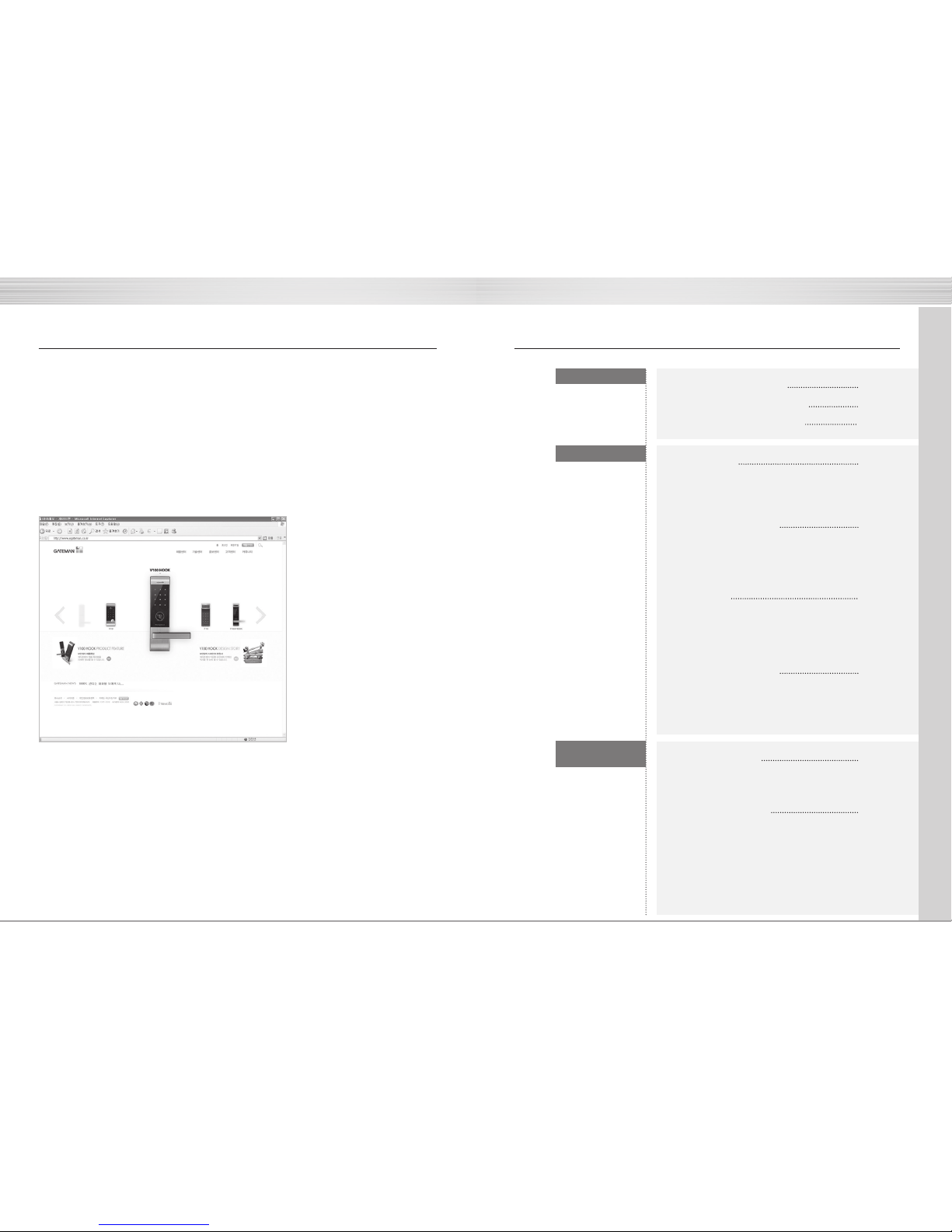
http://www.egateman.co.kr
You can find out about various information regarding GATEMAN’s products and functionalities through our homepage.
INSTRUCTION
Additional
Component
TO BEGIN
Cautions for Safety
Product’s Characteristics
Summary of Instructions
Instructions
Components Guide
Name of Parts (Outside)
Name of Parts (Inside)
To Use the Product
Using the passcodes
Using the card key
How to lock the door
How to open the door from inside
Setting Up
Feature for setting manual switchgear device alarm sound
Volume control function
Forced lock function
Automatic / Manual lock function
Reassuring Feature
Alarm Function
3 Minute (LOCK) Function
Fake Numbering Function
Additional parts
Customer Service
Homecare communication pack
Remote control
Emergency battery supply method during battery outage
Checklist before applying for customer service
Product specification

4 5
Patent Pending
Patent Pending
Patent Pending
Exclusive in Korea
Exclusive in Korea
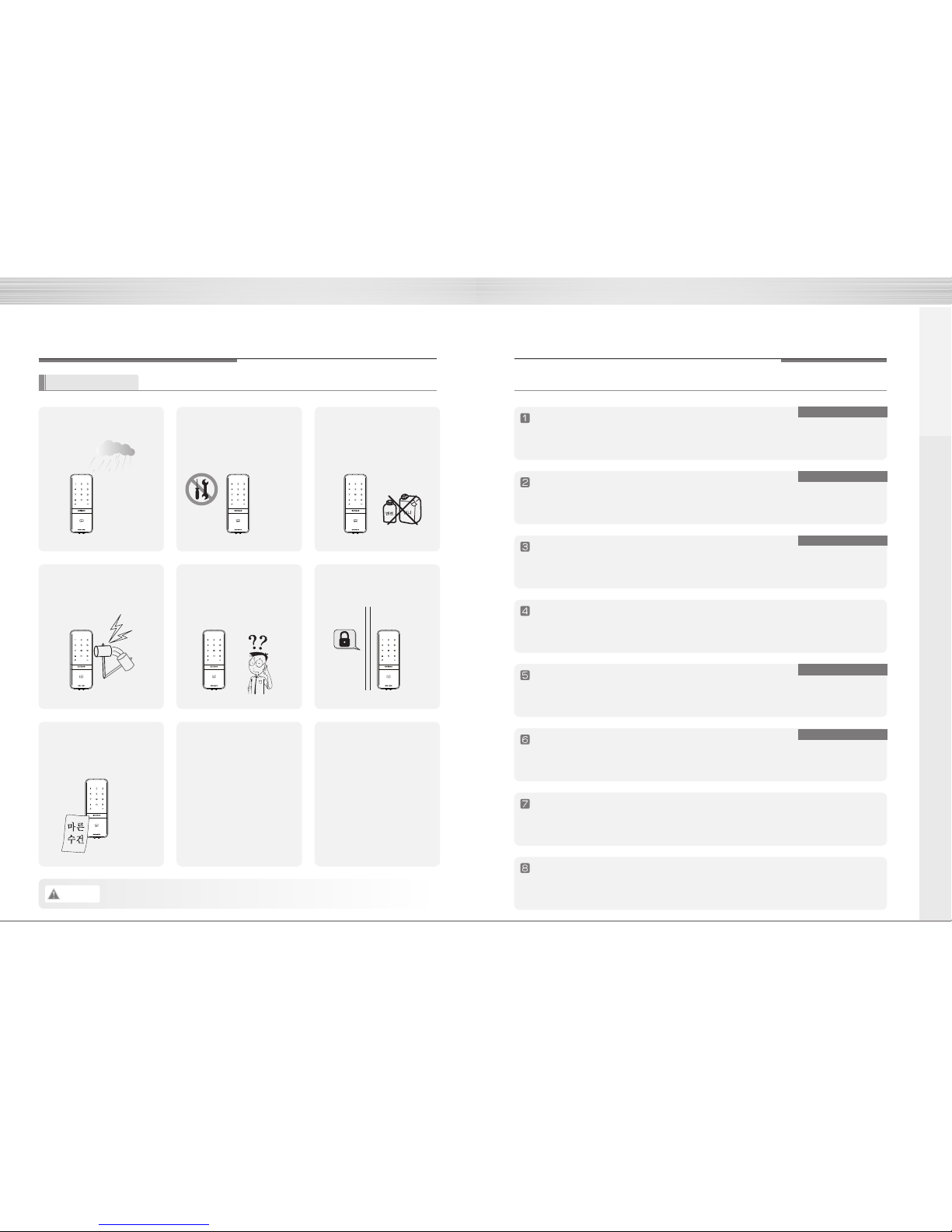
Precautions for Safety Product Characteristics
Please read this!!! This information is for user safety, so please be sure to read it.
Caution If you don’t follow the cautions above, personal injury or property damage may occur.
Do not install outside where rain
can get in the product
Do not disassemble the product
by yourself.
In cases of deliberately
disassembling and reassembling,
the product may malfunction and
ause safety hazards.
Do not clean by directly spraying
water, or use benzene, thinner,
alcohol, or other chemical
products for cleaning.
Do not deliberately apply force /
pressure on the product with
tools.
Please keep in mindful of the
passcodes.
Maintain the number pad clean to
prevent foreign materials from
getting on the surface.
Always check to make sure that
the door is locked properly when
leaving.
Advanced HOOK Mechanism Applied
When locking the door, the internal body and latch are strongly interlocked to be tightened,
so it can powerfully respond to forced attempts to open the door, such as using a lever.
Palm Touch Feature
To prevent exposure of pass code through residual fingerprints, this special feature has
been added. When unlocking the door with the pass code, if you lightly touch the keypad
with your palm after inserting the pass code, input is terminated.
Smart Pad Feature
Every number on the keypad has been individually designed to have separate lighting
system, so all of the features that the user selected can be seen to check its operation
state for any problem.
Special Material (FiberGlass) and Robust Body Structure
By adopting the strong structure against shock from the product design, it can withstand
high temperature, and through utilizing both high-strength fiberglass and durable
die-casting, it is a product that viewed safety and robustness as the top priorities.
GATEMAN Networking System Built (Separate purchase)
With added homecare communication pack, it can be used with a remote control and
by interworking with wireless safety system, network package, you can use your
phone to check your home’s security state or lock and unlock the GATEMAN.
Anti-fire technology (fireproof models are limited)
When it is operated, the voice guidance feature for providing operation status and
feature setting method is provided, so it can be used more easily and conveniently.
Unlimited fake number feature
The fake number feature, which prevents the passcode from easily being exposed to
other people, is built-in, so the product's security was upgraded.
Electric Shock Neutralizing Effect (AntiShock) Feature
Because it uses circuits that have door-opening prevention through electrical tasers,
it is safe against illegal tasers or excessive electric shocks since its circuit blocks the
source of the currents.
How to Begin

6
8
10
14
17
Press the
button (register)
Insert passcode
(4~12 numbers)
Press the
button (registered)
Press the
button (register)
Sequentially touch the
card key that will be
registered onto the card
key touch area.
Press the
button (registered)
Summary of Instructions
Registering the pass code
Registering the card key
Locking the door from outside Opening the door from outside
Locking / Opening
the door from inside
Open/Close
button
Automatic setting
Manual setting
Manual Lock/
Unlock device
Automatic / Manual
lock setting
In automatic lock setting, due to the automatic
lock sensor, the door locks within 5 seconds
after the door is closed.
In manual lock setting, the door locks when you
lightly touch the keypad from the `outside.
①
②
Pressing open/close button will open
and lock the door.
When the manual switchgear device
is directly turned, the door will be
opened and locked.
①
②
Press the inside automatic/manual
lock setting button, so that the
button is popped up.
Press the inside automatic/manual
lock setting button, so that the
button is pressed down.
Touch the registered card key to the card key
touch area.
Lightly touch the external number pad with the
palm to press the registered passcode, and
touch the number pad with the palm again or
press the button to exit.
①
②
Instructions
Components Guide
Name of Parts (Outside)
Name of Parts (Inside)
To Use the Product
To use passcodes
To use the card key
How to lock the door
How to open the door from inside
Setting Up
Feature for setting manual switchgear device alarm sound
Volume control function
Forced lock function
Automatic / Manual lock function
Reassuring Feature
Alarm Function
3 Minute (LOCK) Function
Fake Numbering Function
INSTRUCTION

Battery cover
Homecare communication pack
settling place
Alkaline AA battery
Volume control button
Automatic/Manual lock setting button
Open/Close Button
Manual Switchgear
Inside forced lock switch
Deadbolt
Door status detecting sensor
button (register)
button (menu)
Battery change lamp
Usage Instruction Usage Instruction
8 9
(Sold Separately)
Components Guide Out side
In side
The product’s components may be changed to improve functions or product quality without notice.
Outside (front body) Inside (Main body) Main Bracket Latch
Basic Components
Additional Components
·4 Card Key
·4 Batteries
·screw
·product warranty
·alarm sticker
·installation paper
diagram
·Homecare
Communication
Pack
·iRemote Control
Number Pad (Smart Pad)
Deadbolt Jammed Lamp
Emergency Power Supply Terminal
Battery Replacement Lamp
Card Key Touch Area
How to use

Press the
button (register)
Press the
button (register)
10 11
To Use the Product To Use the Product
Using the passcode Using the card key
To register the pass code Registering the card key
To open the door with passcode Opening the door with the card key
Checking whether
the door is open
Selection Order Operation
Movement Function Description Selection Order Operation
Movement Function Description
Selection Order Operation
Movement Function Description
Selection Order Operation
Movement Function Description
Entering the passcode
Open the interior battery cover and press the
button(register) once.
Press the passcode in the number pad.
(4~12 numbers)
Press the button(register) in the inside again to
finalize the passcode registration.
Sequentially touch
the card key to the
card key touch area
Press the
button (register)
Press the
button (register)
Open the interior battery cover and press the
button(register) once.
Inputting the card key Touch the registered card key to the external
number pad.
Once the passcode or card key is registered,
be sure to check that the door opens with
the registered passcode or card key.
Touch the card key that will be registered onto
the external card key touch area.
(In the case of continuous registration, sequentially touch
the card key.)
Press the button(register) in the inside again to
finalize the passcode registration.
Touch with your palm Lightly touch the keypad located outside.
Entering the passcode Enter the registered pass code from outside.
Touch with your palm Lightly touch the keypad located outside or
press the button.
When you are first registering the pass code, the door may close by accident and lock, so make sure to
register it with the door open.
When you register a new pass code, the previously registered pass code will automatically be erased.
When you register the passcode on the keypad (smart pad), the entered number sequentially show and
disappear.
For the case of losing the card key or not having the card key with you, be
sure to register passcode.
When registering new card key, previously registered card key is
automatically deleted.
When registering a card key, the number of registered card key is
displayed on the number pad (smart pad).
For the security of the customer, register to use only the dedicated cards
supplied from the manufacturer.
The company is not responsible for damages from using or registering
transportation card, credit card (transportation card features), or cell phones
other than card keys that are provided by the company.
Reference
Reference
Caution
How to use

12 13
5
seconds
5
seconds
To Use the Product To Use the Product
To lock the door
To lock the door from outside
To open the door from the inside
To open the door via open/close button
To open the door via manual switchgear during emergency
To lock the door from inside
Selection Order Operation
Movement Function Description
Selection Order Operation
Movement Function Description
With automatic
door lock setting
With manual
door lock setting
Due to the built-in automatic lock sensor, the door
automatically locks within 5 seconds of the door shut.
The door locks when you touch the outside keypad
lightly with your palm
With automatic
door lock setting
With manual
door lock setting
Due to a built-in automatic lock sensor, the door
automatically locks within 5 seconds of the door shut.
Under manual door lock setting, you can lock the door
by turning the manual lock device to the direction of
“locked” setting.
Under manual door lock setting, you can press the
open/close button to lock the door.
Even with the automatic door lock setting, make sure to double-check to see that the
door is locked properly.
Reference
In the case of emergency, please read and study how to operate the manual switchgear.
Reference
Pressing the open/close button
of the inside disables
the lock status
(Closed State) (Open State)
Turn the manual switchgear
in the open direction.
How to use

Reference
Reference
Press button
for 5 seconds
14 15
Press the
button (menu)
Press the
button (menu)
Setting Up Setting Up
Manual Switchgear Alarm Sound Features Forced lock feature
Volume Control Feature
How to set the manual switchgear alarm sound
To control volume
Setting the external forced lock - Card
Setting the external forced lock - Password
After opening the interior battery cover press the
button (menu)
Contacting the card
key for 5 seconds
Contact the registered card key in the card key
touch area for at least 5 seconds.
(Beep sound is played 3 times.)
Press the 0, and then the 8 button on the keypad
sequentially.
Press the button (menu) in the interior again.
Press the 0, 8 button
on the keypad
This feature allows control over all of the sounds made by the product
Selection Order Operation
Movement Function Description
Selection Order Operation
Movement Function Description
Selection Order Operation
Movement Function Description
Selection Order Operation
Movement Function Description
Based on the volume switch setting, the operation
volume is controlled.
(2: Loud operation volume / 1: Low operation volume / 0: Operation volume muted)
To control volume switch
The product’s initial setting is to not produce an alarm sound from opening or closing the door via
manual switchgear, but depending on the user convenience, it can be set to play an alarm sound.
For each use, the alarm sound setting and disabling for the manual switchgear is repeated. When the external forced lock is enabled, an intrusion alarm will sound when the door is open
from the inside by manual opening and closing device.
Touch with palm Lightly touch the key pad with a palm
Enter the passcode Enter the registered passcode
Press button for 5 seconds
(There will be 3 beeping sounds.)

While the door is closed, move the inside forced lock
switch to the position so that the red
sticker can be seen.
16 17
•
•
Reference
An alarm will sound if the door is open when the automatic lock is not working properly.
An alarm will sound by the temperature sensor reaction if the internal part (the main body) is exposed
to direct sunlight for a long period of time.
If alarm sounds by breakage, fire, or intrusion, the number on keypad will be lit in clockwise manner.
(It will be repeated for 30 minutes with alarm sounds)
Reference
When the internal forced lock is set, no card key or passcode works from the outside.
When setting the internal forced lock, touching the palm to the number pad (smart pad) will light up
the numbers from left to right one row at a time for 2 times.
Even with the automatic door lock setting, make sure to double check to see that the door is
locked properly.
Setting Up Reassuring Features
Forced lock feature
Inside forced lock set up Intrusion, Breakage alarm sounds
High Temperature Alarm Sound
Automatic/Manual Lock Setting
Selection Order Operation
Movement Function Description
Selection Order Operation
Movement Function Description
Inside forced lock
switch setting/disabling
Automatic / Manual Lock Setting
In automatic lock setting, the door locks within 5 seconds of the door being shut
Automatic lock setting Press the inside automatic/manual lock setting button
so that the button is popped out.
Manual lock setting Press the inside automatic/manual lock setting button
so that the button is pressed in.
Alarm Function
Product alarm sound will last 30 minutes or till the alarm is off
Intrusion: An alarm will sound when there is
an intrusion by forcibly opening the locked
door through the crack.
Breakage: An alarm will sound when there
is a breakage of the external part by forcibly
separate or break it with a drill.
Turn off the Intrusion,
Breakage alarm Method
Method
Method
Enter the registered passcode
Touch the registered card keys in Card key touch part
Press the Open/Close button of the inside part for 5 seconds.
Method
Method
Method
Enter the registered passcode
Touch the registered card keys in Card key touch part
Press the Open/Close button of the inside part for 5 seconds.
In the case of fire, the device will detect the
inside temperature and automatically alarm
the sound and unlock the door.
It will automatically unlock if high temperature
alarm sounds even when the inside forced
lock mode is enabled.
To turn off the High
temperature Alarm
How to use

Fake number Enter the passcode.
Passcode Enter the fake number.
18
20
22
Reference
Alarm feature will work normally while 3 minute lock feature is being activated, and it will be
continuously enabled after the power is reinstalled.
If 3 minute lock feature is activated, the fake numbering feature will not work until the normal
access (fingerprint access, normal passcode access, and opening from inside) is granted.
So, please open the door by using the normal passcode.
Reassuring Features
Selection Order Operation
Movement Function Description
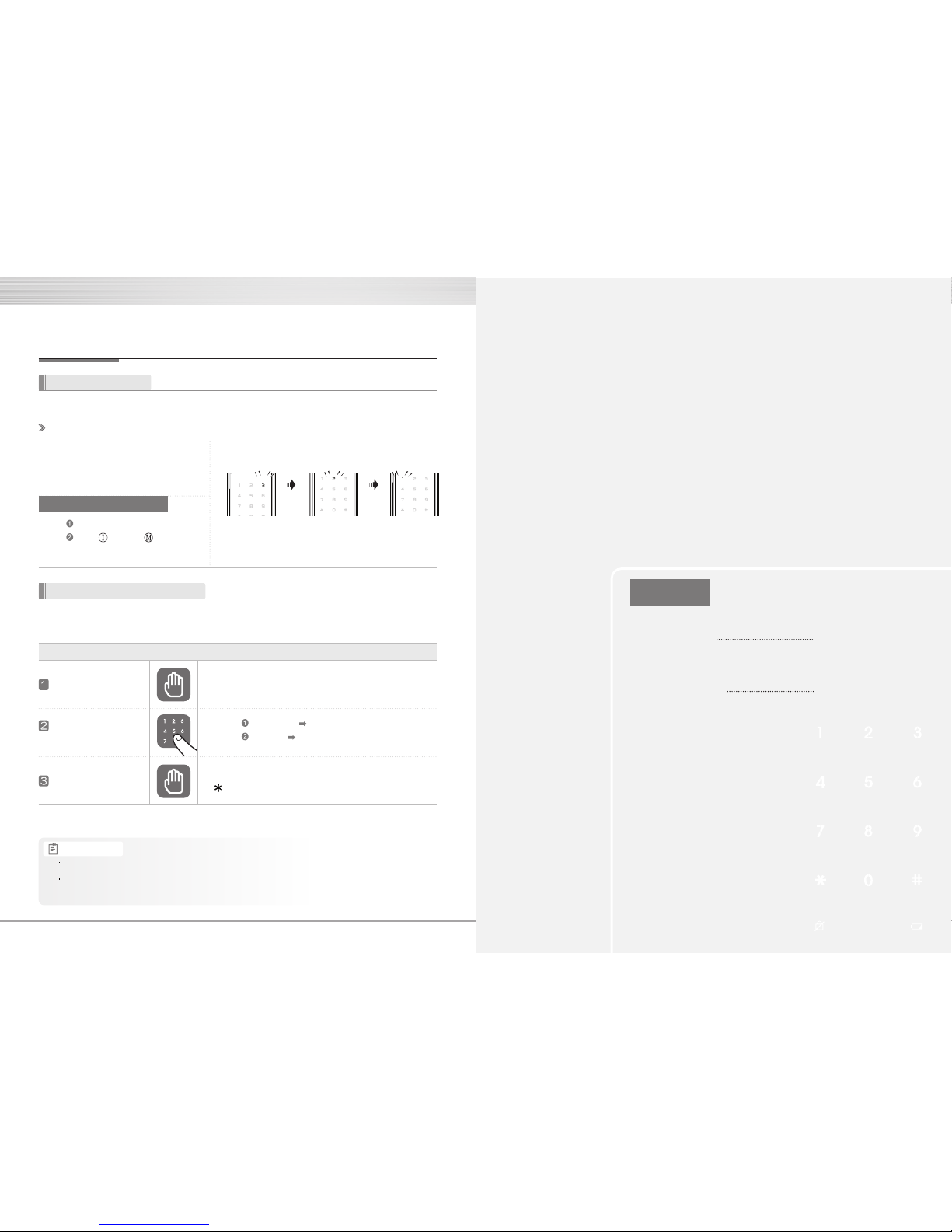
3 Minute Lock Status Display
3 Minute Lock feature In 3 Minute Lock mode, no other button except the buttons in the inside part will work
Open the door with fake numbers
It is effective when you are with other person and worry about exposing the passcode to him/her
If one inputs unregistered passcode or fingerprints
5 times repeatedly, the 3 minute lock mode will be
activated and it will be continued for 3 minutes.
To turn offthe 3 minute lock
Method
Method
Press the open/close button.
Press (register) / (menu) button.
Method
Method
2 Minutes
passed
1 Minute
Passed
3 Minute Lock
Begins 2 Minutes Left
Number
2 Lit
1 Minute Left
Number
1 Lit
Number
3 Lit
Touch with a palm
Enter any number
(fake number)
Touch with a palm
Lightly touch the keypad of outside with a palm
Lightly touch the keypad of outside with a palm or press
button to finish.
Additional
Component
Additional parts
Customer Service
Homecare communication pack
Remote control
Emergency battery supply method during battery outage
Checklist before applying for customer service
Product specification
Indice
Altri manuali GATEMAN Serratura della porta