
Gefen TOOLBOX Manuale utente
www.gefentoolbox.com
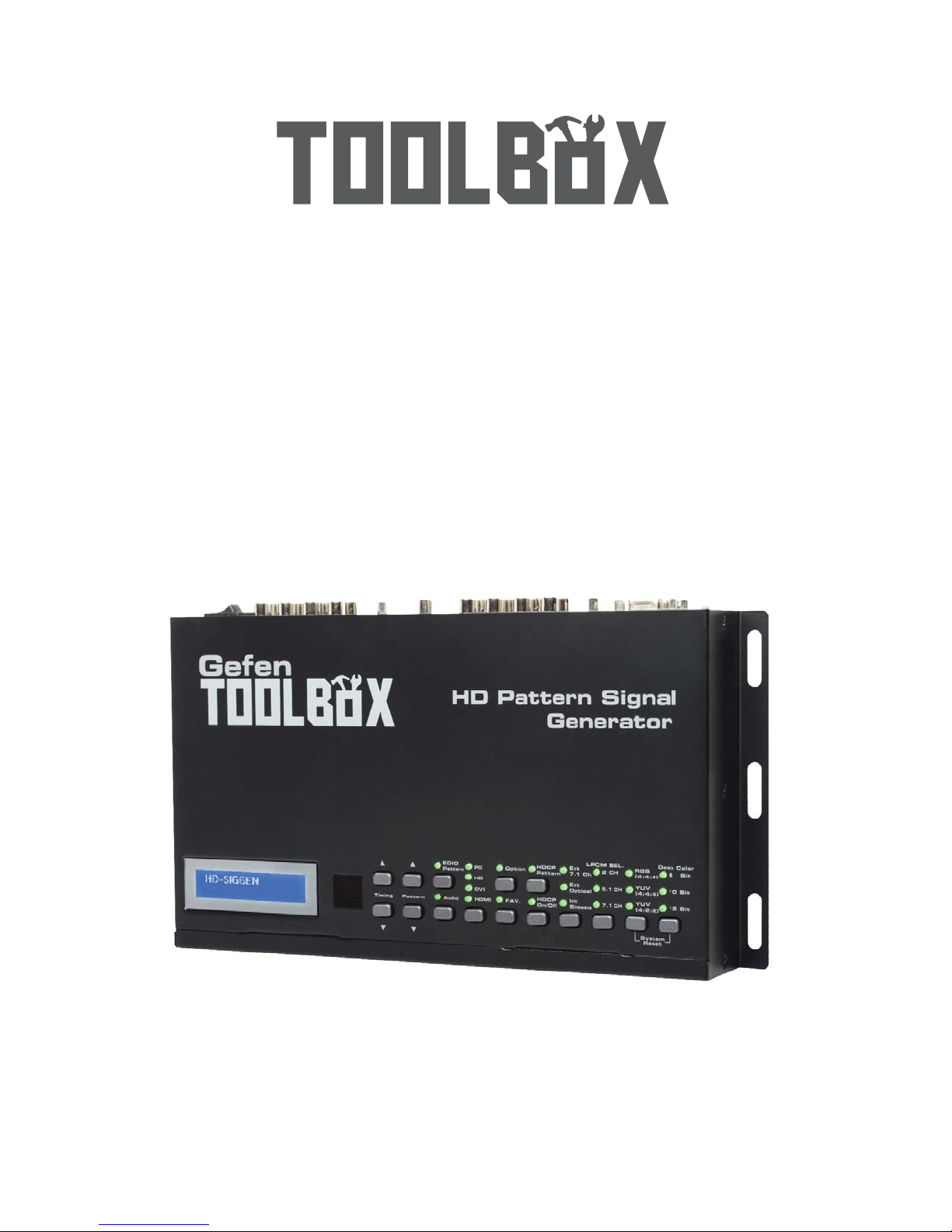
HD Pattern
Signal Generator
GTB-HD-SIGGEN
UserManual
Gefen

Technical Support:
Telephone (818) 772-9100
(800) 545-6900
Fax (818) 772-9120
Technical Support Hours:
8:00 AM to 5:00 PM Monday through Friday, Pacific Time
Write To:
Gefen, LLC
c/o Customer Service
20600 Nordhoff St
Chatsworth, CA 91311
www.gefentoolbox.com
Notice
Gefen, LLC reserves the right to make changes in the hardware, packaging and
any accompanying documentation without prior written notice.
HDMI, the logo, and High-Definition Multimedia Interface are
trademarks or registered trademarks of HDMI Licensing in the United States and
other countries.
HD Pattern Signal Generator is a trademark of Gefen, LLC
Windows is a registered trademark of
Microsoft Corporation in the United States and other countries.
© 2011 Gefen, LLC. All rights reserved.
All trademarks are the property of their respective owners.
Rev A4
ASKING FOR ASSISTANCE

CONTENTS
1 Introduction
2 Operation Notes
3 Features
4 Top Panel Layout
5 Top Panel Descriptions
6 Back Panel Layout
7 Back Panel Descriptions
8 Control Panel Layout
9 Control Panel Descriptions
11 Connecting The GefenToolBox HD Pattern Signal Generator
11 Wiring Diagram
12 Operating The GefenToolBox HD Pattern Signal Generator
12 Display Window
12 Timing Buttons
13 Pattern Buttons
13 Resetting the HD Pattern Signal Generator
14 Pattern Summary
14 Purity
15 Color Settings
17 Color Bars
17 Gray Scale
18 Black White Line
19 Pluge
20 Grid
20 Gradient
21 Circles
21 EDID
25 Audio
29 HDCP
31 Motion
31 Data Analysis
34 System Setup
36 Timing Summary
38 HD Pattern Signal Generator Software
38 Installing the Software
41 Connecting the RS-232 cable
42 Running the HD Pattern Signal Generator Software
44 Selecting the Timing
45 Selecting the Pattern

CONTENTS
46 Unique Patterns
46 ColorSetting Pattern
48 Motion Pattern
50 Favorite Timing
51 Favorite Pattern
52 EDID Read / Write
54 Translating EDID (Verbose Form)
58 Generating the EDID Checksum
61 Saving an EDID to a File
64 Clearing the EDID from Memory
65 Loading an EDID from a File
67 Comparing EDID Data
69 Writing EDID to a Sink
70 Erasing the EDID of a Sink
71 Opening Recent EDID Files
72 Autorun Configuration
73 Panel Control
74 Getting the Hardware and Firmware Version
75 Wall Mounting Instructions
76 Glossary
83 Specifications
84 Warranty

1
INTRODUCTION
Congratulations on your purchase of the GefenToolBox HD Pattern Signal
Generator. Your complete satisfaction is very important to us.
About Gefen
Gefen delivers innovative, progressive computer and electronics add-on solutions
that harness integration, extension, distribution, and conversion technologies.
Gefen’s reliable, plug-and-play products supplement cross-platform computer
systems, professional audio/video environments, and HDTV systems of all sizes,
with hard-working solutions that are easy to implement and simple to operate.
GefenToolBox
The GefenToolBox line offers portable and easy-to-install solutions for common
A/V system integration setups using HDMI connectivity. GefenToolBox products
are wall-mountable and small in size. GefenToolBox products are easily
transported in the field and are ready for immediate and simple installations in
working environments.
The GefenToolBox HD Pattern Signal Generator
The GefenToolbox HD Pattern Signal Generator is the most advanced testing de-
vice for your audio and video equipment. 39 built-in timings, 41 patterns, and four
(4) data analysis patterns provide over a thousand testing combinations for both
analog and digital devices. The front panel LCD screen provides easy viewing of
functions and features for each timing / pattern. This device can be conveniently
controlled via the front panel buttons, the IR remote or the downloadable soft-
ware from the Gefen Web site. In addition to its portability, this signal generator
is wall-mountable and field-upgradeable.
How It Works
Connect the HDMI output port of the GefenToolbox HD Pattern Signal Generator
to your HDTV display. Power-on all equipment. The front panel LCD will display
all features and options of the active timing and pattern. You can feed digital or
analog audio into the generator’s rear panel and hear multi-channel digital audio
or use the built-in sine wave test tone.

2
READ THESE NOTES BEFORE INSTALLING OR OPERATING
THE GEFENTOOLBOX HD PATTERN SIGNAL GENERATOR
• The GefenToolBox HD Pattern Signal Generator can be controlled using a
software application and RS-232. Download this application from the Gefen
Web site at: http://www.gefen.com/kvm/support/download.jsp
OPERATION NOTES

3
FEATURES
Features
• Multi-format video output for SD and HD video up to 1080p
• PC/HD resolutions up to UXGA / WUXGA (1920 x 1200)
• 39 timings, 41 patterns, and 4 data analysis patterns
• Supports RGB 4:4:4, YCbCr 4:4:4, and YCbCr 4:4:2 color spaces
• Supports NTSC and PAL frame rates
• 2 CH, 5.1 CH, and 7.1 CH LPCM internal sine wave generator
• RS-232 control via the downloadable software from the Gefen Web site.
• Small form factor; easy to transport
• Supports HD timings for VGA output
• HDCP Pattern
• Supports reading and copying EDID functionality.
• User Friendly Interface - LCD Display, LED indicators and Software.
• Deep Color support up to 12-bit
• HDMI 1.3 and DVI 1.0 Compliant
• HDCP Compliant
Sample Applications
• Apparatus Testing and Troubleshooting
• Equipment Adjustment
• EDID checking
• Source / Sink definition
• HDCP Verification
Package Includes
• (1) GefenToolBox HD Pattern Signal Generator
• (1) 6ft. HDMI cable (M-M)
• (1) IR Remote
• (1) 5 V DC Power Supply
• (1) User Manual
4
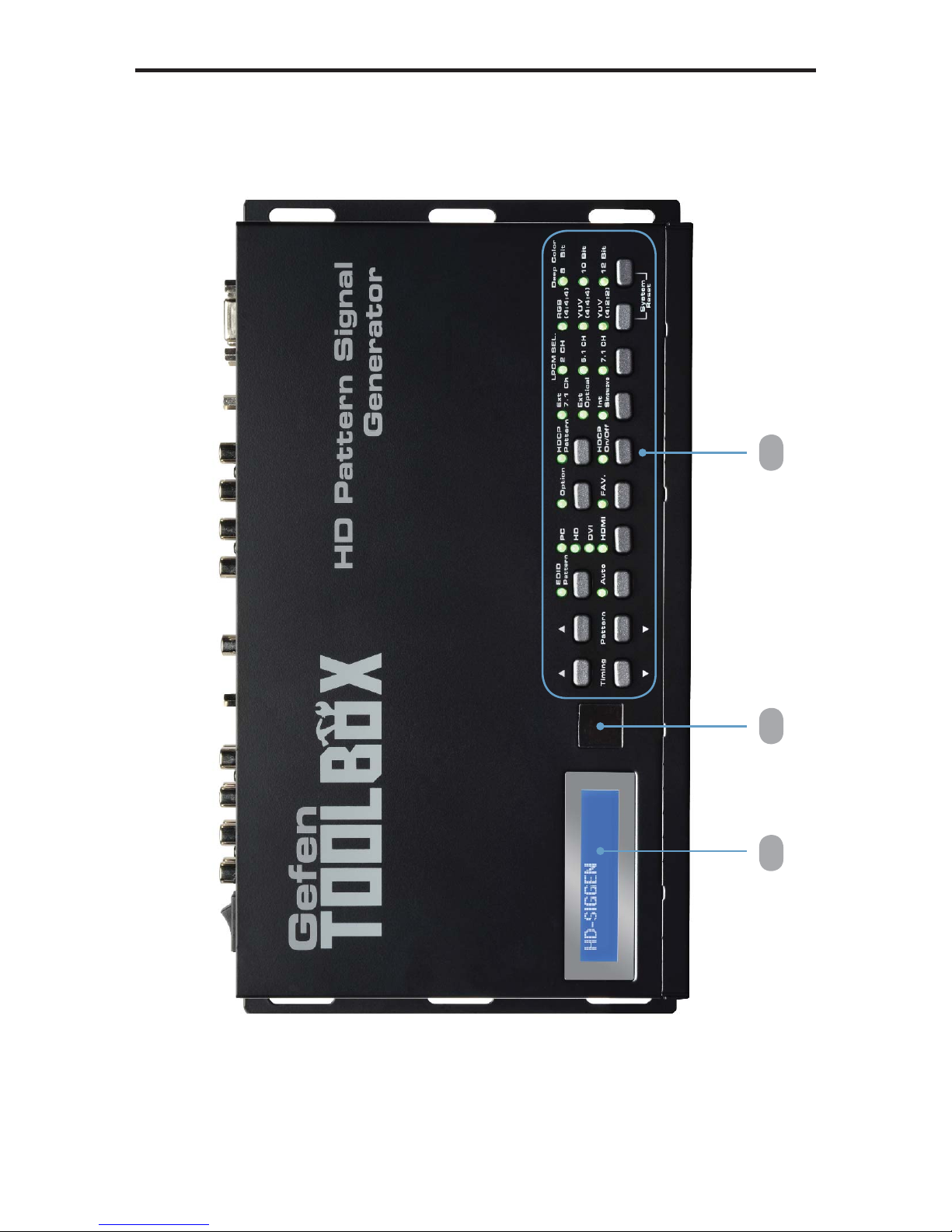
TOP PANEL LAYOUT
2 31
Top Panel

5
1 LCD Display
Displays pattern and timing information in addition to other functions used by the
Signal Generator.
2 IR Window
Receives signals from the IR Remote Control unit.
3 Control Panel
See page 8 for a detailed view of the Control Panel.
TOP PANEL DESCRIPTIONS
Top Panel

6
BACK PANEL LAYOUT
Back Panel
1 2
3
4 5
6 7
8 9 10
11
12
Questo manuale è adatto per i seguenti modelli
1
Indice
Altri manuali Gefen Invertitore


