
Global Sun Tech WL 01 2454 25M0 Manuale utente
1
Product: IEEE 802.11g 54Mbps Wireless Network PC Card
Model: WL 01 2454 25M0
GST Confidential
54Mbps wireless Network
PC Card
USER MANUAL
Marketing Dept.
Editorial:
George Chou
Approved By:
DOCUMENT
REV. 1.1
54Mbps Wireless Network PC Card
USER MANUAL
REV. DATA 09/23/2004
2
Product: IEEE 802.11g 54Mbps Wireless Network PC Card
Model: WL 01 2454 25M0
GST Confidential
Version History
Version H/W Description Date Editor
V1.0 Raymond Create the file 4, Agu, 2004 George Chou
V1.1 Raymond Delete encryption few
contents
23,Sep,2004 Jessica Yang
3
Product: IEEE 802.11g 54Mbps Wireless Network PC Card
Model: WL 01 2454 25M0
GST Confidential
Contents
1. Overview ....................................................................................................4
1.1 Product Feature................................................................................4
1.2 System Requirement ........................................................................4
2. Getting Start...............................................................................................5
2.1 LED Indicators ..................................................................................5
2.2 Install the 802.11g Wireless Network PC Card .................................5
2.2.1 Utility Installation ....................................................................5
2.2.2 Driver Installation ...................................................................8
3. Configuration..............................................................................................11
3.1 Link Information................................................................................... 11
3.2 Configuration .......................................................................................12
3.3 Advanced.............................................................................................13
3.4 Site Survey ..........................................................................................15
3.5 About US .............................................................................................16
4. Glossary......................................................................................................17

4
Product: IEEE 802.11g 54Mbps Wireless Network PC Card
Model: WL 01 2454 25M0
GST Confidential
1. Overview
1.1Product Feature
●Compliance with IEEE 802.11g and 802.11b standards
●Highly efficient design mechanism to provide unbeatable performance
●Achieving data rate up to 54Mbps for 802.11g and 11Mps for 802.11b with
wide range coverage; high performance to deliver up to 54Mbps raw data
rate for 802.11g
●Strong network security with WEP, WPA-PSK encryption support
●Driver/Utility support most commonly used operating systems including
Windows 98SE/ME/200/XP.
1.2System Requirement
●Windows 98SE, Millennium Edition (ME), 2000 and XP operating systems
●PC with Pentium III 600MHz system or above is recommended
●Equipped with at least one PC cardbus socket or PC cardbus adapter
●One CD-ROM drive
5
Product: IEEE 802.11g 54Mbps Wireless Network PC Card
Model: WL 01 2454 25M0
GST Confidential
2. Getting Start
2.1LED Indicators
The Power LED will be ON when the unit is powered up.
The Link LED will be Blinking indicates a WLAN connection.
2.2Install the 802.11g Wireless Network PC Card
2.2.1 Utility Installation
1. Before insert PC card into the PC cardbus of your computer, please install
the Utility Program first. Make sure that the 802.11g wireless Network PC
Card is NOT inserted into the cardbus slot.
NOTE: all the snapped images of installation mentioned in this manual are
based on Windows XP. For other windows operating system, all the
procedures are the same but the screens are not the exactly same.
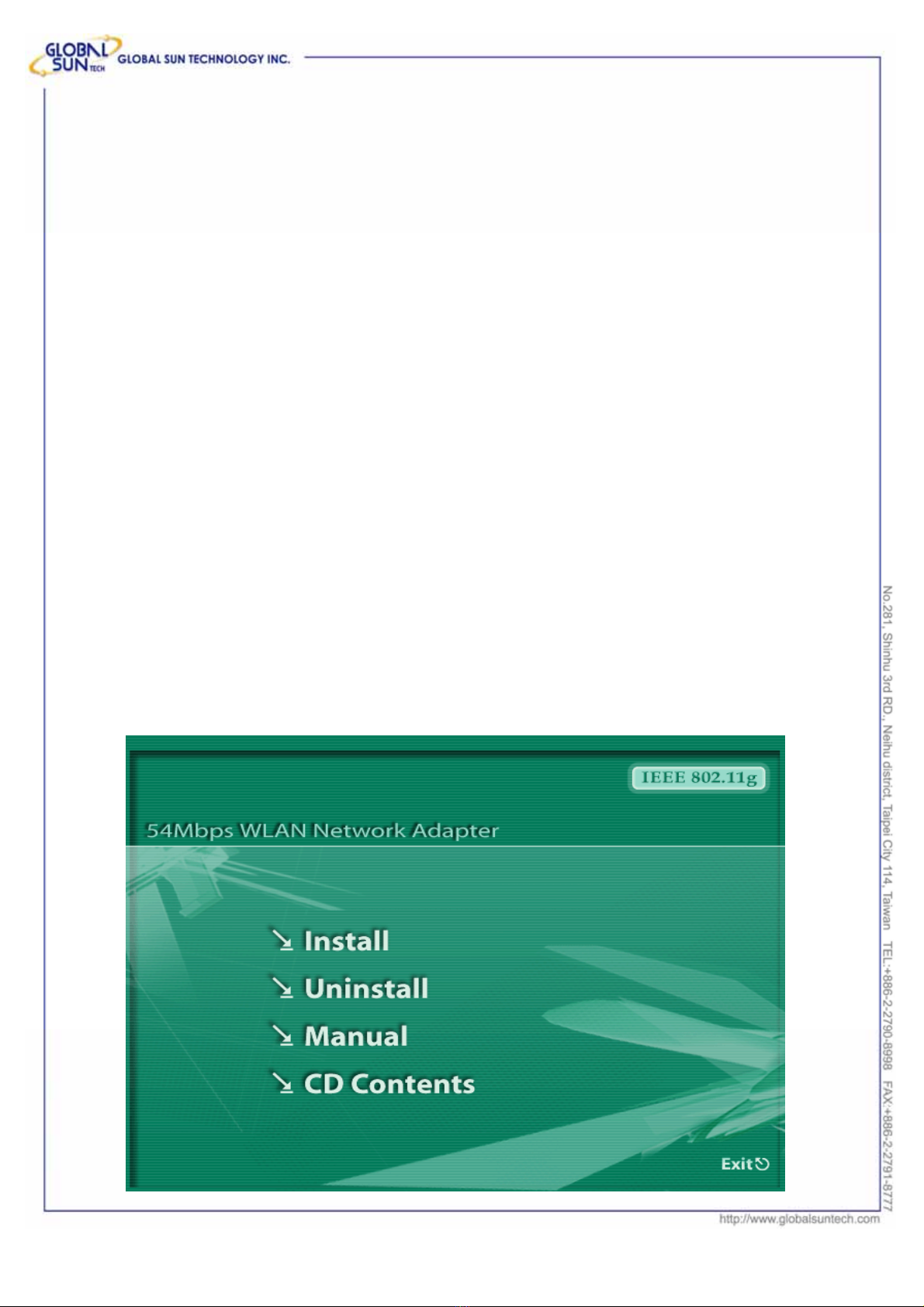
2. Turn on the computer. Insert the CD into the CD-ROM Drive. Please
select click the “Install”.
6
Product: IEEE 802.11g 54Mbps Wireless Network PC Card
Model: WL 01 2454 25M0
GST Confidential
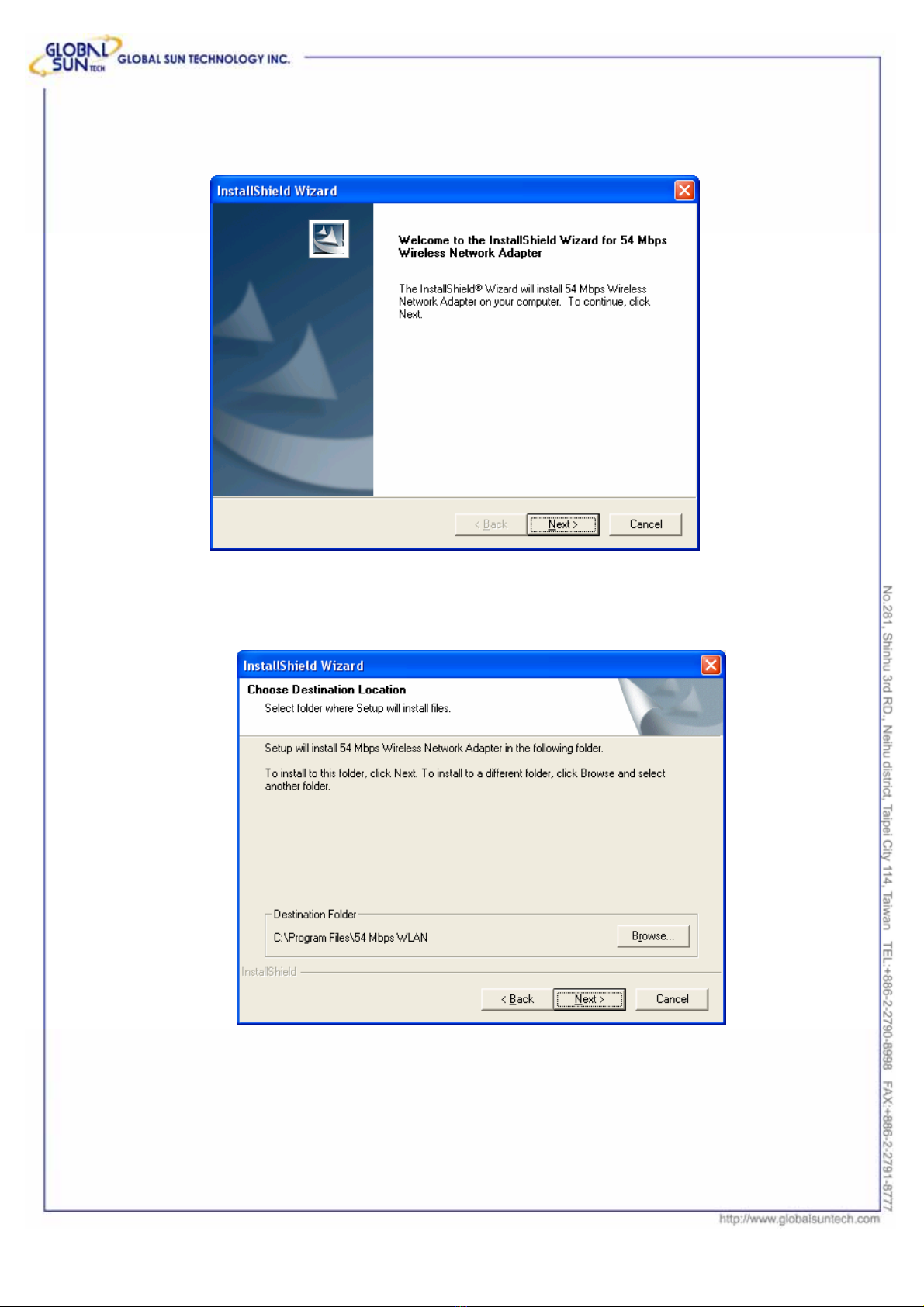
InstallShield Wizard will automatically start. Please click “Next” to continue.
If user wants to change the installation folder, press “Brower”
to change the directory or press “Next” to continue.
7
Product: IEEE 802.11g 54Mbps Wireless Network PC Card
Model: WL 01 2454 25M0
GST Confidential
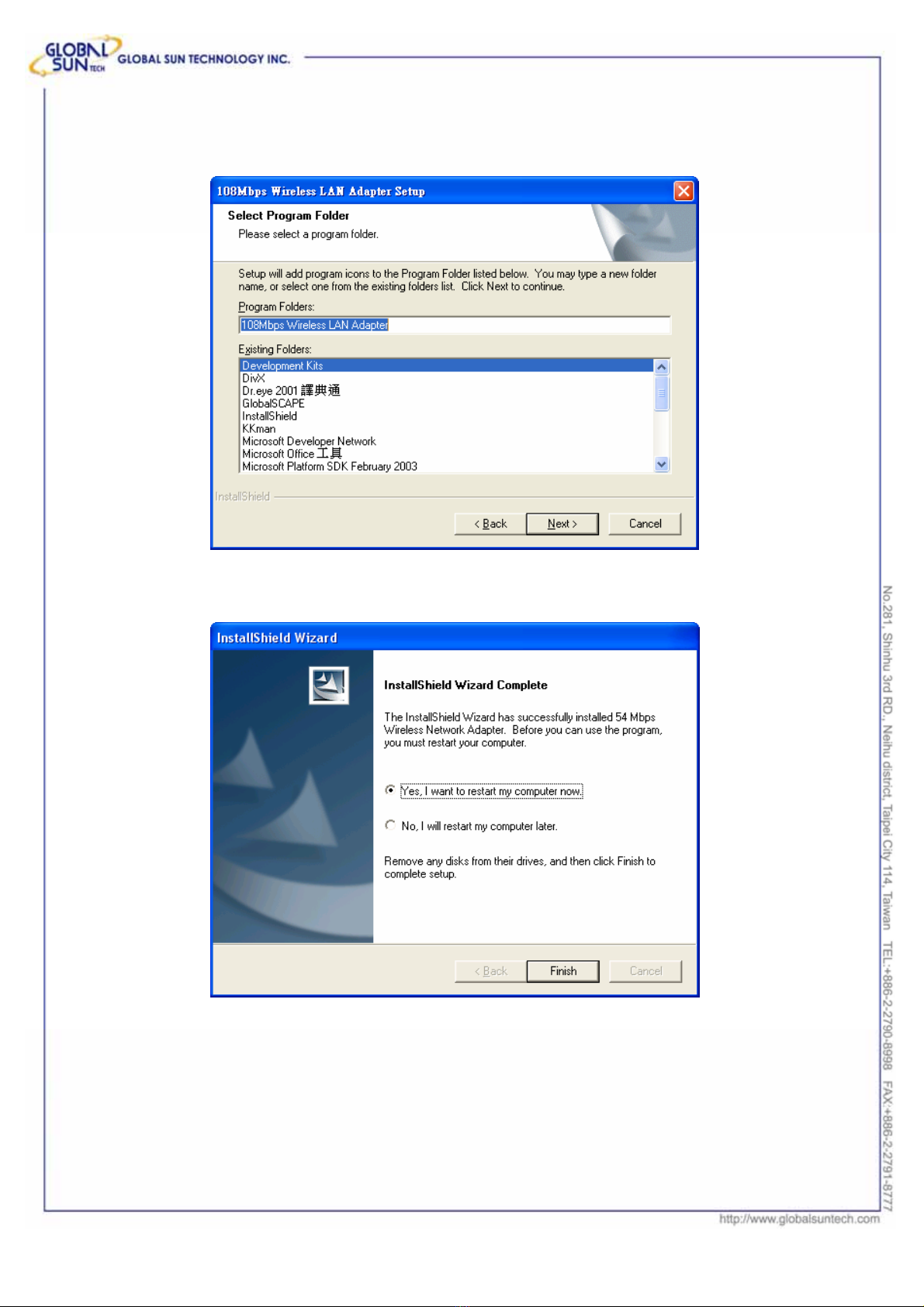
Users can also rename the installation folder, type the
name in the column, or press “Next” to continue.
3. Click “Finish” to finish the installation.
4. Restart computer to make the settings effective.
.
8
Product: IEEE 802.11g 54Mbps Wireless Network PC Card
Model: WL 01 2454 25M0
GST Confidential
2.2.2 Driver Installation
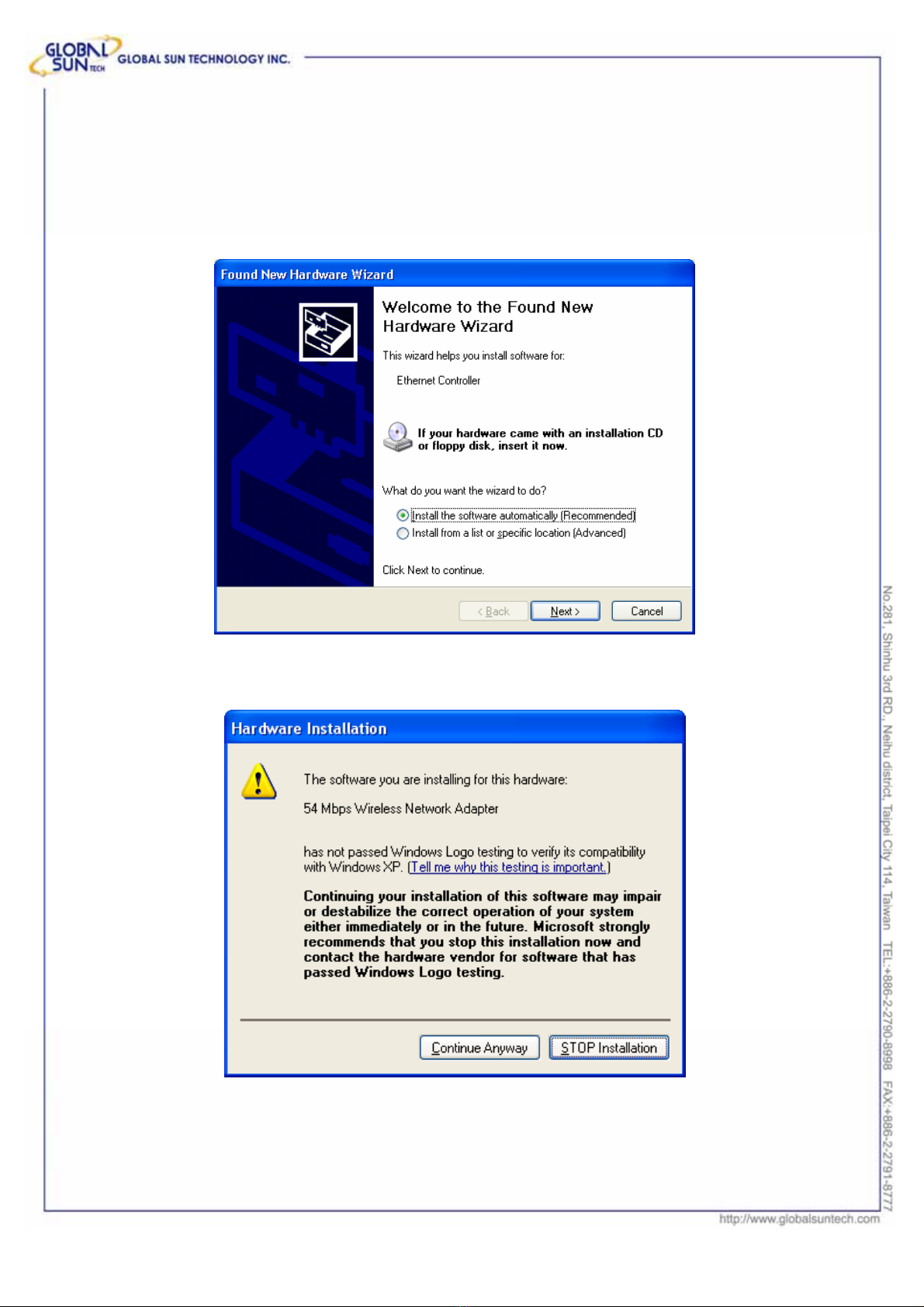
1. After restarting the computer, insert the PC card into cardbus. Few seconds
later, there will be a window popup as the following picture.
2. Click “Continue Anyway” to keep installation going.
9
Product: IEEE 802.11g 54Mbps Wireless Network PC Card
Model: WL 01 2454 25M0
GST Confidential
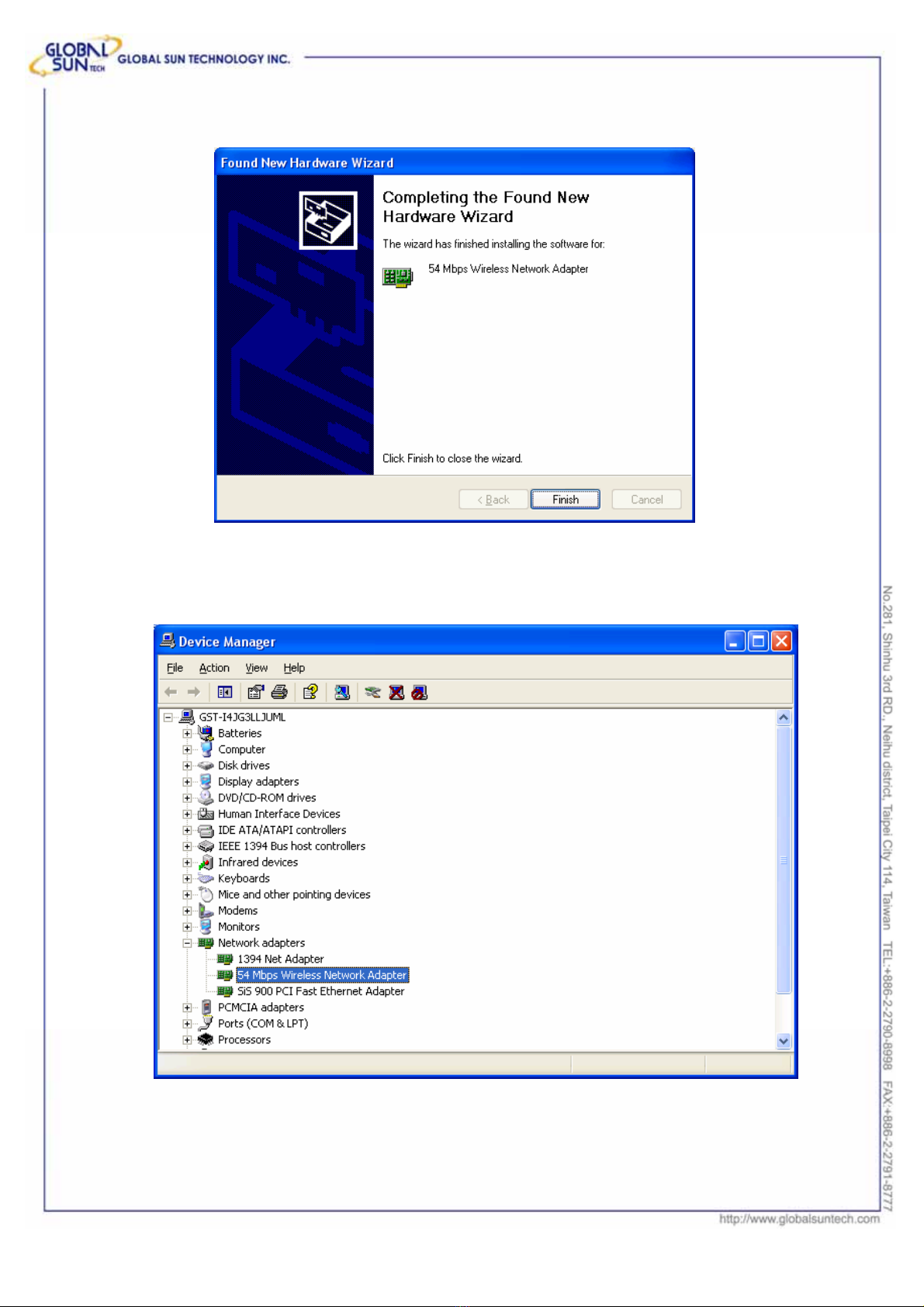
3. Click “Finish” to finish the driver installation.
4. To make sure if the installation is successful, you could check it through the
device management.
10
Product: IEEE 802.11g 54Mbps Wireless Network PC Card
Model: WL 01 2454 25M0
GST Confidential
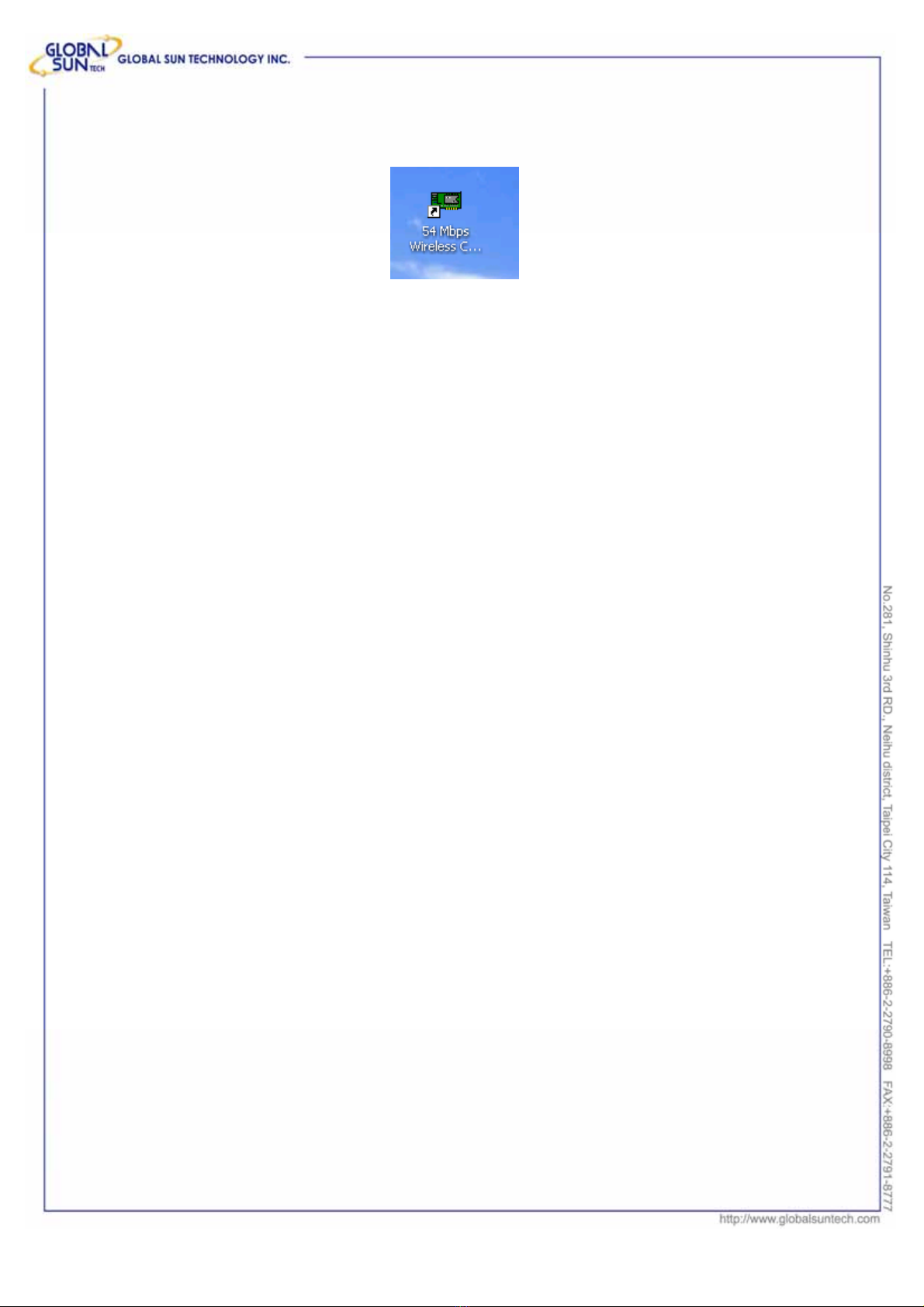
5. Once the installation is successful, a utility program icon will show on your
desktop. To lunch the utility, just double click the icon.
Indice
Manuali Hardware per computer popolari di altre marche

EMC2
EMC2 VNX Series Manuale del proprietario

Panasonic
Panasonic DV0PM20105 Manuale utente

Mitsubishi Electric
Mitsubishi Electric Q81BD-J61BT11 Manuale utente

Gigabyte
Gigabyte B660M DS3H AX DDR4 Manuale utente

Raidon
Raidon iT2300 Manuale utente

National Instruments
National Instruments PXI-8186 Manuale utente


