
Govee H705A Manuale utente

Govee RGBIC Permanent Outdoor Lights
Model: H705A
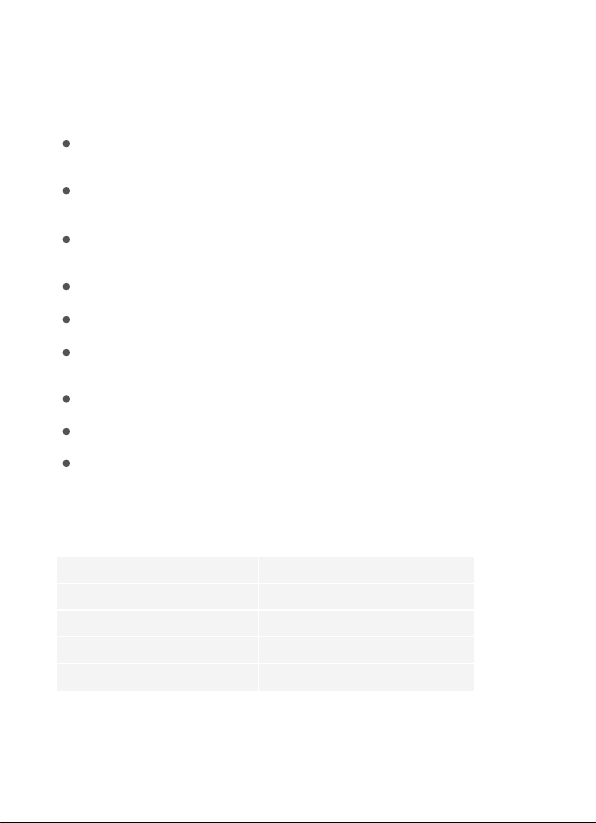
Item
Light string
Power Adapter
User Manual
Quick Start Guide
Quantity
6
1
1
1
What You Get
READ AND SAVE THESE INSTRUCTIONS
This product is rated as IP67 Waterproof. It can be used outdoors but
be immersed in water is not recommended.
The control box and power adapter are both rated as IP65. They can be
used outdoors but cannot be immersed in water.
To prevent the light string from falling down, ensure it is installed with
both the adhesive tape and the clips.
Tighten up the waterproof cap before using the light.
Do not allow children to assemble and install this product.
Avoid installing this product near major heat sources or other
dangerous sources.
Avoid using other non-standard adapters for this product.
External dimmer cannot be used with this product.
Use this product with the provided power adapter only.
Safety Instructions
01
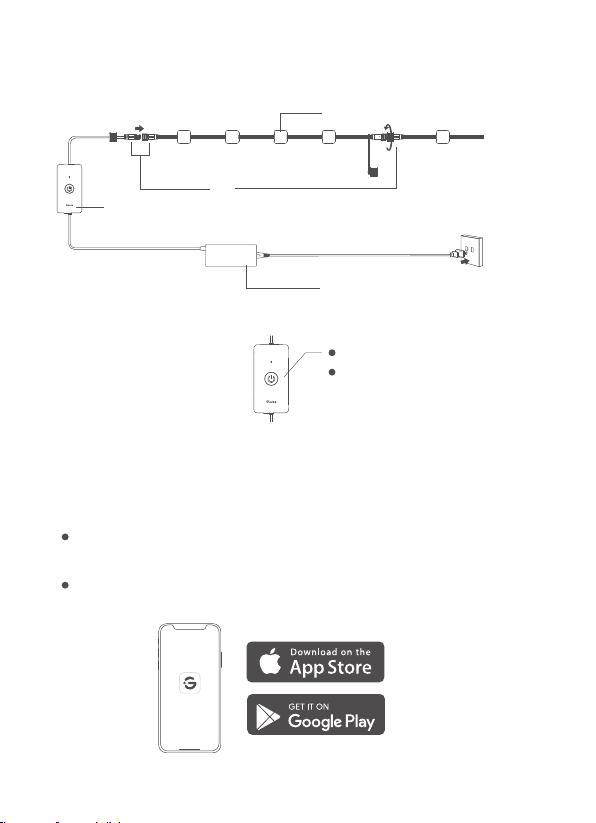
a. Power Adapter
b. Control Box
c. Permanent Lights
d. Waterproof Connector
At a Glance
b.
a.
c.
d.
Press to turn on or off.
Press and hold for 5
seconds to reset.
Govee Home
Pairing Your Light with Govee Home App
What You Need
A Wi-Fi router supporting the 2.4GHz and 802.11 b/g/n bands.
5GHz is not supported.
A smartphone or tablet running iOS 8.0 (or above) or
Android 4.3 (or above).
02
❶
❷
❸
❹
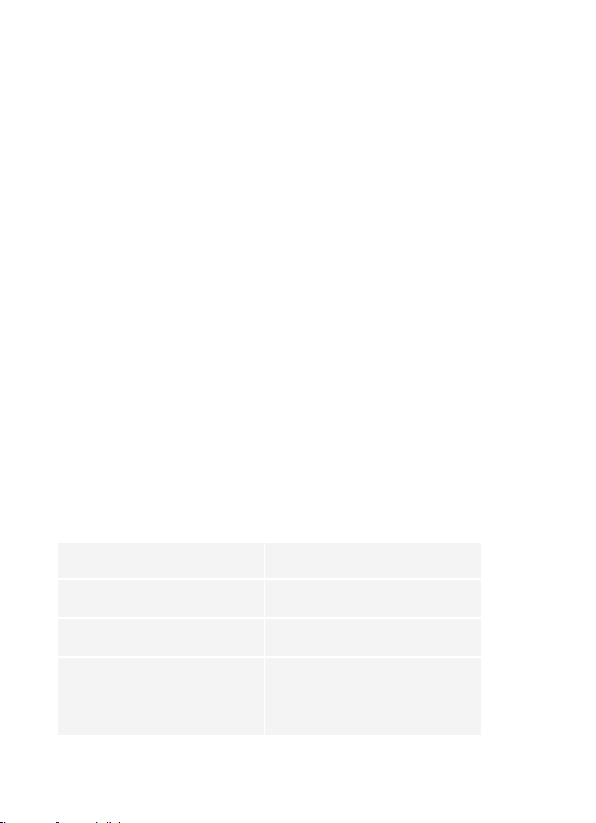
Download Govee Home app from the App Store (iOS devices)
or Google Play (Android devices).
Turn on the Bluetooth on your smartphone.
Open the app, tap the “+” icon in the top right corner and
search for “H705A”.
Tap the device icon and follow the on-screen instructions to
complete pairing.
Specifications
Power Input (Adapter)
Power Input (Light)
Length
Waterproof
200-240 VAC 50/60Hz
36VDC 2A
100ft
Light string: IP67
Control box: Rainproof
Adapter: Rainproof
Controlling the Light with Your Voice
❶
❷
❸
Open the app, then tap the device icon to enter the details
page.
Tap the setting icon in the top right corner.
Select Using Guidance and follow the on-screen instructions
to control the device using your voice.
03

Light Displaying Technology
Working Temperature
Light string
RGBIC
-20° to 45°C (-4° to 113°F)
Max.9
Troubleshooting
❶
❷
The adhesive tape is not strong enough.
Use the clips to secure the strip lights firmly during installation.
a.
b.
c.
d.
e.
f.
Do not skip the Bluetooth connection in the app.
Ensure the Bluetooth on your smartphone has been turned on.
Your smartphone may be incompatible with Govee Home app. Try
using a different smartphone then reconnect.
Power the light and your smartphone's Bluetooth off then on, then
try again.
Ensure that your smartphone is within 1m/3.28ft of the light when
connecting.
Clear any obstructions that are between the light and your
smartphone.
Cannot connect to Bluetooth.
❸The light does not display the selected color fully/Some LED beads
do not light up.
Please contact the Govee support team for rapid product replace-
ment.
04

Cannot connect to Wi-Fi.
Do not skip the Wi-Fi connecting steps in the app.
5GHz network is not supported. Please set the router to 2.4GHz and
then reset it.
Connect your smartphone to Wi-Fi and check whether the network
works well.
Make sure you have entered the correct Wi-Fi name and
password.
Change your Wi-Fi password to a brief one. 8 numbers and letters
are suggested.
Connect hotspot in your smartphone to the lights and check
whether the router works with the lights.
a.
b.
c.
d.
e.
f.
❺
a.
b.
c.
Pull out every connective part of the lights and firmly re-connect
them.
Re-connect your smartphone to Wi-Fi.
Plug out the adapter port and re-plug it in.
Cannot connect to Alexa.
❻
a.
b.
Cannot sync the light to the beat of my music.
Move the control box closer to the music source.
Clean the mic on the control box then try again.
❹
05

Customer Service
Warranty: 36-Month Limited Warranty
Support: Lifetime Technical Support
Email: [email protected]
Official Website: www.govee.com
@Govee.smarthome
@Goveeofficial
@govee.official
@govee_official
@Govee

NOTE: This equipment has been tested and found to comply with the
limits for a Class B digital device, pursuant to Part 15 of the FCC Rules.
These limits are designed to provide reasonable protection against
harmful interference in a residential installation. This equipment
generates uses and can radiate radio frequency energy and, if not
installed and used in accordance with the instructions, may cause
harmful interference to radio communications. However, there is no
guarantee that interference will not occur in a particular installation. If
this equipment does cause harmful interference to radio or television
reception, which can be determined by turning the equipment off and on,
the user is encouraged to try to correct the interference by one or more
of the following measures:
FCC and ISED Canada Statement
This device complies with Part 15 of the FCC Rules and Industry Canada
licence-exempt RSS standard(s). Operation is subject to the following two
conditions:
(1) This device may not cause harmful interference, and
(2) This device must accept any interference received, including interfer-
ence that may cause undesired operation.
Warning: Changes or modifications not expressly approved by the party
responsible for compliance could void the user's authority to operate the
equipment.
Le présent appareil est conforme aux CNR d'Industrie Canada applicables
aux appareils radio exempts de licence. L'exploitation est autorisée aux
deux conditions suivantes :
(1) l'appareil nedoit pas produire de brouillage, et
(2) l'utilisateur de l'appareil doit accepter tout brouillage radioélec trique
subi, même si le brouillage est susceptible d'en compromettre le
fonctionnement.
1.
2.
3.
4.
Reorient or relocate the receiving antenna.
Increase the separation between the equipment and receiver.
Connect the equipment into an outlet on a circuit different from that to
which the receiver is connected.
Consult the dealer or an experienced radio/TV technician for help.

This device uses a non-replaceable light source. When the light source
reaches the end of its life cycle, this device should be replaced.
Not intended for illumination. Only used for creating ambiance.
FCC and IC Radiation Exposure Statement
This equipment complies with FCC and IC radiation exposure limits set
forth for an uncontrolled environment. This equipment should be
installed and operated with minimum distance 20cm between the
radiator & your body.
1.Do not connect the rope light to the supply while it is in the
packing or wound onto a reel;
2.Do not use the rope light when covered or recessed into a surface;
3.Do not open or cut the rope light;
la distance entre l'utilisation et l'appareil ne doit pas être inférieure à 20
cm.
This Class B digital apparatus complies with Canadian ICES-005.
Cet appareil numérique de la classe B est conforme à la norme NMB-005 du
Canada.
Govee is a trademark of Shenzhen Intellirocks Tech. Co., Ltd.
Copyright ©2021 Shenzhen Intellirocks Tech. Co., Ltd.
All Rights Reserved.
Responsible party :
Name: GOVEE MOMENTS(US) TRADING LIMITED
Address: 13013 WESTERN AVE STE 5 BLUE ISLAND IL 60406-2448
Email: [email protected]
Contact information: https://www.govee.com/support
The Bluetooth®word mark and logos are registered trademarks owned
by Bluetooth SIG, Inc. and any use of such marks by Shenzhen Intellirocks
Tech. Co., Ltd. is under license.
Govee Curtain Lights
Model: H70B1
Altri manuali per H705A
1
Indice
Altri manuali Govee Luce esterna


Manuali Luce esterna popolari di altre marche


Lindby
Lindby 9949029 Manuale utente

HEPER
HEPER DOGO Side LW6048.585-US Istruzioni per l'installazione e il funzionamento

HEPER
HEPER LW8034.003-US Istruzioni per l'installazione e il funzionamento

Maretti
Maretti VIBE S 14.6080.04.A Manuale utente

BEGA
BEGA 84 253 Manuale

HEPER
HEPER MINIMO Istruzioni per l'installazione e il funzionamento

LIGMAN
LIGMAN BAMBOO 3 Manuale utente

Maretti
Maretti TUBE CUBE WALL 14.4998.04 Manuale utente

Maxim Lighting
Maxim Lighting Carriage House VX 40428WGOB Manuale utente

urban ambiance
urban ambiance UQL1273 Manuale utente

TotalPond
TotalPond 52238 Manuale utente

Donner & Blitzen
Donner & Blitzen 0-02661479-2 Manuale utente