
Haier M300 Manuale utente

1
This document and all its contents included remain the proprietary material of Qingdao Haier
Telecom Co. Ltd. (Haier Telecom) and are protected by the Chinese laws and applicable
international conventions on copyrights. Any reproduction, transmission, disclosure,revision,
modification or use otherwise of this document or the whole or part of its contents, in whatever
form and by whatever means, is not permitted without prior express written authorization from
Haier Telecom. Offenders will be liable for any and all damages caused by their offence hereof
and will be subject to all remedies that Haier Telecom is entitled to seek under applicable laws.

2
Contents
Contents..............................................................................................................2
1. Safety Precautions.........................................................................................6
2. Handset guide.................................................................................................8
2.1 Idle mode screen......................................................................................10
2.2 Battery......................................................................................................11
2.3 SIM card and memory card......................................................................12
2.4 Making and receiving a call......................................................................13
3. Input method.................................................................................................15
3.1 Using the English Mode...........................................................................16
3.2 Using the Smart English Mode.................................................................16
3.3 Using the Number Mode..........................................................................16
4. Phonebook....................................................................................................16
4.1 Quick search............................................................................................17
4.2 Search contact.........................................................................................17
4.3 Add new contact.......................................................................................17
4.4 Delete all contacts....................................................................................17

3
4.5 Caller groups............................................................................................17
4.6 Extra numbers..........................................................................................17
4.7 Phonebook settings..................................................................................18
5. Multimedia.....................................................................................................19
5.1 Camera ....................................................................................................19
5.2 Image viewer............................................................................................20
5.3 Audio player .............................................................................................20
5.4 Sound recorder ........................................................................................21
5.5 FM radio...................................................................................................21
5.6 Fun & Games...........................................................................................22
6. Call history....................................................................................................22
7. Settings .........................................................................................................22
7.1 Dual SIM settings.....................................................................................22
7.2 Phone settings .........................................................................................22
7.3 Network settings.......................................................................................24
7.4 Security settings.......................................................................................24
7.5 Call settings..............................................................................................26

4
7.6 Data account............................................................................................27
7.7 Restore factory settings ...........................................................................27
8. Messages ......................................................................................................28
8.1 Write message.........................................................................................28
8.2 Inbox ........................................................................................................30
8.3 Drafts........................................................................................................30
8.4 Outbox......................................................................................................31
8.5 Sent messages ........................................................................................31
8.6 Delete messages .....................................................................................31
8.7 Broadcast message .................................................................................31
8.8 Templates.................................................................................................31
8.9 Message settings.....................................................................................31
9. File manager .................................................................................................32
10. User profiles................................................................................................32
11. Extra.............................................................................................................33
11.1 Calculator...............................................................................................33
11.2 Calendar.................................................................................................33

5
11.3 Alarm......................................................................................................33
11.4 Shortcuts................................................................................................33
11.5 World clock.............................................................................................34
12. Services.......................................................................................................34
12.1 SIM Tool Kit(SIM1/SIM2)........................................................................34
12.2 Internet service.......................................................................................34
13. Care and maintenance...............................................................................36
6
1. Safety Precautions
Please read these simple guidelines. Not following them may be dangerous or illegal.
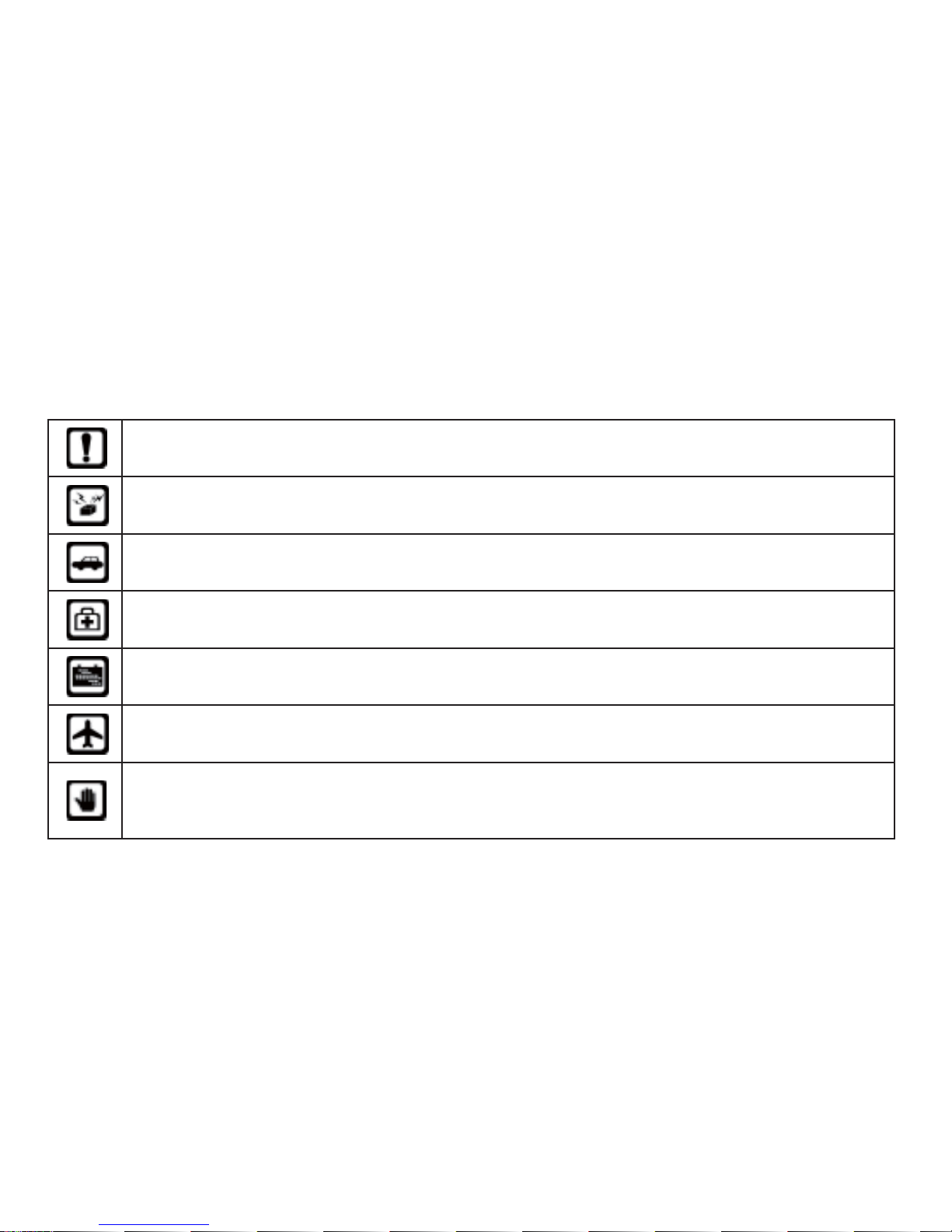
Do not switch the phone on where Mobile Phone use is prohibited or when it may
cause interference or danger.
Do not place your phone and its accessories in containers with strong
electromagnetic field.
Obey all traffic laws. Always keep your hands free, to operate the vehicle while
driving. Your first consideration while driving should be road safety.
Hospitals or health care facilities may be using equipment that could be sensitive
to external radio frequency energy. Follow all regulations and rules enforced.
Do not use the phone at a refueling station. Do not use near fuel or chemicals.
Follow all instructions. Wireless devices can cause interference in aircraft.
Keep the phone and all its parts, including accessories, out of the reach of
children. Do not use the phone while connected to the charger or with wet hand or
bare feet.
7
Use only approved batteries and chargers. Disconnect the charger from the power
source when it is not in use. Do not leave the battery connected to a charger for
more than a week, since overcharging may shorten its life. Please remove the
battery only after the phone is switched off normally, otherwise it could cause
unpredictable damage for the phone.
Only qualified personnel should service the phone. Faulty service may be
dangerous and may invalidate any warranty applicable to the device.
8
2. Handset guide
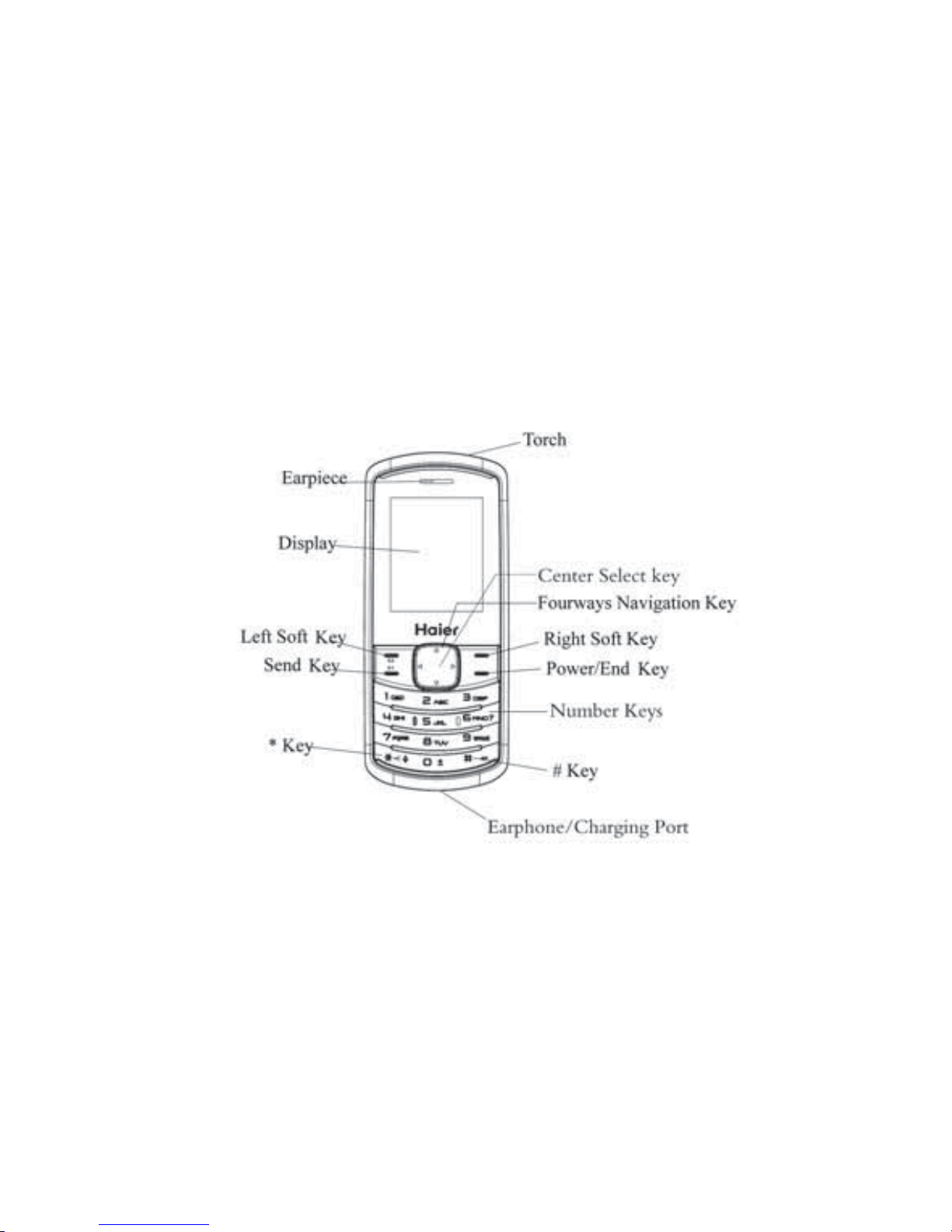
The illustration below displays the main components of your phone.
9
The appearance of the mobile phone and introduction:
Name Description
Left Soft Key (LSK) Select the option displayed on the lower left corner of the screen.
Right Soft Key (RSK) Select the option displayed on the lower right corner of the
screen.
Send Key In standby mode, press this key to enter Call history.
End (Power) key Long press: power on, power off.
Four-way Navigation
key In standby mode, quick into the Shortcuts, Audio player, Write
message and FM radio.
In menu mode and when entering text, scroll through the menu and text.
Center Select key This is the center key in the navigation keypad.
In standby mode, use this key to enter the Main menu view.
Number keys Enter numbers, letters, and some special characters.
In standby mode, long press 0 key to select the symbol “0”,”+”,”p”,”w”.
* Key In standby mode, press LSK then * key to lock/unlock the keypad.
In standby mode, long press * key to turn on/off the torch.
# Key In standby mode, long press # key to enable or disable the
Meeting mode.
Note: long press means pressing the key for more than 2 seconds; short press means pressing
key for less than 2 seconds.
Questo manuale è adatto per i seguenti modelli
1
Indice
Altri manuali Haier Telefono cellulare

Haier
Haier A70 Manuale utente

Haier
Haier U69 Manuale utente

Haier
Haier M560C Manuale utente

Haier
Haier C3000 Manuale utente

Haier
Haier Z3000B Manuale utente

Haier
Haier C2076 Manuale utente

Haier
Haier I50 Manuale utente

Haier
Haier HW-W860 Manuale utente

Haier
Haier U50 Manuale utente

Haier
Haier HG-M158 Manuale utente

Haier
Haier M350 Manuale utente

Haier
Haier T3000 Manuale utente

Haier
Haier C2001 Visafone Manuale utente

Haier
Haier HM-C300 Manuale utente

Haier
Haier C55 Manuale utente

Haier
Haier HG-M720 Manuale utente

Haier
Haier N60 Manuale utente

Haier
Haier M180 Manuale utente

Haier
Haier U10 Manuale utente

Haier
Haier HaierPhone G31 Manuale utente


