1. Quick Getting Started Guide 3............................................................................
1.1. What’s in the Box? 3...................................................................................
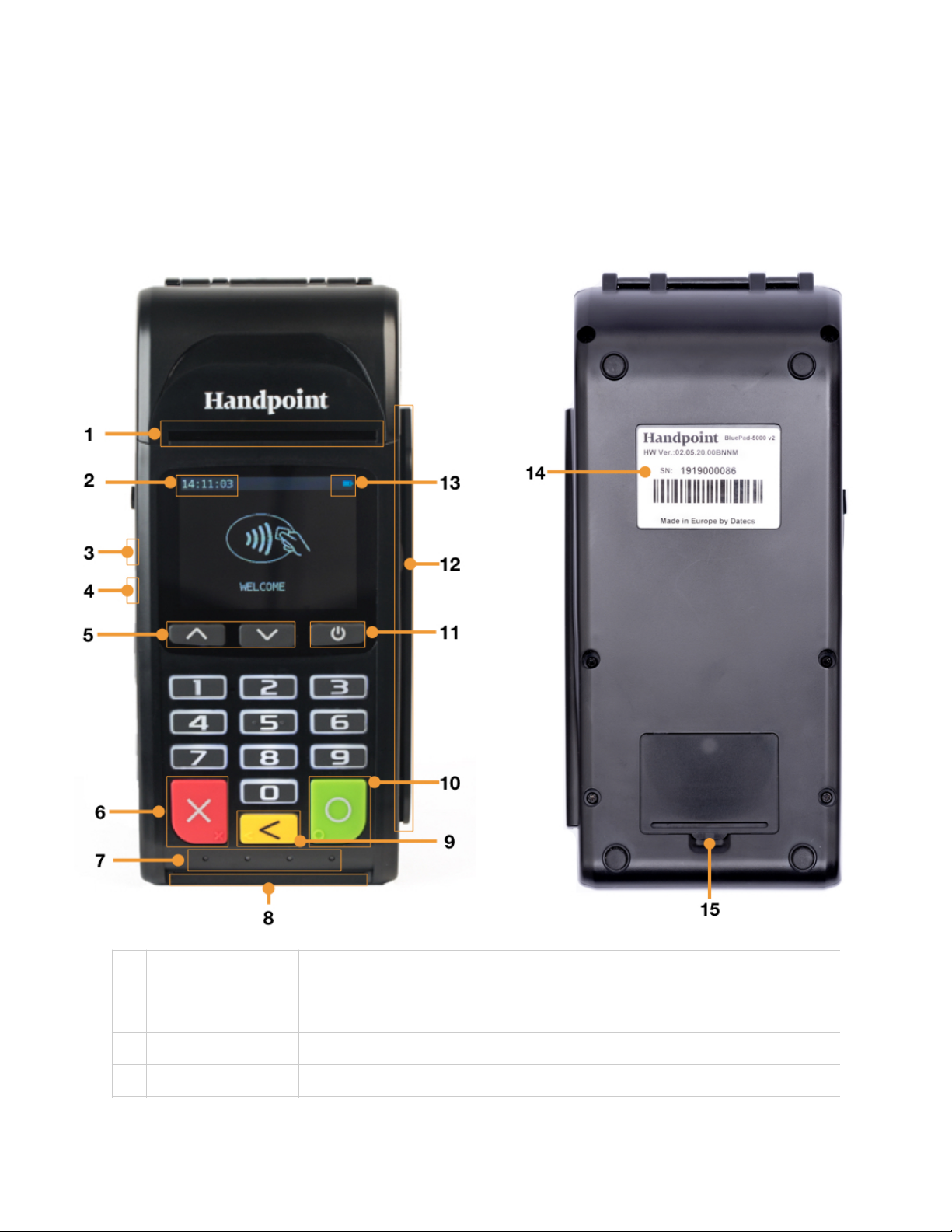
1.2. Getting to Know Your Hi5 card reader 4............................................................
1.3. Get Started 6...........................................................................................
1.4. How it Works 8.........................................................................................
2. Hi5 card reader Specifications 9..........................................................................
2.1. Hardware Technical Specification 9.................................................................
2.2. Terminal Software and Configurations 9...........................................................
2.3. Security 10..............................................................................................
3. Hi5 card reader User Guide 10............................................................................
3.1. Transactions 10.........................................................................................
3.1.1. Chip & Pin 10.....................................................................................
3.1.2. Chip & Signature 11.............................................................................
3.1.3. Fallback to Magnetic Stripe 11.................................................................
3.1.4. Magnetic Stripe 12...............................................................................
3.1.5. Pin Bypass 12.....................................................................................
3.1.6. Gratuity/Tips 13..................................................................................
3.1.7. Account Type Selection 14......................................................................
3.1.8. Cardholder Application Selection 15..........................................................
3.3. Administration Menu 16...............................................................................
3.4. View Information 17...................................................................................
3.6. Updating the Hi5 card reader 18....................................................................
4. Troubleshooting 19..........................................................................................
4.1. Troubleshooting issues 19.............................................................................
4.1.1. Communication Errors 19.......................................................................
4.1.2. Flash Corruption Errors 19......................................................................
4.2. Hi5 card reader Messages 20.........................................................................
4.2.1. Successful Transaction Messages 20...........................................................
4.2.2. Other Transaction Messages 22................................................................