6. Mobile App Operation
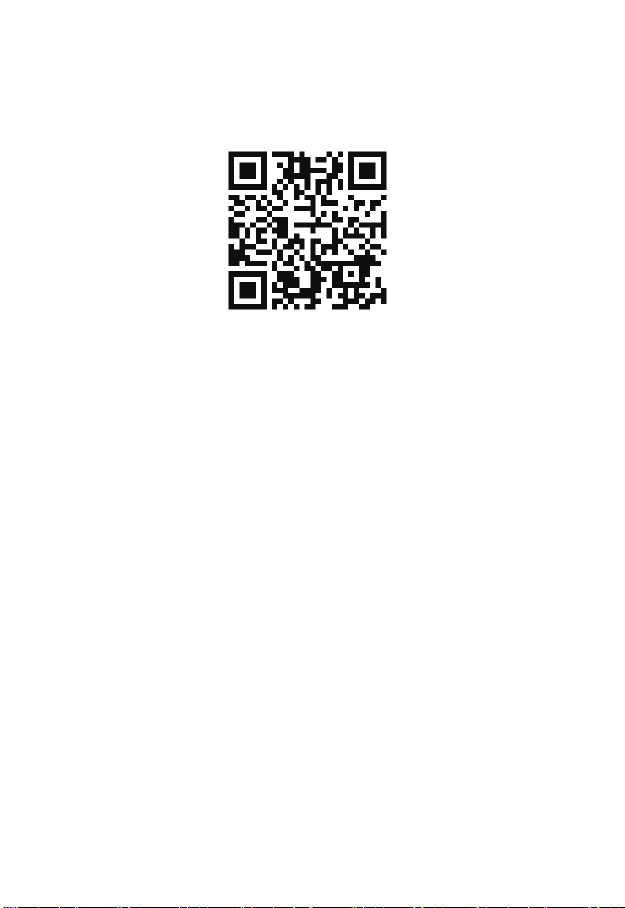
Use the phone to scan the QR code or search "BitVision" from the application store to
download and install the BitVision App.
After registering and logging in, you can add devices for remote viewing and device
management.
7. Disclaimer
The following responsibilities are exempt or restricted, please pay special attention to:
1. Our Company shall not be liable to you or any person for personal injury or property
damage forany of the following reasons, and shall not responsible for the incorrect installation
or use not in accordance with the requirements ; for the purpose of safeguarding the State or
the public interest; force majeure; Your own or third party reasons (including but not limited
to the use of third party products, software or components and other issues).
2. Our company has not been in any express or implied way to ensure that this product is
suitable for special purpose or use, this product shall not be used for medical / safety
equipment or other product failure may lead to life-threatening or personal injury applications
and mass destruction Weapons, biological and chemical weapons, nuclear explosions or any
unsafe use of nuclear energy and other dangerous or contrary to humanitarian use. Any loss
or liability arising from such use will be at your own expense.
3. Products under the correct installation and use can be aware of a specific occurrence of
illegal intrusion, but can not avoid the accident or the resulting personal injury or property
damage. In daily life please be vigilant and strengthen your awareness of safety.
4. The Company is not responsible for any indirect, incidental, special or punitive damages,
requests, loss of property or loss of any data or documents. To the maximum extent
permitted by law, our liability does not exceed the amount paid by you when you purchase this
product.