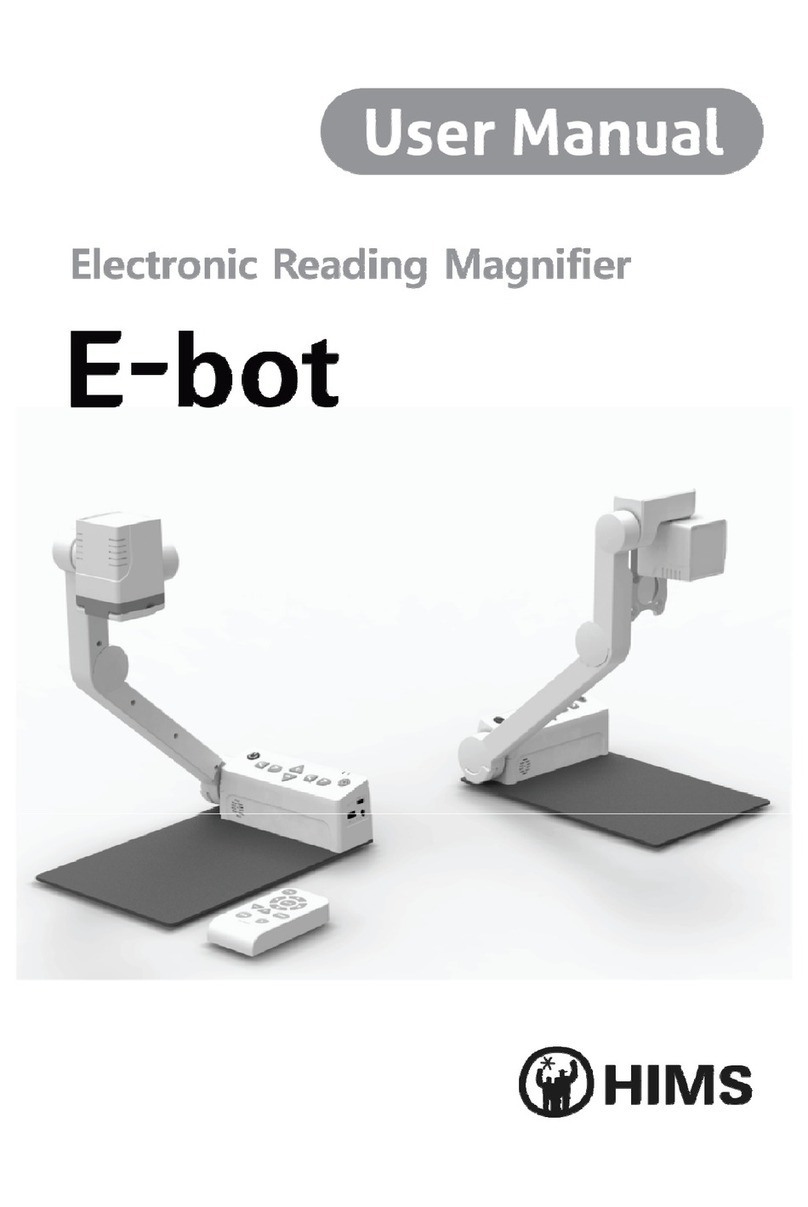
HIMS E-bot ADV Manuale utente


2 | Page
Safety Precautions
For your safety and protection of the E-bot, please read and abide by the
following important safety precautions.
1) Do not plug the AC adapter into a faulty electrical outlet. This is to
prevent electrical shock or fire.
2) Do not touch the AC adapter with wet hands.
3) Use only the AC adapter provided with the E-bot. Using another AC
adapter may damage the device. Be advised that damage caused
by misuse is not covered by the warranty.
4) Please do not remove the power cable when the E-bot is turned on
as this can damage the product.
5) Do not use the E-bot in a moisture-rich environment such as a
bathroom, shower or a wet kitchen counter as moisture may get
inside the unit and damage the components.
6) Do not use E-bot in extreme high or low temperatures. We
recommend that you do not use this device in environments below
0°C or above 40°C, as the image may display inaccurately.
7) Always turn off the power before moving the product to another
location.
8) When you press the release switch to fold the E-bot, please grip the
arm and manually fold the unit. Allowing the arm to simply drop may
cause impact damage to the unit.
9) Do not use the DC OUT at the back of the device as a power supply
for devices other than authorized visual displays for E-bot as this
can damage the product and/or the connected device.
Marked Symbol Description
※ Note: is used to introduce reference and usage Tips.

Page | 3
Table of Contents
1. Package Contents................................................................................................................ 6
2. E-bot Orientation.................................................................................................................. 7
2.1 Overview of E-bot......................................................................................................... 7
2.2 Back Side of E-bot....................................................................................................... 7
2.3 Side of E-bot................................................................................................................... 8
2.4 Front of E-bot................................................................................................................. 9
2.5 Front of Wireless Controller .................................................................................... 9
2.6 Back Side of Wireless Controller........................................................................ 10
3. E-bot Setup........................................................................................................................... 11
3.1 Unfolding the E-bot ................................................................................................... 11
3.2 Folding the E-bot........................................................................................................ 12
3.3 Inserting the Battery ................................................................................................. 13
3.4 Removing the Battery............................................................................................... 14
3.5 Charging the E-bot .................................................................................................... 14
4. How to Connect to Display Devices .......................................................................... 17
4.1 Connecting a Monitor via HDMI........................................................................... 17
4.2 Connecting an On-Lap monitor ............................................................................ 17
4.3 Connecting to a PC ................................................................................................... 18
4.4 Connecting to an Apple iPad or Android Tablet via Wi-Fi....................... 22
5. Changing Camera Modes ............................................................................................... 25
6. Using the Control Panel on the Main Body............................................................ 26
6.1 Power On/Off................................................................................................................ 26
6.2 Magnification ................................................................................................................ 26
6.3 Changing the Color Mode....................................................................................... 27
6.4 Contrast .......................................................................................................................... 27
6.5 Finding your current Reading Position............................................................. 28
6.6 Focus Lock .................................................................................................................... 28
6.7 Light On/Off .................................................................................................................. 29
6.8 Information .................................................................................................................... 30

4 | Page
6.9 Main Body Channel Values.................................................................................... 30
6.10 Volume Up/Down ........................................................................................................ 31
6.11 Turning Wi-Fi On/Off ................................................................................................ 31
7. Using the Wireless Controller ...................................................................................... 33
7.1 Inserting the Battery ................................................................................................. 33
7.2 Power On / Off............................................................................................................. 33
7.3 Checking the Wireless Controller Channel Value ....................................... 34
7.4 Using the basic buttons........................................................................................... 35
7.5 Magnification ................................................................................................................ 36
7.6 Changing the Color Mode....................................................................................... 36
7.7 Contrast .......................................................................................................................... 37
7.8 Focus Lock .................................................................................................................... 38
7.9 Finding your current Reading Position............................................................. 39
7.10 OCR .................................................................................................................................. 40
8. Advanced Features ........................................................................................................... 40
8.1 Using the Menu ........................................................................................................... 40
8.2 Color Mode Settings ................................................................................................. 41
8.3 Markers ........................................................................................................................... 44
8.4 OCR .................................................................................................................................. 46
9. Preferences .......................................................................................................................... 51
9.1 Using Headphones..................................................................................................... 51
9.2 Voice Guide................................................................................................................... 52
9.3 E-bot Operating Language..................................................................................... 55
9.4 Initialization .................................................................................................................. 56
9.5 Wi-Fi Password Change.......................................................................................... 57
9.6 Information .................................................................................................................... 60
10. Tablet Viewer Gestures................................................................................................... 61
11. Quick Guide to PC operations ..................................................................................... 63
12. Troubleshooting .................................................................................................................. 65
Warranty.......................................................................................................................................... 69
Customer Support....................................................................................................................... 69

Page | 5
FCC warning.................................................................................................................................. 70

6 | Page
1. Package Contents
When you receive your E-bot, please make sure that the following items
are included with your package.
1) E-bot
2) E-bot Battery
3) Wireless Controller
4) Battery for Wireless Controller
5) AC Adapter
6) Cables (USB 3.0, HDMI)
7) HDMI to DVI Gender adapter
8) Carrying Case
9) Headphones
10) User Guide
11) PC Installation Program CD

Page | 7
2. E-bot Orientation
2.1 Overview of E-bot
2.2 Back Side of E-bot
Camera
Close-up Lens
Camera Arm
Control Panel
Table
Arm Lock Button

8 | Page
2.3 Side of E-bot
USB 3.0 Port
HDMI Port
Battery Release Button
DC OUT Port
DC IN Port
Channel Switch

Page | 9
2.4 Front of E-bot
2.5 Front of Wireless Controller
Power Button
Mode Button
Zoom Button
Contrast Button
Light Button
Power Indicator
Wi-Fi Indicator

10 | Page
2.6 Back Side of Wireless Controller
Battery
Battery Cover
Power Switch
Channel Switch
Altri manuali per E-bot ADV
1
Indice
Altri manuali HIMS Lente d'ingrandimento

HIMS
HIMS GoVision PRO Manuale utente

HIMS
HIMS E-bot ADV Manuale utente

HIMS
HIMS E-bot Manuale utente

HIMS
HIMS GOVISION Manuale utente

HIMS
HIMS LifeStyle HD740 Manuale utente

HIMS
HIMS Candy 4HD Manuale utente

HIMS
HIMS lifestyle candy Manuale utente

HIMS
HIMS LifeStyle HD HD730 Manuale utente

HIMS
HIMS SenseView DUO Manuale utente

HIMS
HIMS LifeStyle Candy Grip Manuale utente