
Hitachi Cable WirelessIP 3000 Manuale utente

TD61-2900
WirelessIP 3000
USB Manual
For Administrators
- 1 -
Product is certified to comply with technical standards.

CONTENTS
CONTENTS..............................................................................................................................................................................2
Chapter 1 USB Management .......................................................................................................................1-1
USBMANAGEMENT ................................................................................................................................................................1-2
Overview...........................................................................................................................................................................1-2
Installing and Starting Up USBManager ..........................................................................................................................1-2
FUNCTION DESCRIPTIONS........................................................................................................................................................1-5
Backing Up the Telephone Book.......................................................................................................................................1-5
Restoring the Telephone Book..........................................................................................................................................1-7
User.ini Upload Method ....................................................................................................................................................1-8
Root Certificate Upload Method........................................................................................................................................1-9
. Private certificate:..........................................................................................................................................................1-10
- 2 -

- 1-1 -
Chapter 1 USB Management

Chapter 1
USB Management
USB Management
Overview
ThefollowingUSBmanagementcanbeconductedbyconnectingthe WirelessIP-3000andthemanagementPC viaUSBcable.
(1) Telephone book backup: Saves the data from the WirelessIP-3000 telephone book to the PC in CSV format.
(2) Telephone book restore: Telephone book data that has been edited on the PC in CSV format can be restored to the
WirelessIP 3000.
(3) User.ini upload: Uploads the configuration file (user.ini) to the WirelessIP-3000.
(4)Rootcertificateupload:Uploadsrootcertificateauthoritieswiththeextensions*.pem,*.der,and*.certotheWirelessIP-3000.
(5) Private certificate upload: Uploads private certificate authorities with the extensions *.pfx and *.p12 to the WirelessIP-3000.
Installing and Starting Up USBManager
(1) Connect the PC and WirelessIP 3000 with the special USB cable. (Figure 1)
Figure 1
USB management can be used with Windows® 2000/XP.
(2) Copy the USBManager folder to the PC.
The location does not matter as long as the storage location is within the PC.
/USBManager/drv/wi PC om.inf
/USBManager/drv/wi PC om.sys … USB Driver
/USBManager/WipManager.exe … USB Manager Software
- 1-2 -

Chapter 1
USB Management
USB Management
(3) Confirm from the device manager whether the Wireless IP driver (wi PC om.sys) was installed.
Normally when the driver has been successfully installed, the USB Driver is added to the computer's ports (COM and LPT).
(Figure 2)
- 1-3 -
If this is not installed, remove and plug the USB cable again and confirm the message that a new device has been found.
Confirm again from the device manager whether the WirelessIP device (wi PC om.sys) has been installed.
(4) Start up USBManager.exe. (Figure 3)
Figure 2
Figure 3

Chapter 1
USB Management
USB Management
(5) Press Alt + S to display the Admin menu. (Figure 4)
Figure 4
- 1-4 -

Chapter 1
USB Management
Function Descriptions
Backing Up the Telephone Book
(1) Connect the WirelessIP 3000 and the PC using the special USB cable.
(2) Start up USBManager.exe. If the operating buttons are not functioning, please install the driver.
(3) Select the Backup button.
(4) Specify the storage location of the telephone book data, enter a filename for the telephone book data and press the Save
button.
(Figure 4)
Figure 4
(5) Confirm that the telephone book data has been successfully backed up. (Figure 5)
Figure 5
Do not remove the USB cable or turn off the power while operating, as this may cause the device to malfunction.
- 1-5 -

- 1-6 -

Chapter 1
USB Management
Function Descriptions
Restoring the Telephone Book
(1) Connect the WirelessIP 3000 and the PC using the special USB cable.
(2) Start up USBManager.exe. If the operating buttons are not functioning, please install the driver.
(3) Select the Restore button.
(4) Specify the file to restore and select the Open button. (Figure 6)
Figure 6
(5) Confirm that the telephone book data has been successfully restored. (Figure 7)
Figure 7
(6) Finally select reboot to reboot WirelessIP 3000.
The operating buttons cannot be used when rebooting.
Do not remove the USB cable or turn off the power while operating, as this may cause the device to malfunction.
- 1-7 -
Chapter 1
USB Management
Function Descriptions
User.ini Upload Method
(1) Connect the WirelessIP 3000 and the PC using the special USB cable.
(2) Start up USBManager.exe. If the operating buttons are not functioning, please install the driver.
(3) Press Alt + S to display the Admin menu.
(4) Select the User.ini button.
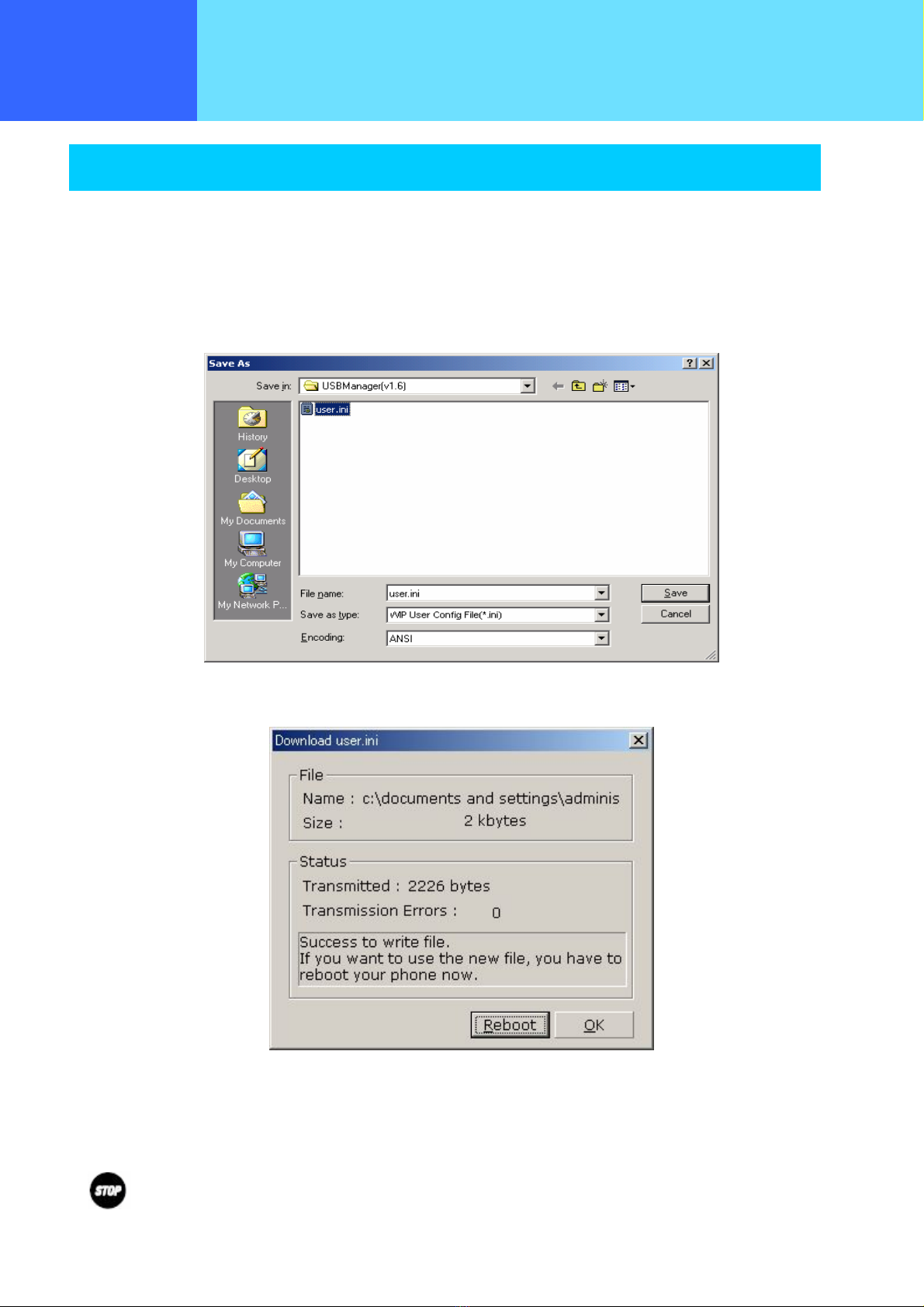
(5) Specify the User.ini file to upload and select the Open button. (Figure 8)
Figure 8
(6) Confirm that the User.ini file has been successfully uploaded. (Figure 9)
Figure 9
(7) Finally select Reboot and reboot the WirelessIP 3000.
The operating buttons cannot be used when rebooting.
Do not remove the USB cable or turn off the power while operating, as this may cause the device to malfunction.
- 1-8 -
Altri manuali per WirelessIP 3000
1
Indice


