HoIP Telecom PET PEBBELL Manuale utente

Publication number PP2015-01
All rights reserved. © HoIP Telecom, 2015
STARTING PET PEBBELL™

STARTING PET PEBBELL
1

STARTING PET PEBBELL
2
STARTING PET PEBBELL™
Thank you for purchasing GPS pet tracking system. PET PEBBELL is especially built for real time
monitoring and viewing your ‘dogs, cats or other pets’ movement and position. PET PEBBELL has
been designed to meet the exact needs of pet owner and can be the difference between successful
day out and wandering aimlessly around the forest.
Using latest advanced GPS and wireless technology combined with IPX6 Waterproofness and an
innovative miniature size will create less stress with your beloved pet(s)
PET PEBBELL brings safety for both Pet Owner and Pet. You can, in case of need, communicate
your pet(s) exact position where it is or where it can be found. You can request position, set tracking
and area tracking of the pet(s), and view your pet(s) position on map. PET PEBBELL can be used
with any Smartphones and you do not need to install any applications.
The device is designed for use on the 900/180/850/1900 MHZ networks. You can use the
device in all countries where the GSM network operators have a roaming contract with
your network operator.
The device also includes integrated high-performance GPS receiver.
Information in this User´s manual is subject to change without notice.
HoIP Telecom reserves the right to change or improve their products and to make changes
in the content without obligation to notify any person or organization of such changes or

STARTING PET PEBBELL
3
improvements. HoIP Telecom is not responsible for any loss of data, income or any
consequential damage whatsoever caused.
Some of the features described in this guide may be optional and intended to be purchased
separately. For details, please contact HoIP Telecom or your local country dealer.
Finland - For more information, details and descriptions, including device configuration
and assortment of chargers and accessories, please visit the web site: www.mobicare.fi
HoIP Telecom warrants its products to be free of defects in material or workmanship when
leaving the factory. For details, see the warranty terms at end of this User Manual
Pebbell™ is a registered trademark of HoIP Telecom.
Correct disposal of this product: The PET PEBBELL device(s) should not be disposed with
household or other commercial wastes. Remove the battery from the device and dispose
it according to local battery recycling laws
Please read this document before using the product. Neglecting the rules may be
dangerous or illegal. Further detailed information is given in this manual.
Do not switch the product on when wireless phone use is prohibited or when it may cause
interference or danger.
Do not use the product in hospitals. Follow the hospital regulations or rules. Switch off the
product near medical equipment.

STARTING PET PEBBELL
4
Do not use the product on aircrafts. Wireless devices can cause interference in aircraft.
Do not use the product at a refueling point. Do not use the product near fuel or chemicals.
Do not use the product where blasting is in progress. Observe restrictions, and follow any
regulations or rules.
Never try to disassemble or service the product. Only qualified personnel may repair the
product.
Use only approved accessories and batteries. Do not connect incompatible battery charger
or charge other devices with the Pebbell GPS charger. A wrong charger may damage the
device.
-We wish you enjoyable moments with Pet Pebbell-

STARTING PET PEBBELL
5
PACKAGE CONTENTS
1 GPS Device
1 User Manual
1 AC Adapter
1 USP Charging Cable

STARTING PET PEBBELL
6
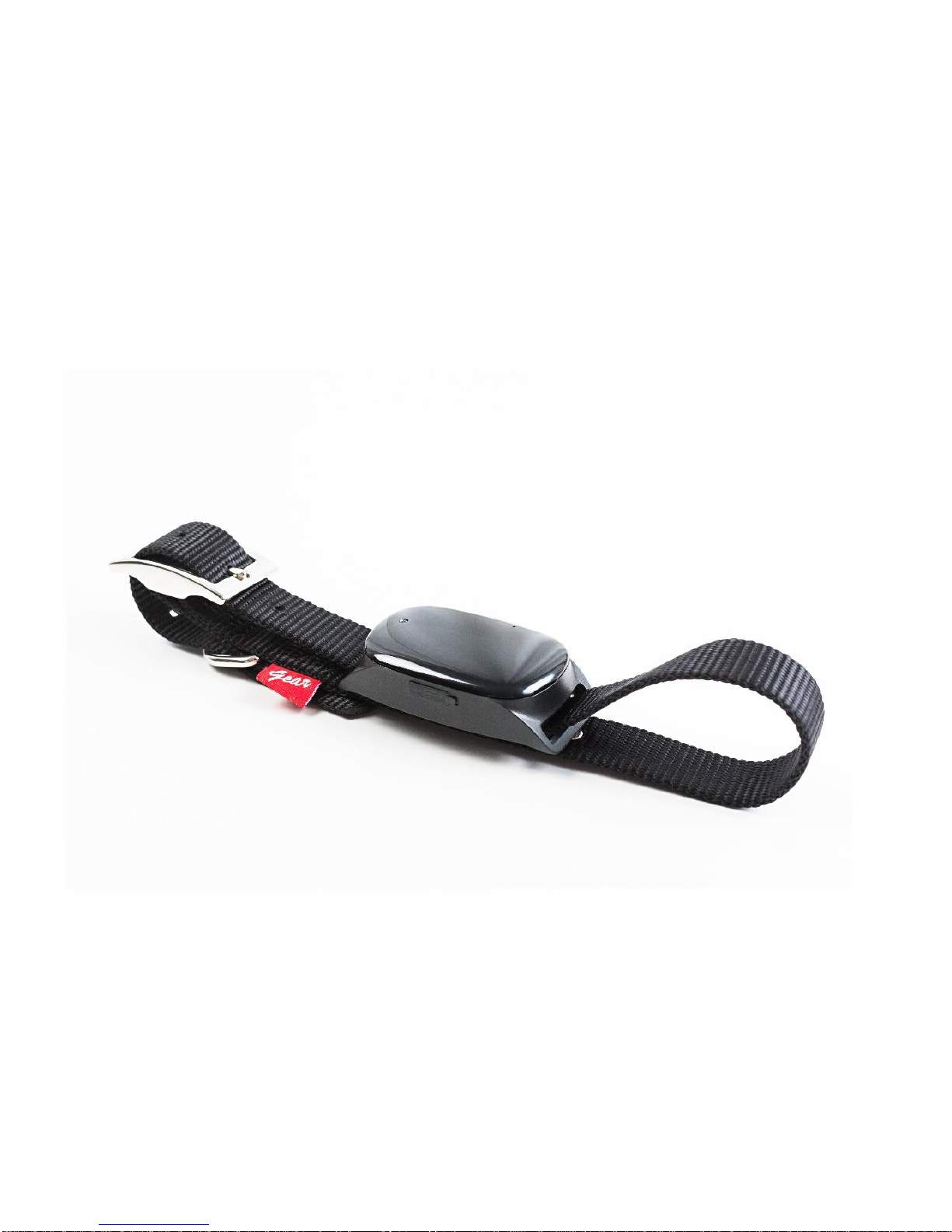
GETTING TO KNOW YOUR DEVICE

STARTING PET PEBBELL
7
GETTING STARTED
The Pet Pebbell device is equipped with an internal rechargeable battery. The autonomy of the
battery may vary depending on the GPS and GSM activity and the use of the device.
When charging for the first time use, please fully charge the battery for around 5~6 hours,
using the USB charger. Thus the maximum capacity and lifecycle of the battery is ensured
When charging, the BLUE LED will be on (solid). After fully charging, the BLUE LED will go
to Signal Mode. Close the USB port carefully!!
Note: A wrong charger may damage the device. Use only the original Pebbell GPS charger. The
ideal temperature range for charging is between +10° C and +30° C. The battery life might be
shortened if charging the battery below or above those temperatures.
Switching the device ON
To turn on the device: Plug the device to a charging Micro
USB cable.
To get an initial location, use outdoors or near a window
so the device may fix onto the satellites.
•

STARTING PET PEBBELL
8
Switching the device OFF
To turn off the device: Send SMS:
OFF
>> to the device, after you hear the beep, the device
is turned off.
WHAT DO THE LIGHTS MEAN?
GSM LED—GREEN
Light shows a single flash rapidly every 3 seconds
The device is connected to GSM network
Light shows a double flash rapidly every 3 seconds
The device is registered to GPRS network
Light shows a slow flash every 3 seconds
The device is connecting to GSM network
Light Solid (not flashing)
No SIM Card detected
GSM LED—
BLUE
Light shows a single flash rapidly every 3 seconds
The device has GPS positioning fix
Light shows a slow flash every 3 seconds (every 1
second on and 3 seconds off)
The device has no GPS fix
No flashing
GPS chip is sleeping

STARTING PET PEBBELL
9
LOW BATTERY ALARM
When the unit’s battery is less than 15%, it will send an SMS alarm “BAT: LOW!” to all authorized
numbers. If battery is less than 15%, the blue light will flash rapidly to warn the user to charge the
device as soon as possible.
Command:
Low1
(Default)
o
To turn off this function, please send
Low0
the device.
CONFIGURATION AND OPERATION BY SMS
1. Set the Authorized Number
①Command: A1 or A1, phone number (Example: A1, +441234567890)
Note: With no spaces in the text, case-insensitive.
Using your mobile phone, send A1 to the phone number of the device, it will reply: Set
mobile number 1 OK!
To delete this number, you can send A0 to the tracker.
NOTE: It is not mandatory for all three of the authorized numbers
to be set, however a minimum of one must always be set.
Indice
Altri manuali HoIP Telecom GPS