
Hommie CT-P11X Manuale utente



1
Thank you for purchasing the Hommie product.
Please read this [User Manual] carefully before
using the product, and retain it in for future use.
Any problem about this product, please feel free
to contact us at hommiehk@hotmail.com.
For First Use
1. Charge the camera after unpacking. When
charging the camera, the indicator near the
joystick turns red.
2. Enter into Settings to choose the
corresponding language after turning on it.
3. The music format is MP3, the folder of TF
card must be named MP3.
Product Overview
1.Flash Lamp
2.Lens Switch
3.Camera Button
4.Rear Camera Len
5.Joystick
6.Power Button
7.Confirm Button
8.Assist Button
9.Home Button
10.Front Camera Len
11.Micro USB Port
12.TF Card Slot

2
Note:
1. Micro USB port for charging or data transfer.
2. Long press the power button for 3s to turn
on/off the camera.
3. Place the back side of TF card faces up, and
insert TF card correctly.
4. Confirm Button. On the photo mode, press it
to take photo; On the main menu, press it to
confirm the option; On the videotaping mode,
press it to start recording video, press it again to
stop.
Main Functions
Taking Photo
After accessing to its function, press it
to take photo.
Press it to switch the lens.
Move it up once to switch taking
photo & photo effect. Move it up &
hold it to lengthen focal length.
Move it down once to switch taking
photo & photo effect. Move it down &
hold it to shorten focal length.
Move it left once to enable/disable
flash lamp.

3
Note: its internal memory are enough for 50
photos, but the photos can’t upload. If you
wanna view the photos in your PC, a TF card
(including) is needed.
Videotaping
Album
Move it right once to enable/disable
time lapse.
Press it to start/stop videotaping.
Press it to switch the lens.
Move it up once to switch taking
video & video effect.
Move it left once to enable/disable
Slow and Fast.
Press it to start/stop the video.
Move it up once to delete the current
photo/video.
Move it down once to delete the
whole album.

4
Music
Game
There are 3 games: SNAKER, TETRIS, PUSHBOX.
Settings
Move it left once to view the previous
one.
Move it right once to view the next
one.
Press it to play/pause the music.
Move it up once to increase the
volume.
Move it down once to decrease the
volume.
Move it left once to play the previous
track.
Move it right once to play the next
track.

5
Set Photo Size, Time Lapse, Resolution, Video
Rate, Time Stamp, Screen Saver, Auto Power Off,
Language, Format, Date/Time, Defaulting Setting,
Version, Volume.
Specifications
Screen
2.4 inch IPS screen
Lens
Fixed cameras, 100° angle
Storage
Internal: 50 photos
External: support TF card,
up to 32 GB
Cameras
Front & Rear: 0.3/2 MP
Picture
4032*3024 PX; JPG
Video Info
720P/1080P/30FPS; AVI
Work Voltage
3.7V
Battery
800mAh
Charge Time
3-4 hours
Work Time
3.5-4.5 hours
Mic
Built-in
Speaker
8Ohm 0.5W
USB
Micro USB 2.0 5PIN
Language
English/Japanese/Spanish/
Italian/French, etc.

6
Merci d'avoir acheté le produit Hommie. Veuillez
lire attentivement ce [Manuel de l'utilisateur]
avant d'utiliser le produit et conservez-le pour
une utilisation future. Tout problème concernant
ce produit, n'hésitez pas à nous contacter à
hommiehk@hotmail.com.
Pour la première utilisation
1. Chargez l'appareil photo après le déballage.
Lors de la charge de l'appareil photo, l'indicateur
près du joystick devient rouge.
2. Entrez dans les Paramètres pour choisir la
langue correspondante après avoir allumé
l'appareil photo.
3. Le format de musique est MP3, le dossier de
la carte TF doit être nommé MP3.
Présentation du produit
1.Lampe Flash
2.Commutateur
d'Objectif
3.Bouton de
Caméra
4.Caméra Arrière Len

7
Note:
1. Port micro USB pour le chargement ou le
transfert de données.
2. Appuyez longuement sur le bouton
d'alimentation pendant 3s pour allumer/éteindre
l'appareil photo.
3. Placez l'arrière de la carte TF face vers le haut
et insérez correctement la carte TF.
4. Bouton de confirmation. En mode photo,
appuyez dessus pour prendre une photo; Dans le
menu principal, appuyez dessus pour confirmer
l'option; En mode enregistrement vidéo, appuyez
dessus pour démarrer l'enregistrement vidéo,
appuyez à nouveau pour arrêter.
Fonctions Principales
Prendre une Photo
5.Manette
6.Bouton Marche
7.Bouton de
Confirmation
8.Bouton d'Assistance
9.Bouton d'Accueil
10.Caméra Frontale
Len
11.Port Micro USB
12.Emplacement pour
carte TF
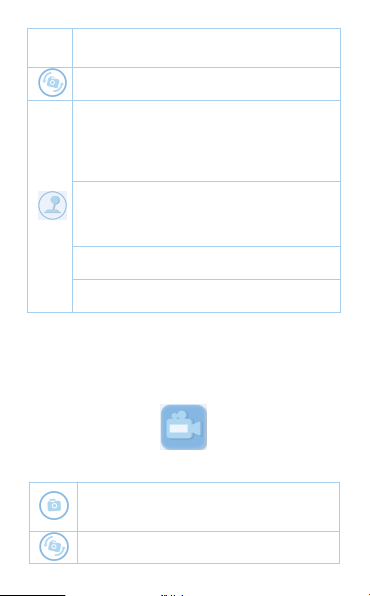
Après avoir accédé à sa fonction,
appuyez dessus pour prendre une
8
Note: sa mémoire interne est suffisante pour 50
photos, mais les photos ne peuvent pas être
téléchargées. Si vous voulez voir les photos sur
votre PC, une carte TF (incluse) est nécessaire.
Enregistrement vidéo
photo.
Appuyez dessus pour changer
d'objectif.
Déplacez-le une fois pour changer de
prise de photo et d'effet photo.
Déplacez-le vers le haut et
maintenez-le pour allonger la distance
focale.
Déplacez-le une fois pour changer de
prise de photo et d'effet photo.
Déplacez-le vers le bas et maintenez-le
pour raccourcir la distance focale.
Déplacez-le une fois vers la gauche
pour activer/désactiver la lampe flash.
Déplacez-le vers la droite une fois pour
activer/désactiver l'intervalle de temps.
Appuyez dessus pour
démarrer/arrêter l'enregistrement
vidéo.
Appuyez dessus pour changer
d'objectif.
Indice
Lingue:
Altri manuali Hommie Macchina fotografica digitale


