
imilab W01 Manuale utente
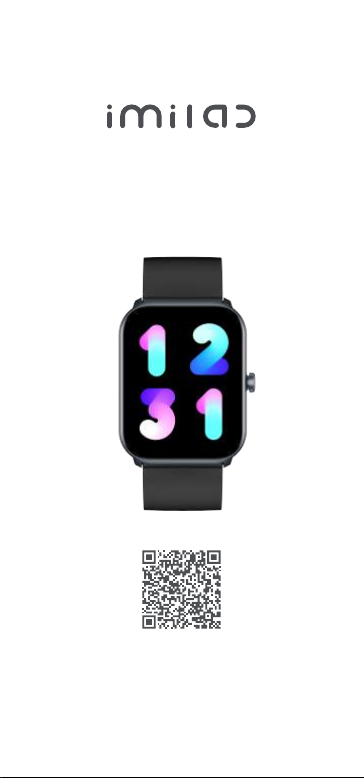
Smart Watch W01
User Manual
Scan the QR code with your mobile phone
to get the manual in more languages
Please refer to this manual before using the product.
V1.0

1.1 The company reserves the right to modify the
contents of this manual without any further
notification. It is normal that some functions may
vary in certain versions of software.
1.2 Please charge this product with the
configured cable forno less than 2 hours before
using it.
1.3 Before using the product, you need to connect
the APP synchronization time and set your
personal information.
1.4 This product supports 3ATM rank waterproof,
not suitable for deep sea diving. Hot water, tea
and other corrosive liquids are destructive to the
watch, and will not be able to enjoy the product
warranty and free maintenance services.
Notes
Please wear the device on your wrist correctly,
about one finger from the carpal and adjust it to
comfortable position. Below picture as reference.
Tip: Please wear the device a bit little tighter
when heart rate monitor.
01 How to wear

1. Long press power button to power on, scroll
down on watch face, click“Settings —— About
—— Download QR code”, use your mobile
phone to scan QR code to download and install
“Gloryfit”APP .
You can also Scan below “Glortyfit” QR code to
download and install“Gloryfit” APP.
2. Open “Gloryfit” and select "Add Device" on
the device page, then follow the instructions on
the screen.
02 How to download & connect to APP
IMISW01

a. Shortcut page: Slide down from main page,
go to shortcut page.
b. SMS push: Scroll up from main page, you will
see messages received.
Note:
1. During pairing process, please make sure
phone bluetooth is turned on, make sure watch
is connected to phone correctly through
bluetooth.
2. If the device can not be searched or are not
able to connected during use, please long press
power button for three seconds to power off,
and then power on again, or go to settings on
the watch to select “factory reset”, then add
new device again from your phone.
03 Operating Instructions

c. Main menu: Swipe right from main page.
d. Shortcut page: Swipe left from main page.
e. Quick access to change watch faces: Long
press the watch face for 3 seconds on main
page, slide left or right to choose watch faces.
f. Power on/off: press and hold the side button
for 3 seconds on the dial interface.
g. Normal operation, press the side button to
return back to previous page; On main page,
press the side button to turn on/off the screen.
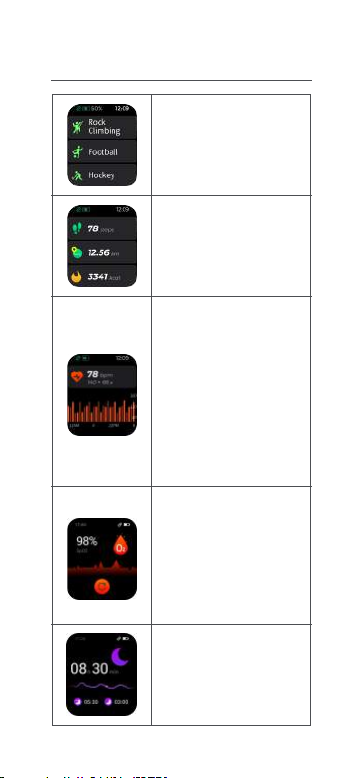
Heart rate monitor: Click
on heart rate page to
measure heart rate,
record and display
24-hour heart rate
andautomatic heart rate
monitoringevery 10
minutes. More APP
monitor operation and
test data can be viewed
from App.
70 - sport mode: are
supported. More details
can be viewed from APP.
Status: Record daily
steps, distance, and
calories. More details can
be viewed in app.
Blood oxygen monitor:
Record your blood oxygen
status. More details can be
viewed in APP.
The value is for reference
only and cannot be
used as a medical basis.
Sleep: Record your sleep
status.More details can be
viewed in APP.
04 Function introduction

Weather: Current weather
status and next 6 days
forecast.
Make sure bluetooth
connected correctly.
Music: Connected to APP,
operate on play /
pause / previous /next and
volume on the phone.
Message: Instant
notifications reminder, 8
latest messages will be
showed. (requires
permission to turn on the
Appside) showed.
Alarm: 8 alarm clocks can
be set.
Breathing exercises:
Record breath training.
More: Stopwatch / Timer
/ Flashlight / Find Phone.
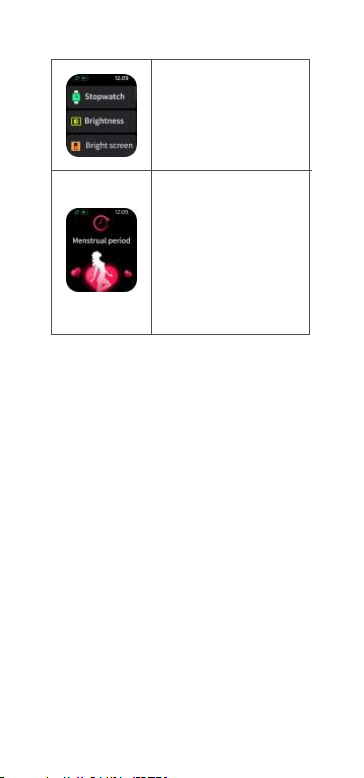
Setting: Dial / Brightness /
Bright screen / About / Off
/ Reset / APP download.
Physiological Cycle: Setthe
personalinformationto
"female"onApp,andturnon
thephysiologicalcycle
functiontodisplaythe
correspondingsafetyperiod,
menstrualperiod, and
ovulationperiodreminder-
son thewatchside.

Find watch, 12/24h time system, sedentary
reminder, low battery reminder, incoming call
reminder, online dial / custom dial, unit setting,
turning the wrist to brighten the screen,
drinking water reminder, heart rate warning
reminder, physiological cycle reminder, goal
achievement reminder.
05 Other functions
Attach the charging cable to the watch charging
port, ensure the metal pins fully connected.
Please use the correct charging adapters which
are 5V 0.5A .
Note: If smart watch can not be powered on
after being left unused for long time, please
clean up the charging metal pins to make sure
connecting well.
06 Charging
1. One year warranty for default hardware
defectives, half of year for battery and charging
cable.
2. Below reasons cause defectives are not
included in free warranty service:
(a) Personal assemble or disassemble.
(b) Falling damage during use.
07 Warranty

(c) All man-made damage or due to the third
party's fault, improper use (such as: water in the
smart watch, external force shattering, scratch
during use etc).
3. Please provide a warranty card with the
details filled when request for after selling
service.
4. Please contact with direct dealers for warranty
service.
5. Please note all functions of the product are
based on physical objects.
Notes:
1. To ensure waterproof, please DO NOT:
(a) Wear the watch during hot shower or in hot
tea and other corrosive liquids.
(b) Remove any screws or buttons.
2. Products with batteries cannot be disposed
with household waste. Please send this product
to WEEE collecting points near you.
Indice
Altri manuali imilab Orologio


