
InnovationSquare Tween Screen Manuale utente
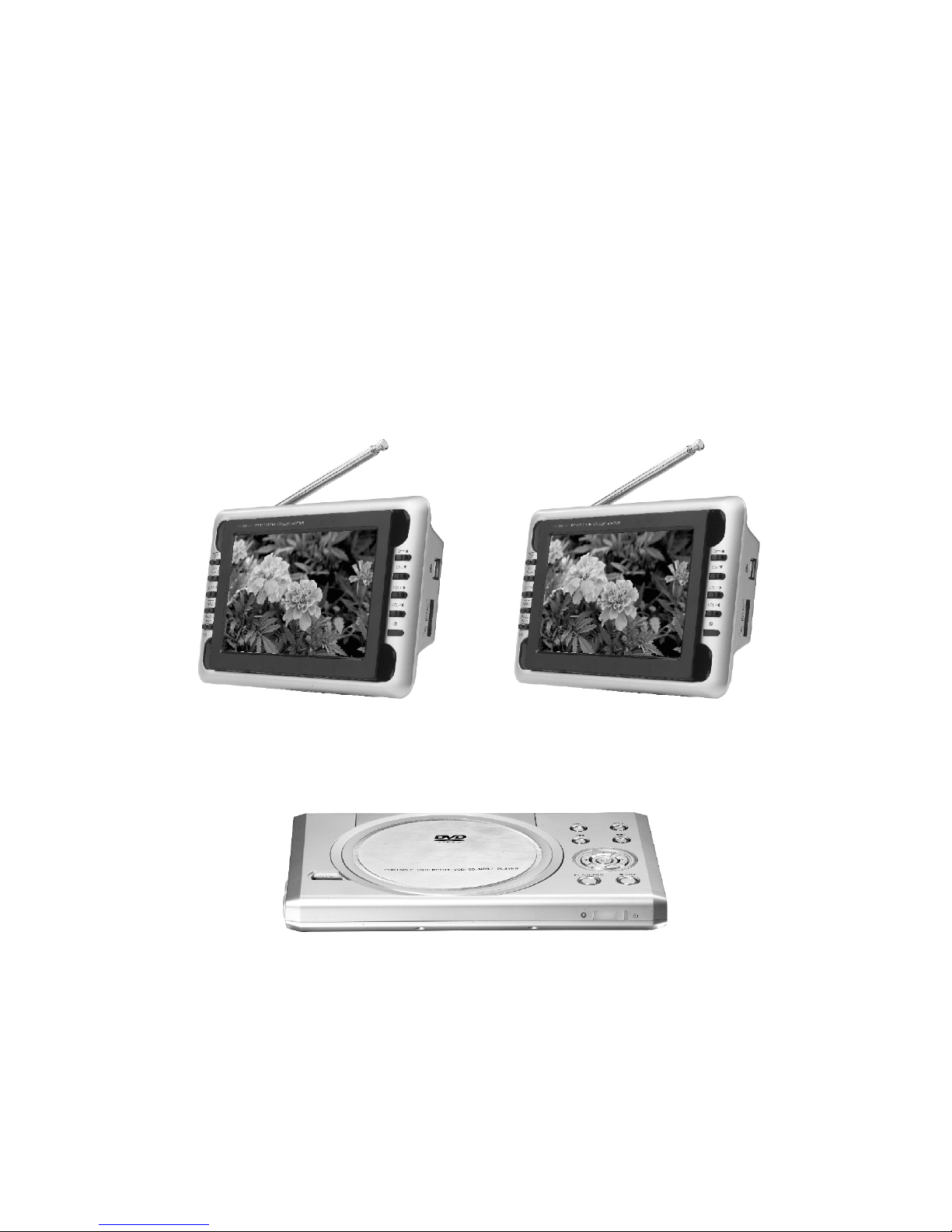
USER MANUAL
PORTABLE DVD PLAYER WITH
TWO TFT LCD TV

CONTENT
1
2
5
7
10
15
17
24
25
1. Accessories
2. Operation of remote control and
main functions
3. Instruction of Main machine function
4. Connection of DVD player and external
equipments
5. Instruction of playing DVD
6. DVD system setting
. Troubleshooting
9. Technical specification
7. Menu
8
chart

USER MANUAL
PORTABLE DVD PLAYER WITH
TWO TFT LCD TV
-1-
1. Accessories
1.AV in/out
cables 3.Earphone
4.Car adaptor
5.AC-DC
adaptor 6.DVD Remote
control
7.AAA batteries 9.User manual
10.Game
control
(optional)
11.Game disk
(optional) 12.TV remote
control
13.Support
base
SLOW
8.Headrest strap
15.75ohm antenna
conversion line
2.AVconnecting line
14.Double-side
adhesive
tape for
base support
16. AV
Conversion
Cable 17. Telescopic antenna

DVD player remote control function instructions
1) POWER
Press this button to turn off the unit.
2) DISPLAY
Press this button to display disc
information.
3) SETUP
Press this button to setup menu.
4) AUDIO
Press this button to shift dubbing
language.
5) SUBTITLE
Press this button to switch
subtitle language of DVD disc.
6) RETURN
Press this button to return
previous directory.
7) MENU
Press this button to return to menu.
While playing VCD, press to open/close PBC menu.
8) TITLE
Press this button to display DVD title.
9) Backward
Press this button to backward at high speed.
10) Forward
Press this button to forward at high speed.
11) ZOOM
Press this button to zoom the image.
12) Last track (chapter)
Press this button to play the last track (chapter).
13) Next Track (chapter)
Press this button to play the next track (chapter).
14) Slow Motion
SLOW
1 2
34
5
6
78
910
11
12 13
14
15
16
17 18
19
20
21
22
23
24
25 26
27
2. Operation of remote control and main functions
-2-

-3-
15)
Press this button to select the options.
16) ENTER
Press this button to confirm your selection operation.
17) PLAY/PAUSE
Press this button to play or pause disc playing.
18) STOP
Press this button to stop playing.
19) 0-9 key
20) REPEAT
Repeat some chapter, title or disc, this will work for VCD 2.0 disk
only when PBC has been closed.
21) A-B REPEAT
Repeat a specific portion from point A to point B of the disc.
22) PROG
Press this button to enter program mode.
23) ANGLE
Press this button to change angle of image.
24) GOTO
Press this button to search any title/chapter/track/time point, and
play.
25) VOL +/-
Press this button to adjust the volume.
26) MUTE
Press this button to eliminate all voices.
27) CLEAR
.

-4-
/
: the number of TV channel increases.
: the number of TV channel decreases
/ : To select program and adjust for selected program.
OK/MUSIC: Under Card mode, press to confirm, when playing
slide show, press as ON/OFF for the background music.
PICT: Picture mode shift.
POWER: Power on/off.
MENU: MENU/CARD mode, in main interface, press as USB and
CARD multi-media switch. Press to open function menu when
playing files.
MUTE: Mute button.
CALL: Press this button to display the character of program
currently watching.
SLEEP: Selecting the switch off time within 120 minutes.
MODE: Press this button to switch between TV/CARD/ AV mode.
SEARCH: Under TV mode, keep pressing(3 seconds) as Auto
search(TV mode only).
: Return button.
S.SHOW: Scan button.
0 9 (Digital key), -/--(Channel shift):
On TV mode, use to choose the TV channel (TV mode only).
P. ADJ: Picture adjust.
TV remote control operation

1 2 3 4 5 6
Left side
DC 12V POWER USB1 USB2
3. Instruction of Main machine function
Main components of DVD
The side panel of the player
Right side
-5-
1) Earphone jack: for connect to stereo earphone
2) Audio output
3) Video output
4) TFT 1
5) TFT2
6) DC OUT 12V/1A
Control panel
1. VOL+/-
2. Last track (chapter)
3.
Press the key to select the options
4. PLAY/PAUSE
5. VOL+/-
6. Next track (chapter)
7. ENTER
8. STOP
1
2
3
4
5
6
7
8
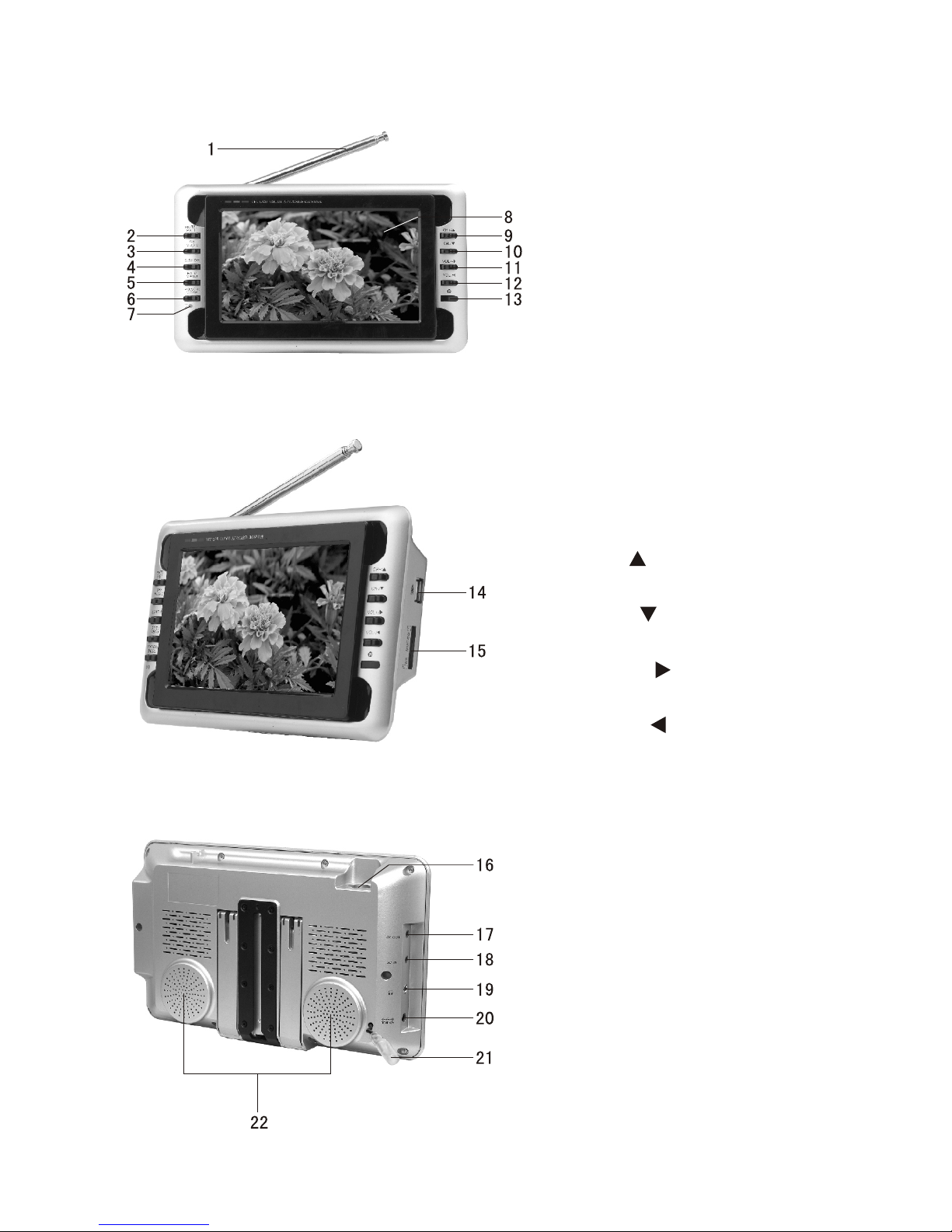
Appearance of TFT LCD Monitor/TV
-6-
1. Telescopic antenna
2. : Mute button/
picture mode shift button
3. OK/MUSIC: Confirm button
/Music Background button
4. S.SHOW: Scan button
5.
Return button/Menu button
6. POWER/MODE: Standby/
Operation mode shift button
7.
TFT-LCD screen
9. CH+/ : Channel Select/
Upward button
10. CH-/ : Channel Select/
Downward button
11. VOL+/ : Volume up/
Rightward button
12. VOL-/ : Volume down/
Leftward button
13 Remote-control receive
window
14. USB connect Jack
15. SD/MMC/MS type CARD
input port
16. Antenna input Jack
17. AV Output
18. AV Input
19. Headphone jack
20. DC Input
21. Backing car connect line
22. Speaker
MUTE/PICT
EXIT/MENU:
Power indicator
Red: Standby
Green: Power-on
8.
.
VIDEO IN
AUDIO IN
DC 12V
DC 12V
VIDEO IN
AUDIO IN
yellow
DC 12V
white
yellowwhite
AVconnecting line
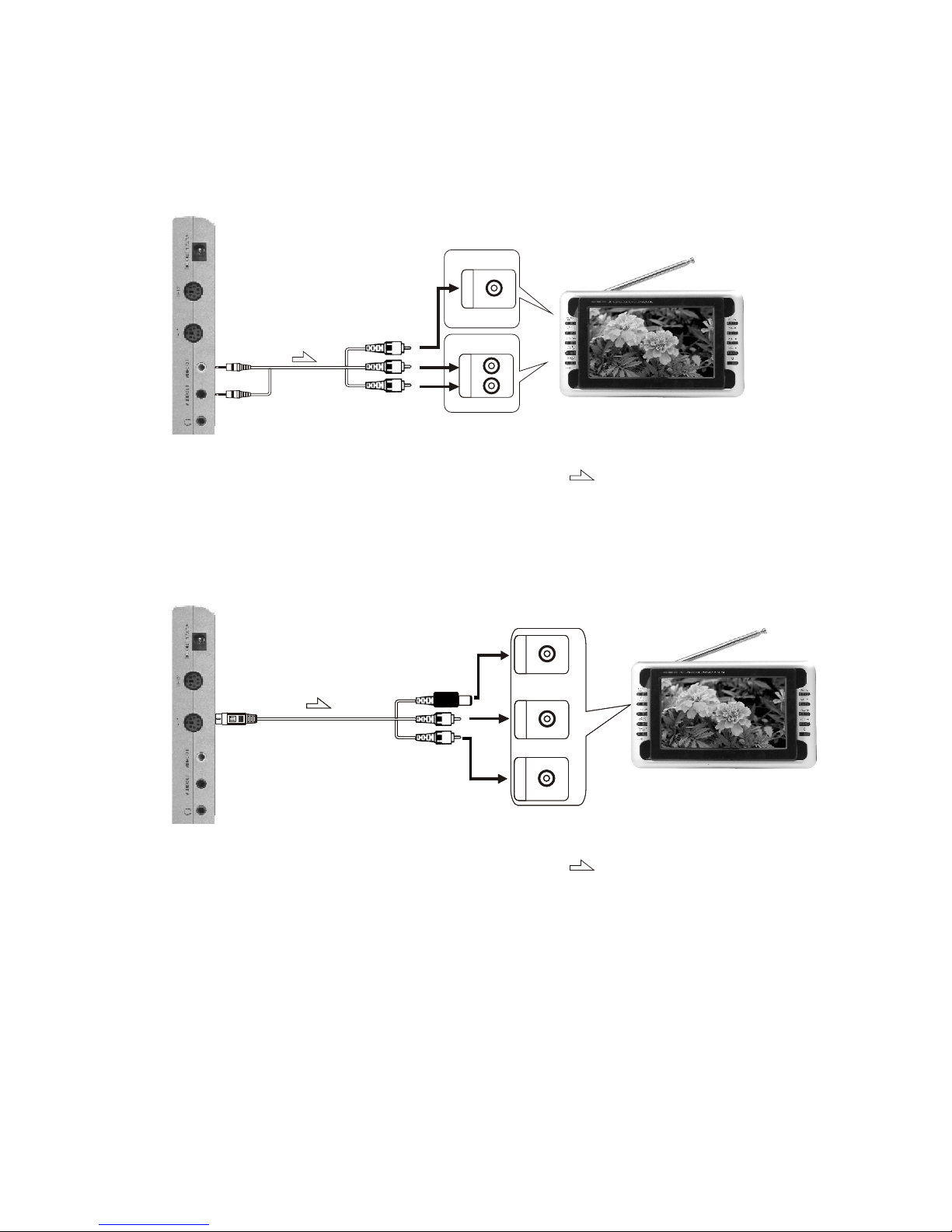
4. Connection of DVD player and external
equipments
Connection with TV
VIDEO IN
AUDIO IN
RL
AV output line
Yellow
White
Red
DVD (right side) connection port Signal flow direction
-7-
DVD connection with TV
DVD (right side) connection port Signal flow direction
Notice:
TFT LCD TV 1 with TFT LCD TV 2 are same connection.

Installation of TV in car
DVD with 2 TV in car
-8-
Mounting Straps
Main Unit
Car Power Adapter
Din Cable
Questo manuale è adatto per i seguenti modelli
1
Indice


