
Intelbras WiFiber 1200R Manuale utente

User's Manual
WiFiber 1200R

Version of this manual: 1.31
WiFiber 1200R
GPON/EPON Wireless AC 867 Mbps Optical Modem
Congratulations, you have just purchased a product with Intelbras quality and safety
The WiFiber 1200R has 1 PON uplink port serving at speeds: 2.5/1.25 Gbps Downstream/Upstream, as well as 2 Gigabit
Ethernet ports,1 FXS port and 2 wireless interfaces, one in the IEEE b/g/n standard and the other a/n/ac. The Intelbras
WiFiber 1200R is designed for advanced implementations and provides a low cost and high performance alternative for
GPON/EPON solution with 5.0Ghz wifi. Its installation and management can be done through the web interface, quickly and
easily.
ATTENTION: this product comes with a factory default password. For your safety, it is ESSENTIAL that you
change it as soon as you install the product.
This equipment does not have the right to be protected against harmful interference and cannot cause
interference to properly authorized systems.
This product is homologated by Anatel, the homologation number is on the product label, for inquiries use
the link sistemas.anatel.gov.br/sch.


INDEX
EXPORT TO PDF
CAUTION AND SECURITY
Version
PABX
Smart Terminals
WARRANTY TERMS
TALK WITH US
EXPORT TO PDF
To export this manual to PDF file format, click on the icon in the upper right corner of your screen, or use the print feature
that browsers such as Google Chrome® and Mozilla Firefox® have. To access it, press the CTRL + P keys or click here. If
you prefer, use the browser menu, accessing the Print tab, which is usually located in the upper right corner of the screen.
On the screen that will open, follow the steps below, according to the browser:
®
Data protection and security
Guidelines that apply to Intelbras employees
Guidelines that control data processing
User misuse and hacking
Laser safety warning
TECHNICAL SPECIFICATIONS
INSTALLATION
:
Google Chrome in the print screen, in the Destination field, click Change, select the Save as PDF option in the Local
Destinations section, and click Save. The operating system screen will open asking you to define the name and where to
save the file.
Mozilla Firefox® : in the print screen, click Print, in the General tab, select the Print to file option, in the File field, define
the name and location where the file should be saved, select PDF as the output format and click Print.
CAUTION AND SECURITY

This section presents the standards adopted in the web manager and in this manual.
Data protection and security
» Abide by local laws concerning the protection and use of such data and the regulations that prevail in the country.
» The purpose of data protection legislation is to prevent infringements on individual privacy rights based on the misuse
of personal data.
» LGPD - General Law of Personal Data Protection: this product processes personal data, however, Intelbras does not
have access to the data originated from this product. This product has encrypted personal data storage.
User misuse and hacking
Guidelines that apply to Intelbras employees
» Intelbras employees are subject to secure commerce practices and data confidentiality under the terms of the company's
work procedures.
» It is imperative that the following rules are observed to ensure that the statutory provisions regarding services (whether
in-house services or remote administration and maintenance) are strictly followed. This preserves the client's interests and
provides additional personal protection.
Guidelines that control data processing
» Ensure that only authorized persons have access to customer data.
» Use password assignment facilities, without allowing any exceptions. Never give out passwords to unauthorized people.
» Ensure that no unauthorized person has the means to process (store, modify, transmit, disable, or delete) or use
customer data.
» Prevent unauthorized persons from gaining access to data media, for example, backup disks or protocol printouts.
» Ensure that data media that are no longer needed are completely destroyed and that documents are not stored or left in
generally accessible locations.
» Working together with the client builds trust.

»The access passwords to the product information allow the attainment and alteration of any facility, such as external
access to the company's system to obtain data and make calls, therefore, it is of utmost importance that the passwords are
made available only to those who are authorized to use them, under the risk of misuse.
»The product has security settings that can be enabled, and that will be addressed in this manual, however, it is essential
that the user ensures the security of the network on which the product is installed, since the manufacturer is not responsible
for the invasion of the product through hacker and cracker attacks.
Specifications Values
Dimensions (W x H x D) (73 x 25.2 x 90) mm
Operation Environment
Operation temperature 0°C ~ 45°C
Relative Humidity: 10% ~ 90% (Without condensation)
Storage Environment
Storage temperature: 0 ºC ~ 70 ºC
Relative humidity: 10% ~ 90% (Without condensation)
Power supply
(external)
Input: 100-240 V ~ 50/60 Hz
Output: 12 Vdc ~ 1 A
Maximum Consumption Power
12W
Ethernet/PON Chipset RTL9607C
Wireless Chipset RTL8812FR-CG & RTL8192FR-CG
Flash Memory 128 Mb
SDRAM Memory 128 Mb
Optical interface 1 SC/APC port
TX wavelength: 1310 nm
RX wavelength: 1490 nm
Laser safety warning
The Intelbras WiFiber 1200R has a laser emitting source that emits light energy in optical fiber cables. This energy is
within the infrared (invisible) region of the red (visible) electromagnetic spectrum.
Certain procedures performed during testing require the manipulation of optical fibers without the use of protective caps,
thus increasing the risk of exposure. Exposure to any visible or invisible laser may damage your eyes under certain
conditions.
Caution: Avoid direct exposure to the ends of optical connectors. Laser radiation may be present and could damage your
eyes. Never look directly into an active fiber optic or fiber optic connector of a device that is powered.
4. TECHNICAL SPECIFICATIONS

Specifications Values
Maximum receiver sensitivity - 8 dBm
Minimum receiver sensitivity -28 dBm
GPON
Compliant with ITU-T G.984
1.25 Gbps upstream (transmitter)
2.5 Gbps downstream (receiver)
Class B+ optical system
EPON
Compliant with IEEE.802.3ah.EPON
1.25 Gbps upstream (transmitter)
2.5 Gbps downstream (receiver)
Ethernet Interface
2 Gigabit Ethernet ports(10/100/1000BASE-T Ethernet)
2 RJ45 connectors
Compliant with IEEE 802.3 specifications
Auto MDI/MDIX
Autonegotiation
POTS interface (FXS) 1 Port with RJ11 connector
Configuration types
Bridge Mode
Router Mode
PPPoE Mode
Supported standards
Compatible with ITU-T G.984
Compatible with IEEE 802.3ah EPON
Compatible with IEEE 802.3 Ethernet
Compatible with IEEE 802.1q/p VLANs
Compatible with IEEE 802.3u Fast Ethernet
Compatible with IEEE 802.3ab 1000BASE-T
Supported GPON and
Ethernet/IP Protocols
GPON
» ITU-T G.984 (GPON)
» 32 T-CONTS per device
» 128 GEM Ports per device
»Flexible mapping between GEM Ports and T-CONTS with priority queue-based
scheduling
»Activation with automatic discovery of SN and password in compliance with
ITU-TG.984.3
»AES-128 decoding with key generation and switching
»FEC (Forward Error Correction)
»Multicast GEM Port Support

6SHFLILFDWLRQV 9DOXHV
Ethernet/IP
» Bridging and switching (802.1D / 802.1Q)
»Four traffic classes with 802.1p
» 802.3x Flow control
» VLAN tagging/untagging
Supported voice protocols
SIP (RFC 3261)
DTMF dialing
Voice codec: G.729, G.726, G.711 (u-law and a-law), G.722, G.723
T.38 Fax
Echo cancellation
Voice activity detection (VAD)
Comfort noise insertion (CNI)
Various classes of services:
»Call on hold;
»Call Forwarding;
»Call Transfer.
IPTV IGMP multicast
Management
OMCI (compliant with G.984.4)
Web UI
TR-069
CPE-MGR
Wireless Standard
IEEE 802.11a/b/g/n/ac
Radio mode
MU-MIMO
Antennas 4 fixed 5dBi antennas
Operation frequencies
2.4Ghz/5.0Ghz
Bandwidth
2.4Ghz: 20, 40MHz
5.0Ghz: 20, 40, 80Mhz
Transmission rate
2.4Ghz: Up to 300Mbps
5.0Ghz: Up to 867Mbps
Operation channels *K]:
1-13
Operation channels *K]:
36, 40, 44, 48, 149, 153, 157, 161
52, 56, 60, 64, 100, 104, 108, 112 (DFS)
Maximum power (E.I.R.P.)
2.4Ghz: 25dBm
5.0Ghz:24dBm
2.4Ghz receiver sensitivity
802.11b 11Mbps: -88dBm
802.11g 54Mbps: -75dBm
802.11n 20Mhz MCS7: -72dBm
802.11n 40Mhz MCS7: -70dBm

5.0Ghz receiver sensitivity
802.11a 54Mbps: -75dBm
802.11n 40Mhz MCS7: -70dBm
802.11ac 80Mhz MCS9: -60dBm
Maximum capacity of
simultaneous clients
64
Security WEP/WPA2/WPA2 MIXED
5. ACCESSORIES
»Power Supply.
6. MANAGEMENT
In this manual we will address the configuration performed via computer locally. However, if you wish, you can perform the
process using the remote management available after activating and configuring the CPE-MGR function available in the
Intelbras OLT.
6.1. Remote access (web)
The WiFiber 1200R can be remotely managed through the web interface (HTTP) after its inclusion in the CPE-MGR
function available in the Intelbras OLT. Remote access uses VLAN 7 as the default remote management VLAN, allowing an
IP address to be automatically assigned when connected to the Intelbras OLT.
6.2. Local access (web)
The WiFiber 1200R can be managed locally via the web interface (HTTP). This document will use the web interface for
example settings.To access the web interface, once connected to your optical modem network via cable or Wi-Fi, open your
web browser and type http://192.168.1.1 in the address field, you will be prompted for the user name and password to
authenticate to the system, fill it in:
Username
admin
Password
intelbras
Specifications Values
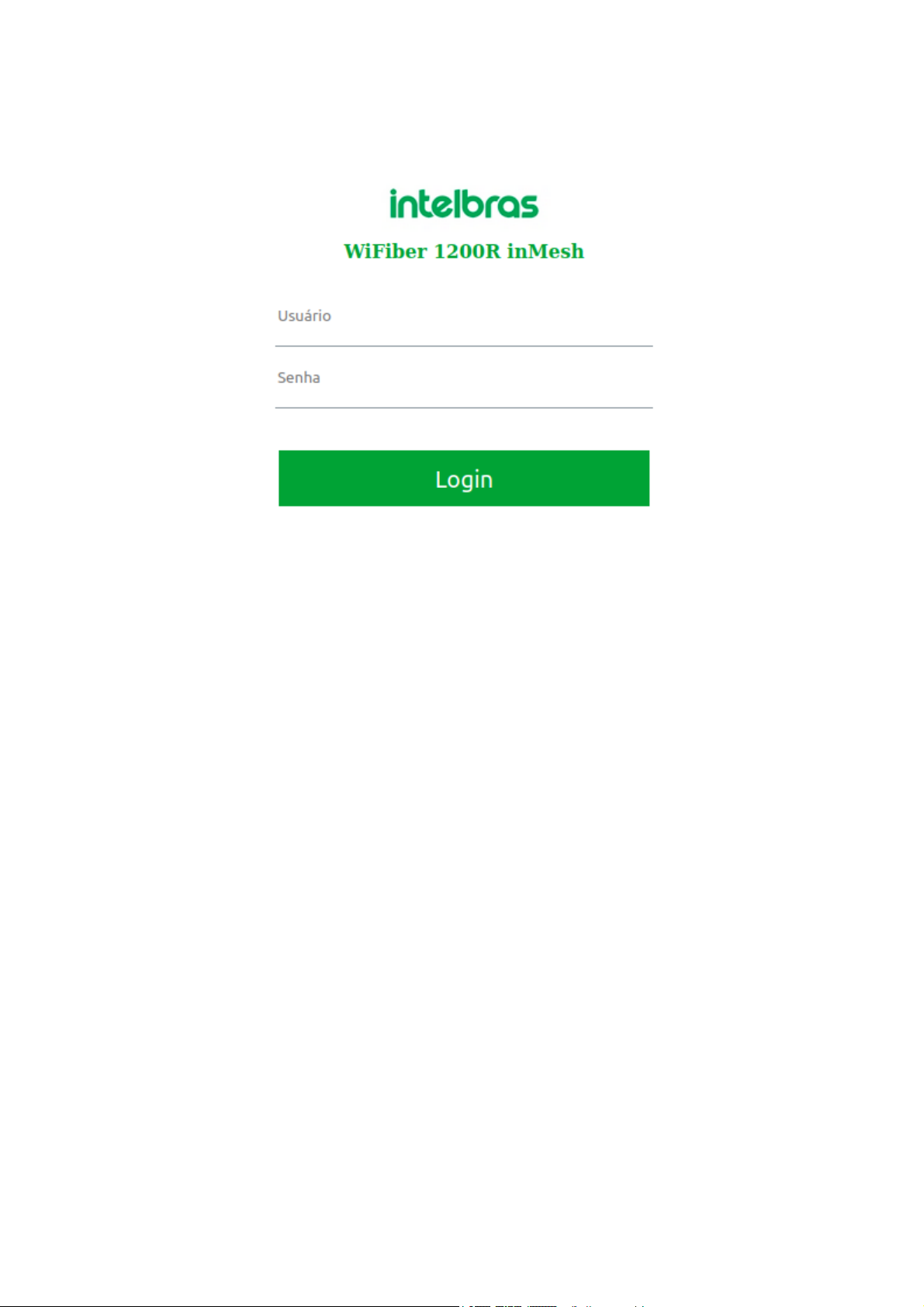
Login Screen
Note: For security reasons, Intelbras recommends that the default password be changed.
6.3. First access (web)
When the user first logs in with the default password on the WiFiber 1200R, he will be asked to change the default
password (for security reasons) and to read and accept the terms of use available in the product through the hyperlink in
blue.
Indice


