Intelligent Security GSM Door Phone System Manuale utente

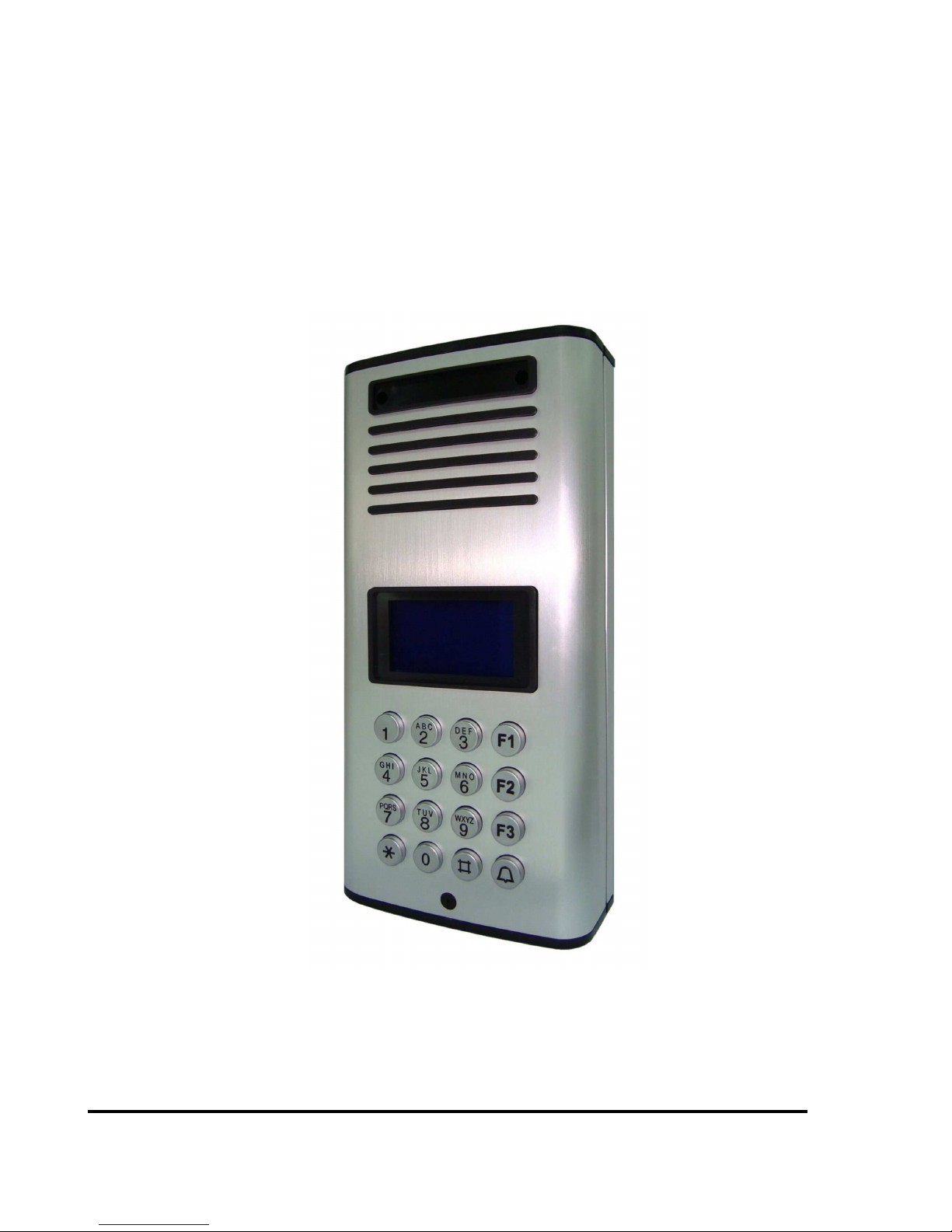
GSM Door Phone System
System Installation, Setting and Operation Manual
User Manual (263-S– V1)
Please read this user manual completely before operating this system and keep it in a safe place
for future reference.
Intelligent Security & Fire Ltd

1
TABLE OF CONTENTS
TABLE OF CONTENTS ……………………………………………….……………….
IMPORTANT SAFETY INSTRUCTIONS……………………………………………..
UNPACKING YOUR SYSTEM…………………..……………………………………..
SYSTEM DIAGRAMS
Front View ……………………………………………………………….………….
Back View ………………………………………………………………….……….
Wall Mounting Bracket …………………………………………………………….
INSTALLATION
GSM Door Phone……………………………………………………………………
Wiring Diagram & Wiring Instructions …………………………………………....
OPERATION
Power ON/OFF ……………………………………………………………………..
Manager Mode and Functions ……………………………………………….……
MANAGER SETTINGS
Change Manager Password ………………………………………………………
Store Manager Phone Number ……………………………………………....
Set Minutes for Talk Time ………………………………………………………….
VOLUME SETTING
Change Microphone Volume ……………………………………………………...
Change Speaker Volume …………………………………………………….........
Change Speaker Volume During Conversation ………………………………….
DOOR SETTING
Enable/Disable Door Lock Open by Password ………….………………………
Change Door Opening Password …………………………………………………
Door Opening Time ……………………………………………………………...…
CALLING SETTING
Set Calling Time ………………………………………….…………………………
Change the Calling by List …………………………………………………………
SUBSCRIBER ID NUMBER SETTING
Setup Subscriber ID Number ……………………………………………………...
CONTACTING A SUBSCRIBER...…………………………………………………….
OPEN THE DOOR REMOTELY ……………………………………………………….
GO BACK TO STANDBY SCREEN AUTOMATICALLY ……………………..….…
SIM CARD ……………………………………………………………………………….
CALL MANAGER ……………………………………………………………………….
MASTER RESET…………………………………………………………………………
1
2
3
4
5
6
7
9
10
10
11
11
12
12
13
13
13
14
14
15
15
16
17
17
17
18
18
18
Intelligent Security & Fire Ltd

2
Thank you for purchasing the GSM Door Phone. To ensure that you enjoy the full capacity of
this product, please read this user manual before proceeding. Be sure to keep this manual for
future reference in case any challenge or question should arise. We hope you enjoy your new
GSM Door Phone.
IMPORTANT SAFETY INSTRUCTIONS
When using your GSM Door Phone, basic safety precautions should always be followed to
reduce the risk of fire, electric shock and personal injury. Please read the following before using
your equipment.
1. Follow all warnings and instructions on the product.
2. Unplug the product before cleaning. Do not use liquid cleaners or aerosol cleaners. Use a
damp cloth for cleaning.
3. Do not use this product near water.
4. Do not allow anything to rest on power cords. Do not place this product in a location where
the cords can be stepped on or where someone can trip over them.
5. Do not use this product near an area where there is a potential of gas leaks or near any
fumes that can be explosive.
6. Do not place this equipment near or over a radiator or any other heat source.
7. Use ONLY the power adapter supplied with the system.
8. Do not overload the wall outlet or power cord where the power adapter is installed. This can
result in fire or electric shock.
9. This equipment is to be opened ONLY by a qualified service technician. There are no user
serviceable parts inside. Opening this equipment may expose you to dangerous voltage
and other risks. Incorrect reassembly of this equipment may result in electric shock.
10. Avoid spilling liquid on this equipment and do not insert any objects through the ventilation
slots.
11. Avoid using this equipment during an electrical storm. There is a remote risk of electrical
shock from lighting.
12. Do not use this equipment other than for its purpose intended by the manufacture. Use
ONLY the equipment provided by the manufacturer.
UNPACKING YOUR SYSTEM
Intelligent Security & Fire Ltd

3
Your GSM Door Phone system will include the followings:
1 x Door phone unit
1 x AC power adapter
1 x GSM antenna
1 x Wall mounting bracket
1 x Wire
4 x screws for mounting bracket
2 x screws for door phone
1 x User manual
Optional Accessories
Rain hood
Antenna bracket
System Diagram (Front View)
Intelligent Security & Fire Ltd

4
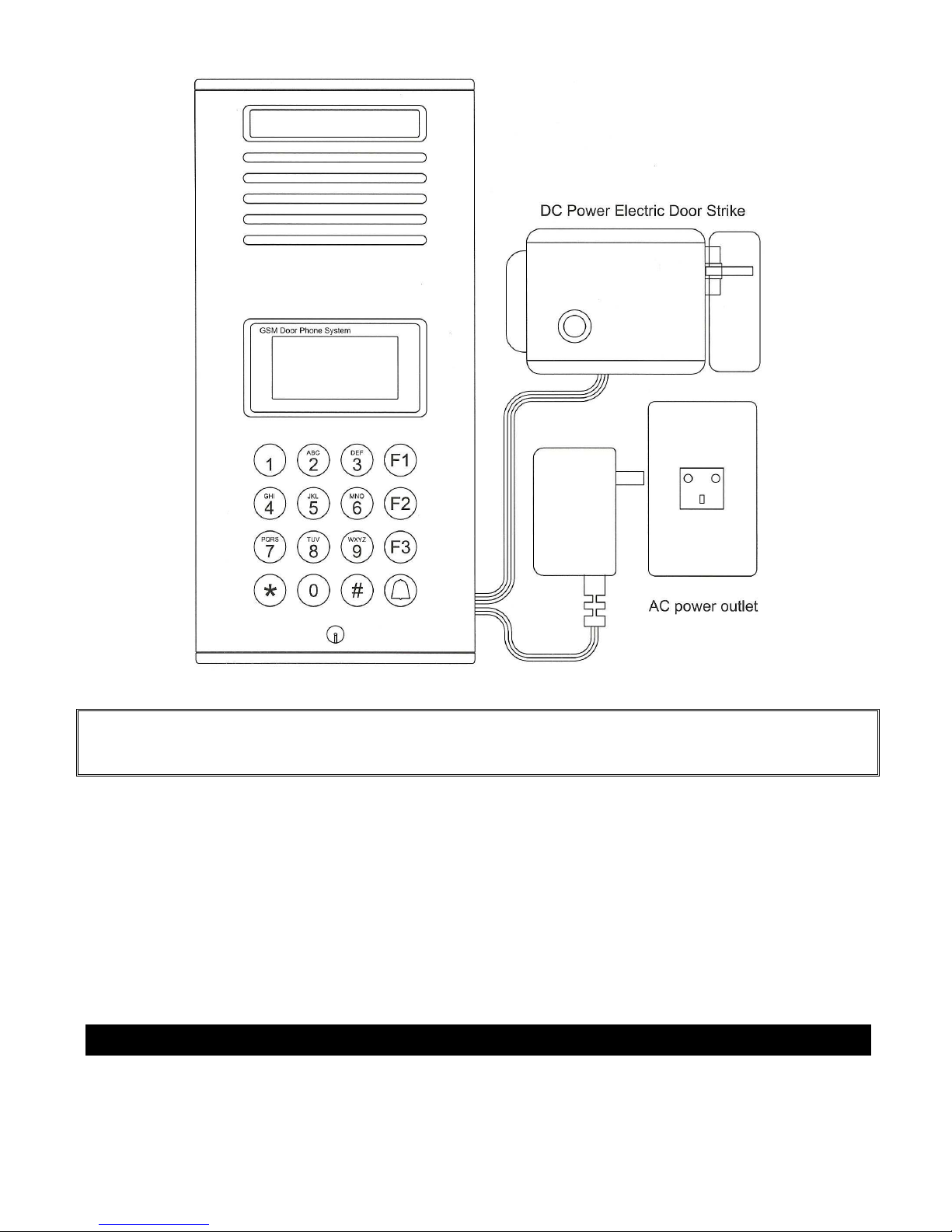
Acrylic cover
Speaker
LCD display
Keypad
0~9: Number keys
F1: Menu/Exit key
F2: Delete key
F3: ABC/abc/123 exchange button
*
**
*: Volume & select up key
#
##
#: Volume & select down key
Microphone
Bottom cover
System Diagram (Back View)
Intelligent Security & Fire Ltd

5
System Diagram (Wall Mounting Bracket)
Opening for connecting
wall-mount bracket
Metal back cover plate
Opening for connecting
wall-mount latch
SIM card slot
Wiring terminal
USB port
GSM antenna
Bottom cover
GSM Antenna socket
Intelligent Security & Fire Ltd
6
INSTALLATION
Intelligent Security & Fire Ltd

7
GSM Door Phone
1. Take the wall-mount bracket from the package and screw it on proper place (as Step
1 & 2 shown below).
2. Open the bottom cover of door unit and pass the wires through the hole. Then, refer
to the “Wiring Diagram and Wiring Instruction” to connect wires and insert the
SIM card to SIM card slot (as Step 3 shown below).
3. Put the bottom cover back (as Step 4 shown below).
4. Place door unit on the fixed wall-mount bracket (as Step 6 & 7 shown below).
5. Put the acrylic cover on the door unit when door unit has been screwed (as Step 8 &
9 shown below).
6. Plug the AC adapter into the AC outlet, then the door unit will go into standby mode.
Intelligent Security & Fire Ltd

8
WARNING: Only use the original power adapter supplied. Using any other adapter
might damage the door unit and cause a risk of electric shock.
Wiring Instructions
Intelligent Security & Fire Ltd

9
Intelligent Security & Fire Ltd
Indice


