
IOGear Combo ION GHE135C Manuale utente
3.5” COMBO ION™ Drive
Hi-Speed Portable External Hard Drive
UserManual

Thank you for purchasing IOGEAR’s® ION™ Drive, one of the sleekest and fastest Hi-Speed portable
external Hard Drives on the market. IOGEAR® only manufactures high quality storage devices so we are
sure you will be satisfied with your purchase. IOGEAR® is dedicated to customer service and satisfaction,
and wishes you the best with your new ION™ drive.
Tobetter serveyou, IOGEAR®offers anarray ofadditional USB2.0, USB,FireWire, KVM,and otherperipheral
products. For more information, or to purchase additional IOGEAR® products, visit us atwww.IOGEAR.com.
Wehopeyouenjoyusing your ION™ Drive,yetanotherfirst-rateconnectivity solution fromIOGEAR®.
© 2003 IOGEAR®. All Rights Reserved. PKG-M0042
IOGEAR®, the IOGEAR® logo, ION™, are trademarks or registered trademarks of IOGEAR® Inc. Microsoft and Windows are registered
trademarks of Microsoft Corporation. IBM is a registered trademark of international Business Machines, Inc. MAC, Macintosh, Apple are
registered trademarks of Apple Computer, Inc. All other brand and product names are trademarks or registered trademarks of their respective
holders. IOGEAR® makes no warranty of any kind with regards to the information presented in this document. All information furnished here is for
informational purposes only and is subject to change without notice. IOGEAR® assumes no responsibility for any inaccuracies or errors that may
appear in this document. Reproduction in whole or part without permission is prohibited.

Table of Contents
PackageContents..........................................................................................................................................
Overview........................................................................................................................................................
Features.........................................................................................................................................................
Requirements.................................................................................................................................................
Introduction....................................................................................................................................................
PictorialIntroduction......................................................................................................................................
Installation of Hard Drive................................................................................................................................
ION™DriveSetup.........................................................................................................................................
Installationof ION™ DriveSoftware (PC).....................................................................................................
Installationof ION™ DriveSoftware (Mac)....................................................................................................
DeviceRemoval.............................................................................................................................................
DriverRemoval..............................................................................................................................................
Care & Handling.............................................................................................................................................
TroubleShooting............................................................................................................................................
TechnicalSupport..........................................................................................................................................
Appendix........................................................................................................................................................
Specifications.................................................................................................................................................
Radio&TVInterferenceStatement...............................................................................................................
LimitedWarranty.............................................................................................................................................
02
03
04
05
06
08
10
18
22
24
26
27
29
30
32
33
34
35
36

2
Package Contents
Thispackagecontains:
1-3.5”ComboION™Drive
1-Hi-Speed USB2.0 (TypeA to B) Cable
1-FireWire (6 pin - 6pin) Cable
1- IOGEAR® Installation CD
1 Power Adapter
1 User Manual
1Warranty /Registration Card
Ifanyoftheitemsaremissingordamagedpleasecontactyourdealerimmediately.

3
Overview
TheION™ Drive is yetanother innovativeFireWire/Hi-Speed USB 2.0solution developedby IOGEAR®. The
ION™ Drive offers a complete high speed storage solutions at the fraction of the cost of other external Hard
Drives.
Setup is fast and easy. Simply plug in the drive, install the software, and you’re ready to go. The ION™ Drive
offersa feature rich interface, complete with thelatest in Hi-Speed technology.
IOGEAR®brings FireWire andthe next generationof USBto your computer.You will enjoythe convenienceand
reliabilitythat hasmade thesetwo technologies an industry standard when it comes to connecting multiplehigh-
techperipheral devices. FireWire®, alsoknown asSony’s® iLink™ orIEEE1394, developedby Apple Computer,
Inc.,is the latest connectivity standardfor high speed digital devices like DVCamcorders. Firewire® has a data
transferrate upto 400Mbps (Megabits per second) and allows you toconnect upto 63separate devicessimulta-
neously. USB2.0 isthe nextgeneration of USB connectivity, providing additional bandwidth thus broadening the
rangeofperipherals that maybe attached toyour computers. USB2.0allows youtomove data ata blazing rateof
480Mbps(Megabits per second). Hi-SpeedUSB2.0is fully backwardcompatiblewith the firstgenerationof USB
devices.With theincrease inspeed, USB 2.0 offers increased functionality, allowing more devicesto sharethe
increased bandwidth. The combination of FireWire and USB 2.0 is the right choice for your external storage
environment.

4
Features
•Transferpictures,musicandmoreatspeedsupto480Mbps. Transfer1GBinunder30seconds
•Idealforbackup,storageexpansion,filesharing,softwareinstallationanddatamanagement
•3 connectivity solutionsin one(FireWire, USB 1.1,& USB 2.0)
• Hot plug capable, hot swappable, Plug-N-Play
•Preformattedfor your convenience,soyou are upandrunning in notime(those with preinstalleddrives)
•TheFireWireinterface supports data transferratesofup to 400Mbps
•USB 2.0 interface, supporting high speed datatransfer ratesof upto 480Mbps
• Backward compatible with USB 1.1 specifications
•Compactsize,perfectforthemobileprofessional
•Threeyearlimitedwarranty

5
ToachieveFireWireorUSB2.0 speeds, your computersystemmustbeeitherFireWire or Hi-Speed USB2.0
enabled. TheCOMBO ION™ drivewill workat USB 1.1speeds withUSB 1.1 enabledcomputers.
For Mac Users
• Mac OS 8.6 to 9.x *
• Mac OS X **
•Available hi-speedUSB 2.0port or FireWire port
•CD-ROMdrive
*Will operateas a FireWire or USB 1.1 device.
**Mac OS X takes advantage all threeconnectivies; FireWire,USB 2.0,& USB1.1.
Accessories/AdditionalProducts
ComboUSB 2.0/FireWireCardBus (GUF202)
ComboUSB2.0/FireWirePCICard(GUF3121)
2-in-1Hi-SpeedUSB2.0MemoryBank™(GFR201)
6-in-1Hi-SpeedUSB2.0MemoryBank™(GFR206)
USBFlex™WebCam-USBFlexableWebCamera(GCA210U)
KVMP™Switch–2and4portUSBKVMP™switch(GCS1712/14)
IOGEAR4 pinto 4pin FireWire cable (G2L13944-6)
Requirements
For PC Users
•PCCompatible,200MHzorgreater
•Windows® 98SE, 2000,ME, XP
• Minimum 64MB RAM
•AvailableHi-Speed USB 2.0portor FireWire port
•CD-ROMdrive

6
Introduction
Introduction of the COMBO ION™ Drive’s Underlying Technology
The combination of FireWire, USB 1.1, andHi-SpeedUSB 2.0is thebackbone ofour ION™Drive. USB 2.0is
thenextgenerationofUSB connectivity, providing additionalbandwidththusbroadeningthe range ofperipherals
that may be attached to your computers. USB 2.0 will move data at a blazing rate of 480 Mbps (Megabits per
second), and is fully backward compatible with the first generation of USB 1.1 devices. With the increase in
speed,USB 2.0 will offer increasedfunctionality, allowing more devices toshare the increased bandwidth.
Withthe increasein demandfor FireWire and USB 2.0 products, IOGEAR® decided to provide ourcustomers
witha totalsolution. We havetaken someof thetop peripheralson themarket andhave upgradedthem tothe
newFireWire and/or USB2.0 standard.
Today’s connectivity standards are fasterandeasier to use than it has ever been. Moving data at a blazing
speedof 12Mbps, 400Mbps, and 480Mbpsand now allows for high speed devicesto take full advantage ofthe
bandwidthand reliability offered by thenew technologies.

7
Introduction
Thismanual containsinformation on the installation andcapabilities ofyour new COMBO ION™ Drive.
Insections of the manual wheresequential steps are listed, each action islisted with no indentation. Additional
textis included, butindented, tofurther explain eachof theseactions. A glossary hasbeen addedat the endof
themanual soyou maylook up unfamiliar terms.
Afew things should be mentioned before explaining the installation procedure:
AllIOGEAR® ION™drives are tested before they are shipped.
Theconnectors ona FireWire and Hi-Speed USB 2.0 cabledesigned in such a way as toprevent pluggingthe
cablein upside down,backwards, orinto a differenttype of connector.
Attime ofprint, mostcomputers donot haveHi-Speed USB2.0 capabilities. Toensure optimumcompatibility,
please make sure your computer is USB 2.0 compatible or has had a USB 2.0 upgrade card added to your
computersystem.
8
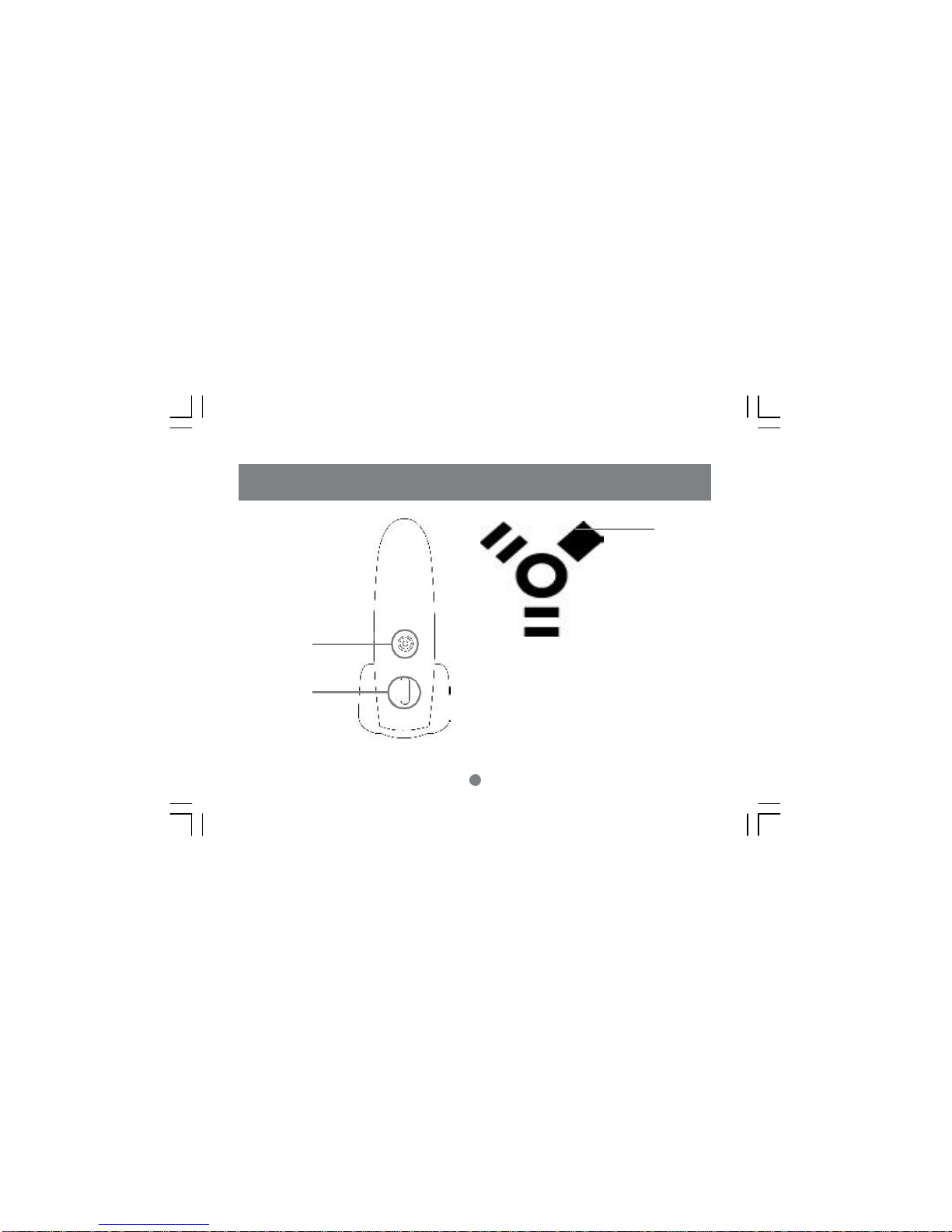
Pictorial Introduction
Front View
1
2
1. Power Light
2. On/Off Switch
3.TheIOGEAR Logo, amark of quality
3
Indice
Altri manuali IOGear Magazzinaggio

IOGear
IOGear GHE225U Manuale utente

IOGear
IOGear Tri-Select COMBO ION GHE335C Manuale utente

IOGear
IOGear ION GHE135U Manuale utente

IOGear
IOGear GHE225U Manuale utente

IOGear
IOGear Combo ION GHE125C Manuale utente

IOGear
IOGear GMD2025U Manuale di istruzioni

IOGear
IOGear Combo ION GHE835C Manuale utente

IOGear
IOGear Tri-Select COMBO ION GHE335C Manuale utente


