
Kitronik 2121 Guida rapida
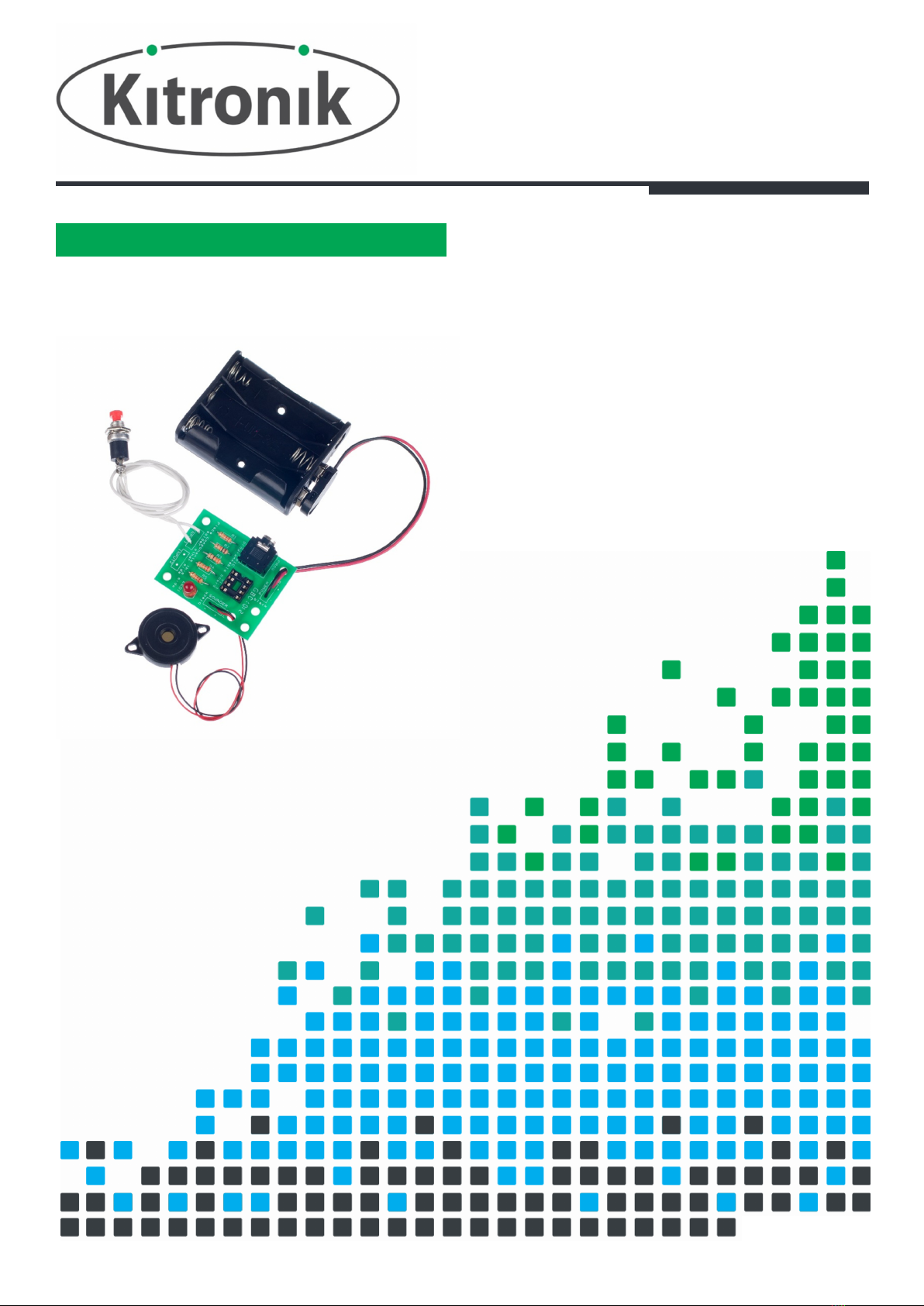
PROGRAMMABLE TIMER KIT
CREATE YOUR OWN
UNQUIE
TIMER WITH THIS
TEACHING RESOURCES
SCHEMES OF WORK
DEVELOPING A SPECIFICATION
COMPONENT FACTSHEETS
HOW TO SOLDER GUIDE
Version 2.0

Programmable Timer Teaching Resources
www.kitronik.co.uk/2121
Index of Sheets
TEACHING RESOURCES
Index of Sheets
Introduction
Schemes of Work
Answers
The Design Process
The Design Brief
Investigation / Research
Developing a Specification
Design
Design Review (group task)
Soldering in Ten Steps
Resistor Values
LEDs & Current Limit Resistors
Why use a PIC micro-controller?
Instruction Manual
Evaluation
Packaging Design
ESSENTIAL INFORMATION
Build Instructions
Build Instructions continued
Checking Your Programmable Timer PCB
Testing the PCB
Fault Finding
Fault Finding continued
Designing the Enclosure
Possible student programming tasks
How the programmable timer works
Online Information

Programmable Timer Teaching Resources
www.kitronik.co.uk/2121
Introduction
About the project kit
Both the project kit and the supporting material have been carefully designed for use in KS3 Design and Technology
lessons. The project kit has been designed so that even teachers with a limited knowledge of electronics should have
no trouble using it as a basis from which they can form a scheme of work.
The project kits can be used in two ways:
1. As part of a larger project involving all aspects of a product design, such as designing an enclosure for the
electronics to fit into.
2. On their own as a way of introducing electronics and electronic construction to students over a number of
lessons.
This booklet contains a wealth of material to aid the teacher in either case.
Using the booklet
The first few pages of this booklet contains information to aid the teacher in planning their lessons and also covers
worksheet answers. The rest of the booklet is designed to be printed out as classroom handouts. In most cases all of
the sheets will not be needed, hence there being no page numbers, teachers can pick and choose as they see fit.
Please feel free to print any pages of this booklet to use as student handouts in conjunction with Kitronik project
kits.
Support and resources
You can also find additional resources at www.kitronik.co.uk. There are component fact sheets, information on
calculating resistor and capacitor values, puzzles and much more.
Kitronik provide a next day response technical assistance service via e-mail. If you have any questions regarding this
kit or even suggestions for improvements, please e-mail us at:
Alternatively, phone us on 0845 8380781.
Programmable Timer Teaching Resources
www.kitronik.co.uk/2121
Schemes of Work
Two schemes of work are included in this pack; the first is a complete project including the design & manufacture of
an enclosure for the kit (below). The second is a much shorter focused practical task covering just the assembly of
the kit (next page). Equally, feel free to use the material as you see fit to develop your own schemes.
Before starting we would advise that you to build a kit yourself. This will allow you to become familiar with the
project and will provide a unit to demonstrate.
Complete product design project including electronics and enclosure
Hour 1
Introduce the task
using ‘The Design Brief’ sheet. Demonstrate a built unit. Take students through
the design process using ‘The Design Process’ sheet.
Homework: Collect examples of timing products that are currently on sale. These may include
clocks, watches, stop watches etc. List the common features that make these suitable for their
intended use.
Hour 2
Develop a specification for the project using the ‘Developing a Specification’ sheet.
Resource: Sample timing products.
Homework: Using the internet or other search method find out what is meant by design for
manufacture. List five reasons why design for manufacture should be considered on any design
project.
Hour 3
Read ‘Designing the Enclosure’ sheet. Develop a product design using the ‘Design’ sheet.
Homework: Complete design.
Hour 4
Split the students into groups and get them to perform a group design review using the ‘Design
Review’ sheet. Start the ‘Resistors’ sheet.
Homework: Complete any of the remaining resistor tasks.
Hour 5
Using the ‘How to solder’ sheet dem
onstrate and get students to practice soldering.
Hour 6
Build the electronic kit using the ‘Build Instructions’.
Hour 7
Complete the build of the electronic kit. Check the completed PCB and fault find if required using
‘Checking Your Timer PCB’ and fault finding flow charts.
Homework: Read ‘How the Timer Works’ sheet.
Hour 8
Programming task 1
–
The basic timer.
Hour 9
Programming task 2
–
The timer with time up warning bleeps.
Hour 10
Using cardboard get the students to model their enclosure design. A
llow them to make alterations
to their design if the model shows any areas that need changing.
Hour 11
Build the enclosure.
Homework: Collect some examples of instruction manuals.
Hour 12
Build the enclosure.
Homework: Read ‘Instructions’ sheet and start developing instructions for the student’s timer
design.
Hour 13
Build the enclosure.
Homework: Complete instructions for the student’s timer design.
Hour 14
Using the ‘Evaluation and Improvement’ sheet, get the students to evaluate their final prod
uct and
state where improvements can be made.
Programmable Timer Teaching Resources
www.kitronik.co.uk/2121
AdditionalWork
Programming tasks,
Task 3 - User configurable delay
Task 4 - Musical
Package design for those who complete ahead of others.
Electronics only
Hour 1
Introduction to the kit demonstrating a
built unit. Using the ‘How to solder’ sheet practice
soldering.
Hour 2
Build the kit using the ‘Build Instructions’.
Hour 3
Check the completed PCB and fault find if required using the ‘Checking Your timer PCB’ and fault
finding flow charts.
Hour 4
Pr
ogramming task 1
–
The basic timer.
Answers
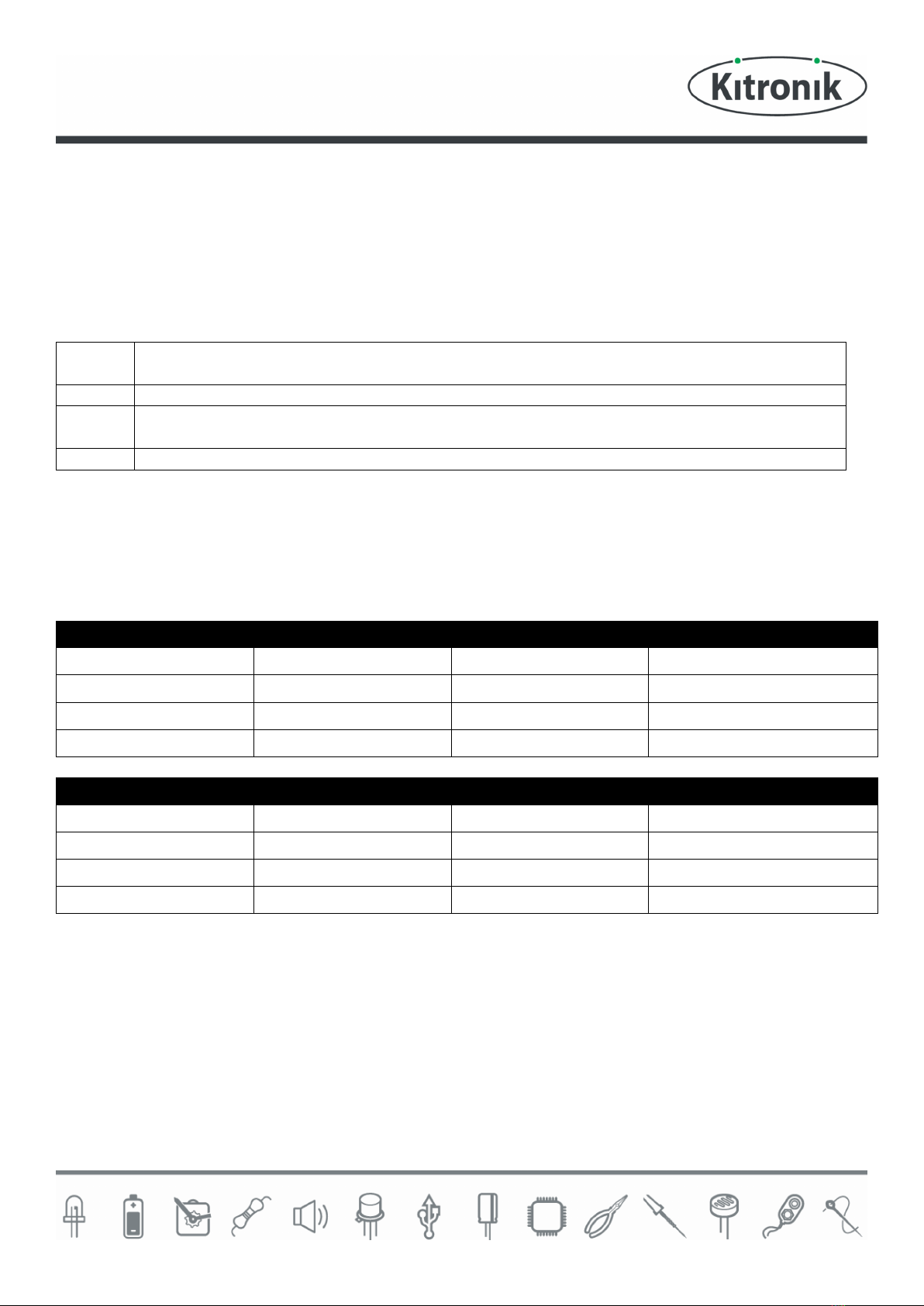
Resistor questions
1st Band 2nd Band Multiplier x Value
Brown Black Yellow 100,000 Ω
Green Blue Brown 560 Ω
Brown Grey Yellow 180,000Ω
Orange White Black 39Ω
Value 1st Band 2nd Band Multiplier x
180 Ω Brown Grey Brown
3,900 Ω Orange White Red
47,000 (47K) Ω Yellow Violet Orange
1,000,000 (1M) Ω Brown Black Green
Programmable Timer Teaching Resources
www.kitronik.co.uk/2121
The Design Process
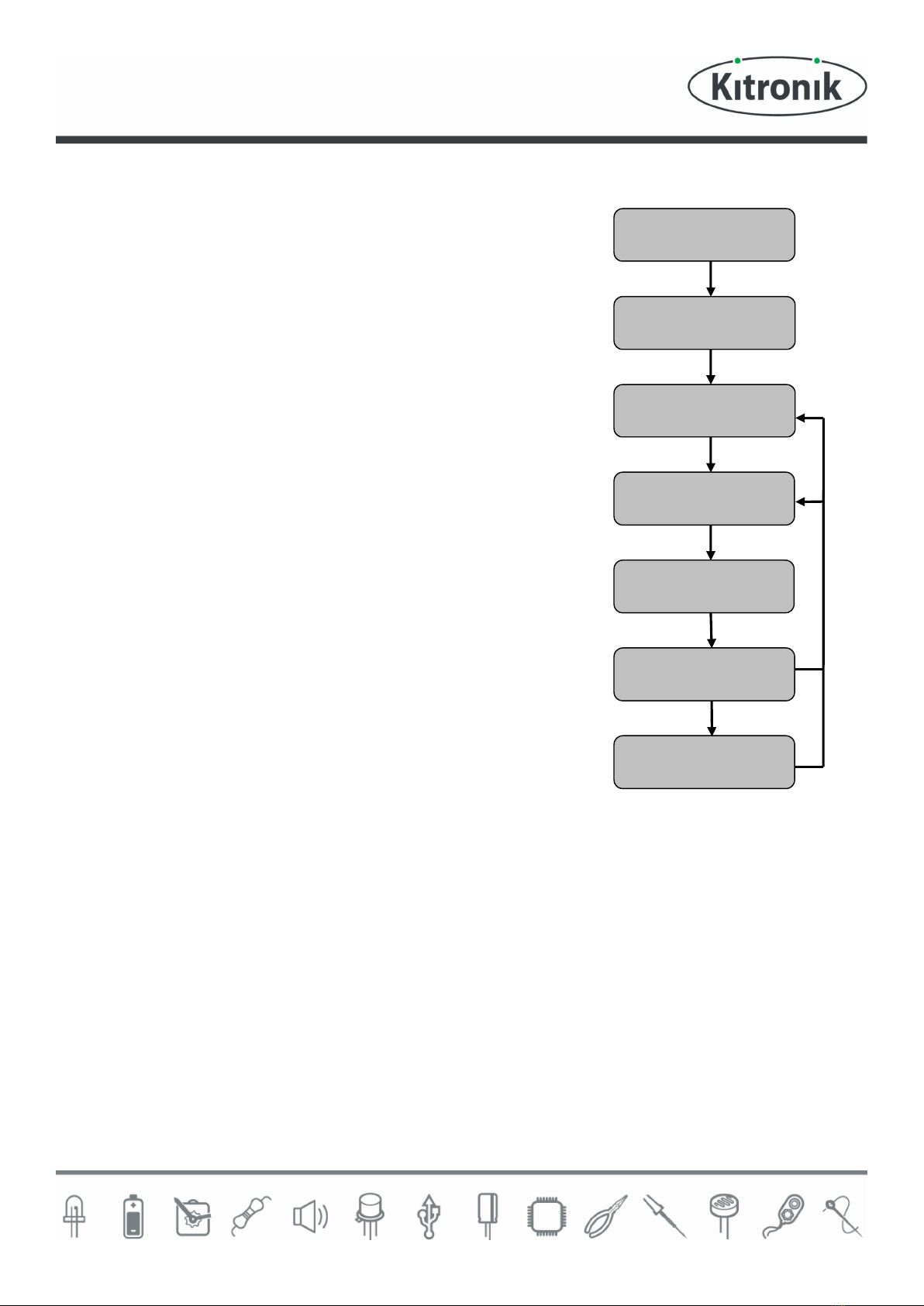
The design process can be short or long, but will always consist of a number of
steps that are the same on every project. By splitting a project into these
clearly defined steps, it becomes more structured and manageable. The steps
allow clear focus on a specific task before moving to the next phase of the
project. A typical design process is shown on the right.
Design brief
What is the purpose or aim of the project? Why is it required and who is it
for?
Investigation
Research the background of the project. What might the requirements be?
Are there competitors and what are they doing? The more information found
out about the problem at this stage, the better, as it may make a big
difference later in the project.
Specification
This is a complete list of all the requirements that the project must fulfil - no
matter how small. This will allow you to focus on specifics at the design stage
and to evaluate your design. Missing a key point from a specification can
result in a product that does not fulfil its required task.
Design
Develop your ideas and produce a design that meets the requirements listed
in the specification. At this stage it is often normal to prototype some of your
ideas to see which work and which do not.
Build
Build your design based upon the design that you have developed.
Evaluate
Does the product meet all points listed in the specification? If not, return to the design stage and make the required
changes. Does it then meet all of the requirements of the design brief? If not, return to the specification stage and
make improvements to the specification that will allow the product to meet these requirements and repeat from
this point. It is normal to have such iterations in design projects, though you normally aim to keep these to a
minimum.
Improve
Do you feel the product could be improved in any way? These improvements can be added to the design.
Design Brief
Investigation
Specification
Design
Build
Evaluate
Improve
Programmable Timer Teaching Resources
www.kitronik.co.uk/2121
The Design Brief
A clock manufacturer has designed a simple timer. The timer will
be very cheap to produce and can be used for applications that do
not require split second accuracy.
The manufacturer can think of a great many applications that the
timer could be used for, such as for timing peoples turns on a
board game.
The manufacturer would like you to research and select a
particular use for the timer. They would then like you to produce a
design that is suitable for that use. The design must meet all the
requirements of the selected target market.
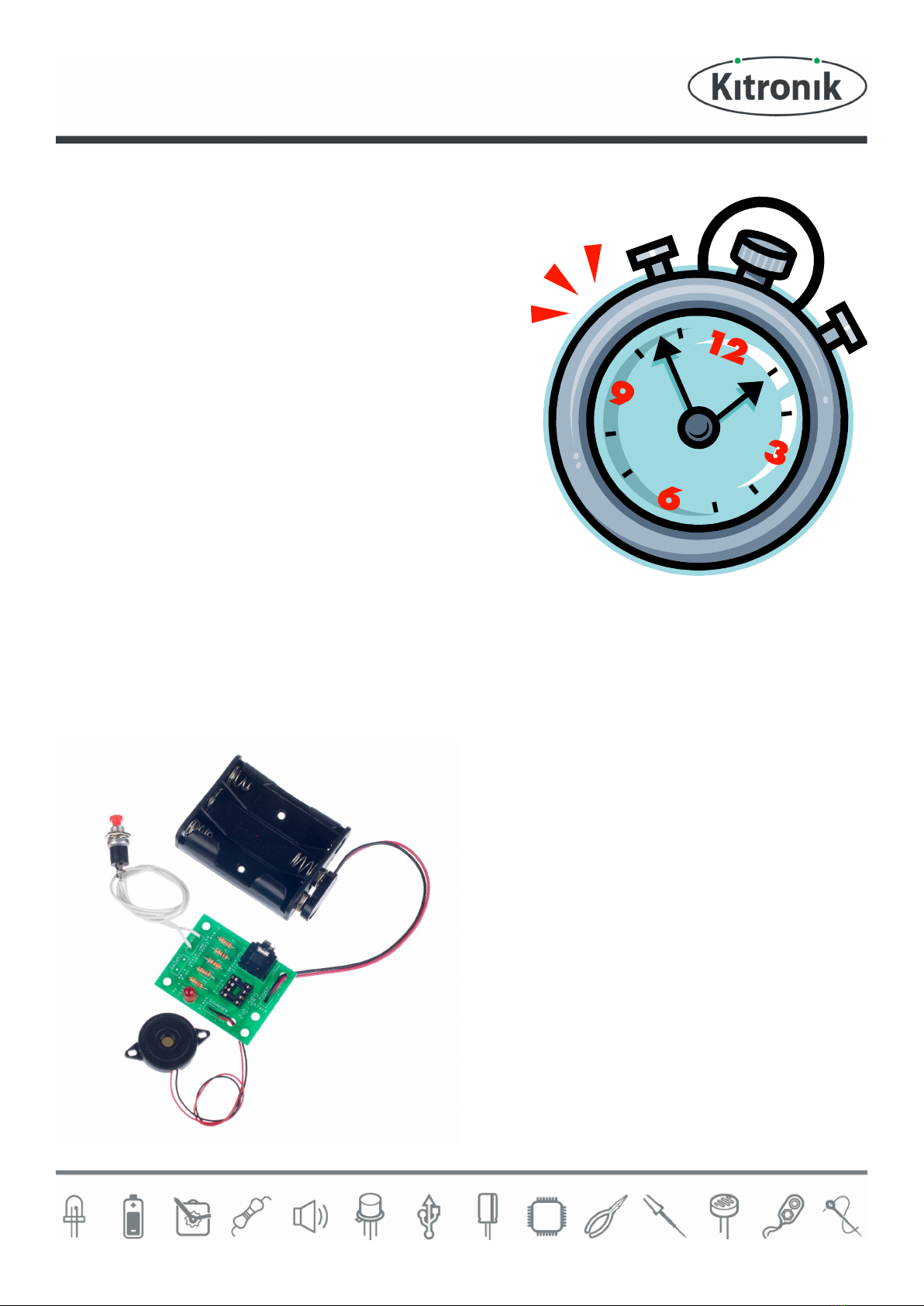
Description of the Timer
Once the timer is started it waits for a period of time and then produces a tone using a sounder. As the timer is
programmable the duration of the timer and how long it sounds for can be adjusted. A push button switch is used to
start the timer.
Complete Circuit
A fully built circuit is shown below.

Programmable Timer Teaching Resources
www.kitronik.co.uk/2121
Investigation / Research
Using a number of different search methods, find examples of similar products that are already on the market. Use
additional pages if required.
Name………………………………………………… Class………………………………

Programmable Timer Teaching Resources
www.kitronik.co.uk/2121
Developing a Specification
Using your research into the target market for the product, identify the key requirements for the product and
explain why each of these is important.
Name……………………………………………………… Class………………………………
Requirement
Reason
Example: The enclosure should have
some holes.
Example: So that the sound can be heard.

Programmable Timer Teaching Resources
www.kitronik.co.uk/2121
Design
Develop your ideas to produce a design that meets the requirements listed in the specification.
Name……………………………………………… Class………………………………
Indice


