
La Crosse Technology COST CONTROL 3362 Manuale utente

1
Operating Manual
COST CONTROL - POWER
CONSUMPTION MONITOR
Contents
Introduction 1
Intended Use 2
Safety Precautions 3
The Cost Control 4
Features 5
Cost Monitoring 6
Cost Forecasting 7
Instantaneous Power Consumption 8
The Maximum Load Power Display 9
Total Energy Consumption Display 10
Setting up 11
Tariff setting mode 12
Using Cost Control 13
Replacing batteries 14
Extra Notes 15
Maintenance 16
Specifications 17
Liability Disclaimer 18
1. INTRODUCTION:
The Cost Control Power Consumption Monitor is a
state-of-the-art power-monitoring socket that is highly
accurate and easy to use. Please read this entire
instructional manual before using the Cost Control so

2
you can fully take advantage of all the features it has to
offer.
2. INTENDED USE:
The Measuring range of the Cost Control is from
approximately 3W to 1800W (automatically varies
from on appliance to another) and is therefore ideal for
use with a large variety of electrical appliances.
The Cost Control is designed for use only as an
indicator for the average cost and average amount of
electricity used for electrical appliances. Despite its
accuracy it is not officially certified and therefore
readings cannot be used as evidence in any dispute
between the Electricity Company and the user.
• The Cost Control is approved for use on a
120V/60Hz main power supply only.
• Only loads with the same voltage (120V/60Hz)
can be connected.
• The max. load of any appliance connected must
not exceed 1800 Watt (Max. current 15A)
• The Cost Control is only designed for indoor use
within dry environments. Outdoor use is strictly
prohibited!
• The Cost Control may not be altered or modified
in any way.
• Observe the specifications on the type of plate of
the appliance to be connected!
• Any other use, other than described, may risk
danger in short circuiting, fire, electrical shock,
etc. and damage of this product.

3
In order to maintain perfect condition and guarantee
safe operation of this product, the user must observe the
Intended Use, Safety Precautions, and Disclaimer
Liability notes in this operating manual.
3. SAFETY PRECAUTIONS:
• Connect the Cost Control only to an approved
120VAC/60Hz ±5% (15A) earth-contact type
mains outlet (VDE)
• The max. load of 1800 Watts (15A) must not be
exceeded
• The recommended operating temperature is 32°F
to 122°F (0°C to 50°C). Higher temperatures may,
especially during measurements of large loads,
lead to dangers of overheating and permanent
damage of the product.
• Do not operate the product within confined rooms
or other adverse conditions where inflammable
gases, vapors or dusts may be present.
• For safety, never allow the product to operate in
moist conditions or to get wet.
• The product must under all circumstances be
separated from main power supply prior to any
maintenance, repair, change of parts, or
disassembly. Components and connectors
carrying high and dangerous voltages may be
exposed.
• Capacitors in the circuitry of the product may still
carry high voltage charges even though it has
been separated from the main power supply.

4
• In commercial institutions the safety regulations
of the alliance of commercial professional
association for electrical installations and
production facilities must be observed.
• In schools, educational institutions, hobby shops
or co-operative workshops, trained personnel
must responsibly supervise the use of this product.
• Never insert needles, metal or any other object
into the Cost Control.
• Do not plug one Cost Control into another.
• The Cost Control is no longer safe to operate and
must be disposed of properly if any of the
following is evident:
• The Cost Control shows obvious signs
of damage
• The Cost Control does not function
• The Cost Control has been stored in
unfavorable conditions for a long
period of time.

4. THE COST CONTROL:
5
Plug
Battery Cover
Socket
POWER Key
COST Key
TARRIFF Key
LCD

6
5. FEATURES:
• Cost monitoring
• Cost forecasting (day, month, year)
• Instantaneous power consumption (Watt)
• Maximum load power display (Max Watt)
• Total energy consumption display (Total kilo
Watt hour)
6. COST MONITORING:
Using this feature users will see the cost of electricity in
running their electrical appliances. For cost
monitoring, the value is shown on the LCD as “Total
Cost” and the information obtained will enable users to
be more power consumption aware and efficient.
7. COST FORECASTING:
Cost forecasting is useful for budgeting future
electricity bills as the approximate cost to run an
electrical appliance over a period of time can be
estimated in this way. There are three cost forecasting
display screens as follows:
• COST/D = cost per day forecast
• COST/M= cost per month forecast
• COST/Y= cost per year forecast
Note that all costs are assuming normal usage
8. INSTANTANEOUS POWER
CONSUMPTION:

When an electrical appliance is plugged into the Cost
Control, by pressing the “POWER” key, the
instantaneous power (Watts) being used at that precise
moment in time can be ascertained.
9. THE MAXIMUM LOAD POWER DISPLAY:
By pressing the “POWER” key again the maximum
power load (Maximum Watts) will be displayed. This
reading applies to maximum power that an electrical
appliance has used during its monitoring period.
10. TOTAL ENERGY CONSUMPTION
DISPLAY:
By pressing the “POWER” key a third time the LCD
will show the total kWh consumed by an electrical
appliance for the monitoring period.
11. SETTING UP:
Before plugging the Cost Control into a socket and any
appliance into it the values must be set.
7
First enter the “TOTAL COST” display by pressing the
“COST” key to alternate between “COST/D”,
“COST/M” and “COST/Y” displays. Now check that
all the values displayed are set to zero as follows:
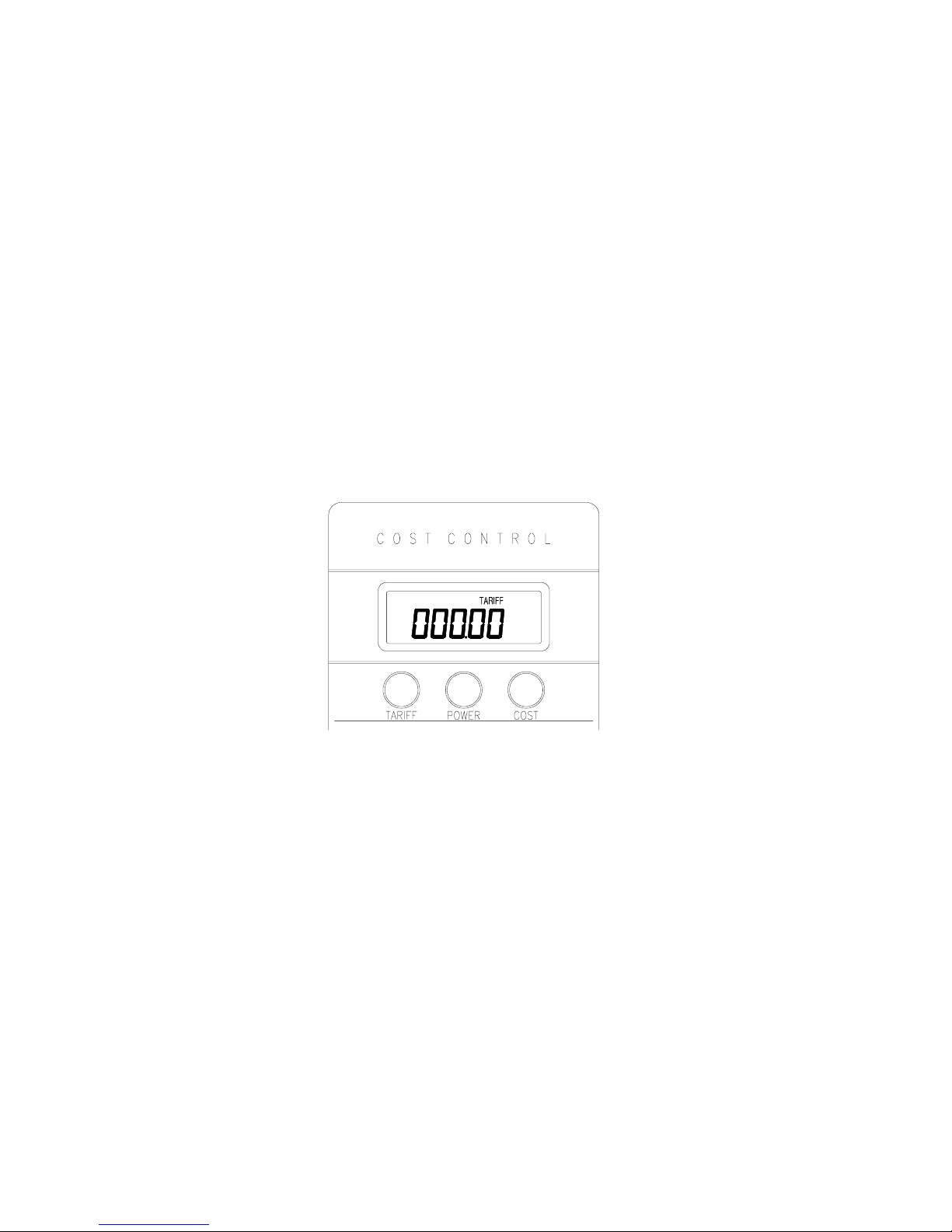
• Any preset values in the “TOTAL COST”
display that the user has not set in must be
reset to zero to ensure accurate readings. To
do this, simply press and hold down the
“COST” key (for approximately 4 seconds)
and all values with the exception of Tariff
(cost per kilowatt hour) will be reset to zero.
• Once all the values displayed are set to zero
in the “TOTAL COST” display, press the
“TARIFF” key to enter the Tariff set mode.
8
12. TARRIFF SETTING MODE:
The value of a single unit of kWh (kilo Watt hour) can
usually be found on a previous electricity bill. Please
take this figure from a recent bill as costs fluctuate. If
the cost of a kWh cannot be found on the bill contact
your local Electricity Company for the price of this
unit. The Tariff display may not necessarily be set to
zero (as illustrated above). If there are any preset
values that the user has not set, simply overwrite them
when setting the unit cost of a kWh as follows:

9
• Press and hold the “TARIFF” key
(approximately 3 seconds) until the first
digit on the right hand side starts flashing.
• Press the “POWER” key to increase the
digits from one to nine or press the “COST”
key to decrease the digits from nine to one
until you reach the desired digit.
• Once a digit is correct press the “TARIFF”
key once to move to the next digit.
• Repeat the previous steps until the desired
value for the kWh are set. If any of the
digits do not require changing simply press
the “TARIFF” key to move to the next one.
Once all the desired value has been selected
the “TARIFF” key should be pressed once
more to confirm the setting of all the digits
(the digit on the left hand side will stop
flashing).
• Once the Tariff is set, plug the Cost Control
into the outlet and then plug the electrical
appliance into the Cost Control.
Note: Using a value of 7.65 cents per kilowatt-
hour, inputting the tariff as 000.07 will allow a
larger accumulated cost to be displayed. After
10-kilowatt hours the total cost would read
000.70 (70 cents). By inputting 007.65 as the
tariff will allow for a more precise cost
forecast. After 10-kilowatt hours the total cost
would read 076.50 (76.5 cents).

Note: The appliance should be operated as
normal, for hints on this see the “Extra Notes”
section.
13. USING THE COST CONTROL:
Using the Cost Control is very easy, for example if the
cost to operate appliance “X” is $7.00 per day and after
20 days of operating the appliance the total cost is
$140.00 you would see the following displayed on the
Cost Control:
10
a) Cost per day is:
b) Cost per month is:
c) Cost per year is:
Altri manuali per COST CONTROL 3362
1
Indice
Altri manuali La Crosse Technology Monitor


