LAUER EPC PM 2100 Manuale utente

CiS-Nr.:360.610.0110
Reg10508/0605
Version2/09.05
© Elektronik-Systeme LAUER GmbH & Co.KG
User manual
EPC PM 1200
EPC PM 1500
EPC PM 1700
EPC PM 2100
EPC PM Box

© Elektronik-Systeme LAUER GmbH & Co. KG • Kelterstr. 59 • 72669 Unterensingen • Tel. 07022/9660-0 • Fax 07022/9660-103
0-2
Elektronik Systeme LAUER GmbH & Co.KG
P.O Box 1465
D-72604Nürtingen
Operatinginstructions: Embedded PCPentiumMobile
issue: 01.September2005
editor: Jung
Operatinginstructions, manuals and software are copyrighted. Allrights
are reserved. Copying, duplicating, translating, transcribing en bloc or
partially is prohibited.An exception is the making of a software back up
copy for private use.
• We reserve the right to make amendments to the manual without
priornotice.
• We can not guarantee the accuracy and correctness of the
programmesand data storedon the CD-ROM.
• Helpful suggestions, improvements as well as references to errors
are welcome at any time.
• Thestipulationsarealsovalid for any specialannexestothismanual.
Microsoft,Windows2000,WindowsXP andtheWindowsLogo are either
registered trademarks or trademarks of the Microsoft Corporation in the
USAand/or other countries.
The above terms in this documentation can be brands, whose use by
third parties can breach the rights of the proprietor.

© Elektronik-Systeme LAUER GmbH & Co.KG • Kelterstr. 59 • 72669 Unterensingen • Tel. 07022/9660-0 • Fax 07022/9660-103 0-3
User tips
Please read the manual prior to using for the first time and keep it in a
safe place for future use.
Targetgroup Thedocumentedinformationinthis manual refersto the appliance,place
of use, transport, storage, assembly, use and maintenance.
This manual is directed to the following target groups:
• User
• Servicetechnicians/maintenance technicians
Especially observe the chapter „safety instructions and general
instructions“.
Knowledgeof PCand Microsoft-operating systems are assumed. Gene-
ralknowledge in the area of automation technology isrecommended.
Diagramconvention [Key] Key entries by the user are shown in squared brackets, for
example[CTRL] or[DEL]
italic
Names of pushbuttons to be used, menus or other screen
elements as well as brand names are shown in italic letters.
Necessarybasic knowledge A solid Knowledge of the personal computer and Microsoft-operating
systems is assumed and a general knowledge in the area of automation
technologyis recommended.
Approbation’s&standards Youwillfind information intheannex,chapter„certificateand guide lines“.
Safety instructions Anywhereintheautomationequipment,wheredangerouserrorsmayoccur,
i.e.thatanoccurring error maycausemajormaterial or personaldamage,
additionalexternal precautions orfacilities haveto be made(for example
bymeansofindependentlimitswitches,mechanicalinterlocksetc.),which
incase of an error guarantee or enforce a secure operating condition.
The test and aptitude of the intended usage by the user res. the usage
under operational conditions is the responsibility of the user.Therefore
Elektronik-Systeme LAUER does not assume liability.

© Elektronik-Systeme LAUER GmbH & Co. KG • Kelterstr. 59 • 72669 Unterensingen • Tel. 07022/9660-0 • Fax 07022/9660-103
0-4
UserTips
Icons The following icons are used in the manual to mark certain paragraphs:
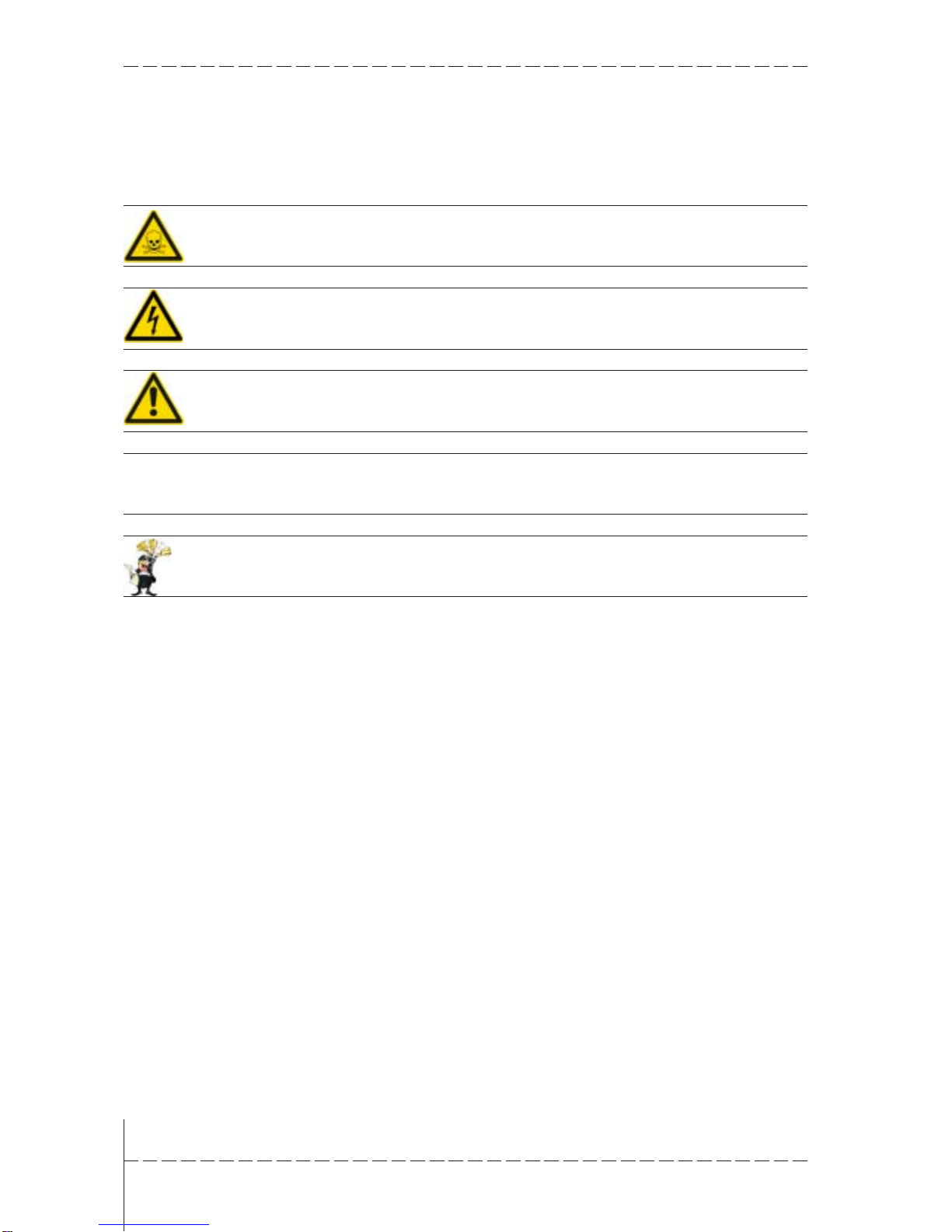
Danger
Means that death or severe injury will occur when the relevant
precautionarymeasures arenot taken
Caution
Means that death or severe injury may occur when the relevant
precautionarymeasures arenot taken.
Warning
With warning triangle means that a light injury may occur when the rele-
vant precautionary measures are not taken
Precaution
Without warning triangle means that material damage may occur when
therelevant precautionary measures are nottaken
Attention
Meansthat an undesirable effect or situation mayoccur ifthe respective
advise is ignored.
The warning advise for the highest level is used if various danger levels
occur. When awarning advisewithawarningtrianglewarns aboutperso-
naldamagethenanadditionalwarningformaterialdamagecanbeadded.
Qualifiedpersonnel Thedescribedappliancemayonlybeinstalledand operated inaccordance
withthisdocumentation.Onlyqualified personnel may putitintooperation
and operate this appliance. Qualified personnel are persons, who in
accordance with the safety regulations contained in this documentation,
areauthorised to put intooperation,earthandstamp appliances,systems
and circuits.
Intended use Theappliancecanonlybe used for thedesignatedpurposesasdescribed
in the catalogue and the technical write up and only in conjunction with
externaldevises i.e. componentsrecommended and authorisedby Elek-
tronik-SystemeLAUERGmbH & Co.KG.Theefficient and safeoperation
of the appliance presupposes appropriate transport, storage, assembly
andinstallation aswell as accurate handling andmaintenance.

© Elektronik-Systeme LAUER GmbH & Co.KG • Kelterstr. 59 • 72669 Unterensingen • Tel. 07022/9660-0 • Fax 07022/9660-103 0-5
Usertips 3
Contents 5
Preamble 6
Certificates and guide lines 7
1 Preparation 9
1.1 listhof supplied equipment................................................... 9
1 Preparation 10
1.1.1 Organisationdriver-CD ....................................................... 10
1.2 Preparingtheinstallation ofthe appliance .......................... 10
2 Description 11
2.1 Installation ......................................................................... 11
2.2 Display............................................................................... 12
2.3 Ports .................................................................................. 13
2.4 Motherboard–slots, memorymodule ................................ 15
3 Putting in to operation 17
3.1 Powersupply...................................................................... 17
3.2 Earthing system................................................................. 18
3.3 Assembly........................................................................... 19
3.4 operatingsystem ............................................................... 20
3.5 BIOS-settings .................................................................... 21
3.6 Importantitems regardingsoftwareinstallation .................. 23
3.7 Touch installation 6.10 Windows 2000 / XP ........................ 24
3.8 Graphicboardinstallation ................................................... 28
3.9 InstallationLAN-/networkcard............................................ 29
4 Service 31
4.1 Changingthe fan ................................................................ 32
4.2 PCI-boardinstallation ......................................................... 34
4.3 Memoryexpansion,-change .............................................. 38
5 Technical data 41
5.1 Detaileddrawings ............................................................... 43
5.1.1 EPC PM 1200 .......................................................... 43
5.1.2 EPC PM 1500 .......................................................... 45
5.1.2 EPC PM 1700 .......................................................... 47
5.1.3 EPC PM 2100 .......................................................... 49
5.1.4 EPC PM Box ........................................................... 51
Contents

© Elektronik-Systeme LAUER GmbH & Co. KG • Kelterstr. 59 • 72669 Unterensingen • Tel. 07022/9660-0 • Fax 07022/9660-103
0-6
Preamble
Elektronik-Systeme LAUER GmbH & Co.KG
Kelterstraße 59
D-72669Unterensingen
Tel. +49 (0) 7022 / 9660-0
Fax +49 (0) 7022 / 9660-274
http://www.lauer-systeme.net
our philosophy Elektronik-SystemeLAUERisareliableinternationallyorientatedpartner.
From the text display LCA, the high-tech operating console PCS, to the
industrial computer we supply a complete range to:
• operate,observea nd control
Systeme LAUER stands for an almost unlimited product range and
competentservice,underthe umbrellaof AUGUSTATechnologie AG–a
globalgroup of companies.
Through active co-operation with our customers, persuasive concepts
are developed harmonising efficiently man, and interface. Proximity to
customers – the direct dialog – is the basis of our success.
Support contact Telephone: +49(0) 7022/ 9660-209
eMail: Support@systeme-lauer.de
forsupportinquiriesalwayshavetheserialnumberofyour appliance
athand!
Upto datedriver units, software, driver units,manuals ...andinnovations
canbe foundin ourdownload-forum:
http://forum.systeme-lauer.de/
Sales contact Telephone: +49 (0) 7022 / 9660 -0
eMail: Sales@systeme-lauer.de
additionally on offer ... ... courses andtechnical trainingin our modernequipped trainingcentre
or alternatively at your place of business. Please ask your distribution
agent for the latest training course schedule.
...not onlydemo-appliances butalso specialists who will personally ass-
ist you when you first take your appliance into operation.

© Elektronik-Systeme LAUER GmbH & Co.KG • Kelterstr. 59 • 72669 Unterensingen • Tel. 07022/9660-0 • Fax 07022/9660-103 0-7
Certificates and guide lines
The following applies for the products described in this documentation:
EMV-directives Alternating - AC supply
The appliances running on AC supply comply with the EC-directive „89/
336/EEC electromagnetic compatibility“ and are according to the CE-
markingdesigned for followingapplications:
Application Standard
Emittedinterference interference resistant
industrial EN61000-6-4: 2001 EN 61000-6-2: 2001
Directcurrent –DC supply
The appliances running on DC supply comply with the EC-directive „89/
336/EEC electromagnetic compatibility“ and are according to the CE-
markingdesigned for followingapplications:
Application Standard
Emittedinterference interference resistant
industrial EN61000-6-4: 2001 EN 61000-6-2: 2001
lowvoltage directive 230V The appliances running on AC supply comply with the EC-directive 73/
23/EEC,low voltage directive. Compliance with this standardwas tested
inaccordance withEN 60950.
Declarationof conformity The EC-declarationof conformity andtheassociated documentation and
are kept at the disposal of the responsible authorities.Your distribution
agentcan makethese available on demand.
Assembly directives Please note the assembly directives and safety instructions mentioned

© Elektronik-Systeme LAUER GmbH & Co. KG • Kelterstr. 59 • 72669 Unterensingen • Tel. 07022/9660-0 • Fax 07022/9660-103
0-8

© Elektronik-Systeme LAUER GmbH & Co. KG • Kelterstr. 59 • 72669 Unterensingen • Tel. 07022/9660-0 • Fax 07022/9660-103 9
1 Preparation
1.1 list hof supplied equipment
The transport cardboard box contains the following parts and materials:
CD with operating system.
Driver software CD for all pre-installed components like mother board,
touch, key board etc. Further information will be found in chapter
„installation“.
1standard power cable( Europeanor US standard)length approx. 1,9m
Notice!ThePower-cableisNOTdeliveredatthe DC-Version.
Usermanual
Notice!Separatedocumentationofthird partycomponentsisincludedon
the enclosed CD.This manual only describes specific information about
LAUER products – not about third party components.
The LAUER appliance pass is supplied with every appliance.It contains
important information for the user.Ready to hand are important address
data,serial number,thenthere are thecomponents andtypedesignation
correspondingwith the companyinternal appliance designation.
Also shown are all components contained in the system – therefore the
CPUand hard disktype or theoperation system areeasily identifiablefor
theuser.
Youradvantages:
• all important contact data for a fast and uncomplicated handling for
desiredimprovements, general queries or forservice purposes.
• complete configuration of your system including serial number.
Fixing kit
Varying numbersof screws arecontained inthe parcel depending on the
appliance.
EPC PM 1200 - 8 nuts with toothed washers and plain washers
EPC PM 1500 - 10 nuts with toothed washers and plain washers
EPC PM 1700 - 14 nuts with toothed washers and plain washers
EPC PM 2100 - 14 nuts with toothed washers and plain washers

© Elektronik-Systeme LAUER GmbH & Co. KG • Kelterstr. 59 • 72669 Unterensingen • Tel. 07022/9660-0 • Fax 07022/9660-103
10
1 Preparation
1.1.1Organisation driver-CD
Onthe supplied driverCD you willfind the availabledrivers necessary for
yourinstallation.
• AUDIO (OnboardSound)
• CHIPSET
• Graphic (Graphic cards driver for a resolution up to
1600 x 1200 for a 21" Display)
• LAN (Onboardnetwork)
• Touch (mouse pointer control directly over screen contact of
theEPCPM)
Note:
Key Version of the EPC PM: with keyboard on the front plate, you can
install the program
Keyconf
under E:\Tools\Keyconf for configuring the
individual keys.The software is self-describing over the menu guidance.
1.2 Preparing the installation of the appliance
Openthe package andcheck, whether thecontents match thelist above.
The cardboard box should be kept for an eventual future safe transport.
After removing the appliance from the parcel, lay the parts on a suitable
clean and open surface (for example a table. Workbench etc.). Follow
exactly the instructions described in the following chapters.
Altri manuali per EPC PM 2100
1
Questo manuale è adatto per i seguenti modelli
1
Indice
Altri manuali LAUER Pannello touch