Step
2:
Step
3:
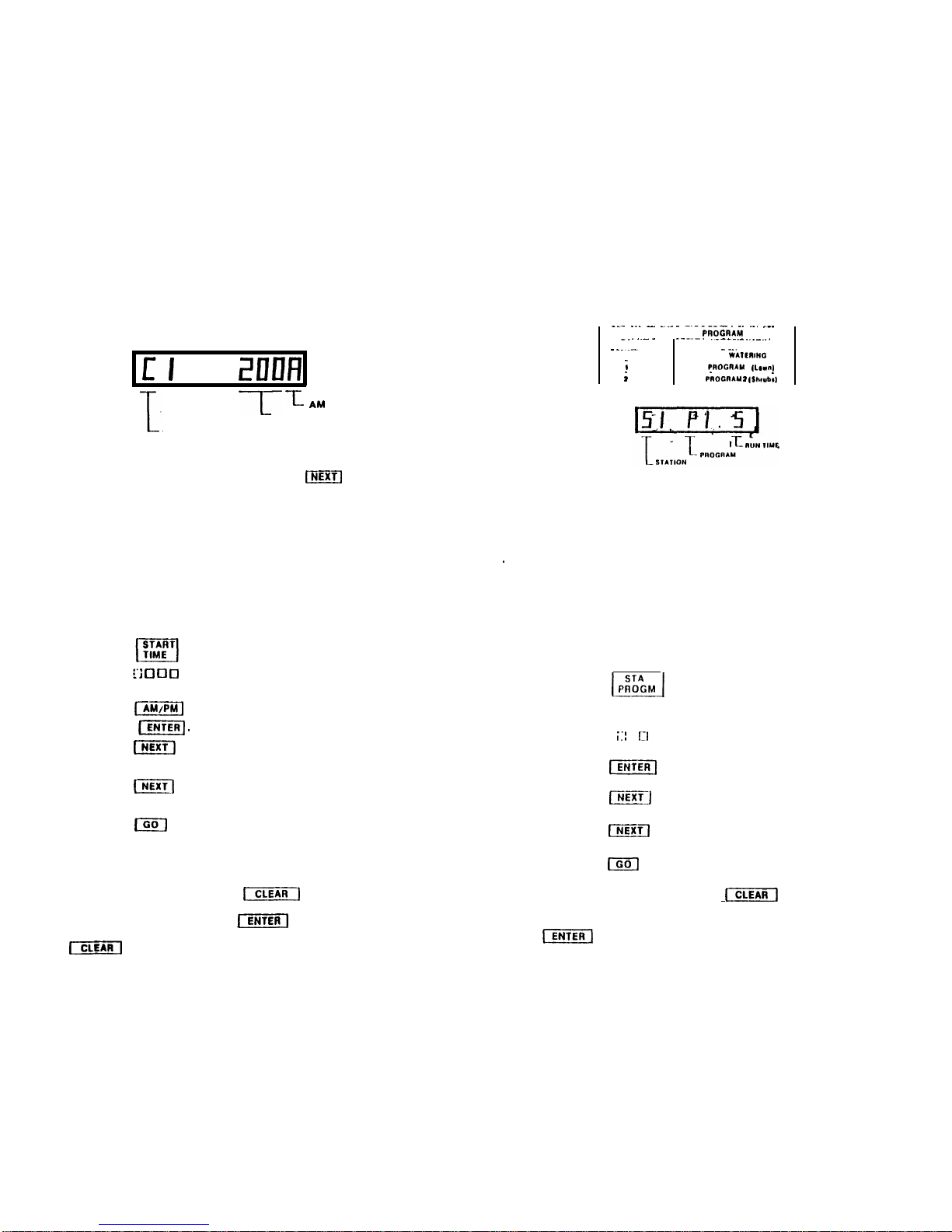
PROGRAM WATERING CYCLE START TIMES
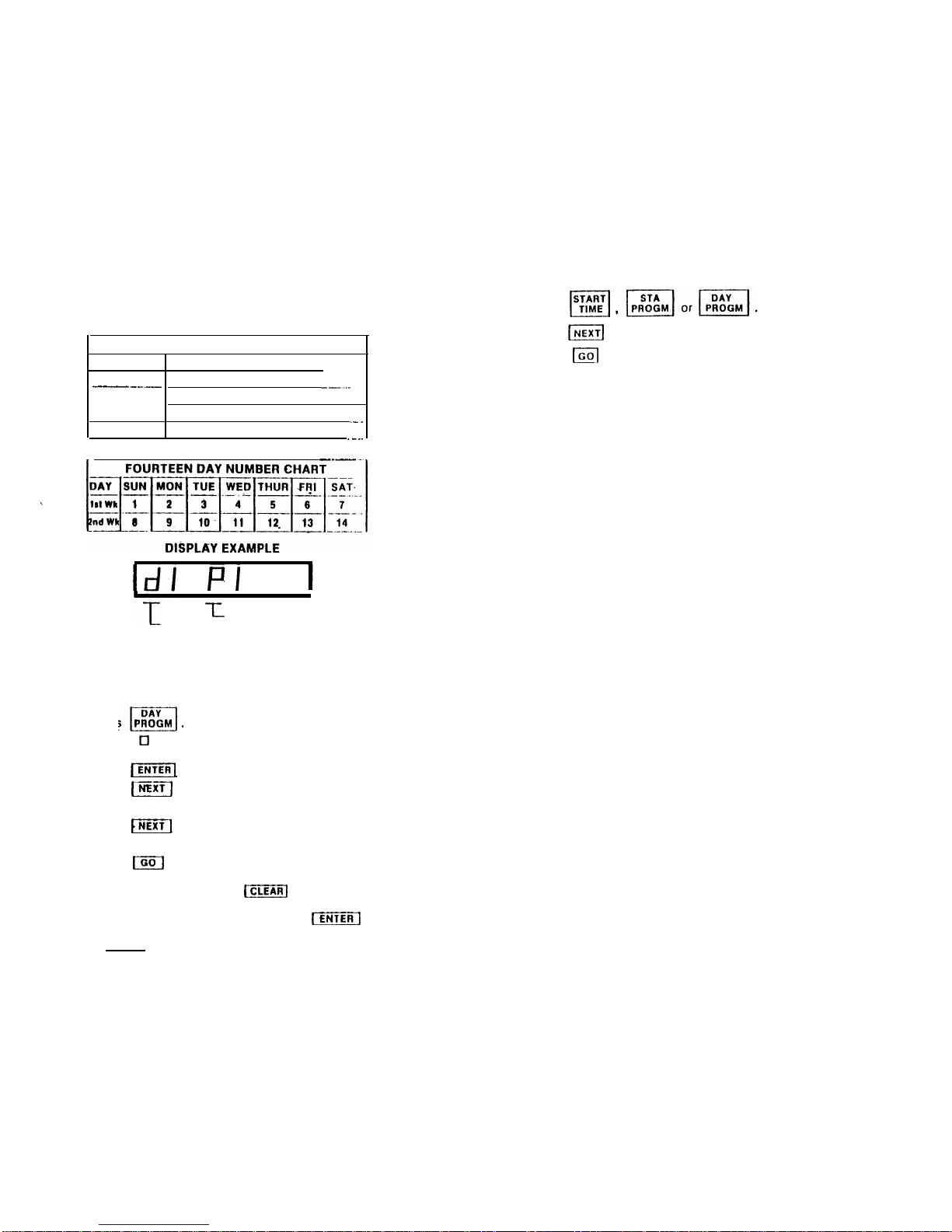
DISPLAY EXAMPLE
Cl
201111
CYCLE
--IT
-L
AM
or
PM
START TIME
Upon power-up cycle No. 1 will preset
with
a time of 2:00 A.M. You can
enter
into
memory up to three
start
times using the
lm]
key to change
cycle numbers and numbered keys to program the start times. Start times
programmed will repeat once every 24 hours. At each cycle
start
time
Stations
1 through 6, programmed to water in Step 3, will water sequen-
tially.
NOTE: There must be a minimum of one minute between the end of
the
last
station's
watering and the next start time. lf an overlap does occur
the next start
time will
be bypassed.
EXAMPLE: Cycle start time C1: 200A
Watering time 10
minutes/station
For 6 stations
:
60 minutes.
Next possible Cycle
start
time C2: 301A
A.
B.
C.
D.
E.
F.
G.
H.
I.
Press
Cycle
No.
1 is
now
displayed
Press
:.‘i
Cl
0
0
three or four numbered keys for
time
of day.
Press 1to change the displayed A or P.
Press (ENrERj
.
Cycle No. 1 is now entered
into
memory.
Press
[NEXT]
to display Cycle No. 2.
Repeat Steps B, C and D for the second start time.
Press
(-1
to display Cycle No. 3.
Repeat Steps B, C and D for the
third
start time.
Press
m
lo
return
the
display back to
the
clock.
IF
ONLY ONE START TIME IS DESIRED. PERFORM
STEPS A,
B,
C,
D
AND
I
ONLY.
NOTE:
If
you press a wrong key press
mj
then re-enter
the correct time. If you should program an invalid time, NOTE: If you press a wrong key press
(CLEARI
then
re-enter
the
such as
13:00,
upon pressing
1-1
the display will go correct program number and watering run time. If you should
blank except for an
"E",
indicating
an error. Press program an invalid program number, such as 3, upon pressing
1-1
and
repeat Steps
B
and
D. IENTER]
the display
will
go blank except for an
"E"
indicating
an error. Press clear and repeat Steps
B,
C and
D.
PROGRAM STATION PROGRAM NUMBERS
AND WATERING RUN TIME
___
_._
-
_.._-
-.-_-_-.
__
__.
___
STATION WATERING
PAOGRAY
CHART
_..
..-
_
--
---.-.
.
.._-__._.._
__..
KEY NO. PROGRAM
_
_
_.-
--_.
. . _
0
NO
WATIRINO
;
PAOGRAM
I
,L.rn,
;
_
..
_
PROGAAM
I
(Shwb,)
DISPLAV
EXAMPLE
The
Dual Program capability of the
control
can be achieved as follows:
Divide the valve stations to satisfy your watering needs. Example: Sta-
tions 1 through 4 Program 1
(lawn),
and
Stations
5 and 6 Program 2
(shrubs). These groups of stations may be
watered
independenlty of
each other or
together
by using an appropriate program number in Step 4.
.
Upon power-up all six stations will be preset with Program 1 and a 5
minute watering run time. You are to enter a program number and a
watering
run time for each
station.
The first numbered key pressed will be
the program number while the
next
one or
two
numbered keys pressed
will be the run time in
minutes.
(1
to 99 minutes.) NOTE: No
matter
what
the watering run time
a
"0"
program
number will prevent watering.
A "0"
only, can not be
entered
for a
watering
run time.
A.
B.
C.
D.
E.
F.
G.
H.
I.
Press
Station
No. 1 is now displayed.
Press
LI
one numbered key for the selected program
number
Press i:I
Cl
one
or
two numbered keys for the desired
watering
run
time for Station No.
1.
Press
1-1
Station No. 1 is now entered
into
memory.
Press
mm]
Station
No. 2 is now displayed
Repeat Steps
B,
C and D for Station No. 2
Press
I-r]
for Station No. 3
Repeat Steps B, C, D and E for a
total
of six stations.
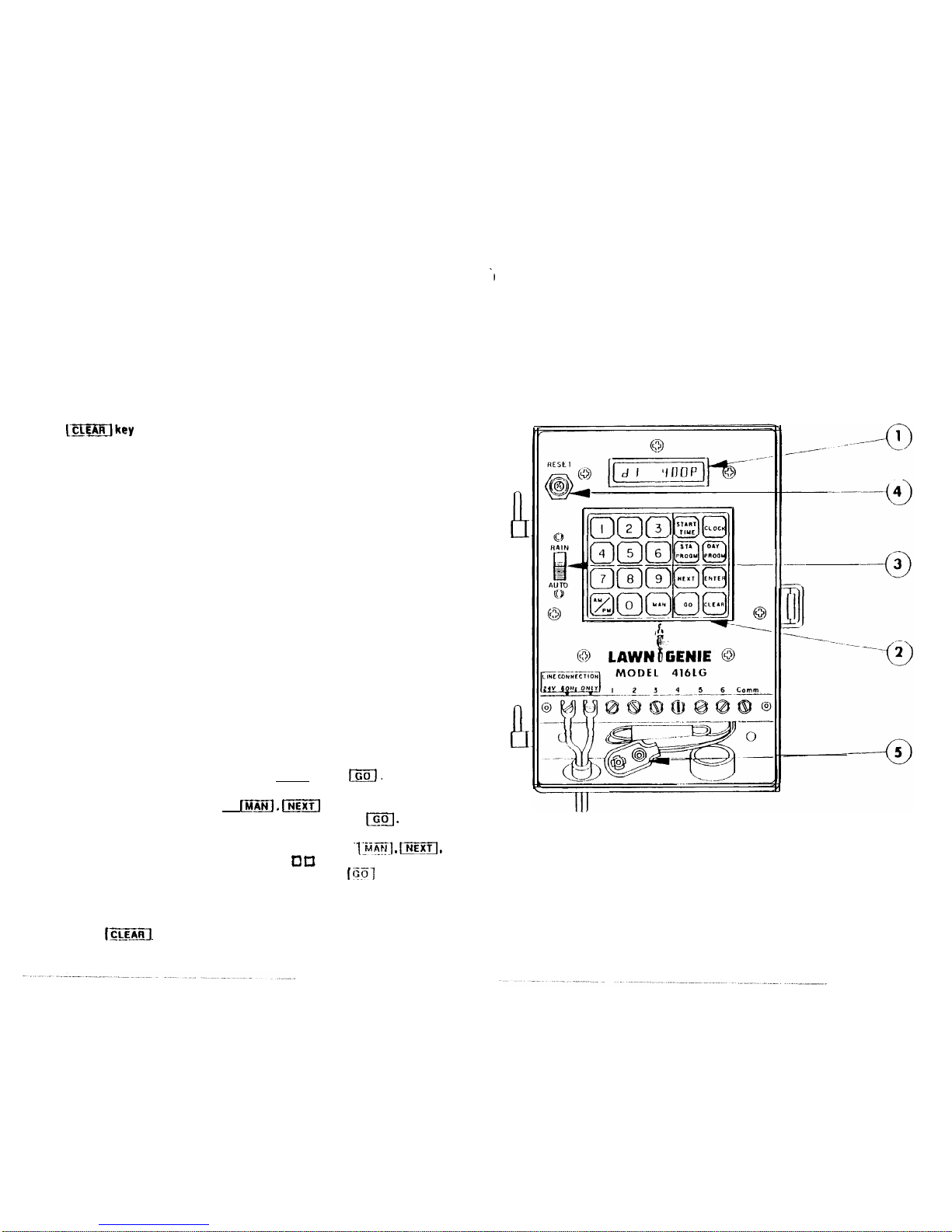
Press
m
to return the display back to the clock.