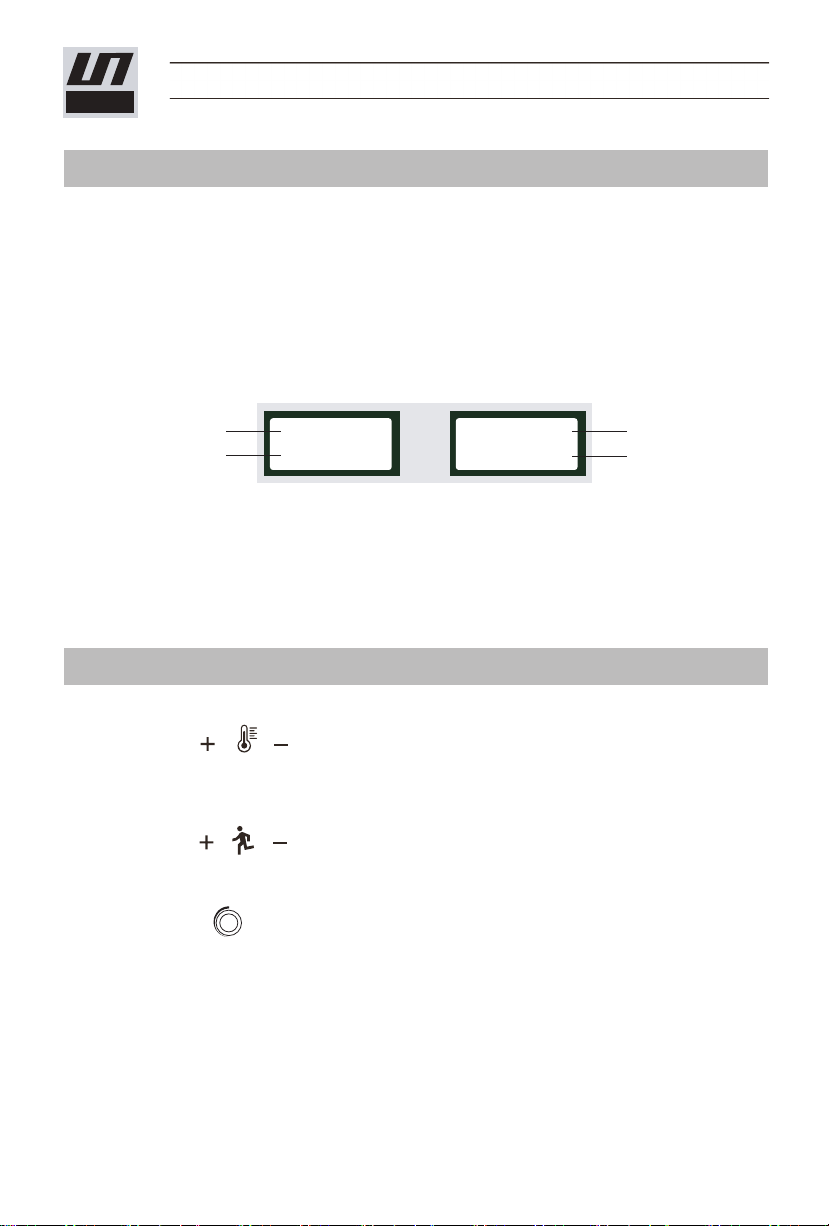
1、Welding temperature:
Using bottoms on the panel to set the required temperature. You can
set the temperature according to the welding materials and the ambient temperature.
LCD display will show the set temperature and the current actual temperature.
2、Welding speed:
Using bottoms on the panel to set the required speed according to the
welding temperature. LCD display will show the set speed and the current actual speed.
3、Air volume:
Using the button on the panel to set the air volume, increase the air volume
clockwise and reduce the air volume counterclockwise. When the ambient temperature
is too low and the current temperature can not reach the set temperature, the air volume
can be reduced appropriately.
● The machine has a memory function parameters, namely when you use the welder
next time, the welder will automatically use the last set of parameters without having
to re-set parameters.
LST-RM1 EN
LESITE
Controller Panel
Welding Parameters Setting
06
4、If press the bottoms (33) and (34) at the same time, LCD display shows as figure 1,
the hot air blower is under natural wind without heating.
5、When the welding nozzle is at the right position, press the moving switch (39) and
the welder starts to move and weld. It will stop move if you press the moving switch
again.
6、When the welder starts to move, the LCD display shows as figure 3.
7、The knob (35) is used to adjust the air flow of the air gun, increase the air flow by
rotating clockwise, and reduce the air flow by rotating counter-clockwise.
Figure 3
CT: 501℃
ST: 510℃
CV: 5.0M
SV: 5.0M
Current temp
Setting temp
Current speed
Setting speed