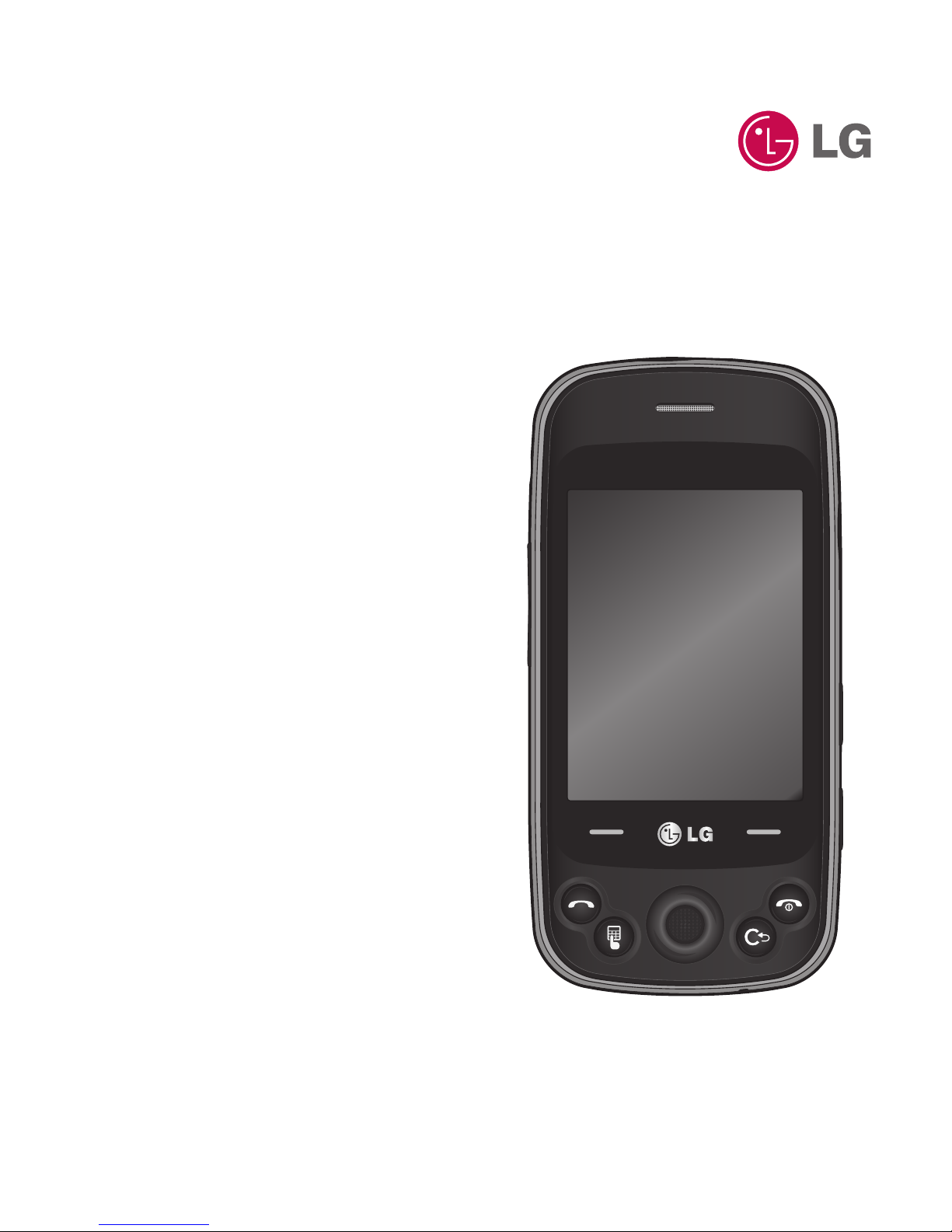
LG Rumour Plus Manuale utente

LG Rumour Plus™ User Guide
ENGLISH

Bluetooth QD ID B016221

LIMITED WARRANTY STATEMENT
1. WHAT THIS WARRANTY COVERS:
LG offers you a limited warranty that the enclosed subscriber unit and its enclosed accessories will be
free from defects in material and workmanship, according to the following terms and conditions:
1. The limited warranty for the product extends for ONE (1) year beginning on the date of purchase of the
product by the original end user.
2. The limited warranty extends only to the original end user of the product and is not assignable or
transferable to any subsequent purchaser/end user.
3. This warranty is good only to the original end user of the product during the warranty period as long
as it is in Canada.
4. Upon request from LG, the consumer must provide information to reasonably prove the date of
purchase.
5. During the applicable warranty period, LG will repair or replace at LG’s sole option, without charge to
the original end user, any defective component part of the phone or accessory.
6. LG may use rebuilt, reconditioned or new parts or components when repairing any product or replace a
product with a rebuilt, reconditioned or new product.
2. WHAT THIS WARRANTY DOES NOT COVER:
1. Defects or damages resulting from use of the product in other than its normal and customary manner.
2. Defects or damages from abnormal use, abnormal conditions, improper storage, exposure to moisture or
dampness, unauthorized modifications, unauthorized connections, unauthorized repair, misuse, neglect,
abuse, accident, alteration, improper installation or other acts which are not the fault of LG, including
damage caused by spills of food or liquids.
3. Breakage or damage to antennas unless caused directly by defects in material or workmanship.
4. The fact that the Customer Service Department at LG was not notified by the original end user of the
alleged defect or malfunction of the product, during the warranty period.
5. Products which have had their serial numbers removed or made illegible.
6. Damage resulting from use of non-LG approved accessories.
7. All plastic surfaces and all other externally exposed parts that are scratched or damaged due to normal
customer use.

8. Products serviced by non-authorized persons or companies.
Notes:
1. This limited warranty supersedes all other warranties, expressed or implied either in fact or by
operations of law, statutory or otherwise, including, but not limited to any implied warranty of
merchantability or fitness for a particular purpose.
2. Shipping damage is the sole responsibility of the shipping company.
3. EXCLUSION OF LIABILITY:
No other express warranty is applicable to this product.
THE DURATION OF ANY IMPLIED WARRANTIES, INCLUDING THE IMPLIED WARRANTY OF
MARKETABILITY, IS LIMITED TO THE DURATION OF THE EXPRESS WARRANTY HEREIN. LG ELECTRONICS
CANADA, INC. SHALL NOT BE LIABLE FOR THE LOSS OF THE USE OF THE PRODUCT, INCONVENIENCE,
LOSS OR ANY OTHER DAMAGES, DIRECT OR CONSEQUENTIAL, ARISING OUT OF THE USE OF, OR
INABILITY TO USE, THIS PRODUCT OR FOR ANY BREACH OF ANY EXPRESS OR IMPLIED WARRANTY,
INCLUDING THE IMPLIED WARRANTY OF MARKETABILITY APPLICABLE TO THIS PRODUCT.
4. HOW TO GET WARRANTY SERVICE:
To obtain warranty service, please call the following telephone number from anywhere in Canada:
LG Electronics Canada, Inc.
Tel. 1-888-542-2623
www.lg.ca (see links to “Wireless Phone Service”)
Electronics Canada Inc.
Mississauga, Ontario

Some of the information in this
manual may not apply to your
phone, depending on your phone's
software or your service provider.
LG Rumour Plus™ User Guide

Contents
Your Phone ..................................4
Phone Components ............................4
Slide Open View....................................5
Rear View.................................................6
Getting Started...........................7
Installing the SIM Card and
Battery......................................................7
Installing a Memory Card ............... 10
Touch Calibration ................... 12
General Features..................... 13
Making a Call....................................... 13
Answering a Call ................................ 14
Adjusting the Volume...................... 14
Setting Proles ................................... 15
Entering Text ....................................... 15
Qwerty Keypad .................................. 17
Contacts..................................... 20
Contact List.......................................... 20
New Contact........................................ 20
Caller Groups....................................... 21
Speed Dial List.................................... 21
SIM Management.............................. 22
Service Dial Number......................... 22
My Numbers........................................ 22
In-Call Menu............................. 23
During a Call........................................ 23
Conference Calls ................................ 25
Your Standby Screen............. 27
Menu Tree ................................. 29
Messaging................................. 30
Create Message.................................. 30
Inbox...................................................... 34
IM............................................................. 36
Email....................................................... 37
Facebook .............................................. 38
Drafts ..................................................... 38
Outbox .................................................. 39
Sent ........................................................ 40
Voicemail.............................................. 40
Message Settings .............................. 40
Web ............................................. 44

Tunes & Apps ........................... 46
Audio ..................................................... 46
Games.................................................... 47
Picture ................................................... 47
Video...................................................... 48
Applications ........................................ 48
Music...................................................... 48
Web pages ........................................... 56
Other Files............................................ 56
File Manager........................................ 56
Camera....................................... 57
Take Photo........................................ 57
Record Video.................................... 60
Camera Album................................ 61
Record Voice .................................... 62
Tools............................................ 63
Voice Command ................................ 63
Alarm Clock ......................................... 64
Calendar................................................ 65
Notepad................................................ 66
Calculator ............................................. 66
World Clock ......................................... 66
Tasks....................................................... 67
Stopwatch............................................ 67
Tip Calculator...................................... 68
Unit Converter.................................... 68
Settings...................................... 69
Audio & Ringtones............................ 69
Phone Settings................................... 70
Display................................................... 74
Touch Keypad ..................................... 75
Call .......................................................... 75
Connection.......................................... 78
Memory................................................. 82
Application Settings......................... 83
Accessories ............................... 89
For Your Safety......................... 90
Safety Guidelines.................... 97
Trouble Shooting..................120

LG GW370B |User Guide4
Your Phone
Phone Components
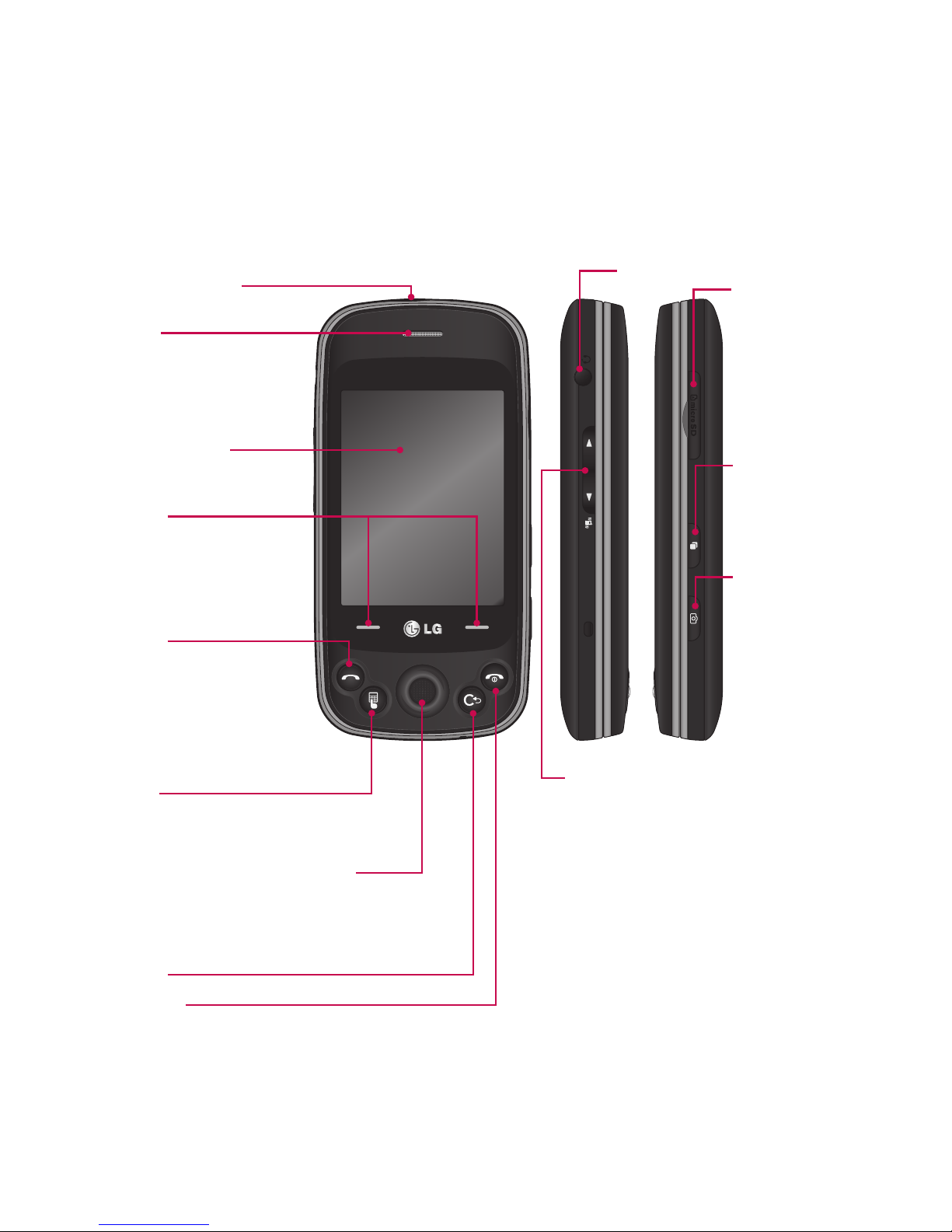
Main LCD screen
Soft keys
Touch the left or right soft
key to select available
menu or options.
SEND key
Press this key in standby
mode to quickly access
your most recently missed,
dialed, and received calls.
Dial pad
Press to open the dial touch key pad.
OK key + 4-way navigation key
Use for quick access to phone functions.
Roll the ball to navigate and press to choose
menu.
Clear key
microSD™
memory card
slot
Headset Port
Side volume keys
• When on the Standby screen:
Allows you to set the Ringtone and
Touch-tone volume. Hold the Down
key to toggle the Vibration Mode
On and Off.
• During a call: Allows you to change
the Earpiece volume.
• When playing music: Allows you
to change the music volume.
Charger/USB Port
Earpiece
Lets you hear the caller
and automated prompts.
END/Power
Ends or rejects a call. Turns the phone on/off.
Press once to return to the standby screen.
Multitasking
key
Camera key
Press to start
the Camera
function. Press
and hold to start
the Video record
function.

5
Slide Open View
Email
IM
Text Msg
Contact list
Caps
Press to change between
Uppercase and Lowercase.
Fn
Press to type the symbols and
numbers that appear on the
qwerty keypad.
Space
Press to enter a space between words.
Sym
Press to open the Symbol menu.
Del
Deletes digits
and letters.
Press to input
“@” and “.com”.
Press to move to the
next row.
Up
Right
Down
Left

LG GW370B |User Guide6
Rear View
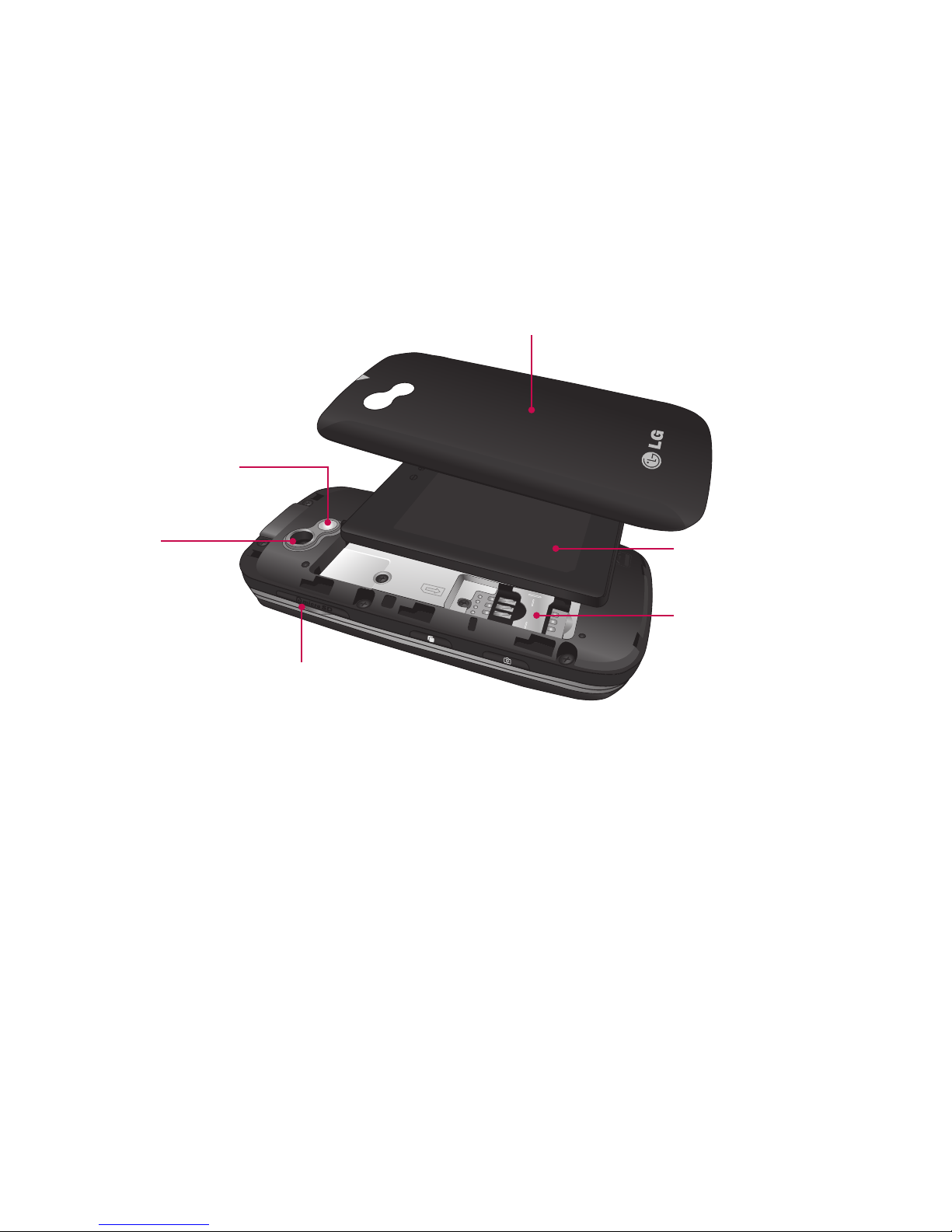
Battery cover
External
camera lens
microSD™ memory
card socket
Battery
Mirror
SIM card socket
Your Phone
Indice
Altri manuali LG Telefono cellulare
Manuali Telefono cellulare popolari di altre marche

Blackbe;rry
Blackbe;rry Q10 Manuale utente

Blackbe;rry
Blackbe;rry Bold 9900 Manuale utente

Blackbe;rry
Blackbe;rry STORM 9500 - VERSION 5.0 Manuale utente

ISAFE MOBILE
ISAFE MOBILE IS655.2 Manuale utente

Blackbe;rry
Blackbe;rry CURVE 8300 - SMARTPHONE Manuale utente

Blackbe;rry
Blackbe;rry 8707 - VERSION 4.1 Manuale utente